The Editor
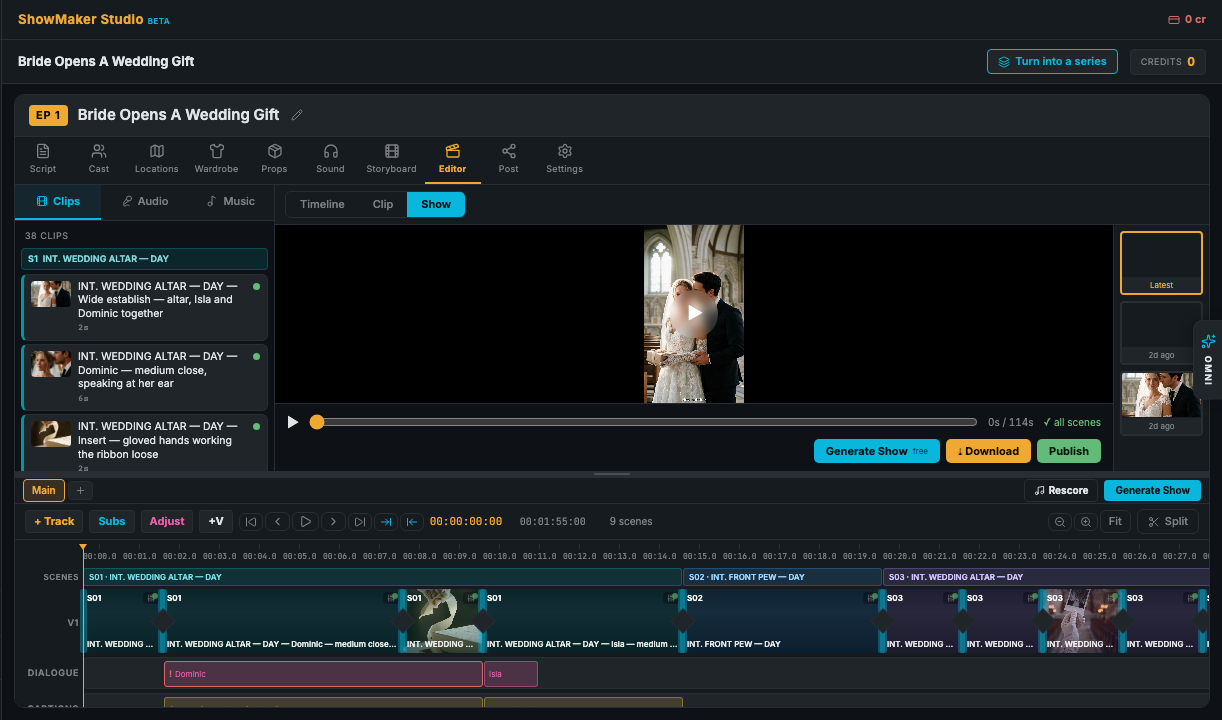
The editor is a full timeline — your shots as a video track, voices and music as audio tracks, subtitles and B-roll on top. Assemble the whole show with one click, then fine-tune anything.
Generate Show
Generate Show stitches your existing scene clips into one continuous cut — with voices, music, captions, and transitions. It doesn't use credits: nothing is re-rendered, it just assembles what you've already made. If some scenes aren't rendered yet, the editor tells you which are missing. Use Rescore to refresh the music once you've added more.
Preview modes
The monitor above the timeline plays three ways:
- Timeline — plays the timeline live as you scrub, with all your edits.
- Clip — plays a single selected clip.
- Show — plays the full assembled sequence.
Audio mixer
Voices and score sit on their own audio tracks. Add tracks, drop in clips from your library or upload files, and per track set the volume (gain), mute, solo, lock, and duck (automatically lower music under dialogue). Trim and slide clips right on the timeline.
Subtitles
Add a subtitle track and drop cues at the playhead, or let ShowMaker generate captions from the spoken delivery. Edit any cue's text, timing, size, and position (bottom, middle, top).
B-roll cutaways & inserts
Lay B-roll or insert shots over a scene while its audio keeps playing — great for interviews and true-crime pacing. Search the free stock B-roll library, drop a clip on the overlay track, and it appears as a labeled chip above the base shot.
The Properties inspector
Select any clip, voice line, or caption and its Properties open in the assistant panel — spoken line, caption style and position, gain, and per-shot cutaways. It's the quickest way to adjust one thing without hunting through menus.
Export
Download a single clip, or the whole show, as an MP4 straight from the monitor. Ready to share it? Head to Export & publishing.