Getting started
Everything begins on your dashboard. In a couple of clicks you'll have a project and a first draft to react to.
Create a project
From the dashboard, use the create bar at the top. The main button starts a new project; the small arrow beside it opens the other ways to begin.
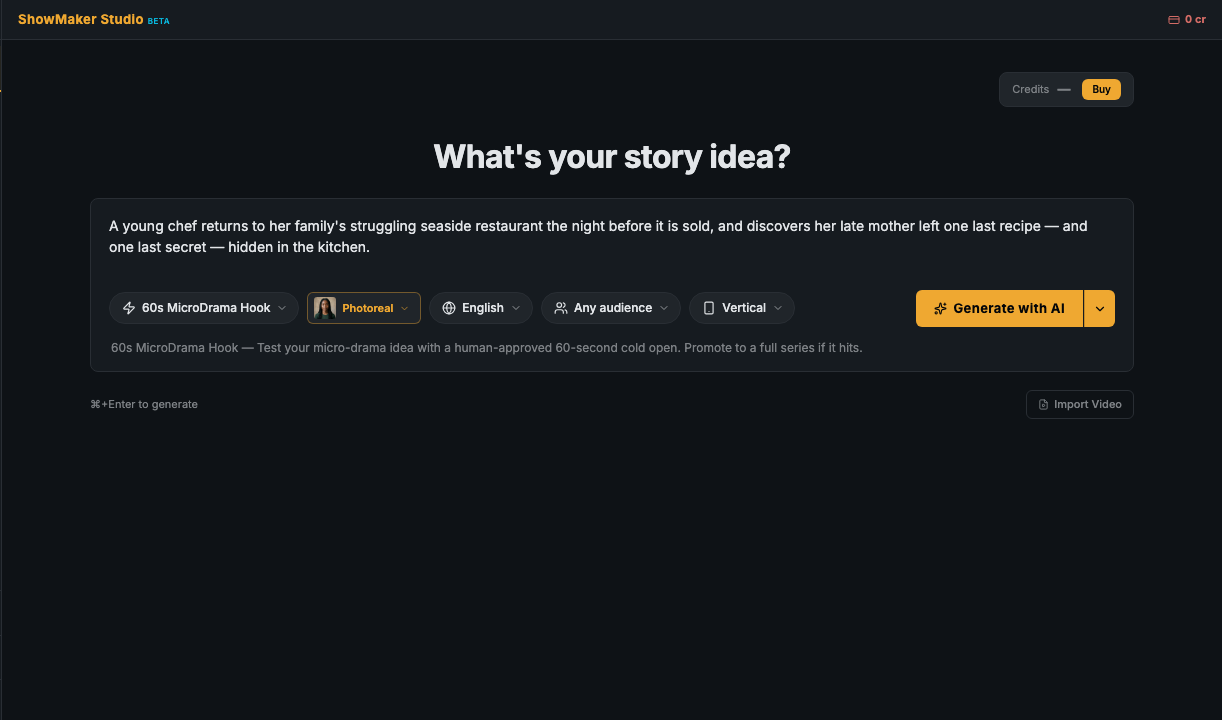
Ways to start
- Generate with AI — type a one-line idea or a premise and get a complete first draft, cast and all.
- Improvise — a fast, loose take on your idea to steer from there.
- Writers Room — bring your own draft in to rate, improve, and discuss before it becomes a script.
- Write it myself — start blank and type your own script, scene by scene.
- Import Script — already have a screenplay? Paste or upload it and ShowMaker breaks it into scenes for you.
- Import Video — bring in existing footage to work with.
The main button runs Generate with AI; the caret beside it opens the rest under More ways to start.
Pick a format
When you create a project you choose what you're making. The format sets sensible defaults for length, aspect ratio, and pacing — you can change everything later.
- 60s MicroDrama Hook — a human-approved 60-second cold open to test a vertical (9:16) idea. If it hits, promote it to a full series.
- MicroDrama Series — a 12–60 episode series outline you review and lock in.
- Short Film — a full script with a complete cast and locations.
- Narrated Video — a narrated script over stills; a streamlined flow that skips the on-camera cast steps.
- Pitch Film — load a script and get a watchable ~10-minute rough of the whole show, made to test with studios, investors, and audiences before you make it.
What happens next
What happens after you hit generate depends on the type — some draft a script for you to approve, one takes a script you already have, and one builds a series outline. See Creation flows for a walkthrough of each. In the most common case (Hook, Short Film, Narrated Video), the studio opens with a set of tabs along the top — one for each stage of production. You'll move left to right, but you can jump anywhere:
- Writers' RoomRead, rate, and approve the script. Learn more →
- Cast & assetsBuild the people, places, and things your story reuses. Learn more →
- Script & StoryboardFine-tune the screenplay, then break it into shots. Learn more →
- EditorAssemble the cut, add music and subtitles, and export. Learn more →