The Omni Assistant
Omni is your co-pilot across the whole studio. Pull it out from the right edge of any tab and ask it — by typing or by voice — to write prompts, build assets, or change scenes. It does the work, not just the talking.
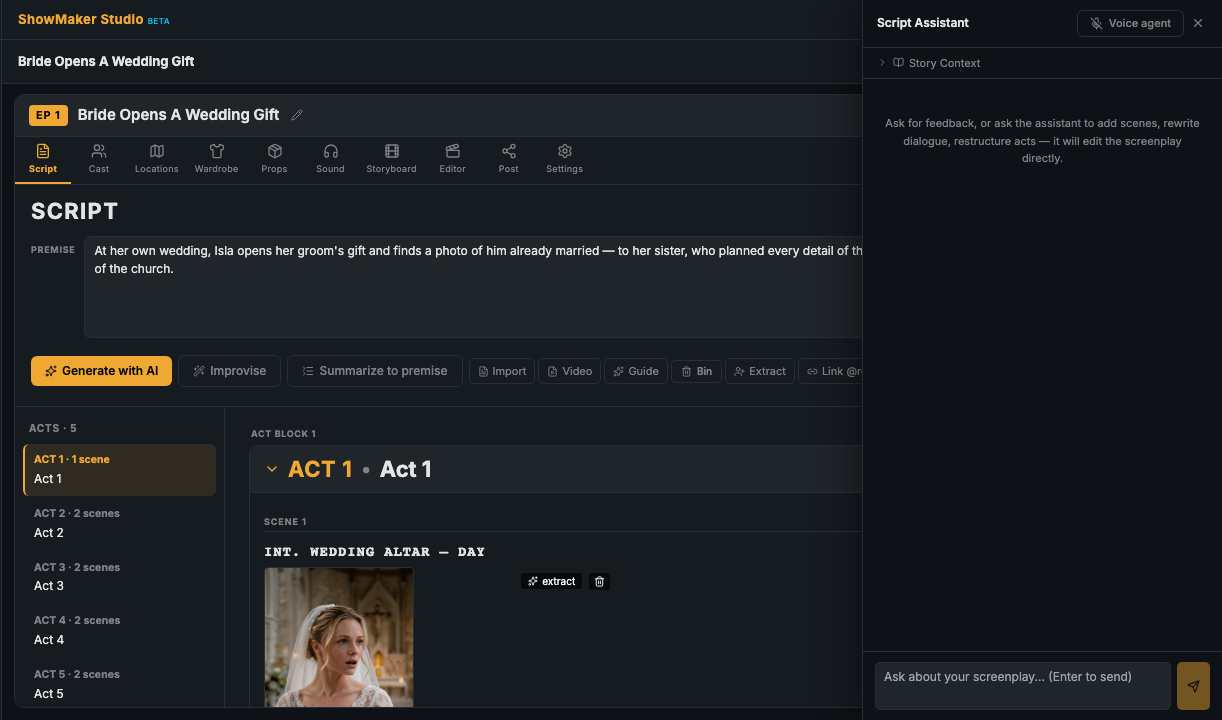
Open it anywhere
Omni lives on a handle at the right edge. Click to peek; it pins open once you interact inside. When you're talking to it by voice, the handle shows a LIVE indicator.
It knows which tab you're on
Omni hosts the right assistant for where you are:
- On the Script tab it's the Script Assistant — rewrite scenes, add cast, adjust dialogue.
- On the storyboard and other tabs it's the studio agent — write prompts, add characters or locations, update a scene.
- Select a timeline item in the Editor and it shows that item's Properties.
Its mode chips read Chat, Voice, and Properties.
Chat or voice
Type a request, or speak it. Both reach the same capabilities, so anything you can ask for in chat you can also just say out loud — useful when your hands are busy directing.
Shared direction. There's a direction field for your key decisions — tone, style, the look you're going for — that Omni carries across every tab, so you don't repeat yourself.