Cast, locations, wardrobe & props
A believable show reuses the same faces, places, and things from scene to scene. You build each one once, lock in its look, and reference it everywhere — so your lead looks like your lead in every shot.
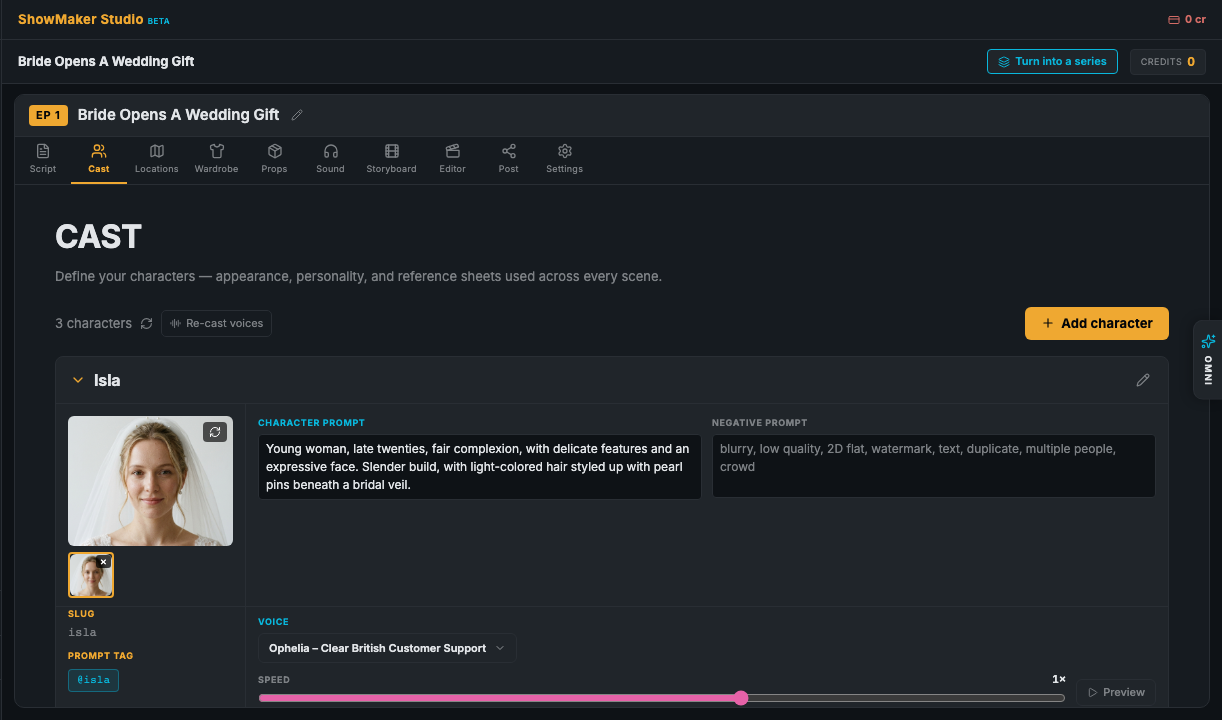
The four asset tabs
Along the top of the studio you'll find four libraries:
- Cast — the characters in your story, each with a generated character sheet.
- Locations — the places scenes happen, described as empty rooms with the right light.
- Wardrobe — outfits that belong to a character; you can have several per person.
- Props — objects the story needs, from a pocket watch to a torn photograph.
If you started from a script, use Extract Cast & Locations on the Script page to populate these automatically — then refine.
Add and describe an entity
Every asset works the same way:
- Name it.Give it a short, memorable name —
Amara,Church Stage,Antique Pocket Watch. - Describe the look.Write what it should look like, or use Generate description from an image if you already have a reference. A Negative prompt lets you say what to keep out.
- Generate the still.Create the character sheet or reference image. Prefer your own? Upload still, Load from URL, or Pick from video frames instead.
You can regenerate any look, refresh every still in a panel at once, or rewrite a description with AI to punch it up.
@references — reuse anything by name
Every asset has a short @reference (its slug) shown as a chip you can click to copy. Drop it into any prompt — a scene, a shot, an outfit — and ShowMaker pulls in that exact look. Start typing @ in a prompt field and a picker appears with every cast member, outfit, location, and prop.
@ anywhere in a prompt to reference a cast member, outfit, location, or prop.@amara rather than re-describing her, she stays on-model across the entire show.Wardrobe outfits & variants
Wardrobe is per-character. Give an outfit a name (Office, Beach), a short description that's added to the character, and optionally link it to a location. Each outfit gets its own @reference so you can dress a character differently scene to scene.
Props with clean cutouts
Props can be tagged by view (front, open, close-up) and have their background removed to a transparent cutout — handy when the same object appears across many shots.
Voices at cast time
Characters can be assigned a voice here, and a narrator / voice-only role is available for a character who speaks but never appears on camera. There's more on casting voices in Voices & dialogue.