Shows in any language

Make shows for viewers
in their own language.

Some of the biggest audiences on YouTube watch in Spanish, Portuguese, Korean or Japanese, and fewer channels make stories for them. ShowMaker Studio lets you write, voice and caption a show in another language while you read every line in your own language.

  • Spanish, Portuguese, Korean and more
  • Your language under every line
  • Voices per character
  • Two-language captions
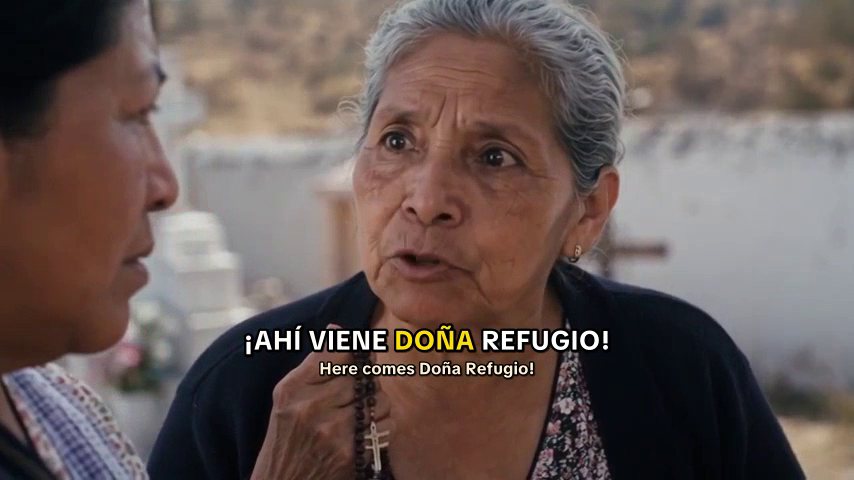
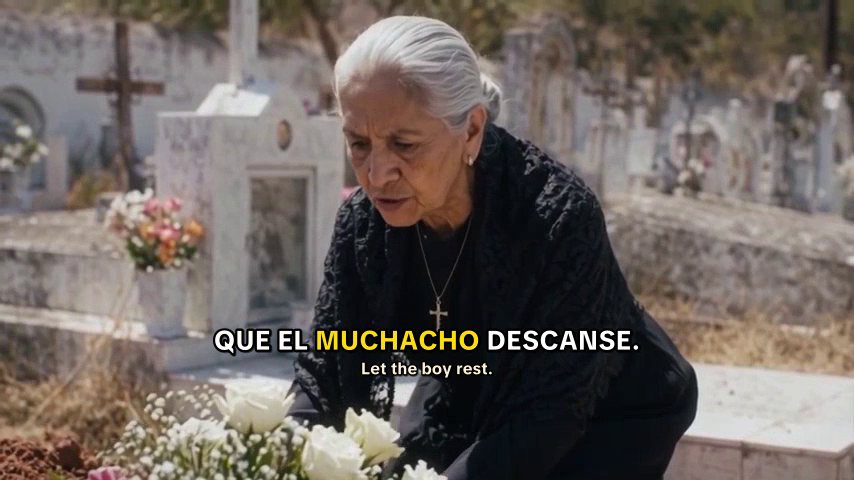
A grandmother at a grave with a Spanish caption and an English line under it
In ShowMaker

How the studio
does it.

Write

Your own language under every line

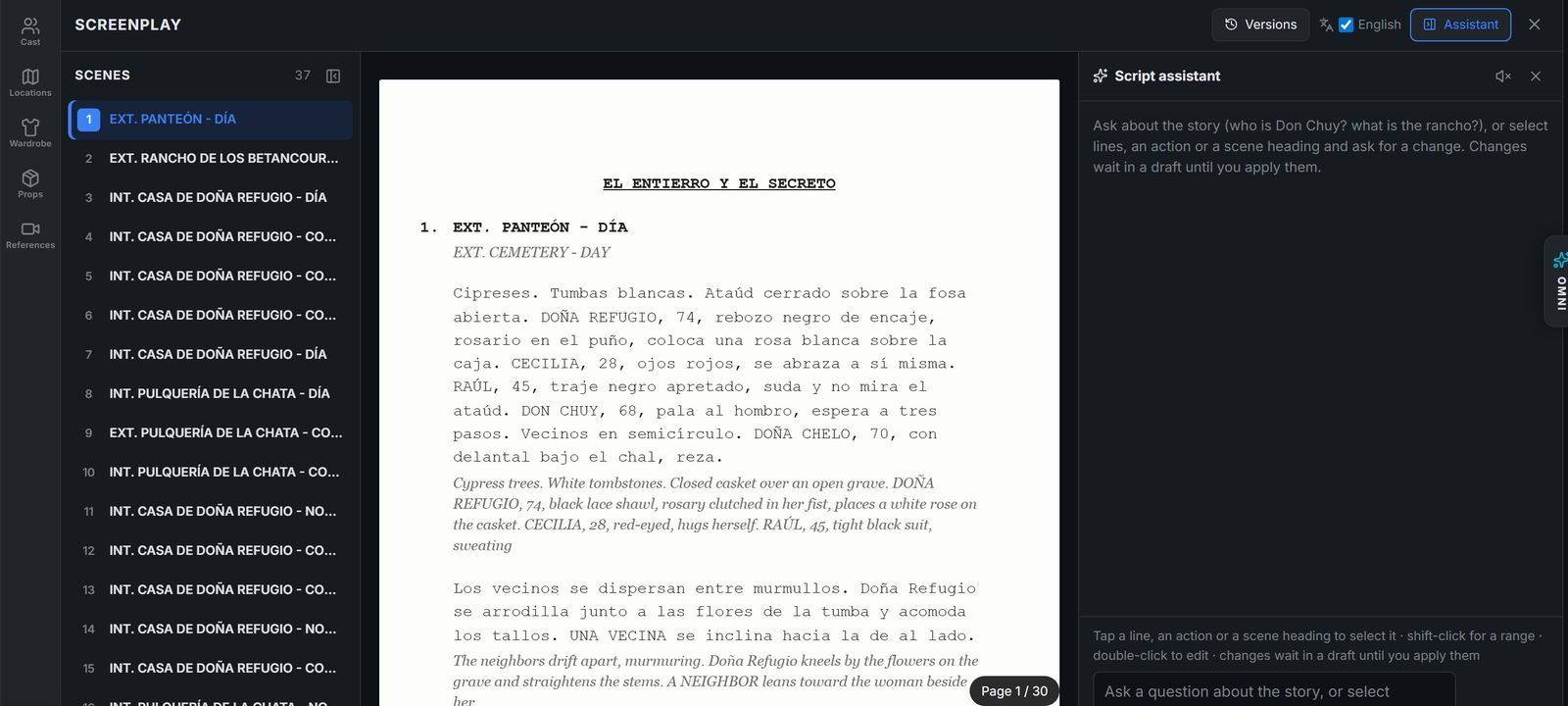
Set the spoken language when you start the project. In the Screenplay editor each line, action and scene heading has its meaning beside it in the language you choose, so you can direct a scene in a language you are still learning.

The ShowMaker Screenplay editor: a scene list, the script laid out as pages, and the script assistant
Captions

Captions in two languages

Captions follow the spoken words, and a second line can show the same words in any language you pick, such as English, Hindi or French. One upload then works for the audience you made it for and for everyone else.

Two women at a funeral with a Spanish caption and its English line
Voices

A voice that fits each character

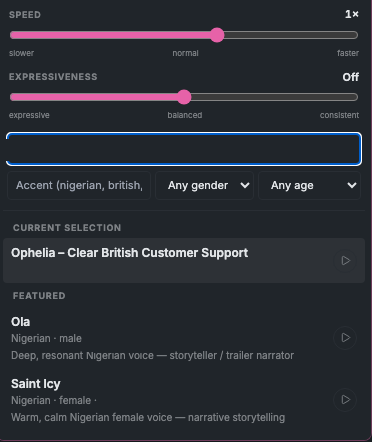
Pick a voice for each character from a large library and hear it before you choose. The character keeps that voice in every scene and every episode.

The voice picker with voices to preview
Cast

A cast that looks like the story

Describe your characters and the places they live, and the character sheets and location stills are drawn to match. Every shot then uses them.

Step by step

Three steps in ShowMaker.

01

Choose the language

Pick the spoken language when you create the project. The script, voices and captions follow it.

02

Direct in your language

Read every line with its meaning in your own language beside it, and ask the assistant for a change in your own words.

03

Caption for everyone

Burn in captions in the show's language with a second line in another language under them, then upload.

Why make a show in another language

English is the most crowded language on YouTube. Viewers who watch in Spanish, Portuguese, Korean or Japanese have plenty of videos to watch but far fewer made for them, and genres like the telenovela have huge, loyal audiences.

A story channel in one of these languages can stand out quickly. It still needs what every channel needs: a strong story, a cast viewers recognize and a reason to come back.

Writing in a language you do not speak well

The Screenplay editor shows the meaning of each line, action and scene heading in the language you choose, whether that is English, French, Hindi or another. You can read the whole film that way, ask the assistant for a change in your own words, and the change comes back in the show's language.

Have a native speaker read the script before you render if you can. Small things, like how people address an older woman or which slang a region uses, are what make a show feel real to the people who watch it.

Voices that sound local

Viewers notice a wrong accent at once. Listen to each voice before you give it to a character, and pick ones that sound like the place your story is set. Once chosen, a character keeps that voice for the whole series.

The video model hears the voice you chose and performs the line with it, so the mouth and the words match in the finished shot.

Captions in two languages

Captions help in every language, since many people watch with the sound off. A second caption line in another language lets viewers outside your main audience follow the story too.

You can also write your title and description in the show's language. Search on YouTube works in the language people type, so a Spanish title reaches people searching in Spanish.
Questions

What people ask first.

Which languages can I make a show in?

The spoken language list includes English, Spanish, Portuguese, French, German, Japanese, Korean and Mandarin, among others. Voices and captions follow the language you pick.

Can I make a Spanish show if I do not speak Spanish?

Yes. The Screenplay editor shows every line in the language you choose, and you can ask for changes in your own words. It is still a good idea to have a native speaker read the script before you render.

Can captions show two languages at once?

Yes. Captions can show the spoken line and a second line translated into any language you pick, such as Spanish on top and English below.

Should I run one channel per language?

Usually, yes. YouTube recommends videos to people based on what they watch, so a channel that posts in one language builds an audience that wants more of the same. If you later make the same story in a second language, give it its own channel with titles and descriptions written in that language.

Will each character keep the same voice?

Yes. The voice belongs to the character, so the character sounds the same in every scene and every episode.

Your first film
starts free.

Start with 200 free credits and watch your story as a narrated animatic. No credit card.