Long AI movies

Make a full-length AI movie
for your channel.

A long video is what earns watch hours, and a long AI film used to mean weeks of prompts and a cast that changed every scene. In ShowMaker Studio the film is one project: a screenplay you can edit like a document, one cast, and shots that always use the same faces and rooms.

  • Screenplay editor
  • Free animatic
  • One cast
  • Multishot scenes
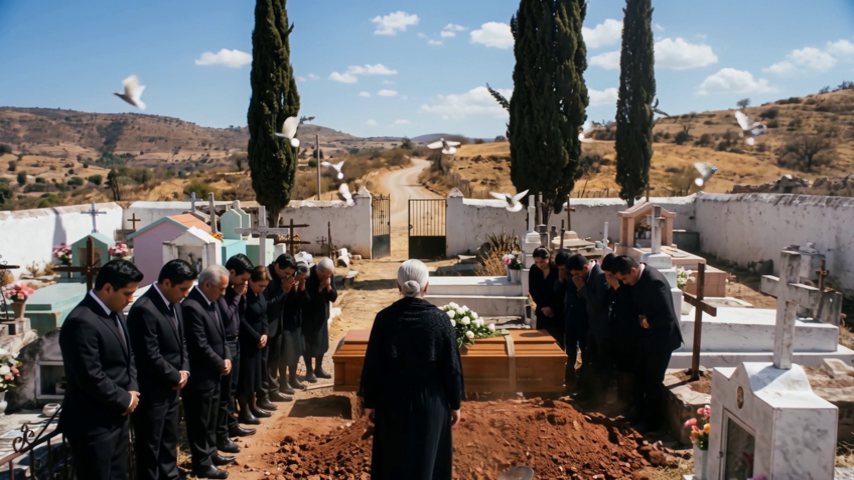
A wide shot of a burial in a hillside cemetery, from an AI film
Full film · 16:9
In ShowMaker

How the studio
does it.

Screenplay editor

Edit the film like a document

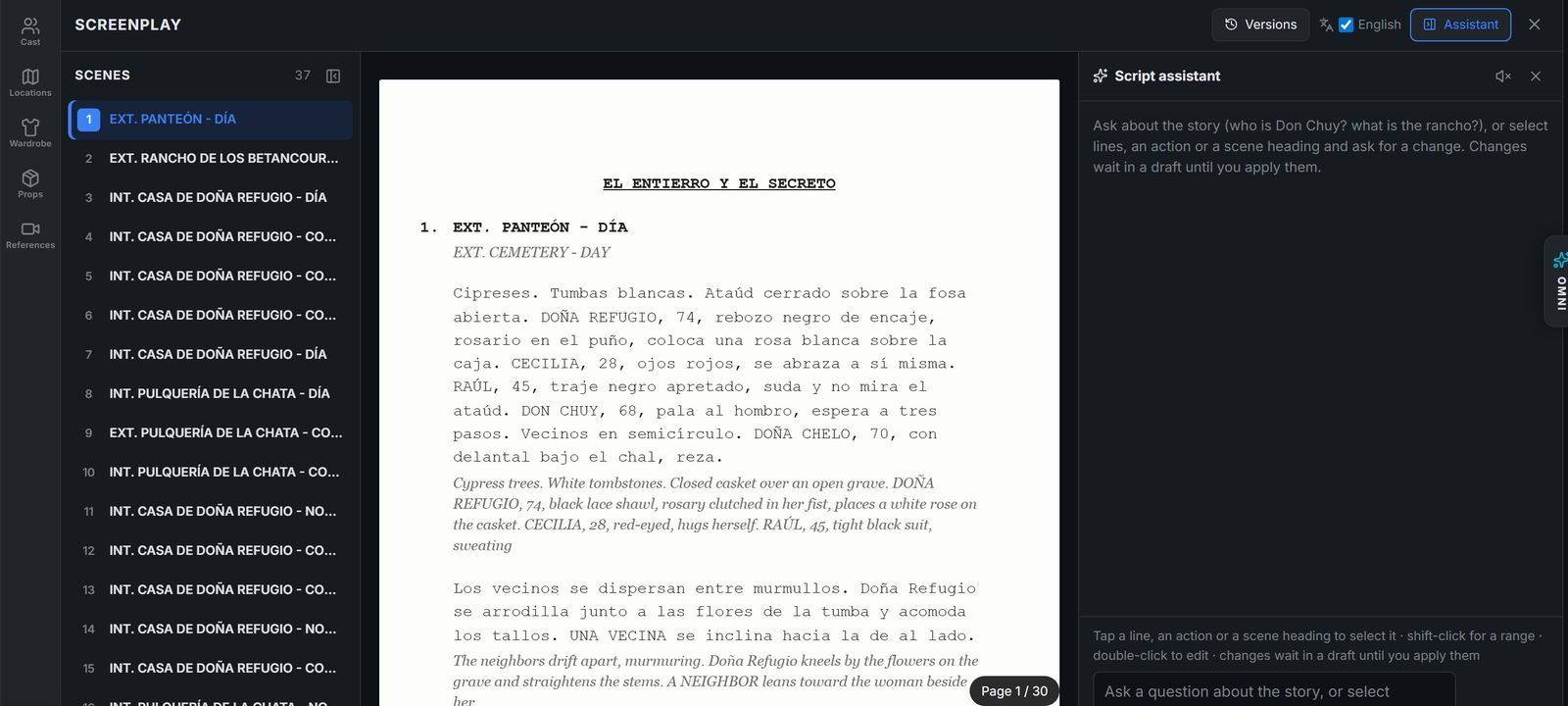
Your script is laid out as pages with every scene in a list beside it. Select a line, an action or a scene heading and ask for a change. You get three versions to pick from. Edits wait in a draft, and applying them saves the old script as a version you can restore.

The ShowMaker Screenplay editor: a scene list, the script laid out as pages, and the script assistant
Scene Flow

Every line beside the shot that covers it

Scene Flow shows the script and the storyboard as one page, so you can see which shots cover each line and preview the scene as you go. Multishot scenes cover a whole conversation in one take, cut on the dialogue.

Cast and sets

The same people for 40 minutes

Characters, wardrobe, props and locations are made once and named with an @tag. Every shot sends those pictures to the video model, which is what keeps a face the same from the first scene to the last.

Finish

Cut, caption and score it

The Editor puts the shots on a timeline with captions, music and sound. Export an MP4, or upload straight to YouTube from the Post tab.

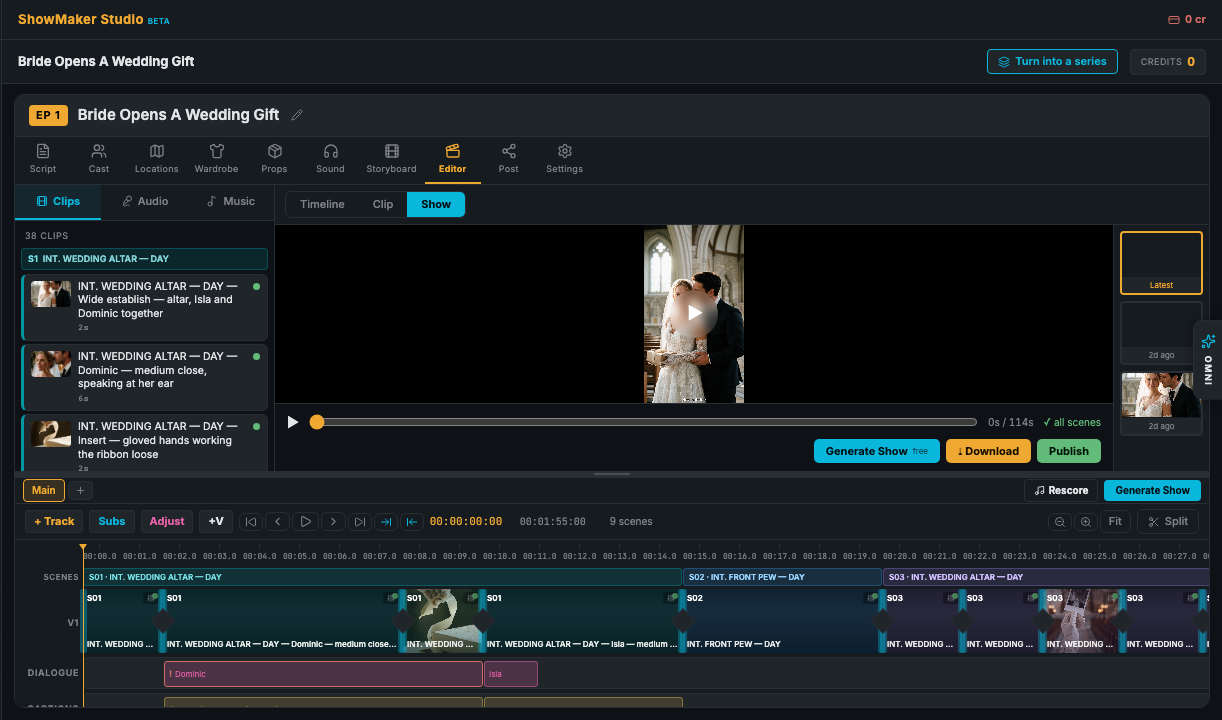
The ShowMaker Editor with a timeline of shots, captions and score
Step by step

Three steps in ShowMaker.

01

Write and trim

Start from an idea, a drama trope or your own screenplay. Cut slow scenes and lines that explain too much while it is still only text.

02

Watch the animatic

Play the whole film as stills with voices for free. If a scene drags here, it will drag on YouTube.

03

Render and cut

Render the shots that need motion, scene by scene. Multishot scenes cover a whole conversation in one take, cut on the lines.

Fix the story while it is still free

Every scene you render and then cut is money spent on nothing. On a long film that adds up fast. The cheapest place to make a film shorter is the script, so ShowMaker gives the script its own editor.

Read the film as pages, the way a script is meant to be read. Look for scenes that repeat a point, characters who explain the plan out loud, and long pauses an AI video cannot act. Cut them in the draft, read it again, and apply it when it reads well. If you cut too much, restore an earlier version.

What holds a viewer for 20 minutes

Long stories on YouTube work best when the setup is ordinary and the stakes are personal: a family, a betrayal, a debt, a secret. Viewers stay when the lead is in real danger and every act ends on a new problem.

Give the film a title that makes people curious about what happens. Start on the strongest moment you have. Then make sure each scene changes something, because a scene where nothing changes is the one where people leave.

  • Open on the most dramatic moment and save the backstory for later.
  • Put the lead in danger they cannot talk their way out of.
  • End every act on a question.

Keeping a long film consistent

The hard part of a long AI film is not one good shot. It is the 300th shot looking like it belongs with the first. ShowMaker keeps one record for each character, outfit, prop and location and sends those pictures with every shot.

A series works the same way. Episodes in a series share one cast and one set of locations, so a sequel or a part two starts with everything already built.

From animatic to finished film

The free animatic plays every scene as stills with the voices and captions. It is the best test of pacing you will get. Watch it all the way through before you render.

When the film plays well, render scene by scene. You choose the video model and resolution for each shot, so quiet shots can be cheap and the big moments can get more. Then cut it together in the Editor, add score and captions, and export.
Questions

What people ask first.

How long can an AI movie made in ShowMaker be?

There is no fixed limit on the film. It is built from shots of a few seconds each, grouped into scenes. Films of 10 to 40 minutes are a good length for YouTube.

Can I use my own screenplay?

Yes. Import a script or paste it in, and ShowMaker keeps your words and structure. You can then trim and rewrite it in the Screenplay editor.

Will the AI change my script without asking?

No. Every change from the assistant goes into a draft that you review. Nothing is saved until you apply it, and applying keeps the old script as a version.

How do I keep the same characters for a whole film?

Make each character once, with a character sheet, wardrobe and a voice. Shots name the character with an @tag, and the studio sends that character's pictures with every shot.

Do I have to render the whole film to see it?

No. The animatic plays the film as stills with voices and costs nothing. Most pacing problems show up there, before you spend on video.

Your first film
starts free.

Start with 200 free credits and watch your story as a narrated animatic. No credit card.