Write, shoot, finish and release a 20 to 45 minute drama: a premise people recognise, a lead in danger, continuity that holds, and a release that tests the story before you pay to finish it.
The lessons are free to read, and you can sign up free to take a course. To finish your film you need a paid ShowMaker plan: video rendering uses credits, and credits are not free. Writing, casting, pictures and voices can be started on the free plan, within its limits.
Lesson 1 · 10 min · Free
An ordinary premise with a real humiliation
Build a long-form premise around a humiliation your audience has lived, and give it a title that works as a YouTube hook.
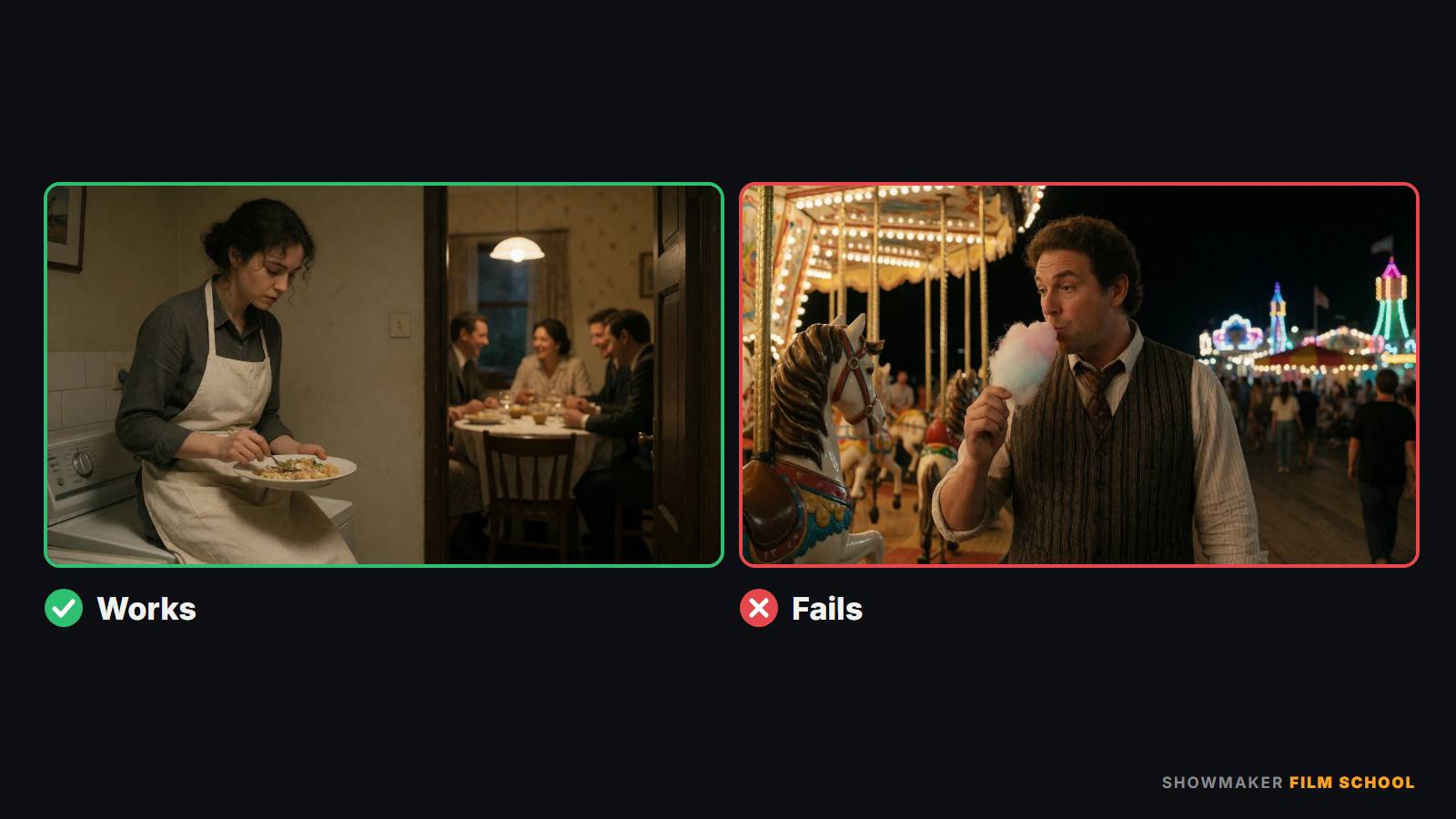
A long film asks a viewer for twenty to forty-five minutes. They give it to a story they recognise. The strongest long-form dramas on YouTube start with an ordinary humiliation in an ordinary place: a daughter-in-law made to eat in the laundry room, a girl mocked at the dinner table in front of guests, a worker shamed at a shop counter. The viewer has stood in that kitchen. They know how it feels, so they stay to see it put right.
Ordinary humiliation pulls a viewer in. A quirky world makes them learn first and feel later.
A quirky world works against you. One of our early premises was a super-taster who ran a boardwalk amusement park. It was clever, and it failed on the first read, because nobody watching has been humiliated at a carousel. The setting asked the viewer to learn a world before they could feel anything. Keep the world plain and put the invention into what happens to the person.
Three more choices hold a long premise together. The wound is about love, not money: the lead wants to be seen, kept or forgiven, and any riches are the reward, never the need. The villains are close: family, an employer, a classmate, people who sit at the same table. And the secret is handed to the audience in the first minute while the lead and the villains do not know it. That gap is what keeps people watching through the slow parts.
Our telenovela Guadalajara opens on Doña Elena announcing that she has found her granddaughter. The audience knows at once what the family stands to lose, and who will fight it. Everything after that first minute is the family trying to stop a reunion the viewer already wants.
The title is the hook. Write it the way the audience searches: what was done to me, then the turn or the secret, then "Full Movie" (or "Película Completa" in Spanish). One of our approved titles reads: They Made Me Eat in the Laundry Room... Then My Grandmother Named Me the Heir | Full Movie. A title like The Last Carousel tells a scrolling viewer nothing about why they should care.
Next in the app: the steps in ShowMaker, the exercise and a 3-question quiz.
Plan a midpoint blow and a lowest point so your lead is truly in danger and wins by her own choice.
A long film can be well written and still be boring. The first full draft of our film La Abuela had that problem. The grandmother at its center was smart, every plan she made worked the first time, and the villain threatened her but never struck. Readers called it competent. Nobody called it gripping. The cause was simple: the lead was never in danger, so the viewer never feared for her.
Two fixed points of danger turn a competent film into a gripping one.
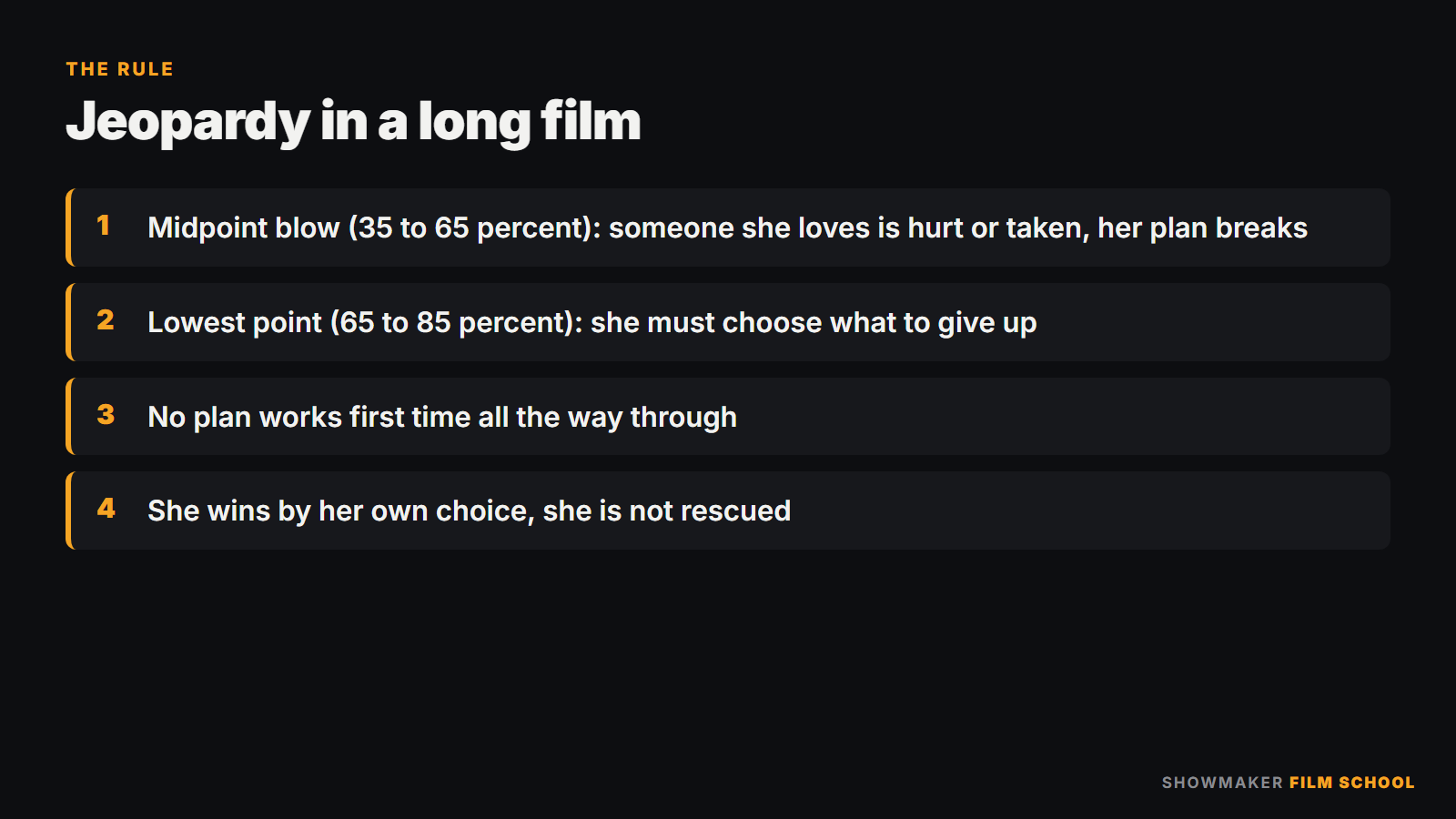
Jeopardy is built into the outline, at two fixed points. The first is the midpoint blow, somewhere between 35 and 65 percent of the running time. The villain hurts, takes or turns someone the lead loves, and the lead's plan breaks. The second is the lowest point, between 65 and 85 percent. The lead has to choose what she is willing to give up, and the climax turns on that choice, not on a rescue and not on the police arriving at the last moment.
In the rewrite of La Abuela, the midpoint blow is the son, Raúl, taking Cecilia, and the lowest point is Refugio realising she must use her own son to win. The film is really asking one emotional question: what does a mother do with the son who sold her grandson? The first draft buried that question under notebooks, bank accounts and bait money, and settled it in passing. The rewrite makes the climax that choice.
Two more rules keep the danger honest. No plan works all the way through on the first try; something slips, someone talks, a door opens at the wrong time. And the lead wins, she is not rescued. Give her at least two paybacks she earns with her own skill or her own choice, so the ending feels like hers.
Write the outline as a list of set pieces, each about two minutes long, with the minute it lands. Then mark the midpoint blow and the lowest point. If you cannot point to them by minute, the film does not have them yet.
Next in the app: the steps in ShowMaker, the exercise and a 3-question quiz.
Write a long script one scene at a time, with a review after each, so it stays lean and every scene ends on a question.
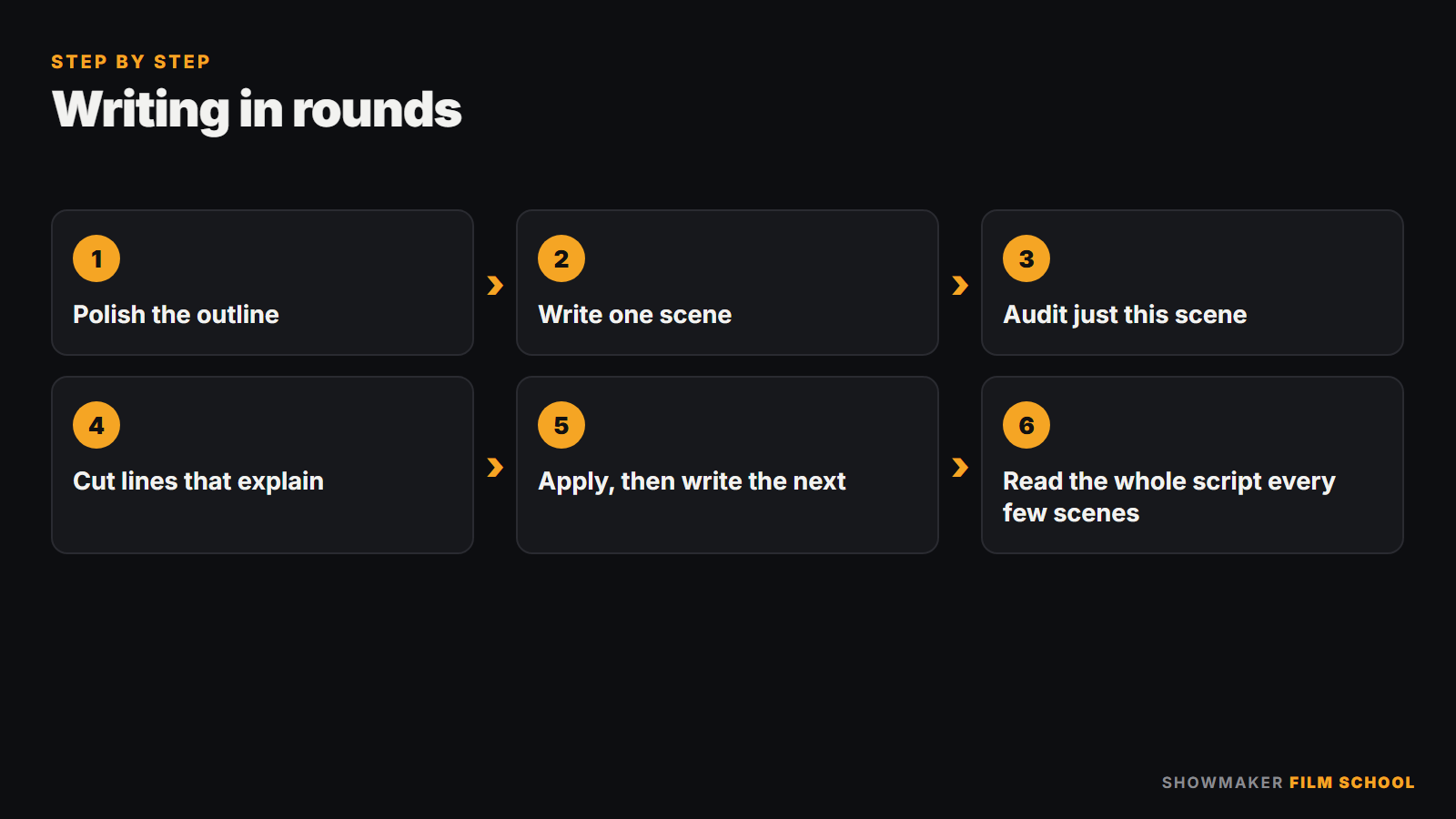
Nobody writes a good 20-minute script in one pass, and an AI writing partner will not either. When we let a long draft of La Abuela be written end to end, it came back full of fat: lines that explained the plan, repeated pet phrases, scenes that said the same thing twice. The director cut it by hand from 49 scenes. Since then our rule is fixed: polish the outline first, then write one scene at a time, read it, revise it, and only then move on.
One scene at a time, with a read after each, keeps a long script lean.
Set a density bar before you start. Ours is the first scene of La Abuela: one location, three multishot panels, about 50 seconds long, eight lines of dialogue, and every beat either a line or a visible turn. Nothing is explained. If a new scene is twice that length with the same amount of story, it needs cutting, not polishing.
Each scene needs a button, and the button does two jobs. It pays off something the viewer has been waiting for, and in its last seconds it opens the next question: a look across the room, a phone that lights up, someone at the door. Never write two scenes in a row that only close things. That is exactly where a viewer drifts away. Inside a scene, aim for a turn every 45 to 60 seconds.
When you review a scene, read for lines that explain. A character who says "We have nine days, which is exactly what we needed" is talking to the audience, not to the person in front of her. Cut it, and let the viewer work it out from what she does. Read the whole film through once every few scenes, too. Only a full read catches the things a single scene hides: a phrase that turns up in eight scenes, a secret that slips out too early, a coffin that later becomes an urn.
Keep the cast's facts fixed while you write: who is related to whom, who calls whom by what name. A long script that forgets its own family tree loses the viewer's trust fast.
Next in the app: the steps in ShowMaker, the exercise and a 3-question quiz.
Give every scene a fixed location and a fixed outfit for each person, so a long film holds together from scene to scene.
In a short film, nobody notices if a jacket changes between two scenes. In a 30-minute film, the viewer spends long stretches with the same people, and every unplanned change in clothes or room reads as a mistake. Continuity in a long film is decided in pre-production, scene by scene, before anything is drawn.
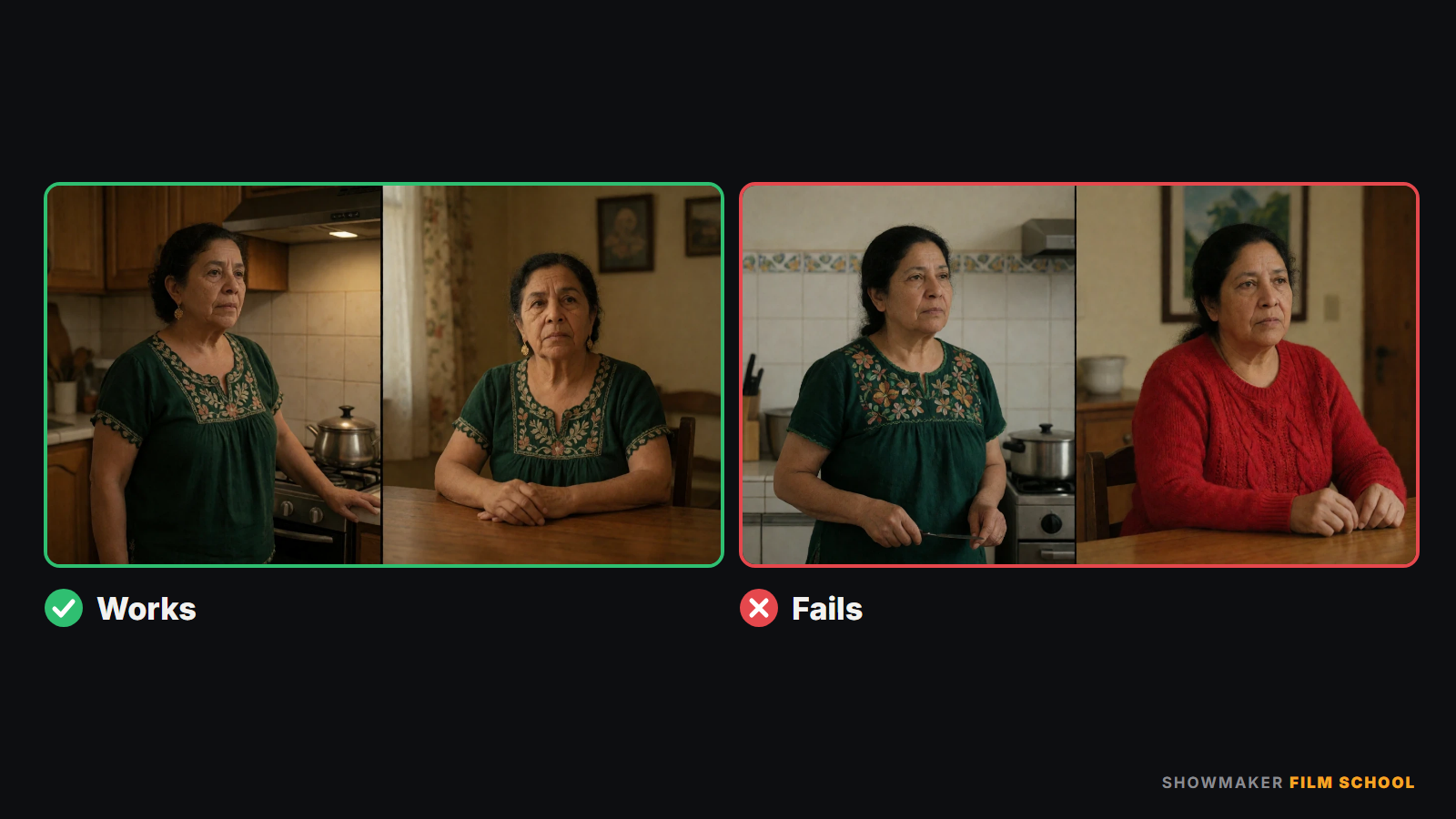
Two scenes on the same story day: the outfit should match. Left holds, right drifts.
Each scene needs two facts written down. The first is the location: the one room the scene is shot in. The second is the outfit each person wears in that scene. Without them, the tools guess. They guess the room from the scene heading and the outfit from the room, and two scenes in the same house can come back with two different kitchens and a lead who changes her blouse halfway through an argument.
Clothes change on purpose, not by accident, and the rule for when is the story day. All the scenes that happen on the same day keep the same clothes. A new day is a new outfit. Before you dress anyone, mark each scene with its day: the wedding is day 1, the morning after is day 2, the reading of the will is day 5. Then give each person one outfit per day. A dramatic change, such as a maid's uniform swapped for a borrowed dress, becomes a story beat you chose.
Our Guadalajara long form has fifty scenes, and we set the room and each person's outfit scene by scene. That is what lets a family dinner be cut from shots drawn on different days and still look like one dinner.
The film's overall look is a separate choice and stays the same throughout: one light, one colour palette, one lens feel. Pick it once for the whole project and do not change it scene by scene. If one scene needs to feel different, such as a flashback, make that a deliberate exception and use it the same way every time it returns.
Next in the app: the steps in ShowMaker, the exercise and a 3-question quiz.
Write a room map for each location and plan shots so only the opening wide shows the layout and every later shot frames one subject.
A long film spends minutes at a time in the same room, so the room has to stay the same room. With AI pictures that is harder than it sounds, because every shot that shows the whole room is a fresh chance to move the window, add a chair or seat a stranger at the table. The answer is a room map, and a shot plan that shows the map only once.
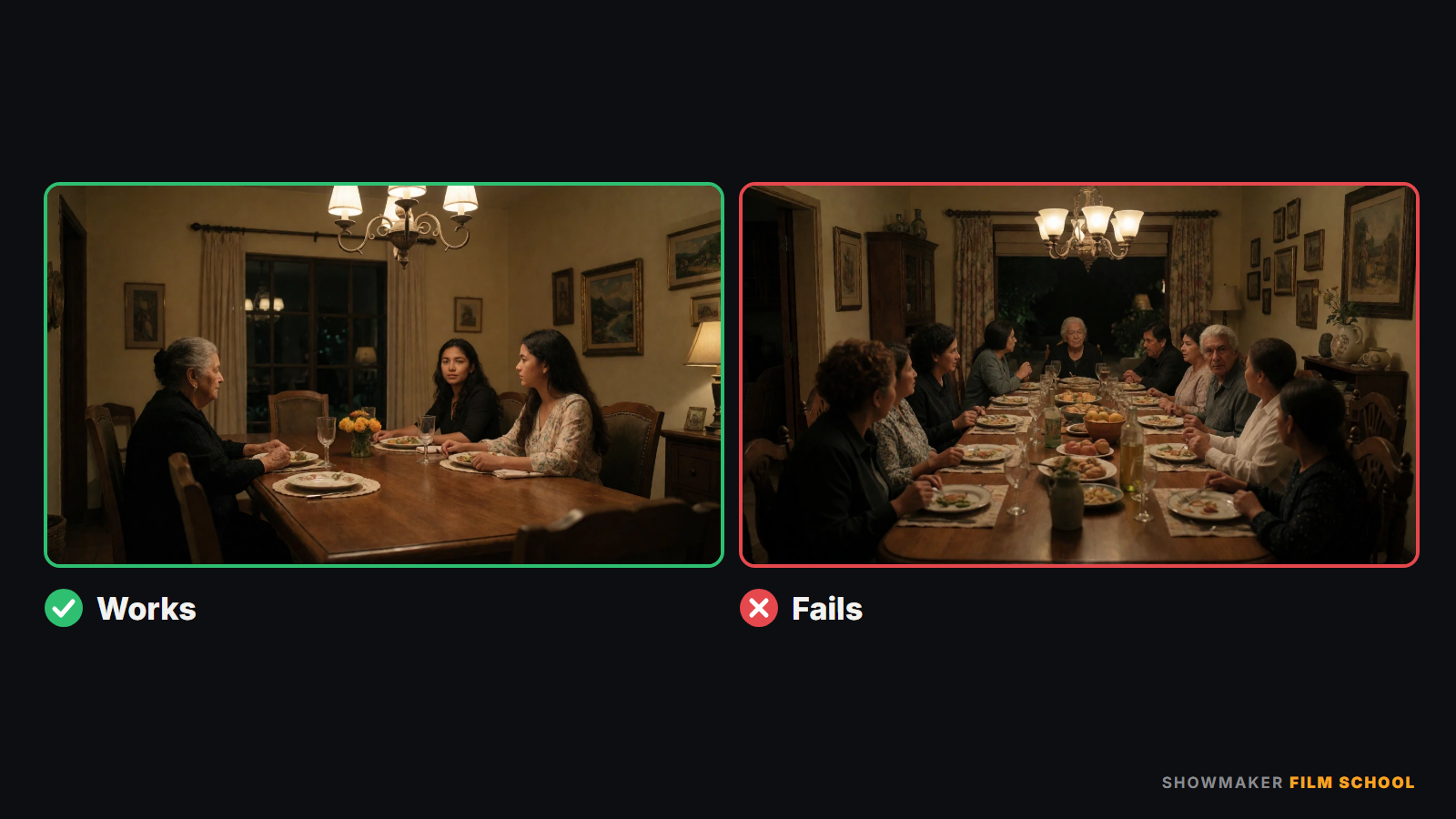
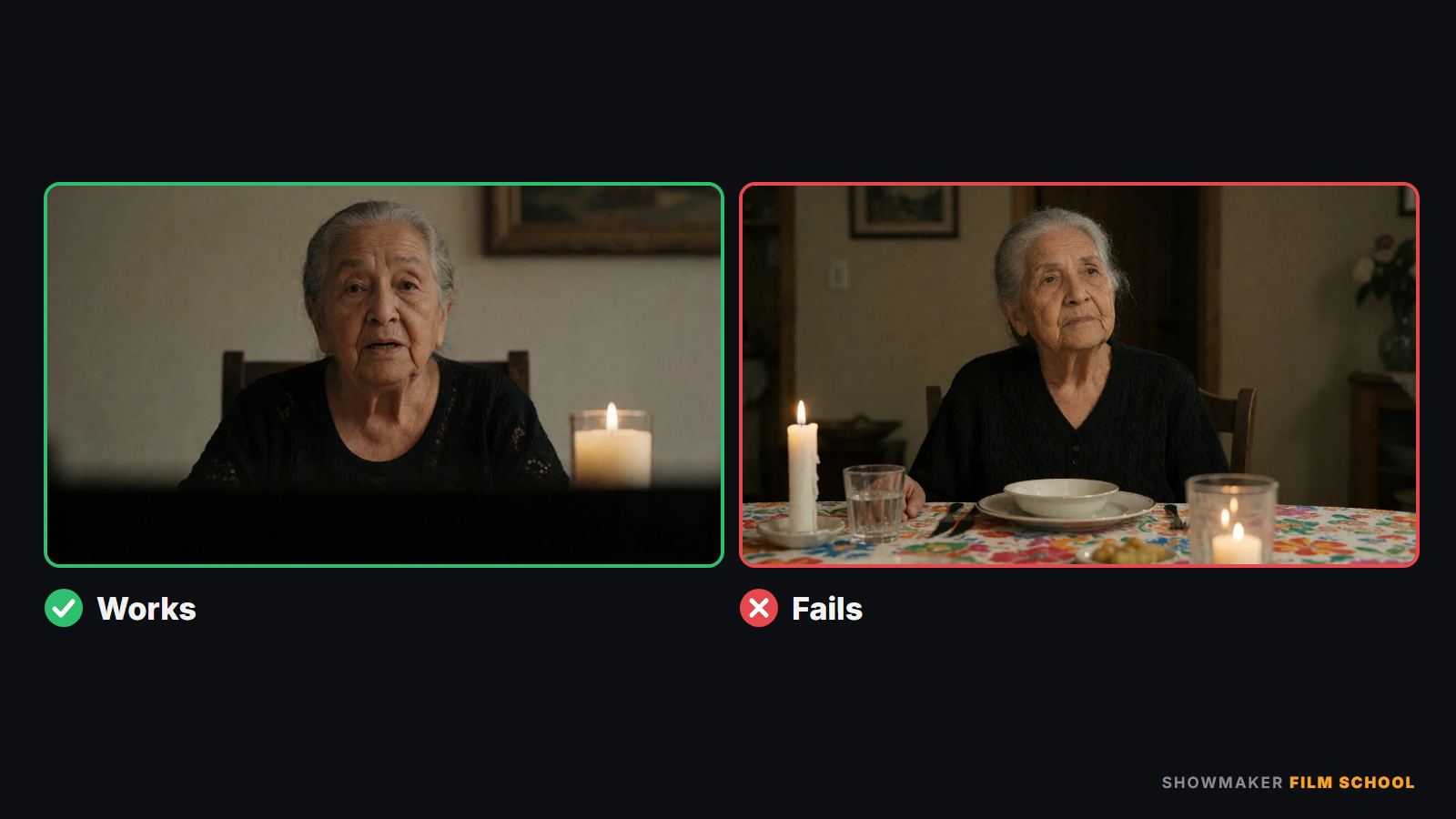
A wide must name everyone in it. Left: the family and empty chairs. Right: the strangers a wide invents.
A room map is a few plain sentences: where the door is, where the window is, where each person sits, from the camera's point of view. "The table runs left to right. The grandmother sits at the head, frame left. Her two granddaughters sit on the far side, facing camera. The window is behind them." Write it before you plan a single shot, and write it into the location's own description so every picture starts from it.
Then plan the coverage so the layout appears once. Open each scene on one establishing wide that shows the geography. After that, shoot mediums, close-ups, over-the-shoulders and two-shots, each with as few people as the moment needs, ideally one. A close shot of one person carries no room layout, so it cannot contradict another shot, and it can be reused anywhere in the scene.
Wides are where things go wrong, so name everyone in them. In the opening dinner of our Guadalajara long form, a wide that named all five family members still came back with about ten strangers around the table. It held only once the description said: "No one else is in the room; the other chairs are empty." Later in the same film, every seating mistake we found, a second grandmother, a stranger at the table, a family member vanishing from her chair, was in a wide.
When the start frames are drawn, check each one against the map, not just against its own description. Is the grandmother still frame left? Is the window still behind the granddaughters? If a piece of set dressing keeps moving from shot to shot, such as a lamp or a vase, take it out of the location's description instead of fighting it.
Next in the app: the steps in ShowMaker, the exercise and a 3-question quiz.
Stage a slap, a fight or an attack through close-ups, reactions and sound instead of a wide brawl.
Telenovelas are full of slaps, shoves and grabbed wrists, and thrillers need attacks. Showing them in full looks impressive in a script and fails on screen. AI video models tangle bodies in a wide fight, soften a blow into a pat, or refuse the shot. A violent beat lands better, and renders more reliably, when the viewer sees the before, the after and the reaction, and the blow itself is mostly sound and implication.
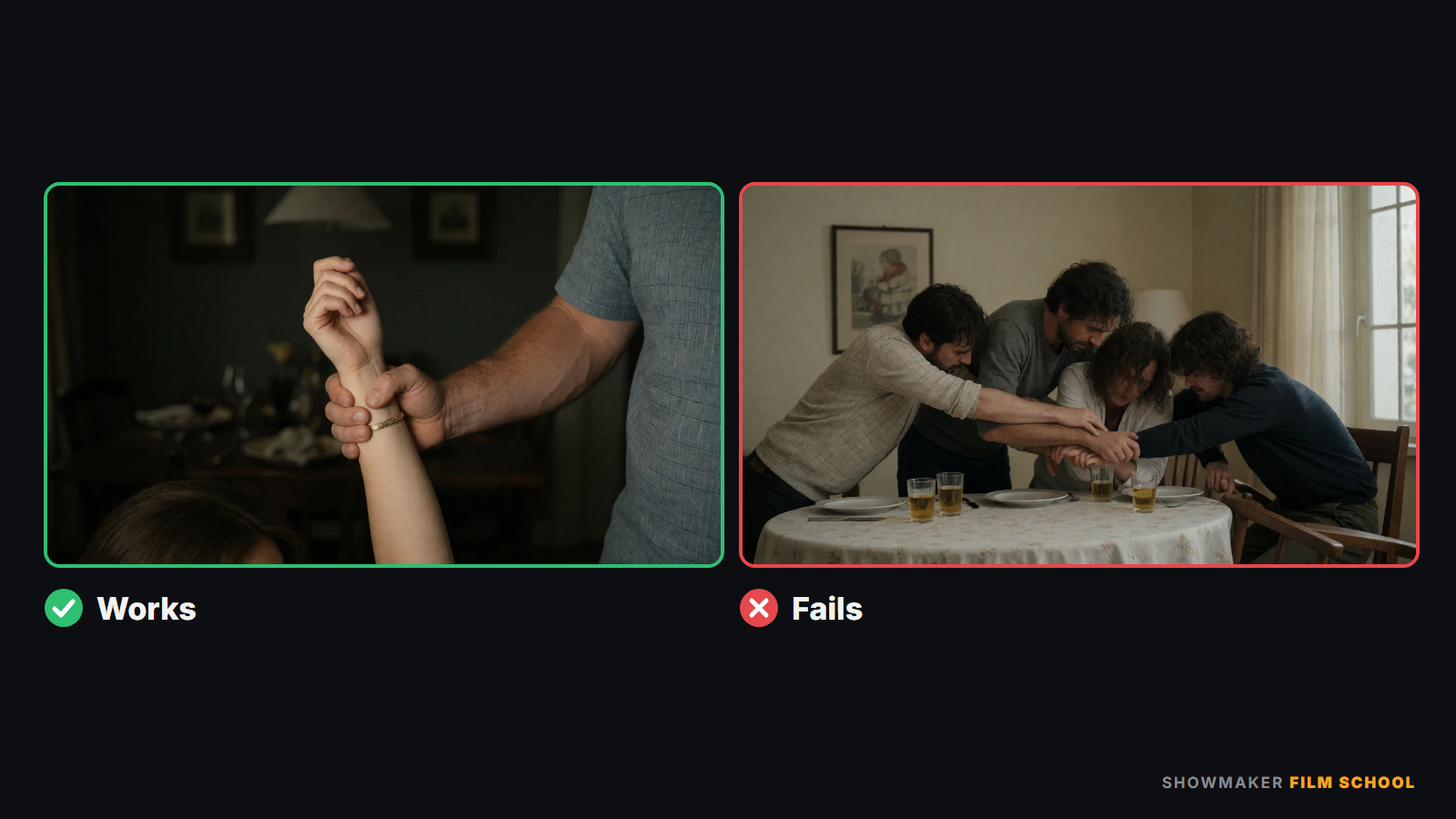
A slap reads best as a caught wrist in close-up. A wide brawl tangles and softens.
Break the moment into close shots, each with one subject: the hand rising, the wrist caught in mid-air by another hand, the frightened face of the person who threw it, and the room watching in silence. Each of those is a single clear picture, and cut together they read as a fight. The viewer's imagination fills the gap, and what they imagine is always harder than what you could render.
For horror and attacks, go further. Never show the victim being hurt. Show them before, asleep or unaware, and then let the attack be the threat rushing the lens and blood splashing across a wall or a curtain, with nobody in frame. It is more frightening, it keeps the film watchable for a wide audience, and the models do not soften or refuse it.
The same habit saves you in the edit. In one Guadalajara episode, the second slap was rendered as a wide, and in that wide Lucía had vanished from her chair while Rodrigo reached across the table. We did not re-render. We cut from a close-up of Mariana's slap straight to a close-up of Rodrigo catching her wrist, then played their argument in close-ups, and showed the whole table only after that. The empty chair was never on screen, and the fix cost nothing.
So plan spare close-ups for every violent beat. They are your cover when a render goes wrong, and they are usually the better film anyway.
Next in the app: the steps in ShowMaker, the exercise and a 3-question quiz.
Write dialogue that sounds like the genre and the place, with refranes kept, explaining cut, and a fixed register for who speaks to whom.
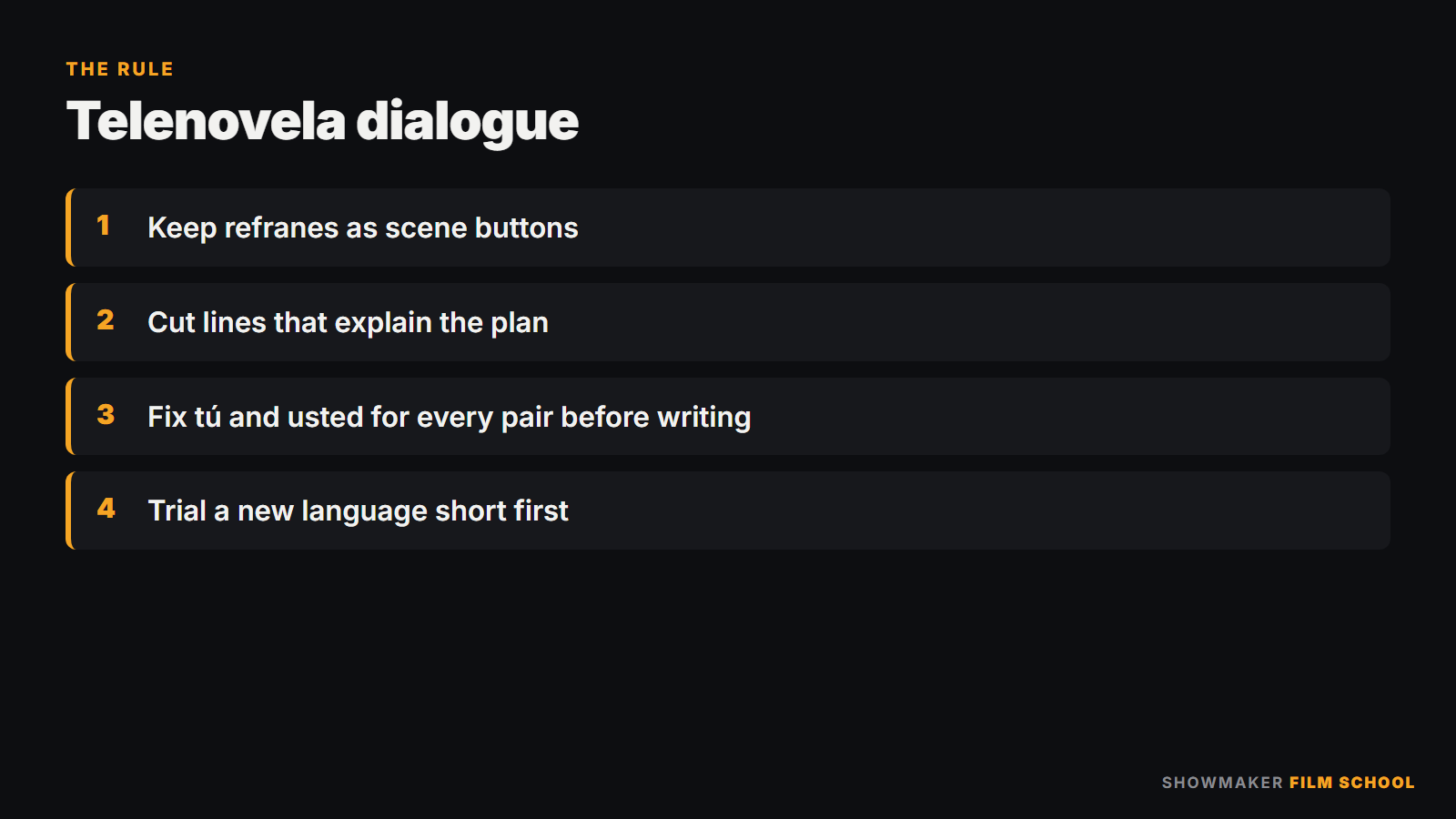
Every genre has a voice. A telenovela speaks in big feelings, family titles, and refranes: short proverbs that close a scene with a judgement, such as "El que se enoja, se equivoca" or "El que avisa no traiciona." A careful editor might mark those as cliché or as AI writing. In this genre they are neither. They are the music the audience came for. Keep them, and use them as buttons on scenes.
Keep what the genre loves. Cut what explains.
What you cut is different: the line that explains the plan to the audience. In one draft of La Abuela, a character says, "Nos dio nueve días, mijo. Justo los que necesitábamos." A proverb would judge the moment. This line instead tells the viewer what the plot is doing, and no real grandmother talks like that. Cut it, and let the viewer learn about the nine days from what the characters do.
Register matters as much as vocabulary in Spanish. Who calls whom tú and who calls whom usted carries class, age and closeness, and a viewer hears a mistake at once. Before you write, make a short table: the maid says usted to the señora and señora to her face, the grandmother says tú to her grandson, the son-in-law says usted to his mother-in-law until the fight. In our Spanish caregiver trial, the live-in maid called the old lady "abuela" before the reveal. That word has to be earned at the reveal, not used in scene one.
Write every line in the language it is spoken in. Do not write English lines and add "spoken in Spanish"; the voice and the rhythm come out wrong. And if the film is your first in a new language, trial it short first. Ten minutes is enough to learn the register table and the slips, with much more room for error than a full film.
Read every line aloud, or have the voices read it. If a line would make a native speaker from that city smile in recognition, keep it. If it sounds translated, rewrite it.
Next in the app: the steps in ShowMaker, the exercise and a 3-question quiz.
Turn short episodes into one long film by removing their restarts and shaping the scenes into set pieces.
A long film made by gluing short episodes together is not a long film. A vertical micro-drama episode runs 60 to 90 seconds and is built to restart: a cold hook in the first second, the motives said out loud, a cliffhanger, a cut to black, and then the next episode answers the cliffhanger straight away. Join twenty of those and the viewer sits through twenty fake-outs and twenty restarts. It feels like being told the same story over and over.
Joining episodes means removing what made each one start over.
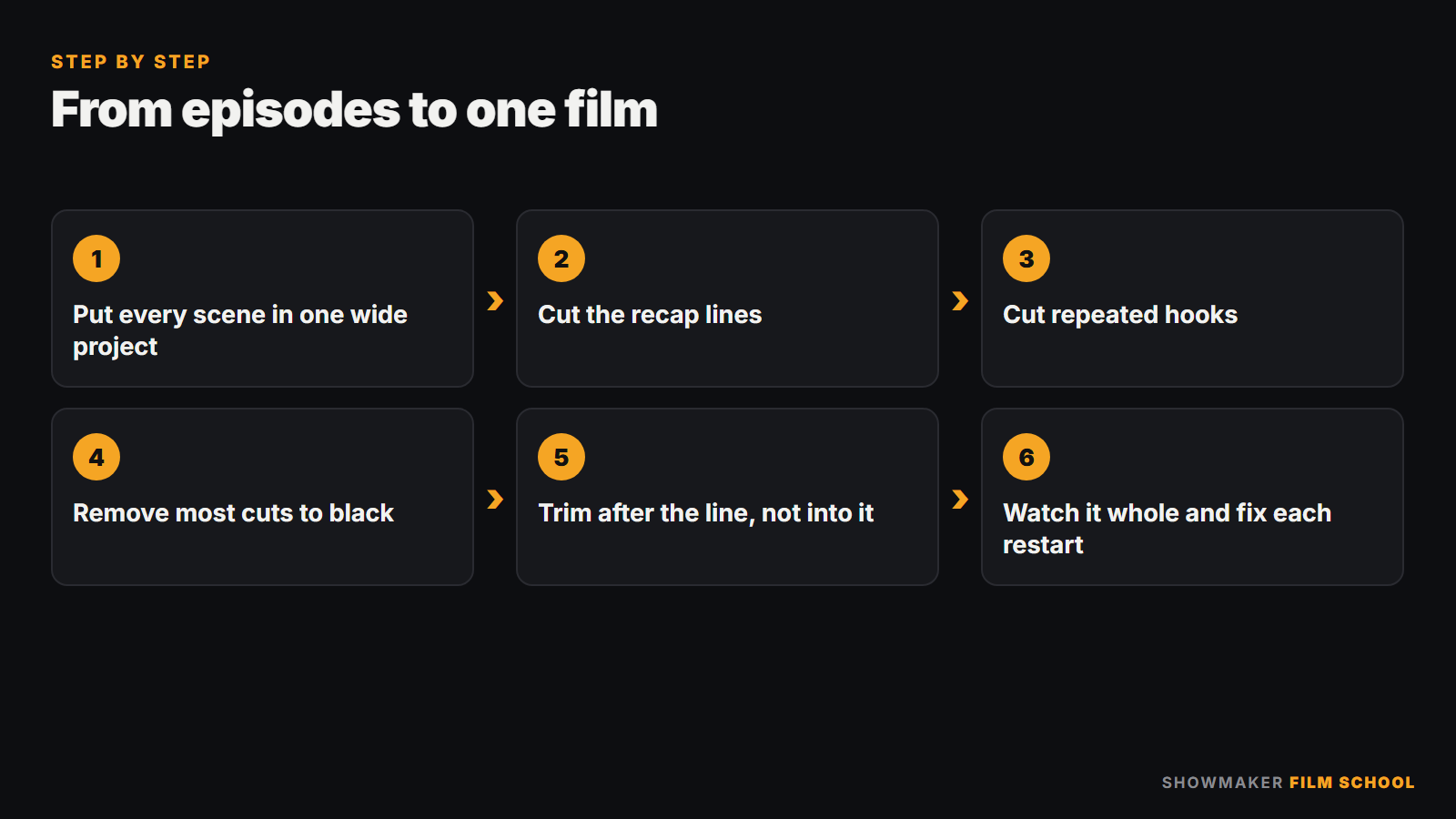
Our Guadalajara telenovela began as a vertical series and became a 35-minute film. To make the join, three kinds of material come out. The recap lines go, because the viewer just watched what is being recapped. The second hook goes, the shocked face that restates a cliffhanger the viewer saw seconds earlier. And most of the cuts to black go, because a black frame every minute and a half tells the viewer the film is over.
What stays is the series' engine: the secret, the plants and payoffs, the slowly rising stakes. The rhythm changes. A long film moves in set pieces of about two minutes, each with a button that pays one question and opens the next. Keep the open question at the end of each set piece. Save true cliffhangers, the kind that stop the story cold, for the act breaks.
Work in one wide project with every scene in story order. Watch the joined film from the start, and every time you feel the story restart, stop and find the line or shot that caused it. Usually it is a single line, and usually trimming it is enough.
When you trim, trim after the line, not into it. Leave a breath after the last word so the cut does not feel rushed, but do not leave the frozen stare that a short episode held for its cliffhanger. A long film needs those seconds back.
Next in the app: the steps in ShowMaker, the exercise and a 3-question quiz.
Decide where music plays, what tone each scene needs, and how far under the dialogue it sits.
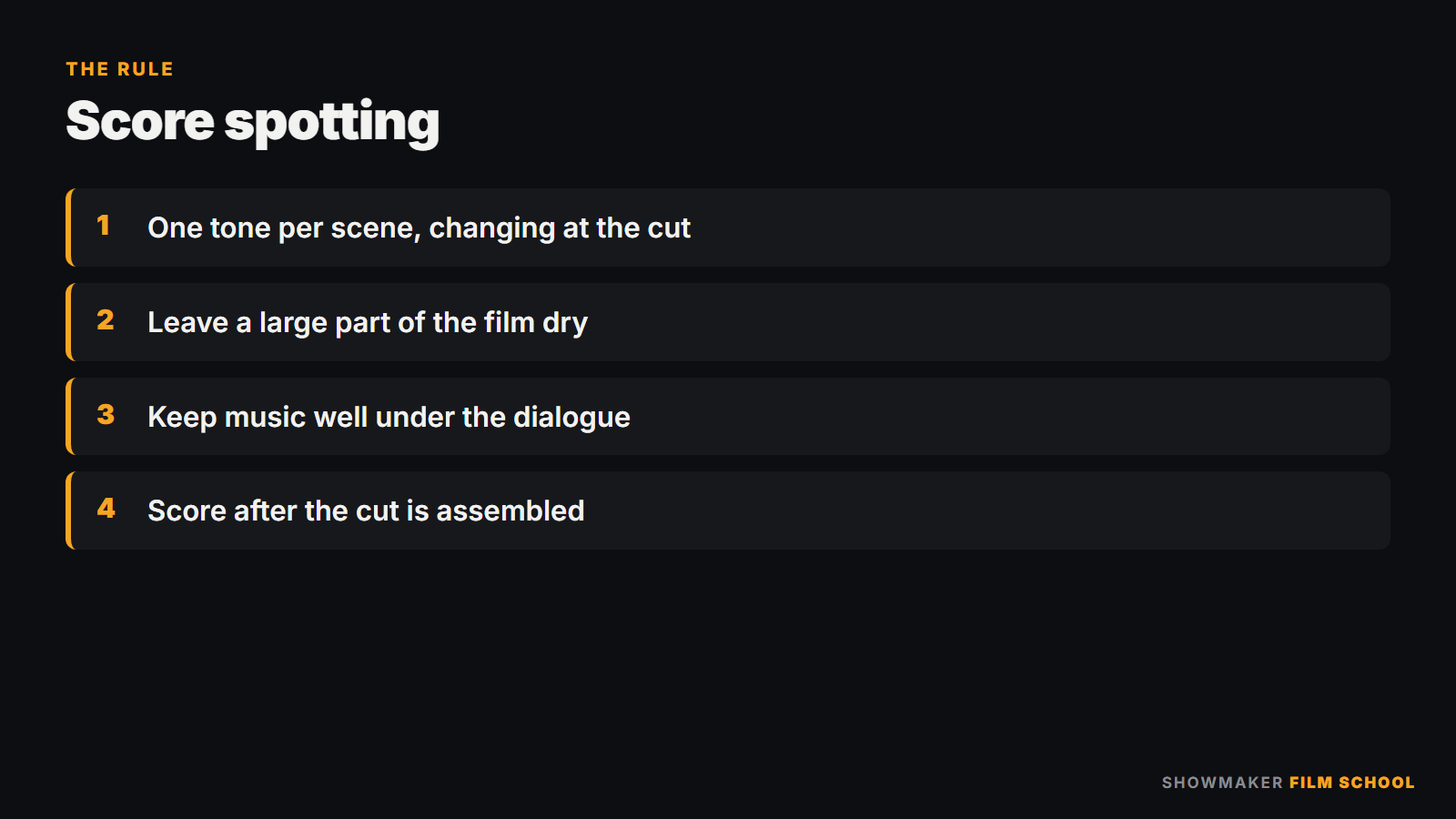
Music wall to wall is the fastest way to make a long film feel flat. If the same bed plays under every scene, it stops meaning anything by minute five. Film composers start with spotting: sitting with the cut and deciding, scene by scene, where music plays, where it stops, and what it should feel like when it is there.
Spotting decides where music plays before any music is made.
Give each scene one tone: tension, tenderness, menace, grief, triumph. One tone per scene, not per line, because music that changes every few seconds pulls the viewer out. The tone changes at the cut to a new scene, where the viewer expects a change anyway. Then leave a lot of the film dry. In our scored films, a little under half the running time has no music at all, and the scenes that do have it hit harder because of that silence. Keep music on the last scene, where the film needs to feel finished.
Under dialogue, the music sits far below the voices. A long-form drama we measured kept its score roughly 16 decibels under the dialogue. You should feel it more than hear it. If you have to lean in to catch a line, the music is too loud, whatever the scene.
Score last, after the cut is assembled. Music is laid against the length of each scene as it will play. If you score before you trim, every later trim pulls the music out of step, and by the middle of the film a tense cue can be playing under a hug. In one of our early scores the music ran several minutes longer than the film for exactly this reason.
When a piece comes back wrong, describe the sound you want rather than the one you do not. "Slow nylon guitar and low strings, a lullaby in a minor key" gets you closer than "no piano".
Next in the app: the steps in ShowMaker, the exercise and a 3-question quiz.
Caption the film in the scene's language in one steady position, and upscale only once the cut is locked.
Captions are part of the picture, so they follow the same rule as the look: one style and one position for the whole film. Most viewers on phones watch with the sound low, and a Spanish-language drama reaches viewers who read faster than they listen. Caption in the language being spoken, keep the lines short, and put them in the same place every time. In one of our trailers, the captions sat in two different heights from shot to shot, and the low ones landed inside the area where the phone app puts its own buttons. A viewer cannot read a caption that keeps moving, or one hidden under a like button.
One caption height, clear of the phone's buttons, versus a caption that wanders to the bottom edge.
Before you caption, check each clip for text the video model drew by itself. Models sometimes burn their own subtitles or a fake sign into the frame, often at the bottom edge of a speaking shot. Captions laid over that make a mess. Catch it in the shot, and fix the shot, before you add yours.
Upscaling is the last step. Render your drafts at the lowest quality that lets you judge the performance, because most of what you render will be cut or redone. Once the edit is locked, raise the resolution of the finished film for release. Our Guadalajara episodes were drafted at a low resolution and released in 4K after a 2x upscale of the final cut. Upscaling sharpens what is there. It will not repair a wrong face, a missing person or a bad hand; those are fixed in the shot.
The order matters because each step builds on the last: lock the cut, check for burned-in text, caption, then upscale and download. Doing it in another order means captioning shots you will cut, or paying to upscale a take you will throw away.
Next in the app: the steps in ShowMaker, the exercise and a 3-question quiz.
Release the real first chapter of your film, test its title, and decide from the numbers whether to finish the rest.
A long film is expensive to finish. Our own measured episode of Guadalajara cost 818 credits for 1 minute 48 seconds of finished film at our draft resolution, and more than a third of that went on fixing shots. A 20-minute film costs many times a single month of the Starter plan. So before you finish a long film, find out whether anyone wants to watch it.
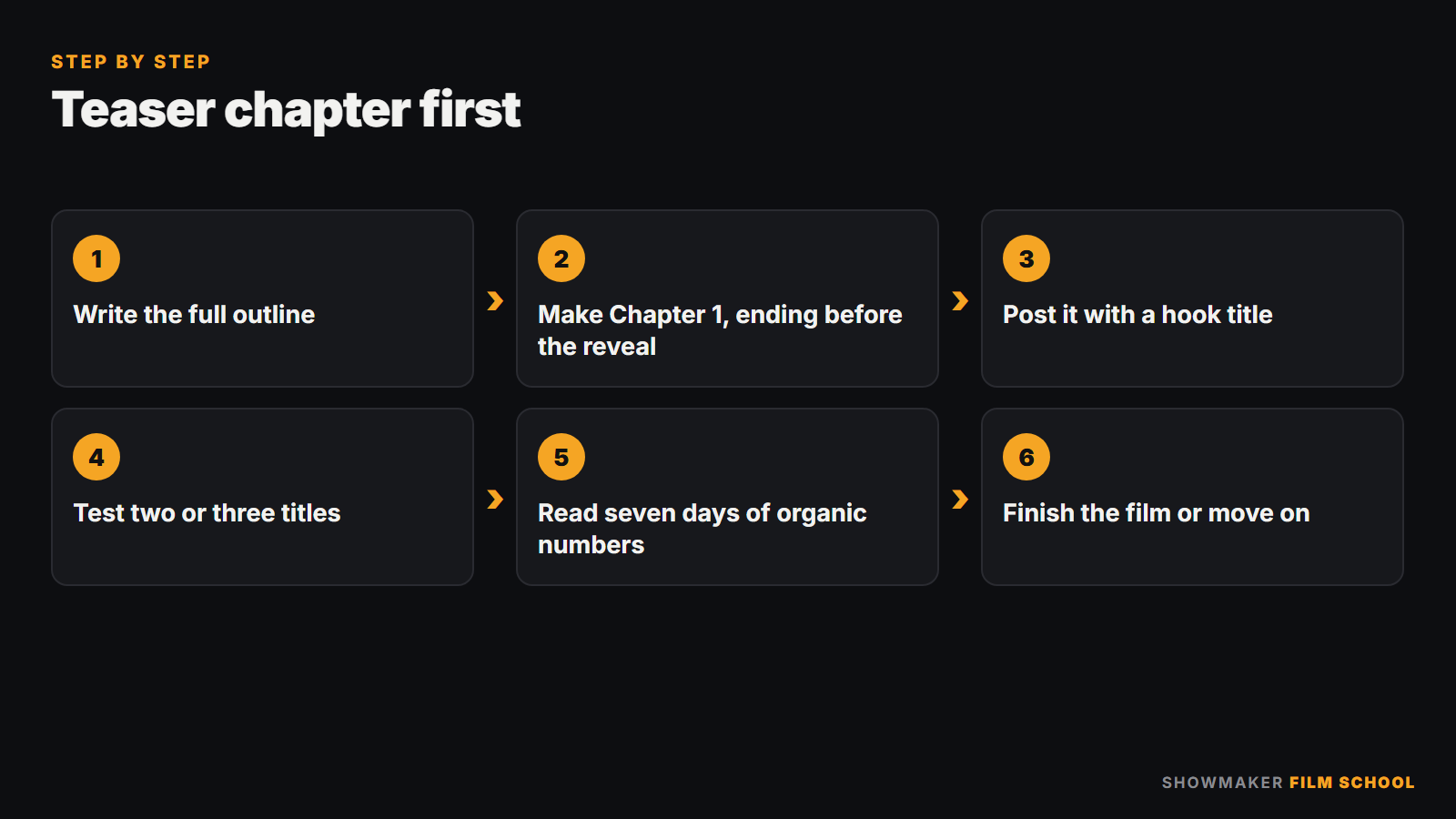
A teaser chapter tests the story for a fraction of the cost of the film.
Release a teaser chapter. Chapter 1 is the real opening of the full film, 8 to 12 minutes long, ending on the cliffhanger just before the big reveal. It is not a throwaway trailer. If the film goes ahead, Chapter 1 stays in it as is, so none of that work is lost. If it does not, you have spent a fraction of a film to learn the story was not the one.
Write the full outline before you post the teaser. If the chapter takes off, the audience will ask for part two within days, and you want to deliver within about two weeks while they still remember. A teaser with no story behind it wastes the one moment people care most.
Test the title, because on YouTube the title decides who clicks. Use the hook format from Module 1, write two or three versions, and let YouTube Studio's title test compare them on watch time. Then judge the chapter on seven days of organic numbers: the average percentage viewed, the click-through rate, comments asking for part two, and whether views are still rising on days four to seven. Paid promotion is useful for reach, but it does not tell you whether people would have found and finished the film on their own, and only organic watch hours count toward the YouTube Partner Program.
Three teaser chapters cost about the same as one finished film, and they test three different stories before you commit to any of them.
Next in the app: the steps in ShowMaker, the exercise and a 3-question quiz.
Post your film on a channel that carries one kind of story, and cut Shorts that send viewers to the full film.
YouTube recommends videos by audience. If one channel posts a telenovela, a tech demo and a superhero test, the algorithm cannot tell who to show any of them to, and the people who loved the telenovela never hear about the next one. One channel should carry one kind of story. When we looked at our own channel's subscribers, well over half came from the Spanish dramas, and almost none from the demos posted beside them. So the dramas keep that channel and other work goes elsewhere.
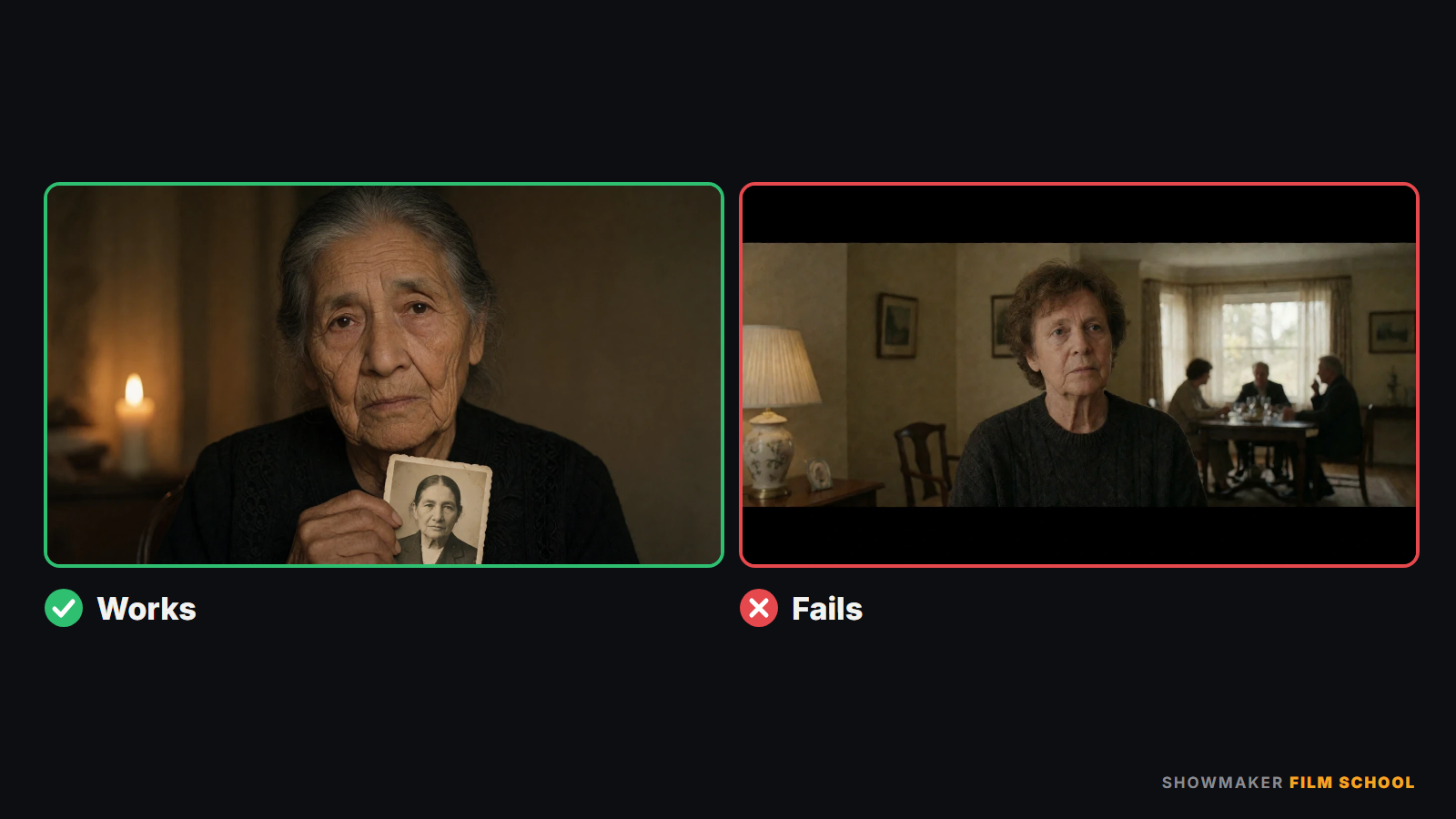
A Short is framed for the tall screen. Left: the subject fills the frame. Right: a wide shot squeezed onto a phone.
Shorts are the trailer for the long film, cut from it after it exists. Pick the strongest hook moments: a line that lands, a slap caught, a secret told. Frame them for a tall screen, end each with a card that asks the viewer to follow, and put the link to the full film in the first line of the description. Every Short should point to the long film.
Be honest with yourself about how well that works. Our Guadalajara Shorts drew large numbers of views, and in their first weeks they sent only a handful of viewers on to the full film through the related video link. A Short can be watched by a huge audience that never clicks anything. That is why the ask to follow matters: a follower is someone you can reach again, a view is not.
Read Shorts numbers carefully. YouTube counts every replay of a Short as a view, so a Short that people loop can show ten views for each real person. Judge reach and follow rate on unique viewers in YouTube Studio, and in anything you write in public, say views, never people.
Post many different Shorts and watch which ideas the feed rewards. Testing a wide range of ideas teaches you more about the feed than any theory about it.
Next in the app: the steps in ShowMaker, the exercise and a 3-question quiz.