Publish your film on YouTube, package it so people tap, cut it into a season of Shorts, and grow a channel by testing ideas and reading the right numbers.
The lessons are free to read, and you can sign up free to take a course. To finish your film you need a paid ShowMaker plan: video rendering uses credits, and credits are not free. Writing, casting, pictures and voices can be started on the free plan, within its limits.
Lesson 1 · 9 min · Needs a paid plan
Retention: whether people keep watching
Read a retention graph, find where viewers leave, and cut the slow parts out of your film.
YouTube and the other video platforms do not publish their formulas, but they all say the same thing in public: they recommend videos that people choose to watch and keep watching. In practice a new video is shown to a small group first. If those viewers stay, it is shown to more people. If they leave early, it slows down. So the question that matters most is simple: at what moment do people stop watching your film?
The tool for that question is the retention graph, which YouTube Studio shows for each video. Along the bottom is time in the video. Up the side is how many viewers are still watching at that moment. Every graph drops at the start, because some people always leave in the first seconds. After that, a good film has a gentle slope. A steep drop at one spot means something at that moment made people leave. A bump upward means people went back to watch a moment again.
Where people leave tells you what to cut.
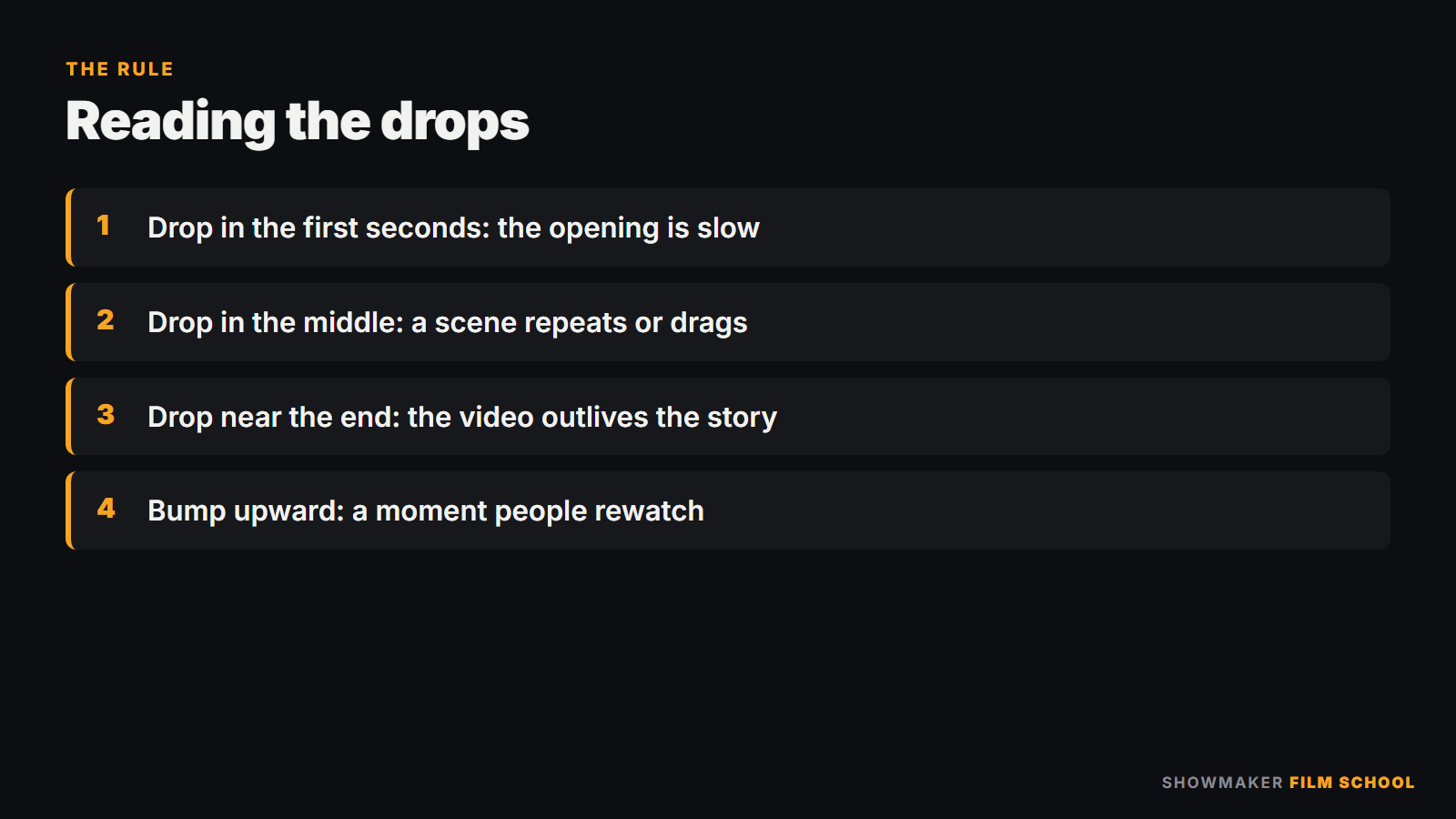
Learn to read the drops. A drop in the first three to five seconds usually means the opening is slow: a long title, a quiet street, a fade from black. A drop in the middle often lands on a scene that repeats what the audience already knows, or on a long walk with nothing happening. A drop just before the end often means the story finished and the video kept going, for example a frozen last frame or a long logo.
For Shorts, YouTube also shows how many people stayed to watch against how many swiped away. That number is mostly decided by your first second, which the next module covers.
A worked example: a four-minute drama episode. The graph drops hard in the first five seconds, slopes gently, then drops again at 1:40 and once more in the last ten seconds. You watch 1:40 and find a forty-second scene where two characters explain the plot that the audience saw happen a minute earlier. You cut it to ten seconds. At the end you find six seconds of a held final frame and cut them too. For the next episode, you open on the slap instead of the drive to the house.
Do not judge a film on its first hours. Numbers are small and noisy at the start, and a video can take days to find its audience. Look at the shape of the graph, which is useful even when the numbers are small.
Your best tool is your own eye, before you publish. Watch the whole cut start to finish without stopping, the way a stranger would. Any moment where your attention drifts is a moment where viewers will leave.
Next in the app: the steps in ShowMaker, the exercise and a 3-question quiz.
Tell views apart from people, and measure your follow rate on the number that counts.
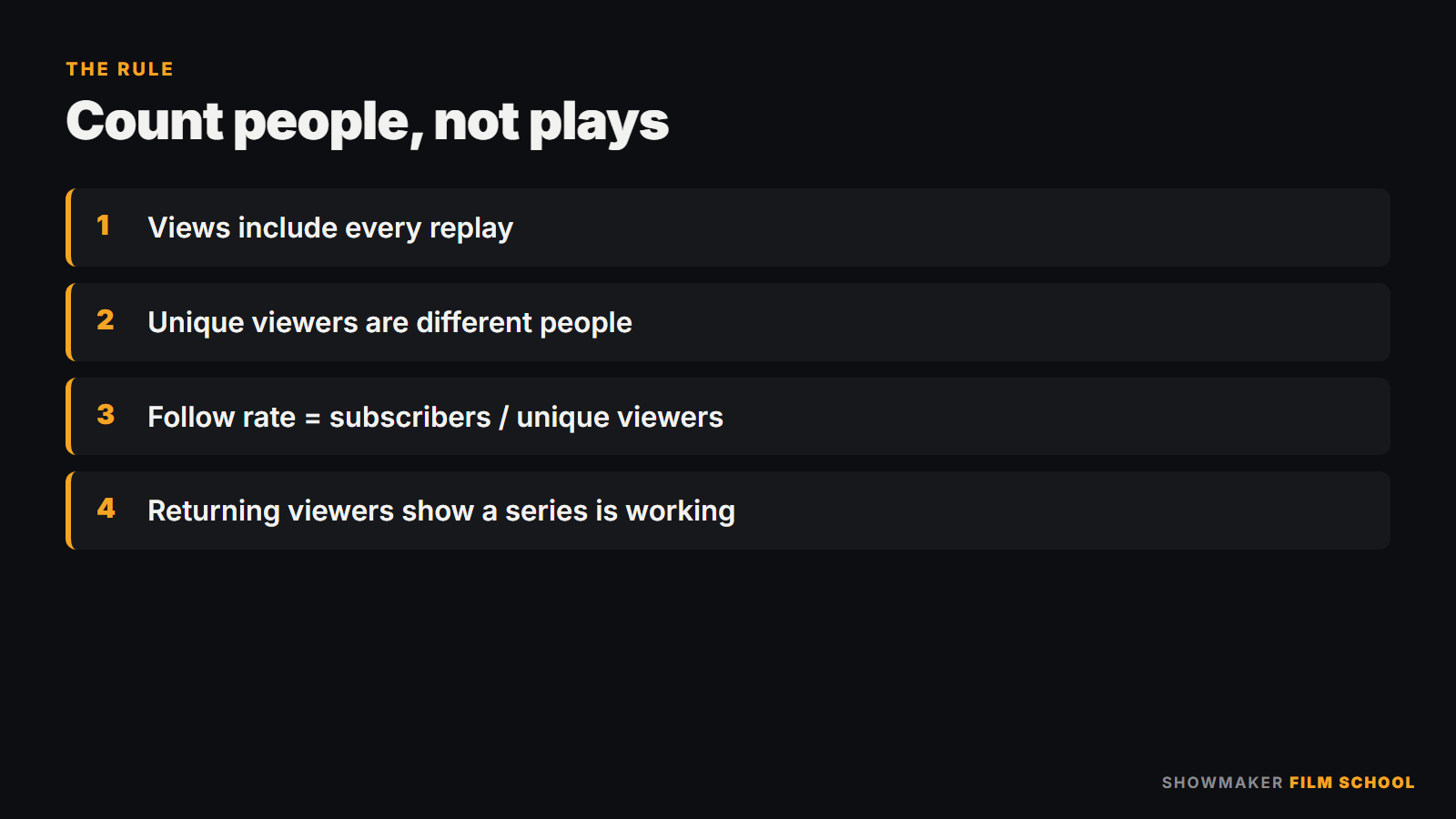
A view and a viewer are different things. On YouTube Shorts, every play counts as a view, including replays. A short video that loops is often watched two or three times in a row by the same person, so a Short can show a very large number of views from a much smaller number of people. On our own telenovela Shorts the view count ran far ahead of the number of unique viewers, because people looped them.
This matters because it changes how good your numbers look. Suppose a Short has 50,000 views and brought you 60 new subscribers. Measured on views, that is a follow rate of about 0.1 percent, which sounds weak. Now look at unique viewers, the number of different people who watched. If that is 5,000, the follow rate is 60 out of 5,000, which is 1.2 percent, a healthy number. These are example numbers, but the gap between the two is real and common. The second figure is the one to compare.
A view happens once. A follower is someone you can reach again.
Why care so much about follows? A view happens once. A subscriber is someone you can reach again. When you post the next episode, the people who subscribed are the most likely to see it and the most likely to watch it to the end, and that early good watching helps the platform show it to strangers. Over time, a channel's subscribers are its real audience.
Watch returning viewers too. YouTube Studio shows how many of your viewers are new and how many are coming back. A series that is working brings people back. If almost everyone is new every time, your episodes are being seen but not followed, and the end of each one needs to ask harder for the follow (the next module shows how).
Be honest in public. If you talk about your results in a description or a post, say views, not people. "This episode passed 50,000 views" is true. "50,000 people watched" may not be.
A worked example: you post three Shorts in a week. Short A has the most views, but almost no new subscribers and few unique viewers, so it was mostly loops. Short B has fewer views but twice as many subscribers per unique viewer. Short B is the one telling you what your audience wants, and the next three Shorts should learn from it.
One more caution: the unique viewer numbers take a day or two to be counted, so compare videos after the numbers settle.
Next in the app: the steps in ShowMaker, the exercise and a 3-question quiz.
Make a thumbnail and a title that promise one clear, true moment from your film.
Before anyone watches your film, they see two things: a small picture and a line of words. Together they make a promise. If the promise is clear and interesting, people tap. If the film then keeps the promise, they stay. If it breaks the promise, they leave fast, and that early leaving tells the platform your video disappoints people.
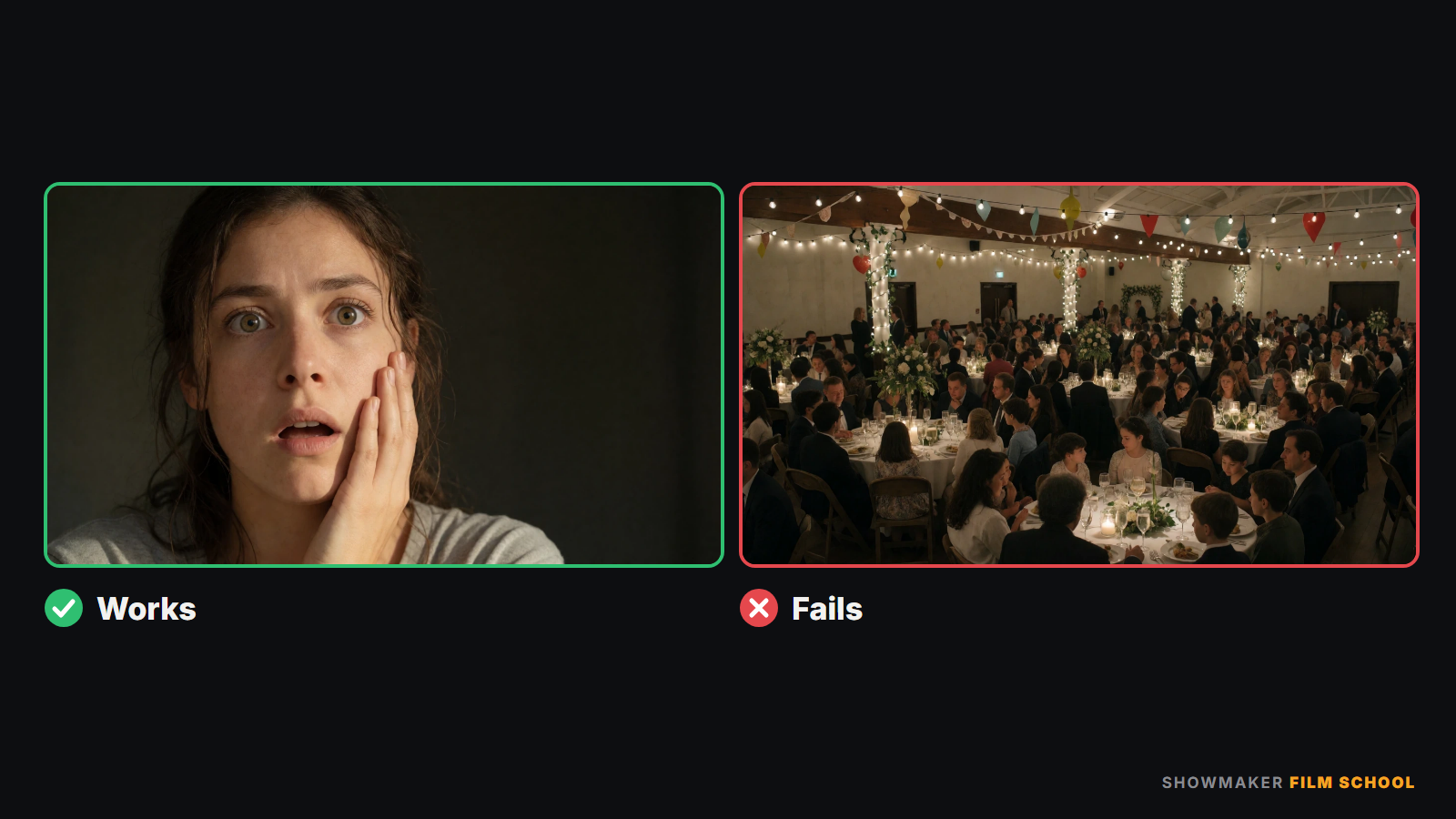
A strong thumbnail is simple. Use one face, or two at most, big enough to read on a phone screen the size of a stamp. Show one strong feeling: shock, fury, fear, a secret smile. Use bright light on the face and a plain, dark or blurred background so the face pops. Leave empty space on one side if you plan to add two or three words. Avoid wide shots full of small people; at thumbnail size they become a smudge.
At thumbnail size, one clear face and one feeling read. A busy wide shot turns into a smudge.
The title and the thumbnail should work as a pair and should not repeat each other. If the picture shows a woman with a slapped cheek, the title should not say "She got slapped". It should add the question: "Her husband's mother did it at the wedding". The picture shows what happened; the words make you need to know why.
Keep titles short and put the important words first, because long titles get cut off on phones. Use plain words your audience would actually type or say. Do not promise something that is not in the film. A title that shouts "SHE DIES" over an episode where nobody dies brings clicks once and loses the audience for good.
Make more than one. Write five titles and pick the best two. Draw three thumbnail options. YouTube Studio lets you test different titles or thumbnails against each other on some videos; where it does, use it and let the audience choose.
A worked example: a telenovela episode in which the maid is accused of stealing a necklace at the family dinner. Thumbnail one: a close-up of the maid's frightened face, the necklace sparkling in the mother's raised hand behind her. Title options: "They searched her apron in front of everyone", "The necklace was in the wrong pocket", "She swore she never touched it". The first is clear and the second makes you curious; test those two.
Next in the app: the steps in ShowMaker, the exercise and a 3-question quiz.
Open on the moment and end by asking for the follow, without covering the last line or holding a frozen frame.
On a feed of Shorts, people decide in about a second whether to keep watching. Your first frame is doing the job a poster does in front of a cinema. It must be readable at a glance and make the viewer need the next second.
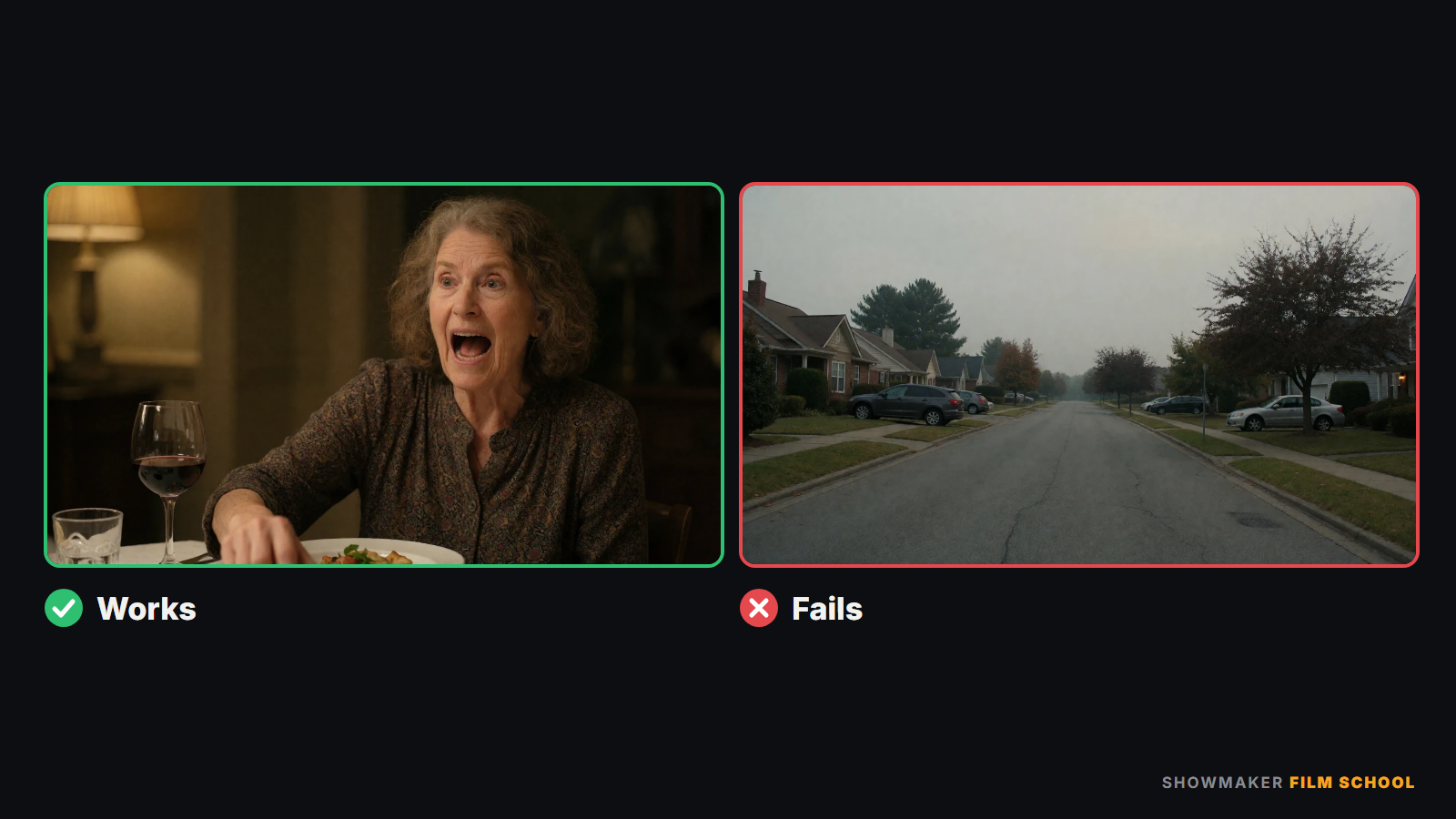
Open on the moment, not the build-up. If your episode is about a slap at a wedding, the first frame is the hand in the air or the face right after, and the story of how they got there can come later. Avoid a slow fade from black, a logo, a title over an empty street, or a character walking toward a door. Faces work better than places, and movement works better than stillness. A line of dialogue that starts mid-argument ("You told him?") pulls people in faster than a greeting.
The first frame is a poster. A face at the peak moment asks a question; a slow empty street does not.
A long film can afford a few more seconds, but the same rule applies: the first scene should carry a question. If you have a strong moment later in the film, a few seconds of it can open the video as a flash forward, and then the story starts.
The end matters just as much. A view is a one-off. A follower is someone you can reach again, so every Short should ask for the follow out loud. Put a short, clear ask at the end: a card that fades in over the last shot after the last line is spoken, saying something like "Follow for part 2". Do not cover the last line; it is usually the best line of the episode. Do not freeze the last frame and hold it for several seconds. People leave during a frozen tail, and it drags down how much of the video they watched.
Point to what is next. On a Short, the place to send people is the full film or the next episode. Put the ask in the first line of the description too, because many viewers read only that line. On a long video, YouTube end screens can link to the next episode.
A worked example: a 70 second Short from your telenovela. First frame: the grandmother slamming her cane on the table, mid-sentence. The episode ends on the daughter's line "Then who is my father?" and her face. One second after the line, a card fades in over her face: "Follow for part 2". The video ends three seconds later with a quick fade to black. The description opens with "Follow for part 2, and watch the full film here".
Next in the app: the steps in ShowMaker, the exercise and a 3-question quiz.
Map a long film into a season of Shorts, each with a hook, a turn and an ending that sends people to the full film.
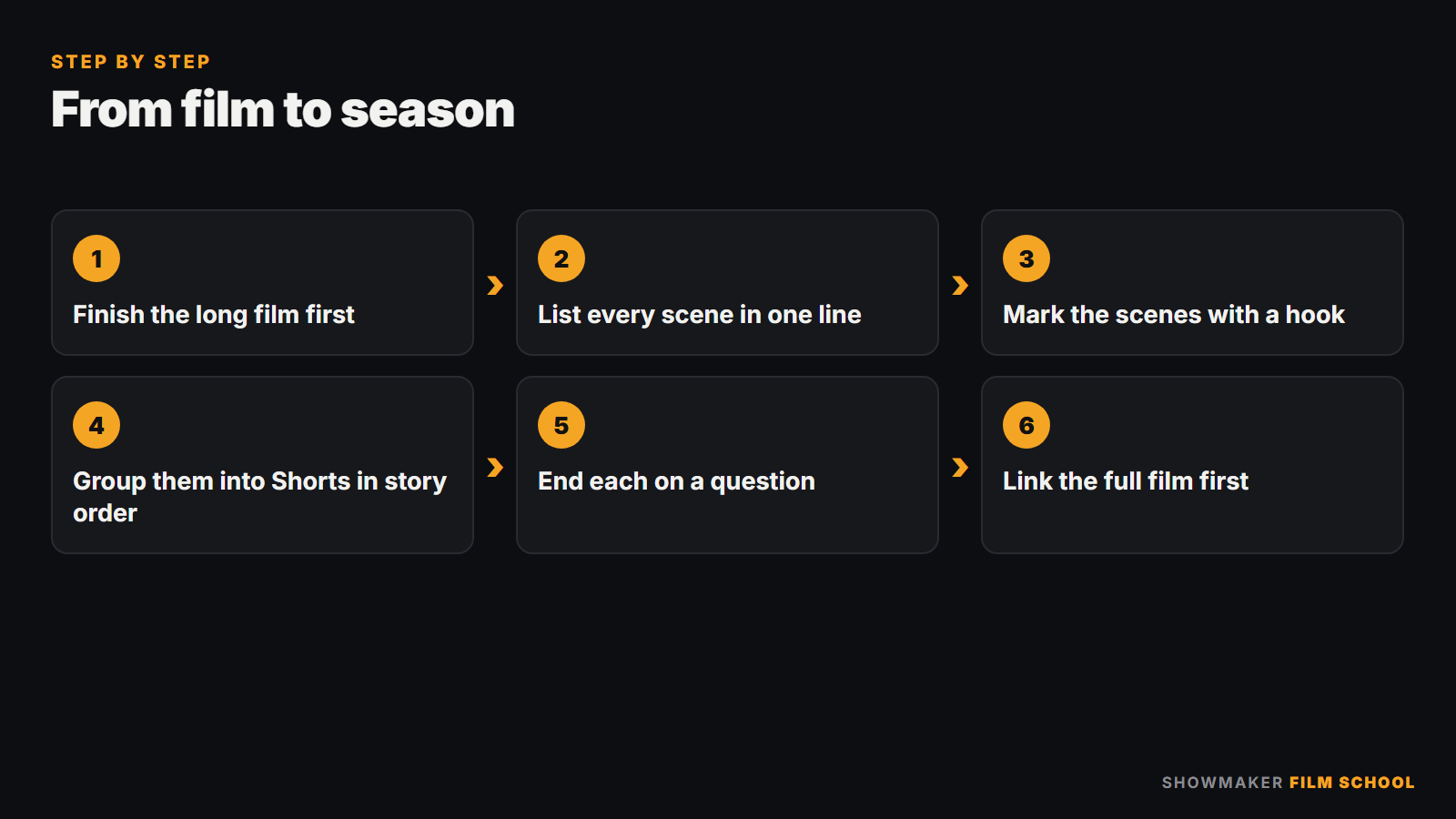
A long film and a season of Shorts can come from the same work. Make the long film first, in widescreen, with the full story. Then cut Shorts out of it as marketing: each Short is a strong moment that makes people want the whole thing. This is how we release our telenovela Guadalajara, as a full film with episodes cut from it.
Why long first? Long videos hold people for minutes instead of seconds, and on YouTube the watch time and the earnings come mostly from long videos. Shorts are where new people find you. The plan is for Shorts to bring strangers in and for the long film to keep them.
One film, many Shorts. Each Short is a moment with its own shape.
A good Short is not just any minute of the film. It needs its own shape. It opens on a hook: a moment that makes sense without the rest of the story, such as an insult, a slap, a secret overheard. It has a turn: something changes, someone learns something, the power shifts. And it ends on a hang, a question that the full film answers. The last line of a good Short makes the viewer say "wait, what?"
Make a release map. Go through the film scene by scene. For each scene, write one line: what happens, and is there a hook in it? Then group scenes into Shorts. One Short is often one scene, but a short scene may need to join the next to reach a satisfying length, and a long scene may split into two. YouTube Shorts can now run up to about three minutes, but many of the best are well under that; aim for something between half a minute and a minute and a half, and let the story decide.
Keep the order. Release the Shorts in story order so a viewer who finds Short 4 can go back to Short 1. Number them clearly, and in each description, link the full film first.
A worked example: a thirty-minute drama about a maid who turns out to be the family's lost daughter. Scene 1, the maid is humiliated at a party: hook, Short 1. Scenes 2 and 3 are short, a phone call and a hidden photograph, and join as Short 2, ending on the photograph of a baby. Scene 4 is the confrontation in the kitchen: Short 3, ending on "Who told you that name?" Scene 5 is a quiet drive with no hook, so it is left in the film only. You end with six Shorts, each ending on a question, and every one pointing to the full film.
Next in the app: the steps in ShowMaker, the exercise and a 3-question quiz.
Turn widescreen moments into tall Shorts without cutting people in half.
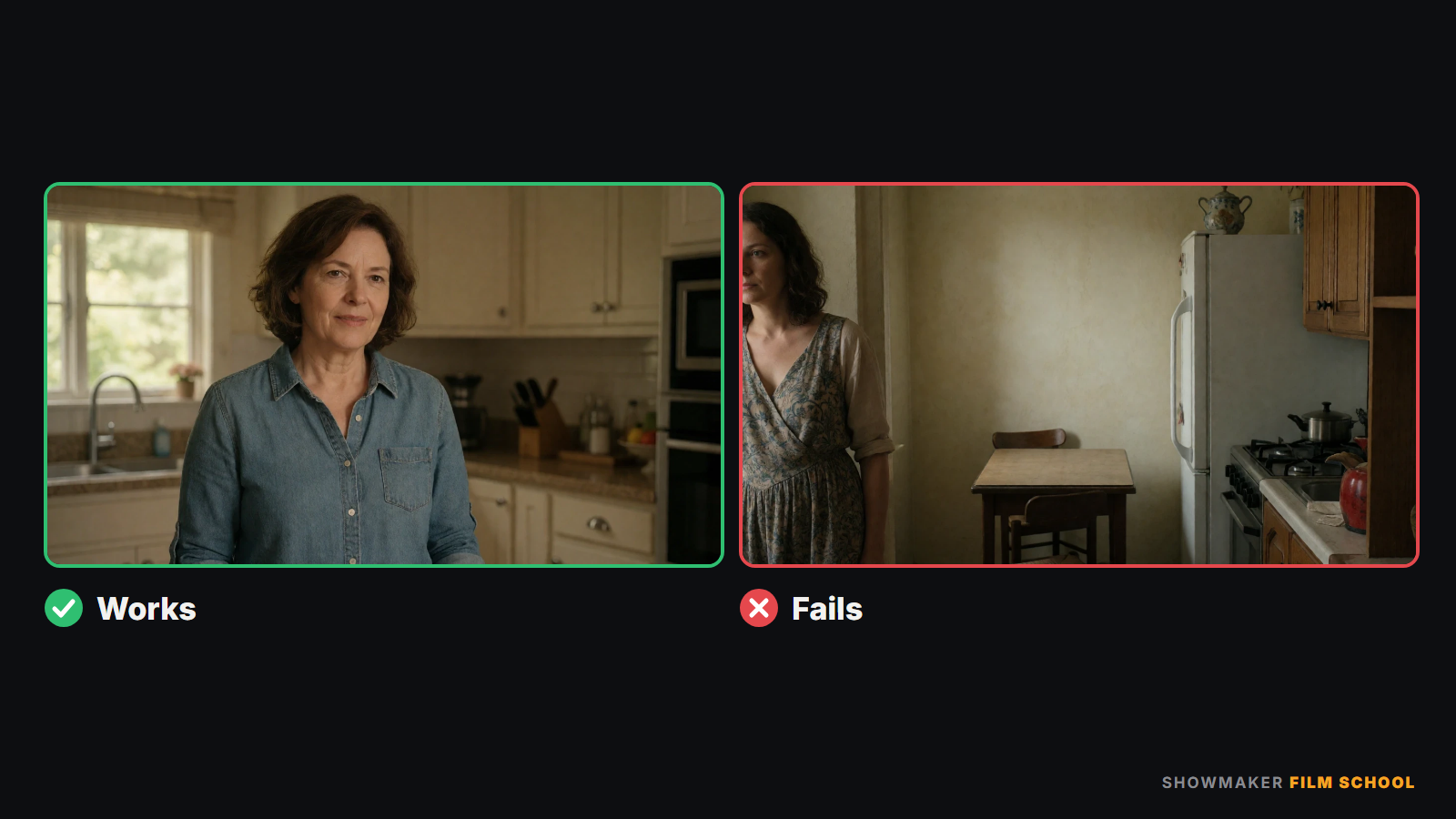
A widescreen frame is wide; a phone frame is tall. If you simply cut a tall window out of a widescreen shot, you keep only about a third of the picture's width. That changes everything about the shot.
The first problem is people. A widescreen two-shot of a couple at a table puts one on the left and one on the right. A tall window in the middle shows neither of them well, and a window on one side cuts the other person in half at the edge of the frame. The second problem is sharpness. A third of the width means a third of the pixels, so a crop from a small video looks soft on a phone.
Tall frames hold one subject. A tall crop of a wide two-shot cuts someone in half.
There are two ways to deal with this. The first is to reframe each shot around the person who matters at that moment: follow the speaker, keep their face in the upper middle of the frame, and switch sides when the other person speaks. This works best for close-ups and single shots, which already have one subject.
The second, and often better, way is to build the Short as its own vertical version: the same story, lines and voices, with each shot composed tall from the start. A tall close-up is drawn with the face filling the frame. A two-shot becomes two singles, or one person in front of the other so both fit. You pay to render these shots again, but they look made for the phone, because they were.
Mind the safe zone. On a phone, the platform puts its buttons on the right side and the caption and channel name across the bottom. Keep faces and anything important in the upper and middle part of the frame, a little away from the right edge. Put captions in the middle or just below it, not at the very bottom.
A worked example: the kitchen confrontation from your film. In widescreen, the mother stands left and the daughter right. For the vertical version, the opening wide becomes a tall shot from behind the daughter's shoulder with the mother in the upper middle. The argument becomes alternating tall close-ups. The final line, "Who told you that name?", is a tall close-up of the mother, face high in the frame, with the caption just under her chin.
Next in the app: the steps in ShowMaker, the exercise and a 3-question quiz.
Learn what your audience wants by posting several different ideas, changing one thing at a time and keeping a log.
Nobody can tell you in advance which of your Shorts will travel. You find out by posting. The fastest way to learn what the feed wants from you is to post many different ideas and watch what happens, not to spend weeks polishing one perfect video.
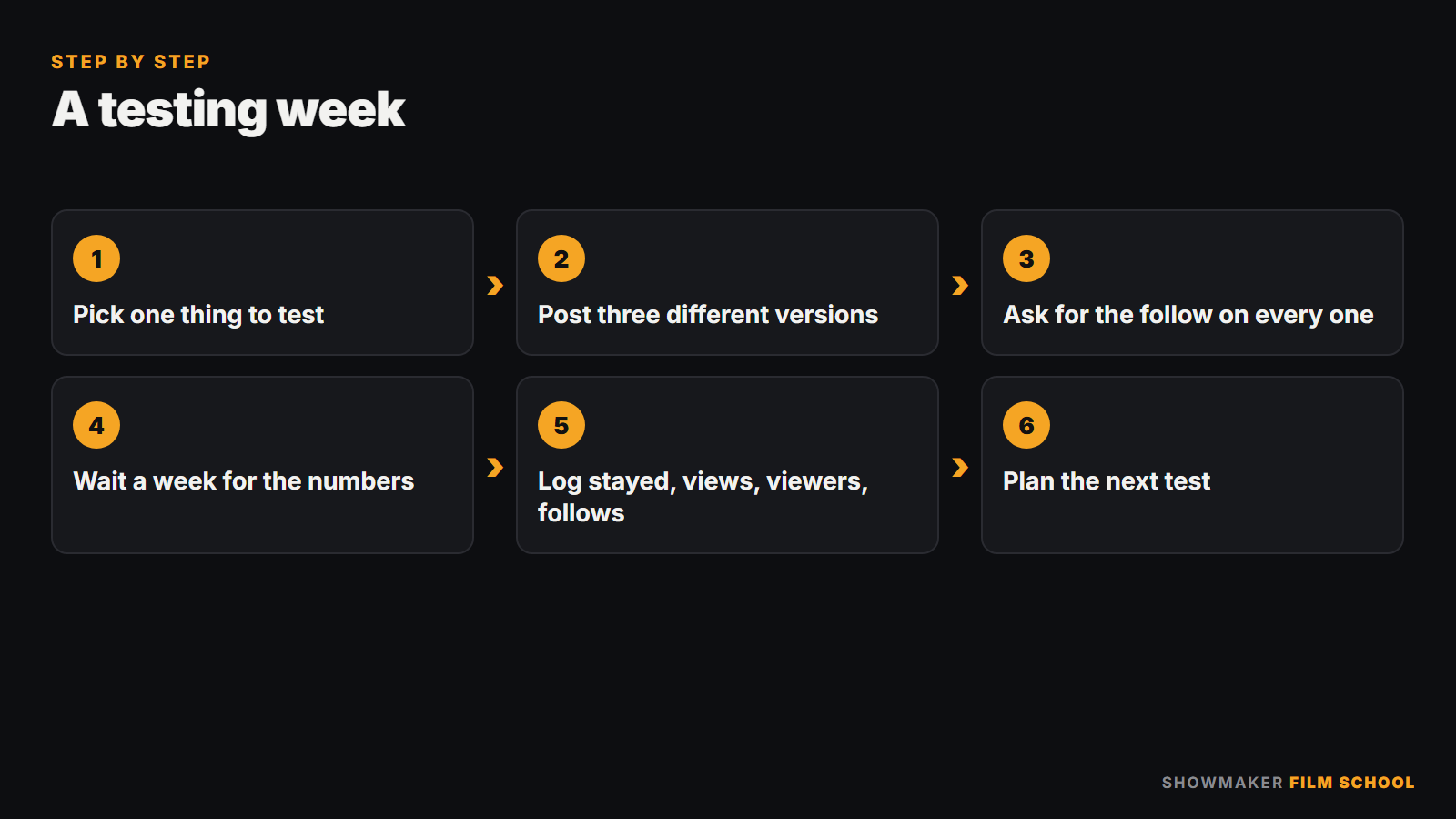
Different ideas means really different. Three Shorts from the same scene with slightly different titles teach you about titles. Three Shorts from three different stories, or three different opening moments, teach you about your audience. Both are useful, but know which test you are running. Change one thing at a time when you want a clear answer: same Short, different first second; or same opening, different ending.
Learn by posting, not by guessing.
Keep a log. For every post, write the date, what it was, what you changed and, after a week, four numbers: how many people stayed to watch rather than swiping away, views, unique viewers and subscribers gained per thousand unique viewers. A week gives the numbers time to settle. Over a month the log shows patterns you would never see one video at a time: maybe your audience follows family secrets and ignores romance, or stays for a slap and leaves at a kiss.
Every Short asks for the follow. A view is gone the moment it ends; a subscriber is someone you can reach again. Use the end card from Module 2 and the first line of the description on every single post, including the experiments.
Keep one kind of content per channel. Platforms recommend by audience, and a channel that mixes Spanish telenovelas, cooking clips and tutorials confuses the people who follow it and the system that recommends it. If you want to try a new kind of show, give it its own channel.
Test a long film before you finish it. A long film is a big job. Before you make all of it, you can post a first chapter of eight to twelve minutes, the real opening, ending on a cliffhanger, and see whether people watch it to the end and ask for more. Finish the stories that win.
A worked example: in one week you post three Shorts. Short A opens on an insult, Short B on a secret phone call, Short C on a hospital bed. All three end with the same follow card. After a week, your log shows Short B kept the most people past the first second and brought the most subscribers per thousand viewers. Next week you post three more secret-and-phone stories, each with a different ending, and keep testing.
Next in the app: the steps in ShowMaker, the exercise and a 3-question quiz.
Run a small paid promotion on a Short that already works, and judge it by what it costs per follower and who goes on to watch the film.
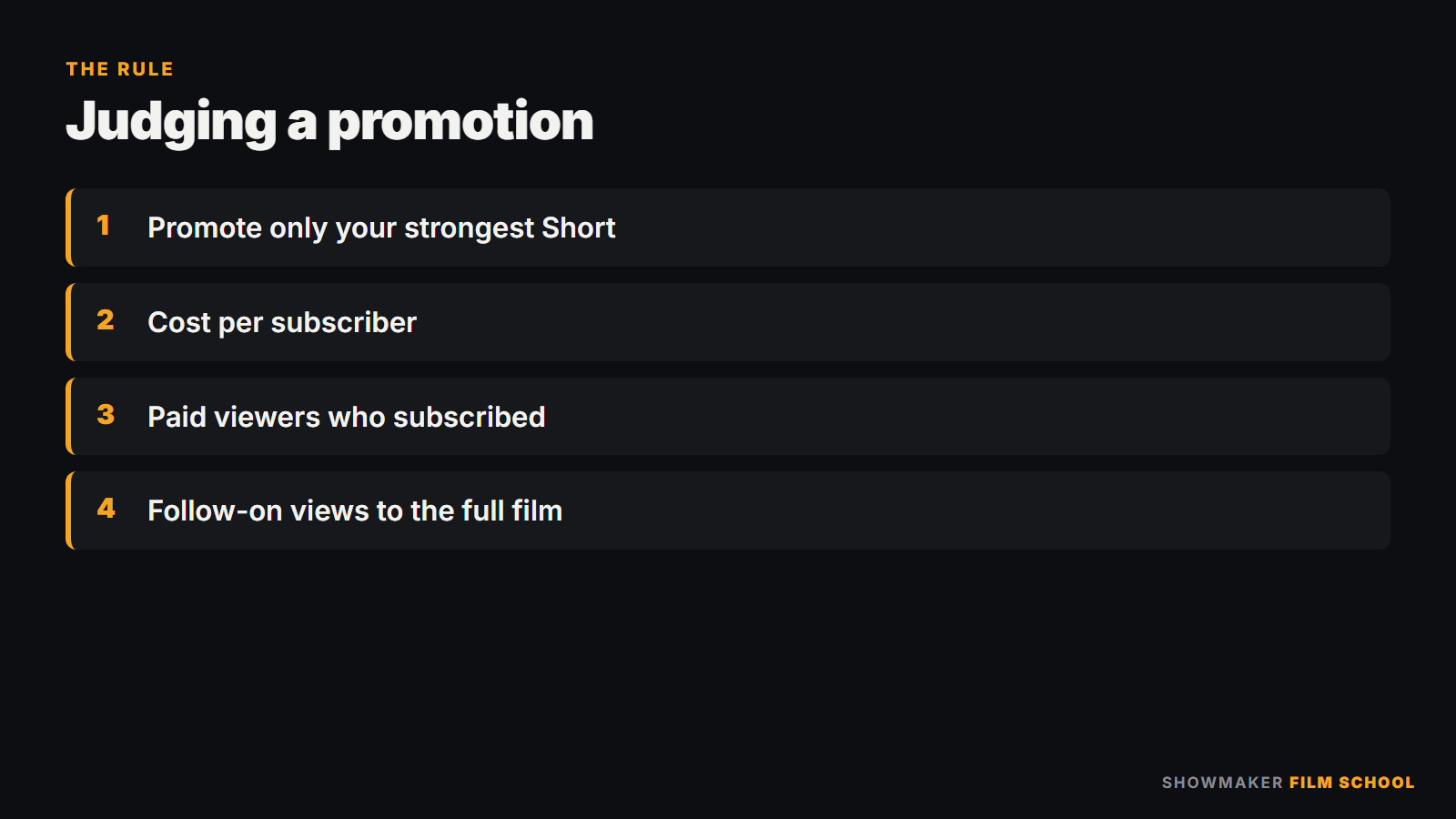
Paying to promote a video can help, but only when the video already works. Promotion buys you strangers. If your Short loses people in the first second, paying to show it to more people only buys more people leaving. Promote the Short your log says is strongest: the one that keeps the most people and earns the most follows.
Start small. YouTube Studio lets you promote a video with a small daily or total budget and a goal, such as growing your audience or getting views. Choose the goal that matches what you want; for a series, that is followers, not views. A few dollars is enough to learn something. When we tried a few dollars of audience-growth promotion on a Spanish telenovela Short, it brought in subscribers for a few cents each, which was worth it.
Promote what already works, then follow the money to the film.
Judge a promotion by three numbers. First, cost per subscriber: what you spent divided by the subscribers it brought. Second, the share of paid viewers who subscribed. Third, and most often forgotten, follow-on views: how many of those people went on to watch your other videos, above all the full film. Our same promotion showed the trap here. It bought subscribers, but very few of them went on to the full film until the Short linked to it. A Short that does not point to the film leaves the new followers with nowhere to go.
Know which numbers count for what. If your goal is to earn from your videos through YouTube's partner program, YouTube sets public rules, which change from time to time. At the time of writing, one route asks for 1,000 subscribers and 4,000 hours of public watch time on long videos in a year, and watch time from Shorts does not count toward those hours. Check YouTube's current rules before you plan around them. This is another reason the long film matters: the Shorts and the promotion bring people in, and the long film is where their watching counts.
A worked example, with example numbers: you spend 3 dollars promoting your strongest Short with the goal of audience growth. YouTube reports 1,000 impressions, 400 views and 40 new subscribers. That is 7.5 cents per subscriber, and one subscriber for every ten paid views, which is a good result. But only 5 people went on to watch the full film. Before you spend again, you set the Short's related video to the full film and put the film's link first in the description, then promote again and compare.
Write down every promotion in your log beside your free results, so you can see whether paid followers stay and watch like the ones who found you on their own.
Next in the app: the steps in ShowMaker, the exercise and a 3-question quiz.