Step-by-step guide · 39 steps

I Made an AI Micro Drama for Under $7: Consistent Characters, Start to Finish

A full AI micro drama episode for under $7. Draw the rooms, cast and wardrobe once. Write each scene as a Multishot panel and carry continuity with start frames from earlier shots. Fix what the AI gets wrong (like a character standing up too early) without re-rendering. Then add a score, an end card and captions, and assemble the episode.

Set up the world
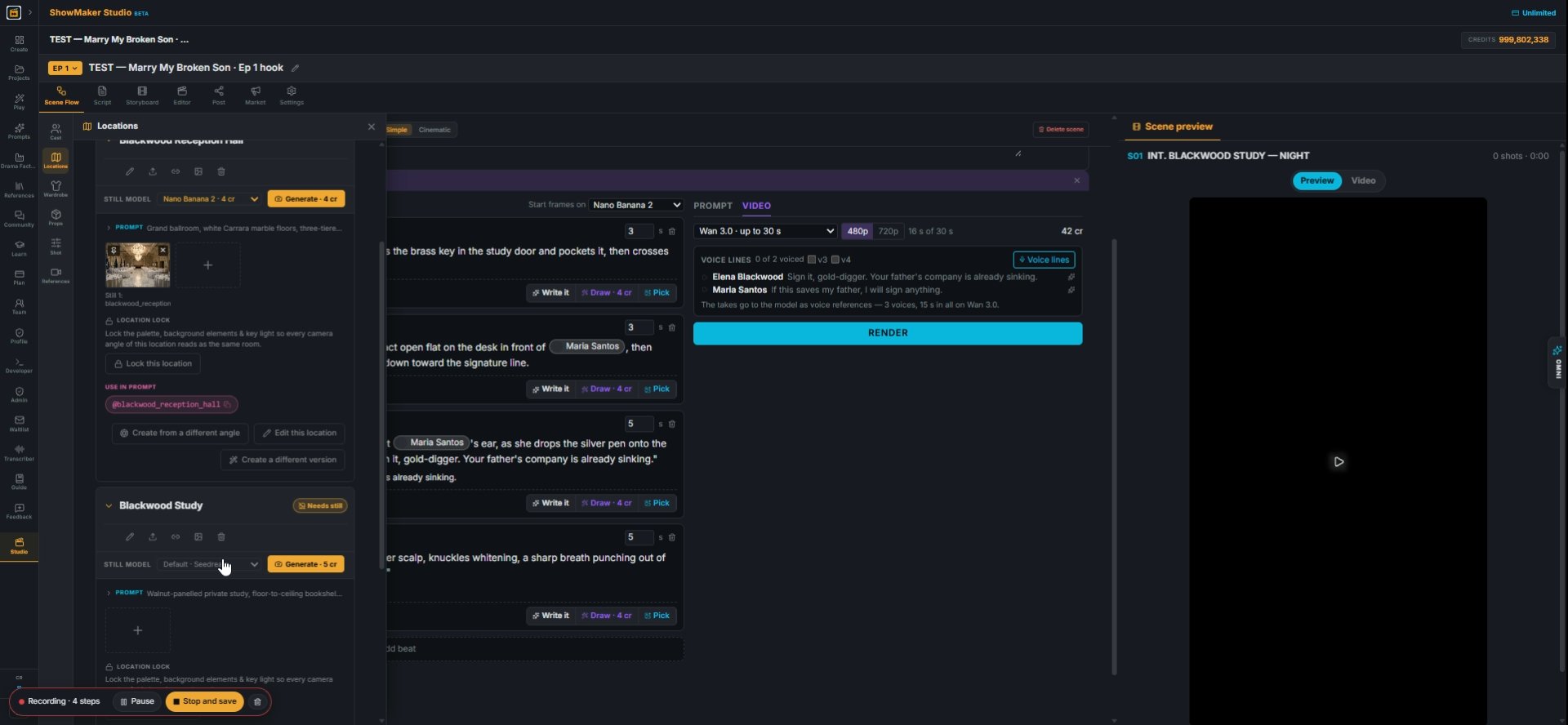
Blackwood Study Needs still STILL MODEL Default · Seedream Seedream · 5 cr Nano…
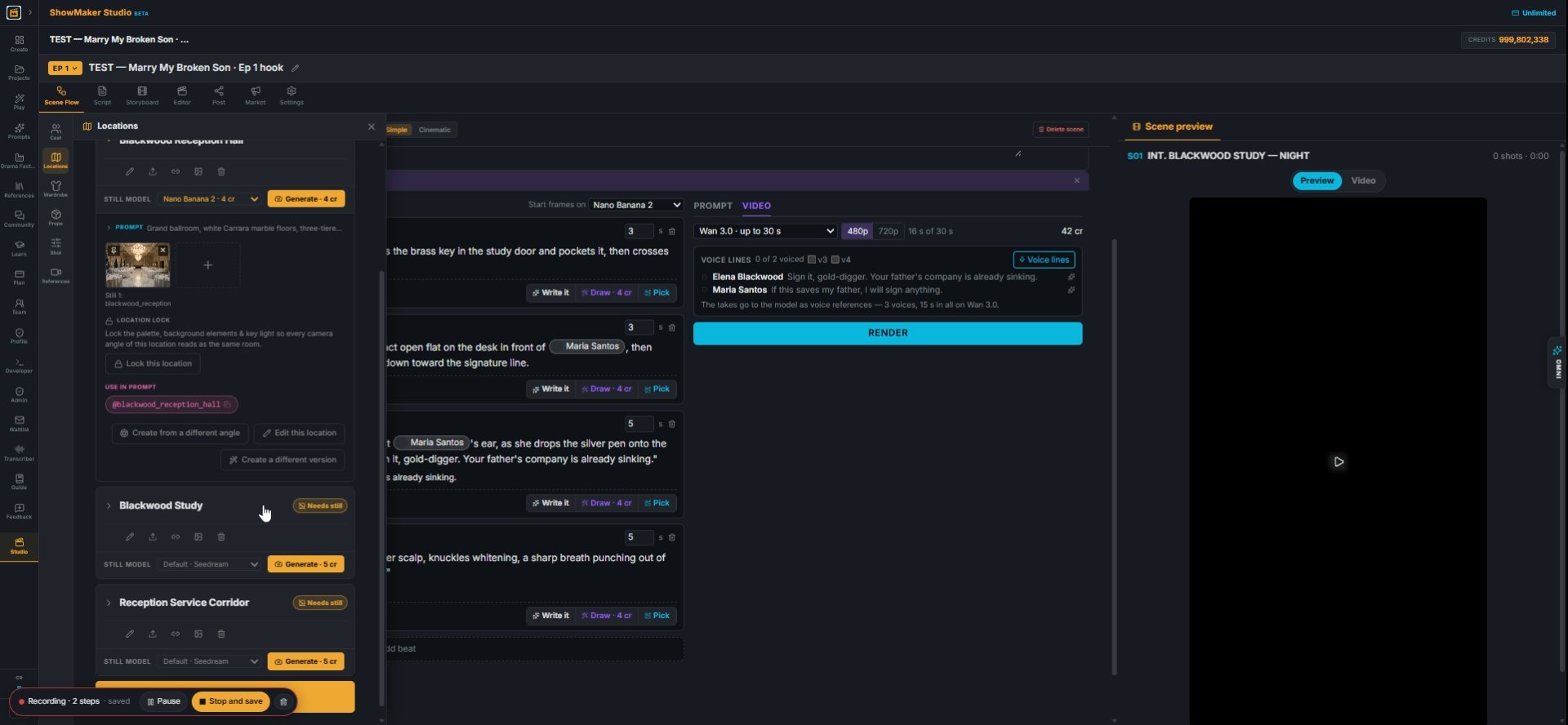
1Open Locations from the left toolbar. A room marked "Needs still" has no picture yet, and every shot set there takes its look from this still.
Default · Seedream Seedream · 5 cr Nano Banana 2 · 4 cr GPT Flare 2.5 · 4 cr Mi…
2Pick a still model on the card. Nano Banana 2 (4 cr) is quick and cheap for rooms.
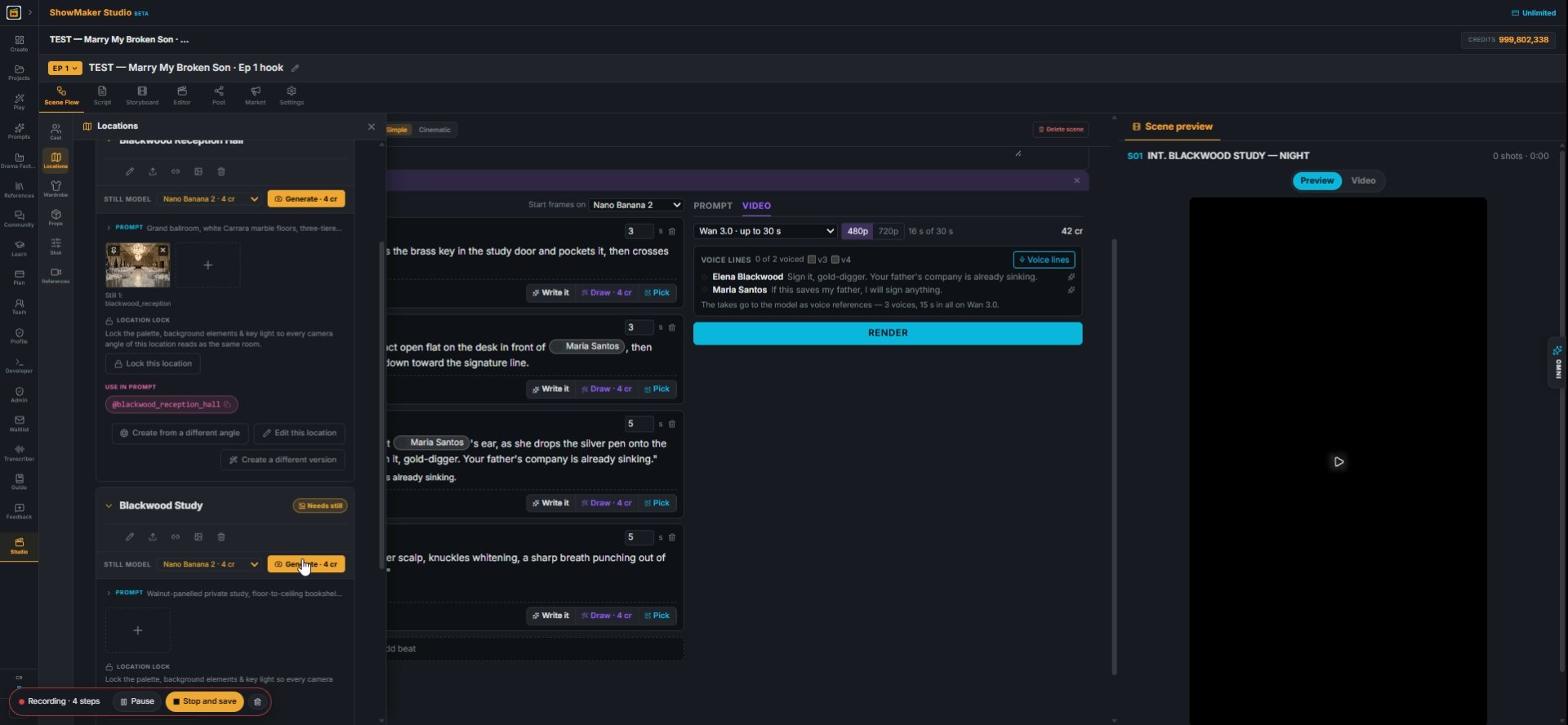
Generate a new still from the description — nano-3.1
3Press Generate. Do this for every room the episode uses: here the study, the reception hall and the service corridor.
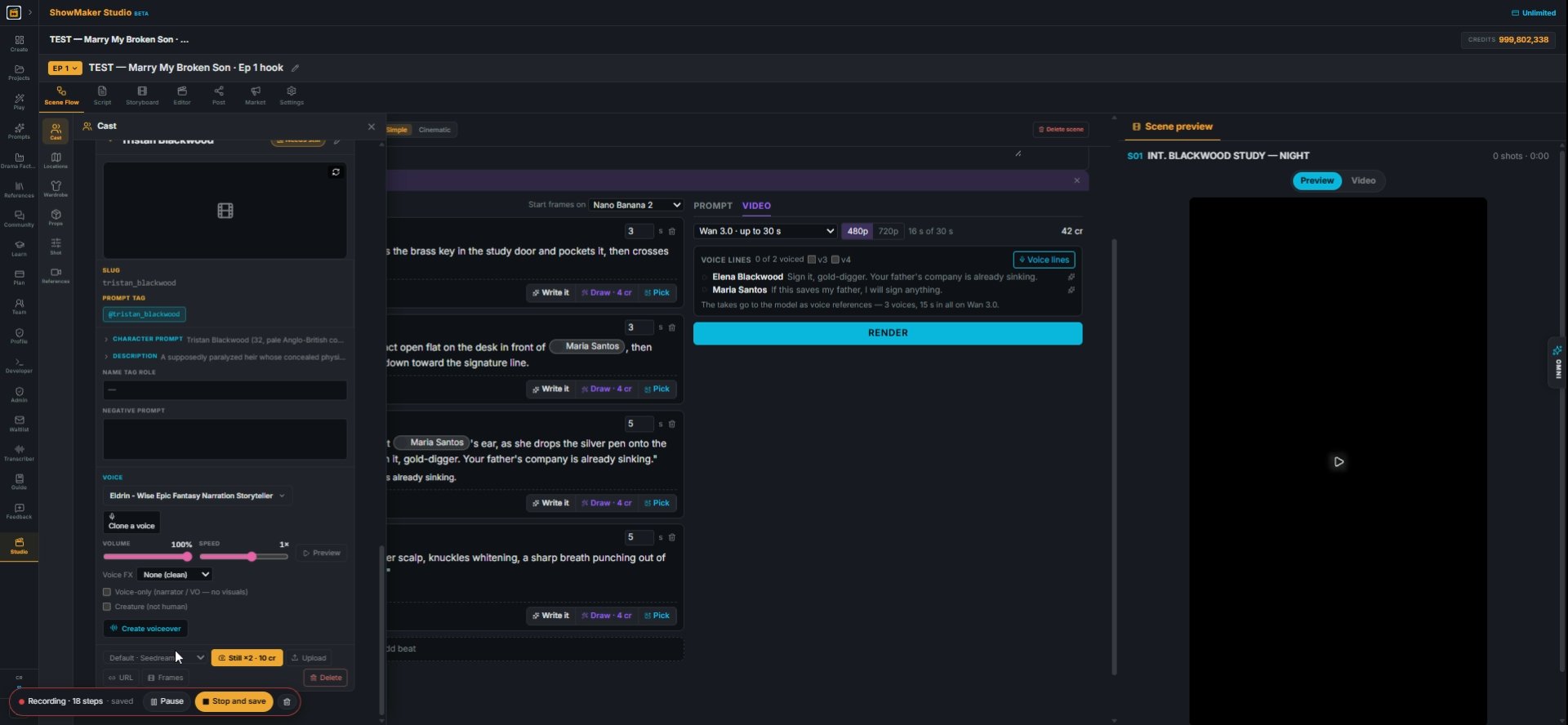
Tristan Blackwood Needs still SLUG tristan_blackwood PROMPT TAG @tristan_blackw…
4Open Cast and draw each character's sheet. It draws a portrait and a full body, which the video models use to keep the face the same in every shot. Pick the voice here too.
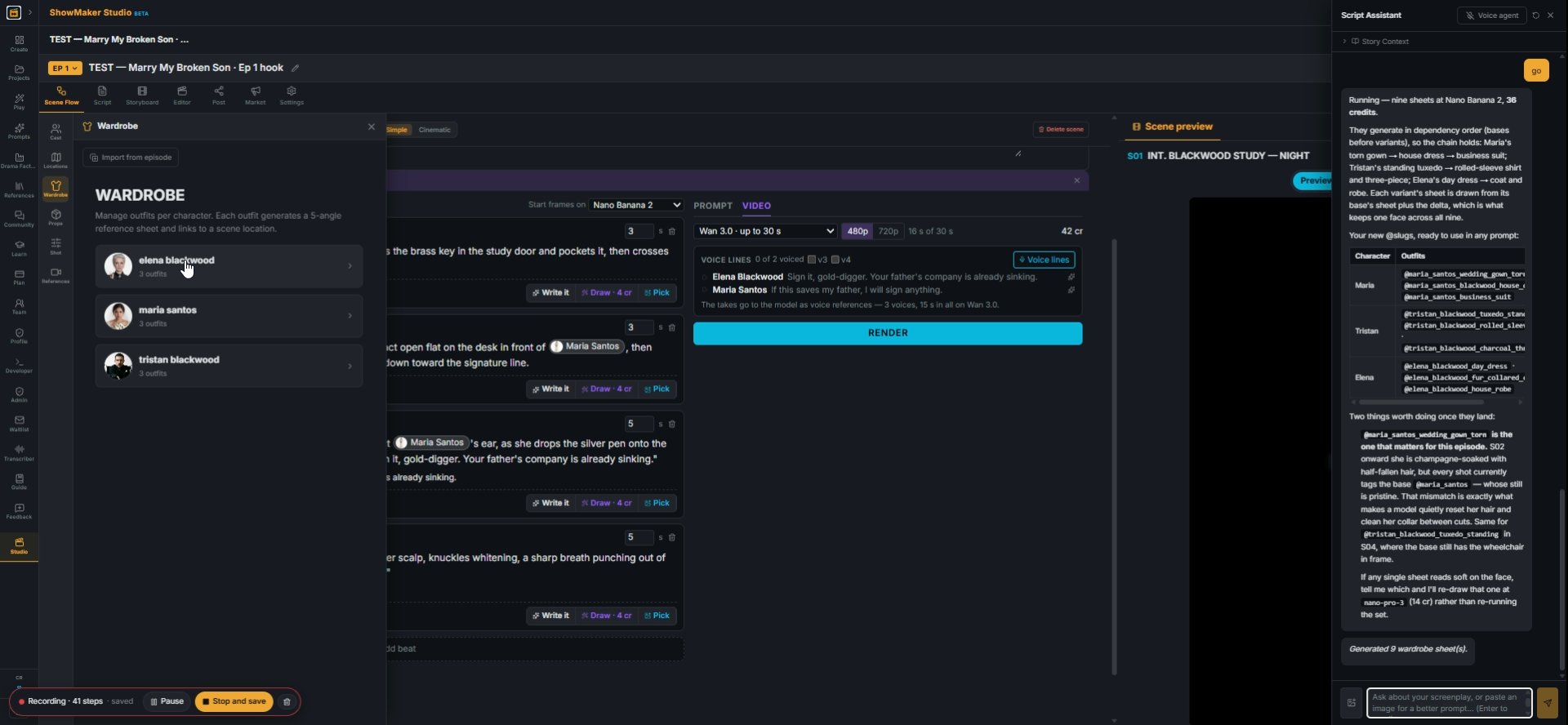
elena blackwood 3 outfits
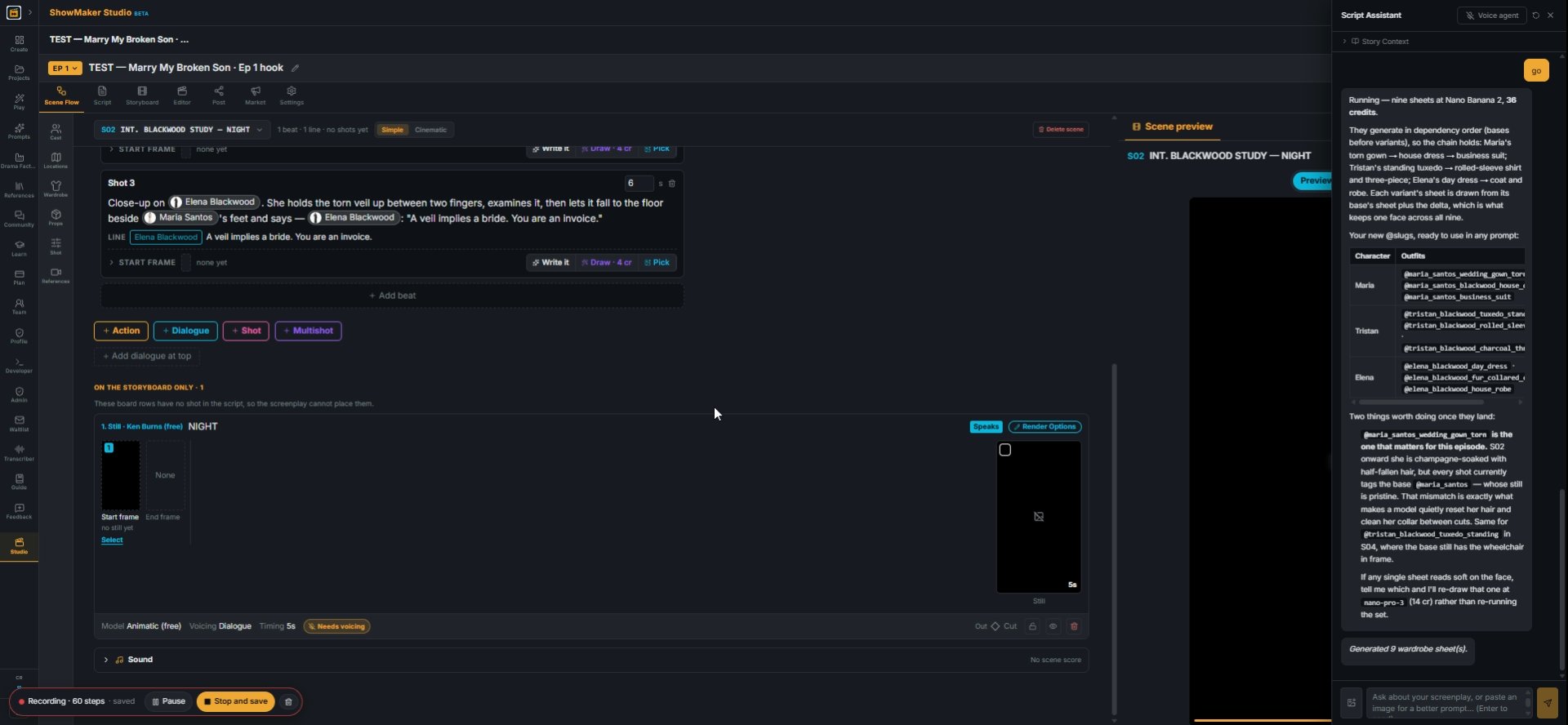
5Wardrobe gives each outfit its own sheet and @slug. Here the Script Assistant drew all nine outfits in one go; just ask it to draw wardrobe sheets for the episode.
Ask about your screenplay, or paste an image for a better prompt... (Enter to s…
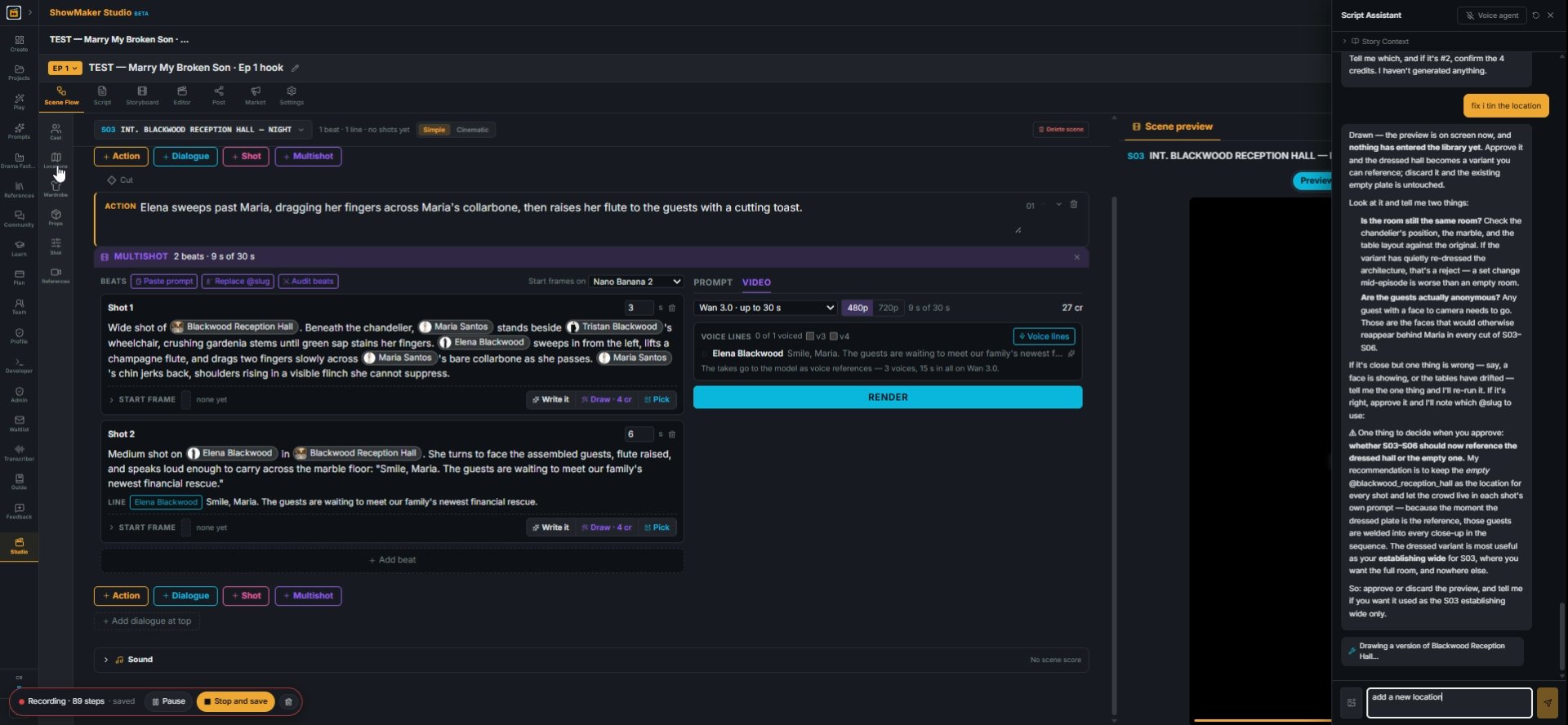
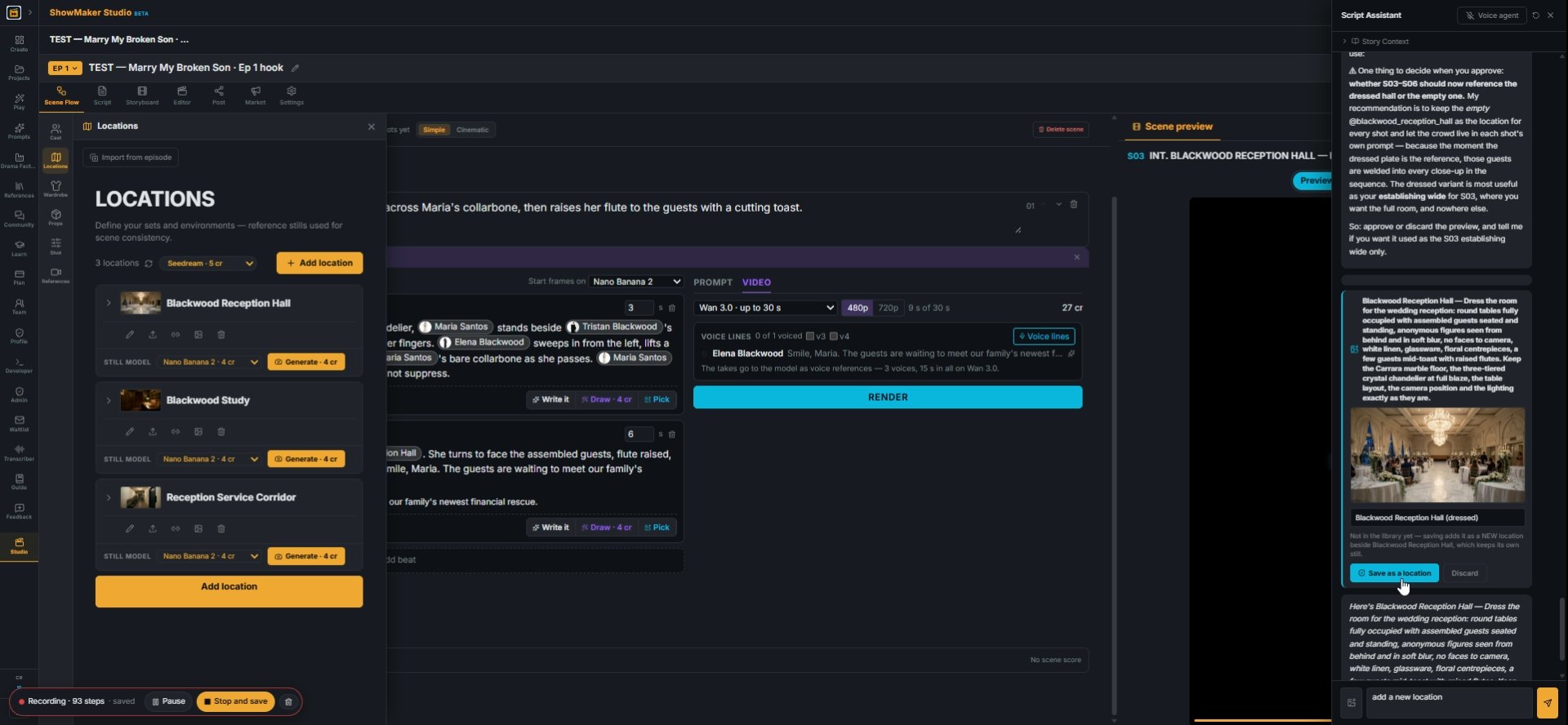
6For a second look of a room, ask the Script Assistant. Here it made a new location: the reception hall dressed for the wedding.
Save as a location
7Check the picture it draws, then press Save as a location. The dressed hall gets its own @slug and the empty hall stays as it was.

Write a scene as a Multishot panel
Action Dialogue Shot Multishot
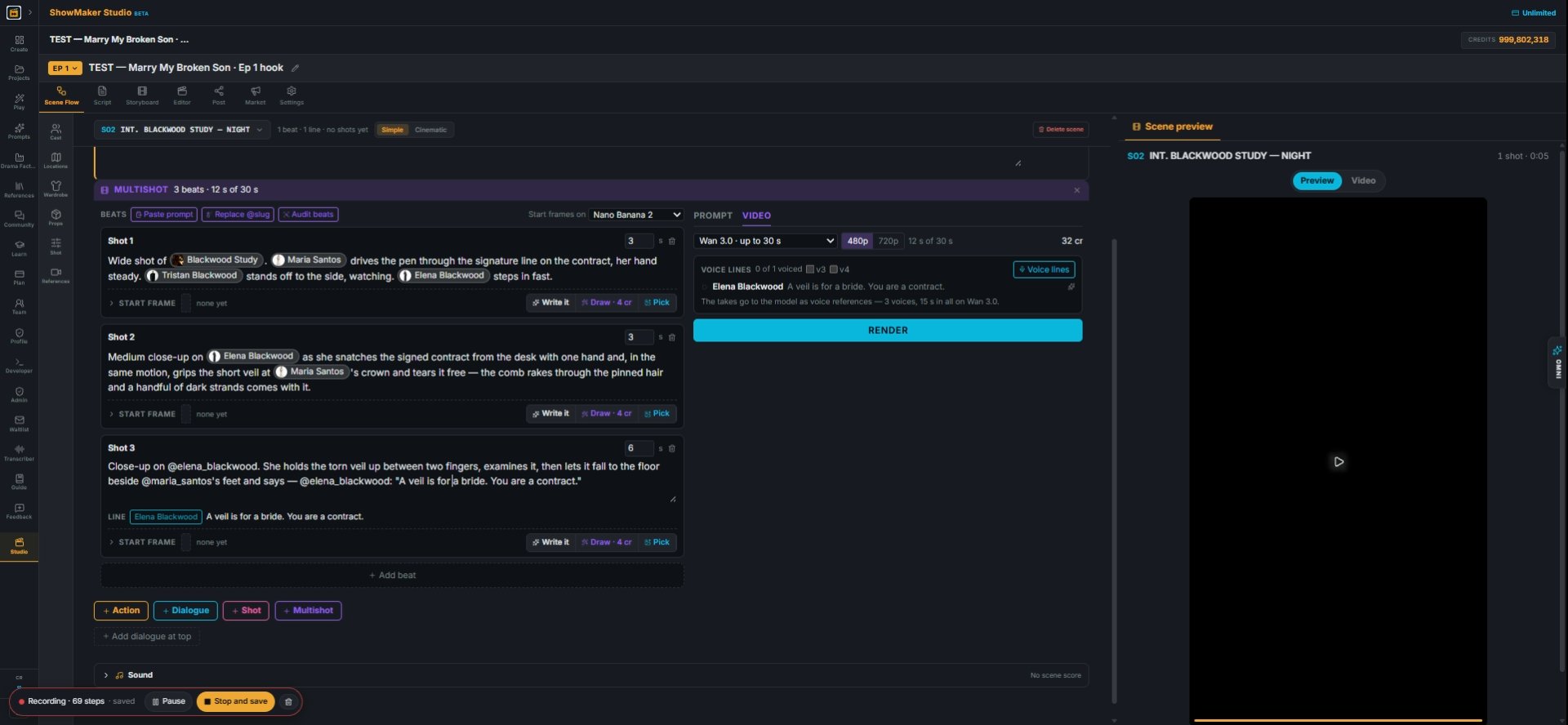
8In Scene Flow, the bar between panels adds an Action, a Dialogue line, a single Shot or a Multishot. A multishot is one take with cuts inside it, up to 30 s on Wan 3.0.
What happens, with @slugs. Dialogue in quotes after the speaker: @chloe turns t…
9Each beat is one camera setup. Say what happens using @slugs for people, rooms and props, and put the line in quotes after the speaker: @elena_blackwood: "A veil is for a bride." The quoted line becomes the voice line.
Draw · 4 cr
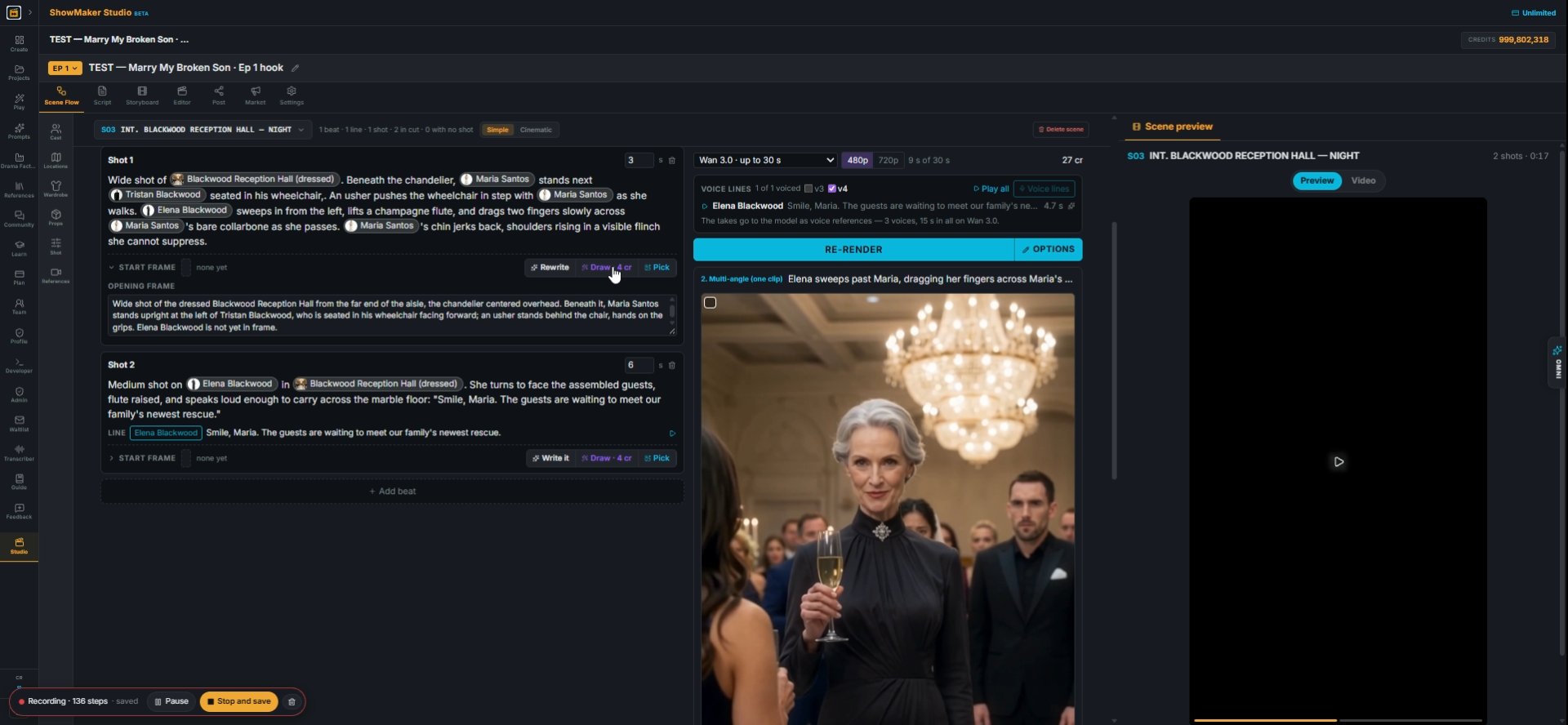
10Give the first beat a start frame. Press Write it to describe the opening instant, then Draw (4 cr) to paint it from the cast and room sheets.
MULTISHOT 2 beats · 9 s of 30 s BEATS Paste prompt Replace @slug Audit beats St…
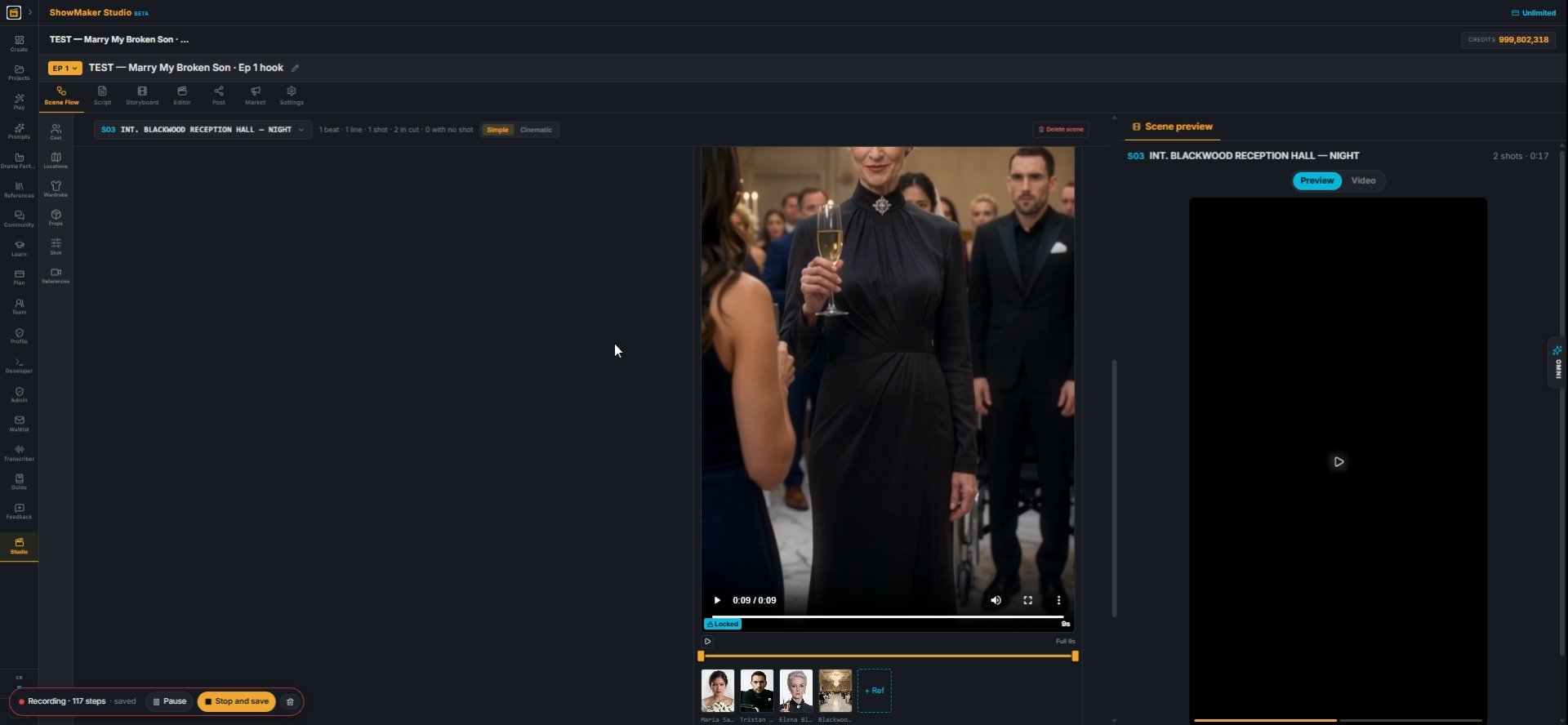
11Press Render. The take plays beside the panel with the references it used underneath. Add beats to grow the take, then Re-render.

Carry continuity from shot to shot
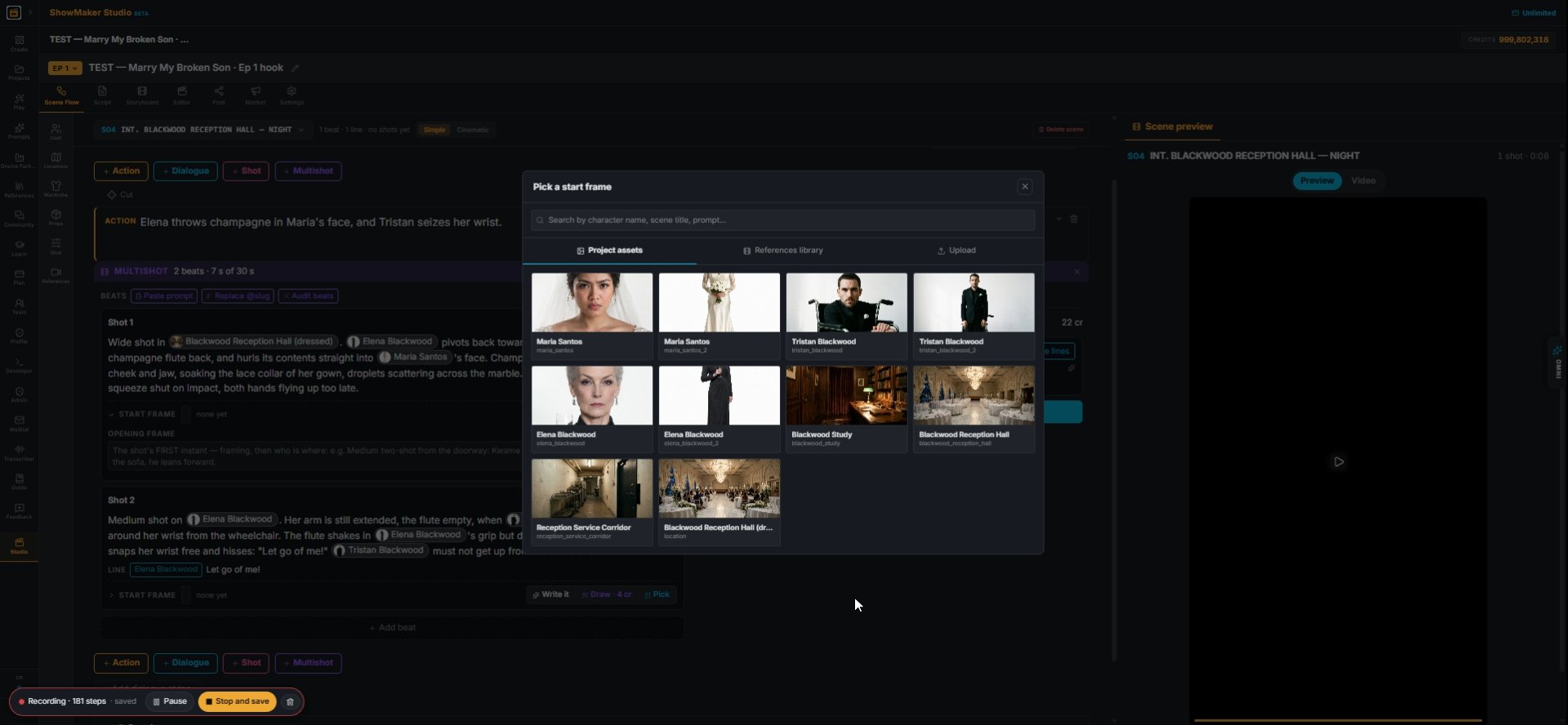
Pick a start frame Project assets References library Upload Maria Santos maria_…
12Pick on a beat's start frame opens the library: cast sheets, rooms and references.
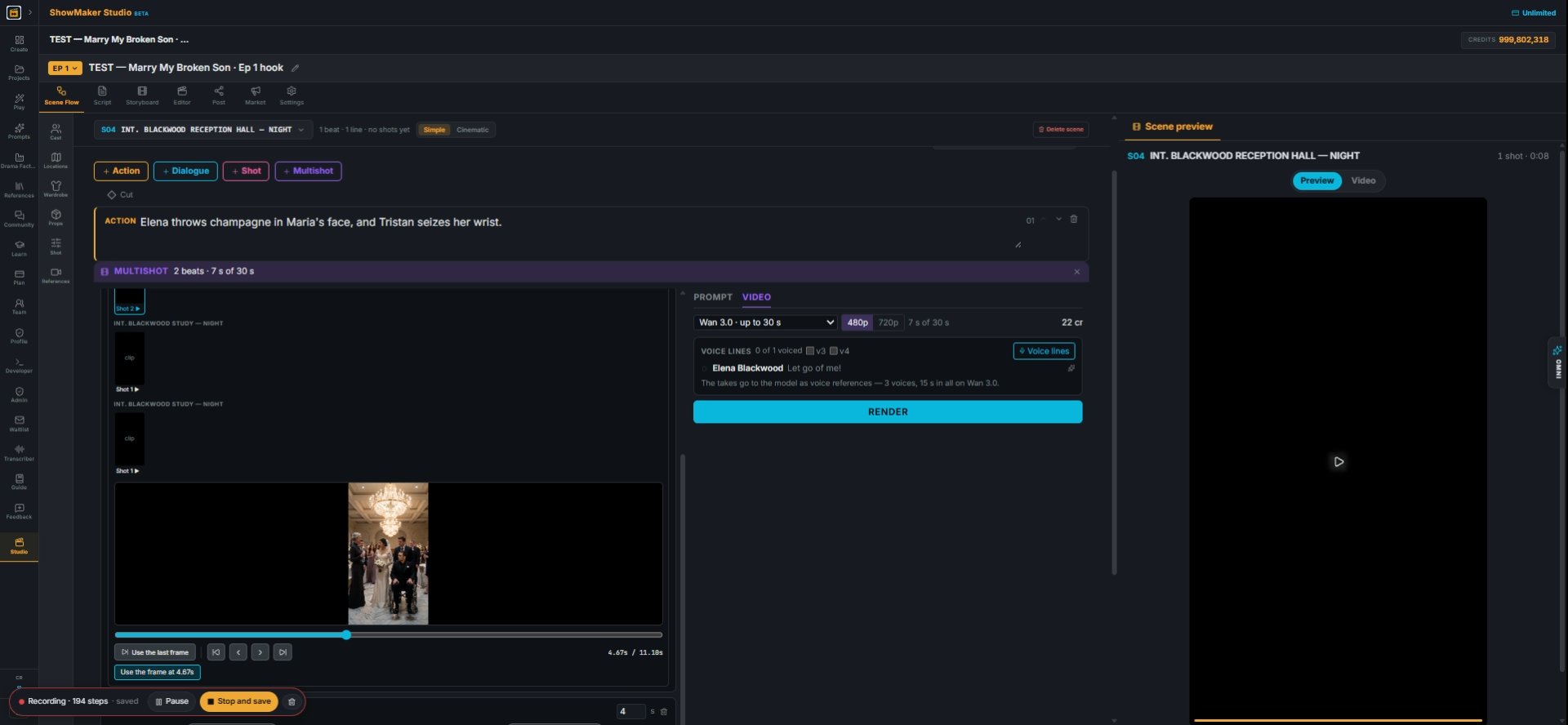
Use the frame at 4.67s
13Or pick an earlier rendered shot, scrub to the moment you want and press Use the frame at…. The next scene opens exactly where the last one left off. This is free.
PROMPT VIDEO Wan 3.0 · up to 30 s Seedance 2.0 Mini · up to 15 s Seedance 2.0 F…
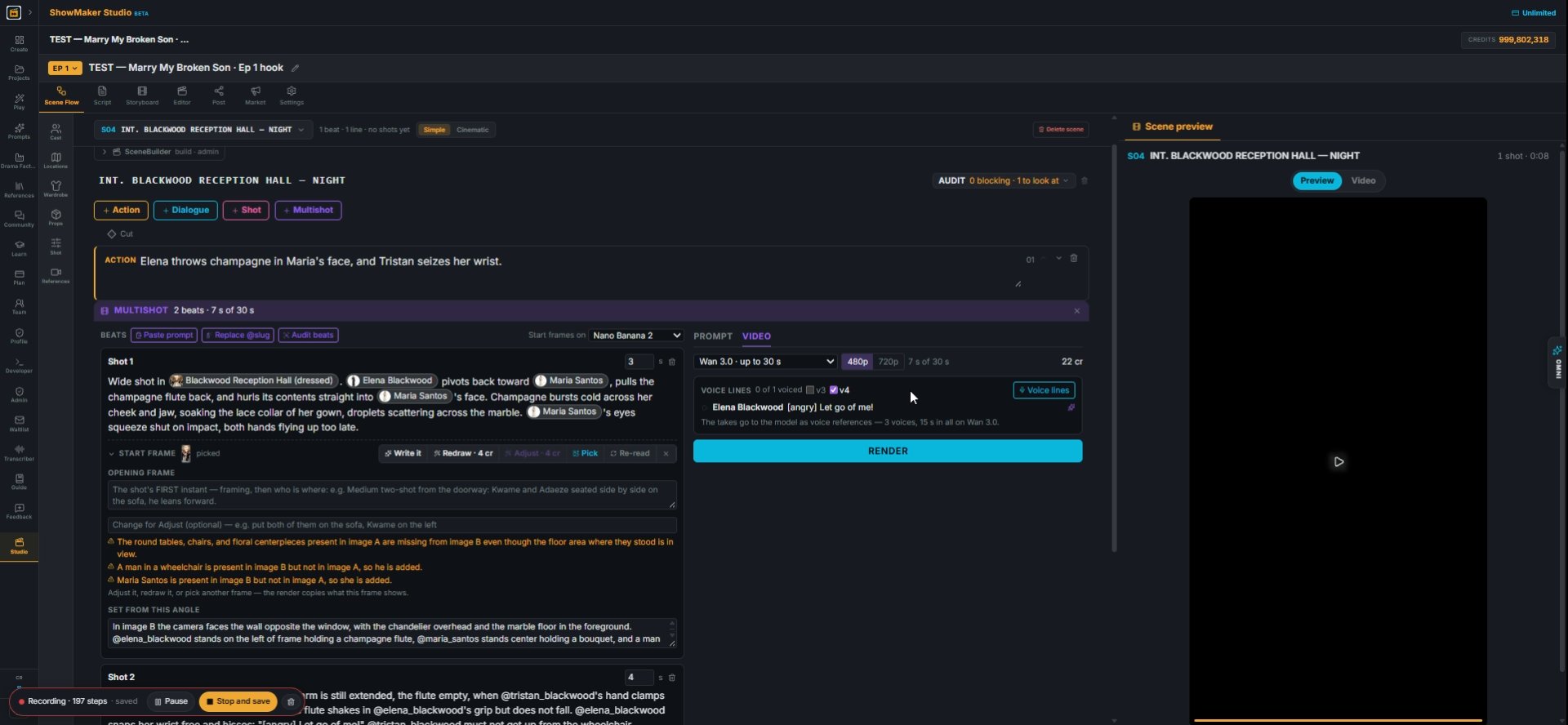
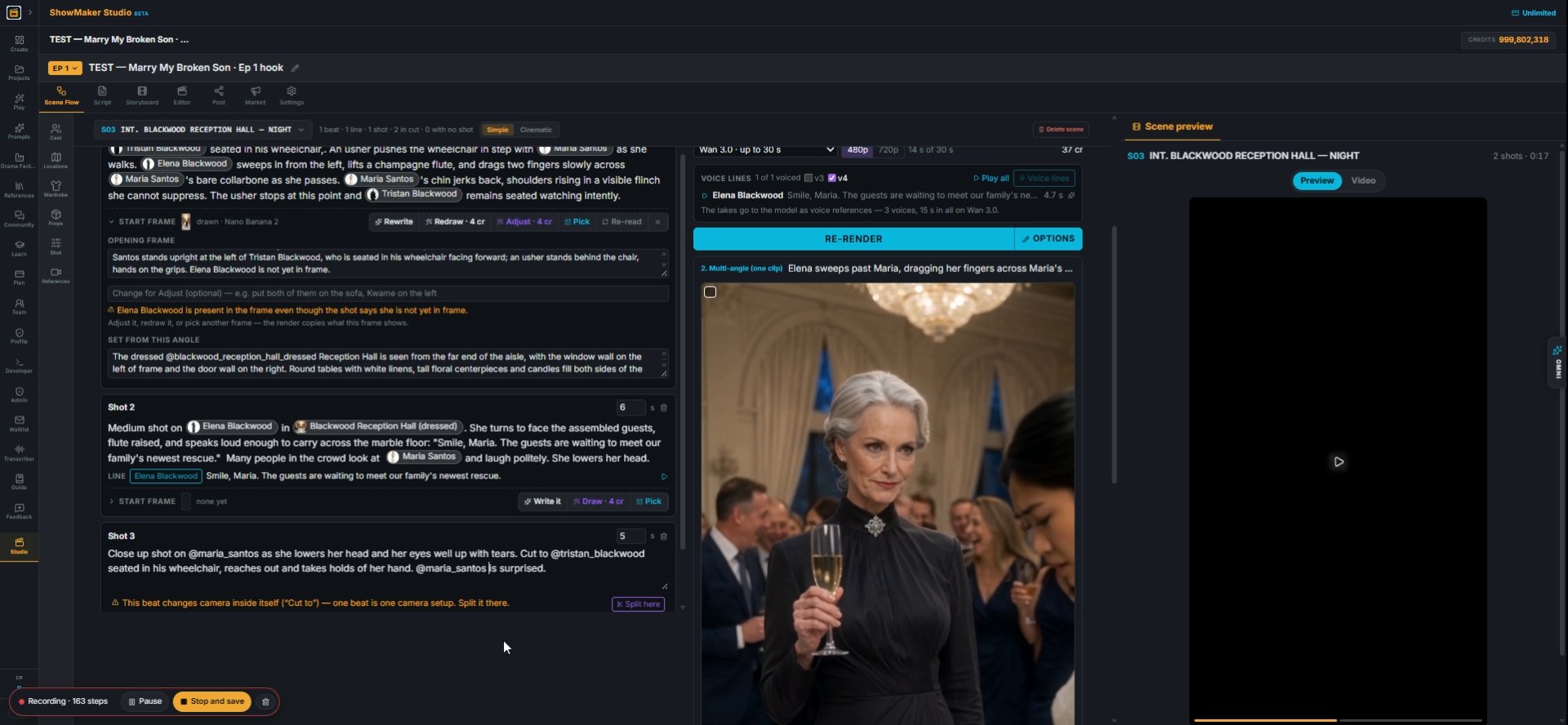
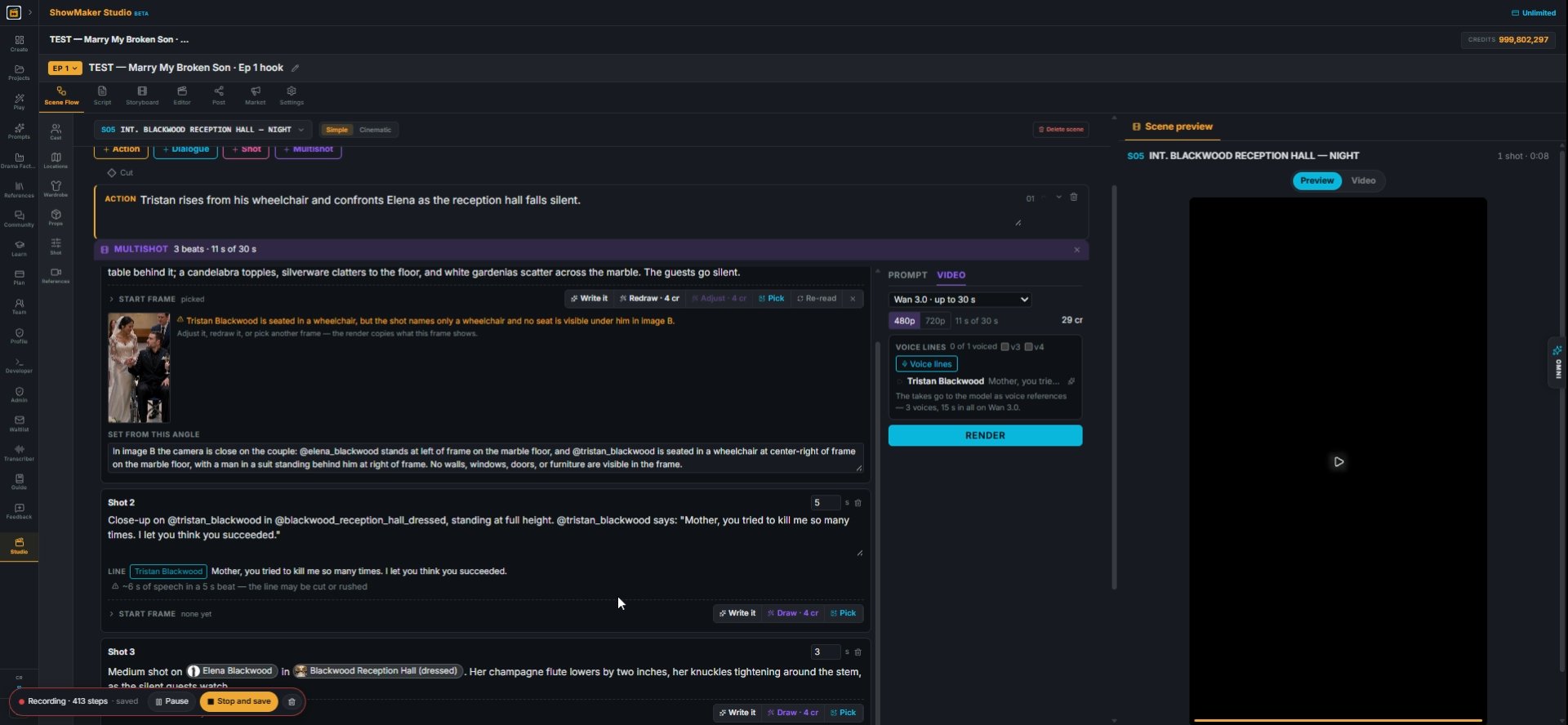
14Read the checks under the start frame. They compare the picture with your beat; here a man in a wheelchair and Maria are in the frame but not in the text. Fix the beat or the frame before you render.
What happens, with @slugs. Dialogue in quotes after the speaker: @chloe turns t…
15Tag an outfit by its own slug (@tristan_blackwood_charcoal_three_piece) so the right costume renders in that beat.

Fix what goes wrong

MULTISHOT 3 beats · 14 s of 30 s BEATS Paste prompt Replace @slug Audit beats S…
16"This beat changes camera inside itself (Cut to)" means one beat is trying to be two setups. Press Split here and each gets its own beat.
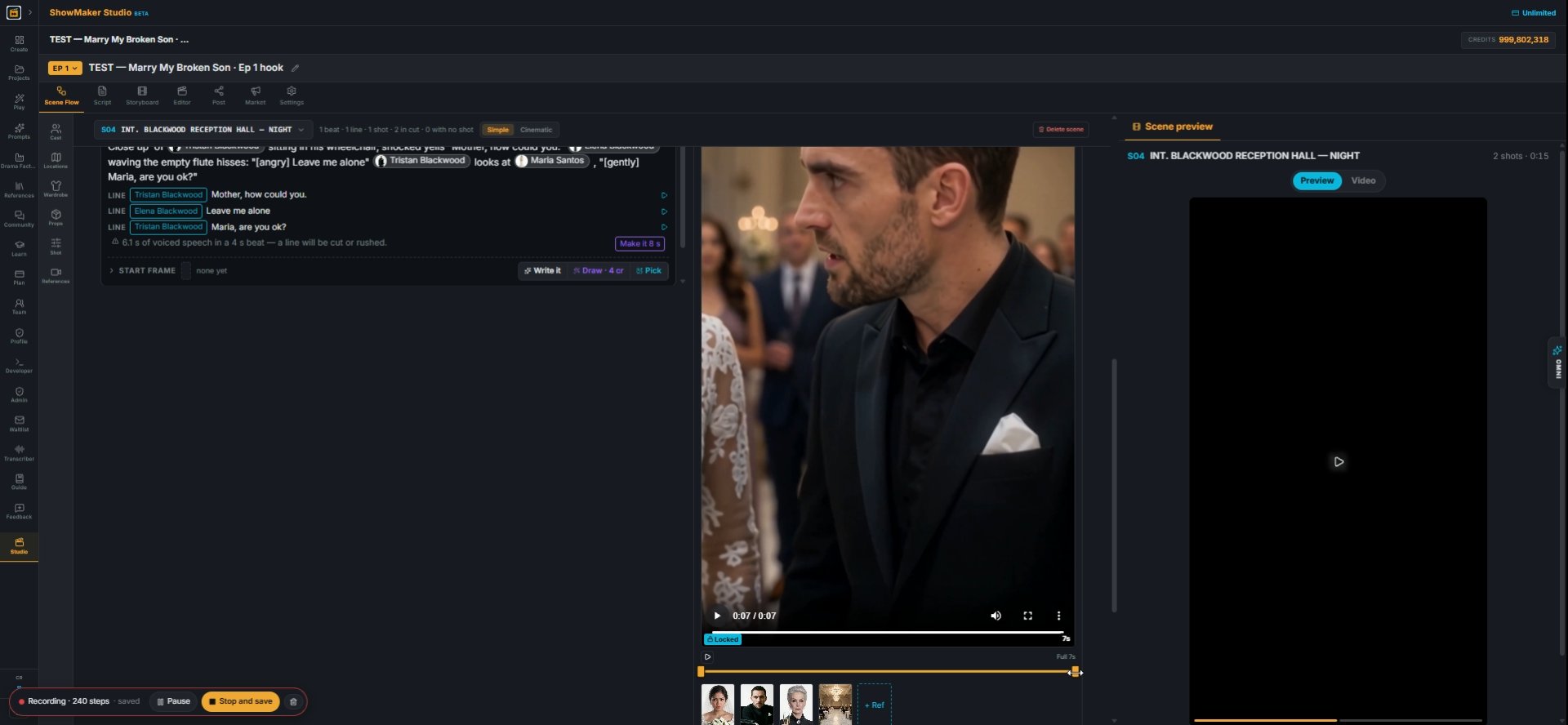
~6 s of speech in a 5 s beat — the line may be cut or rushed
17"~6 s of speech in a 5 s beat" means the line will be cut off or rushed. Lengthen the beat or shorten the line.
Elena Blackwood [angry] Leave me alone1 1.9 s
18In Voice lines, a bracketed tag sets the delivery: [yells], [angry]. Press Play all to hear the takes before you render. A typo is spoken too, so check the words.
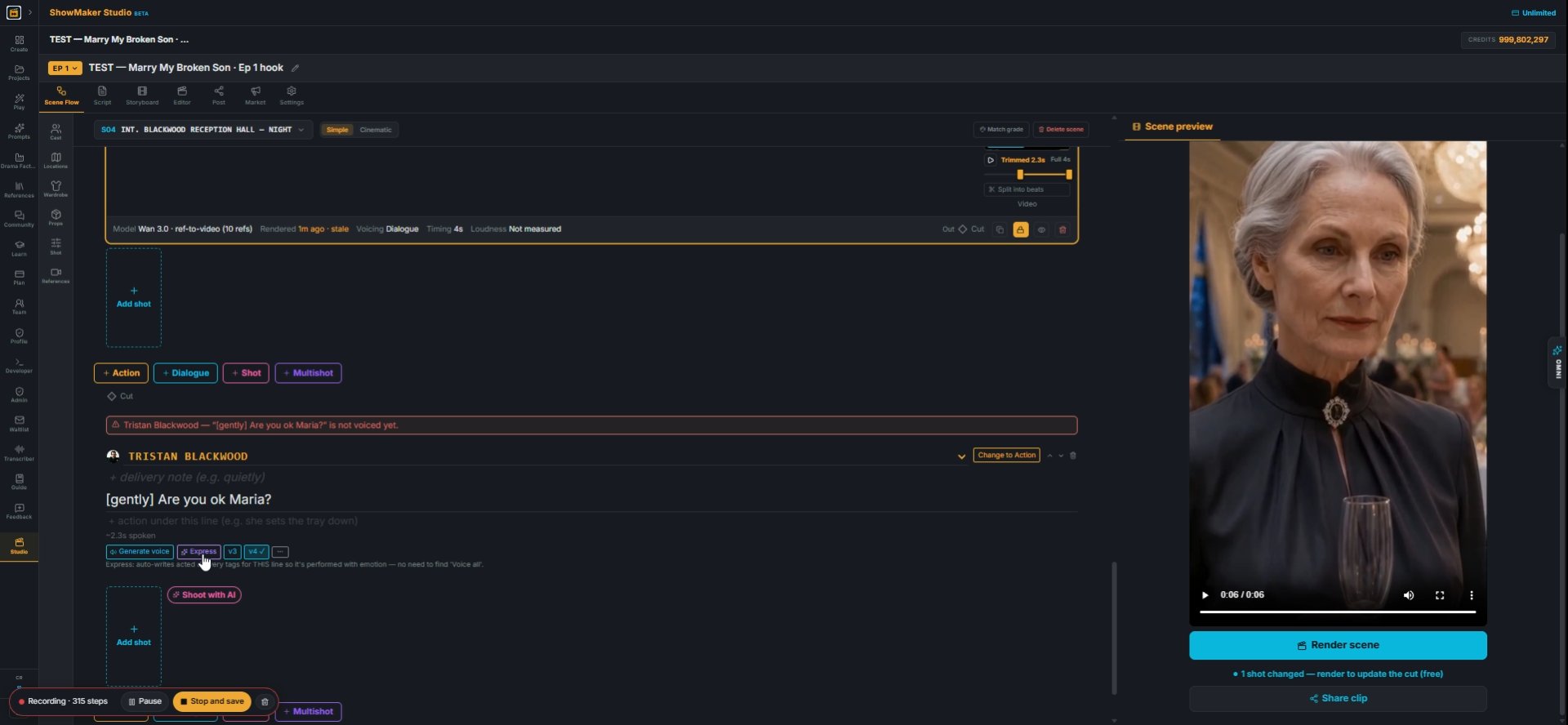
Express
19On a single dialogue line, Express writes the emotion tag for you ([gently] Are you ok Maria?) and voices it.
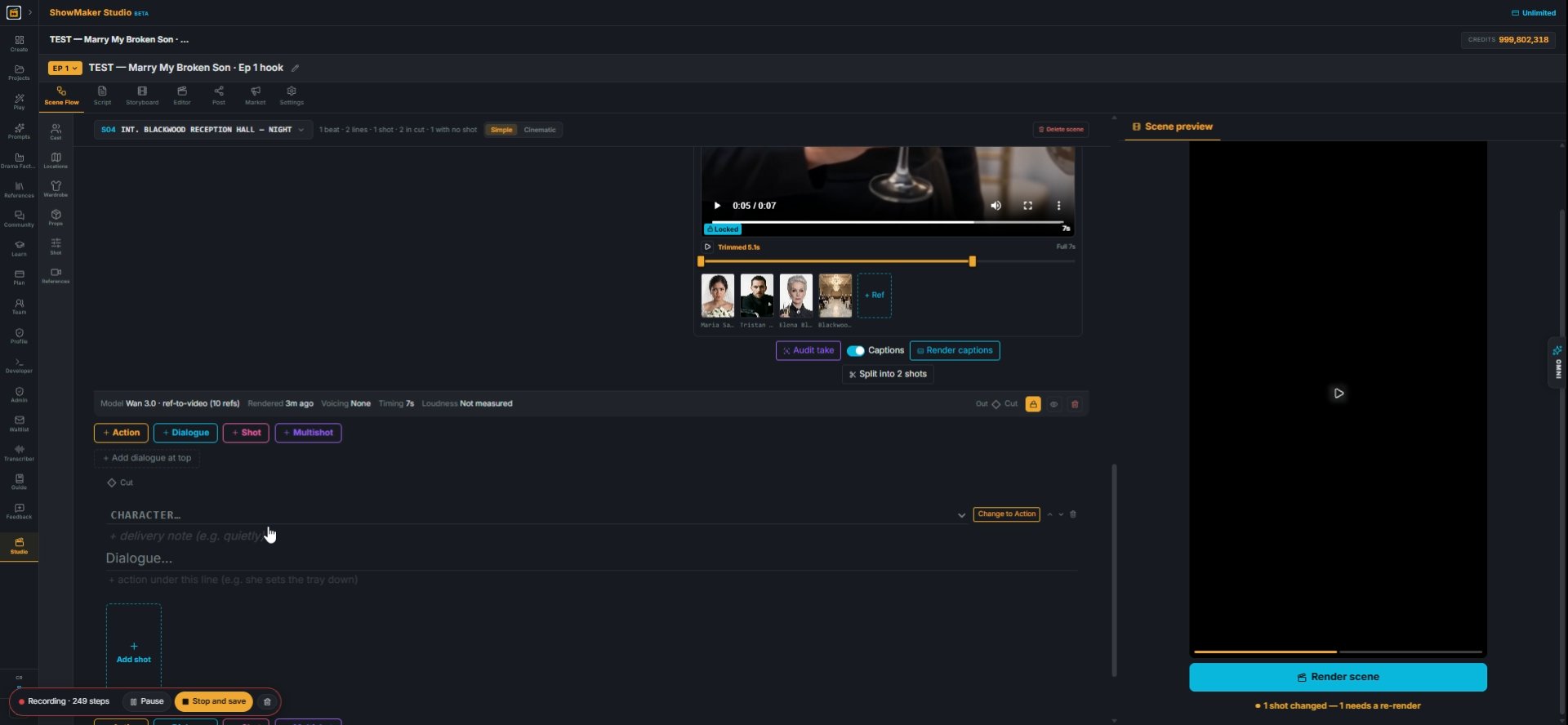
CHARACTER… Maria Santos Tristan Blackwood Elena Blackwood
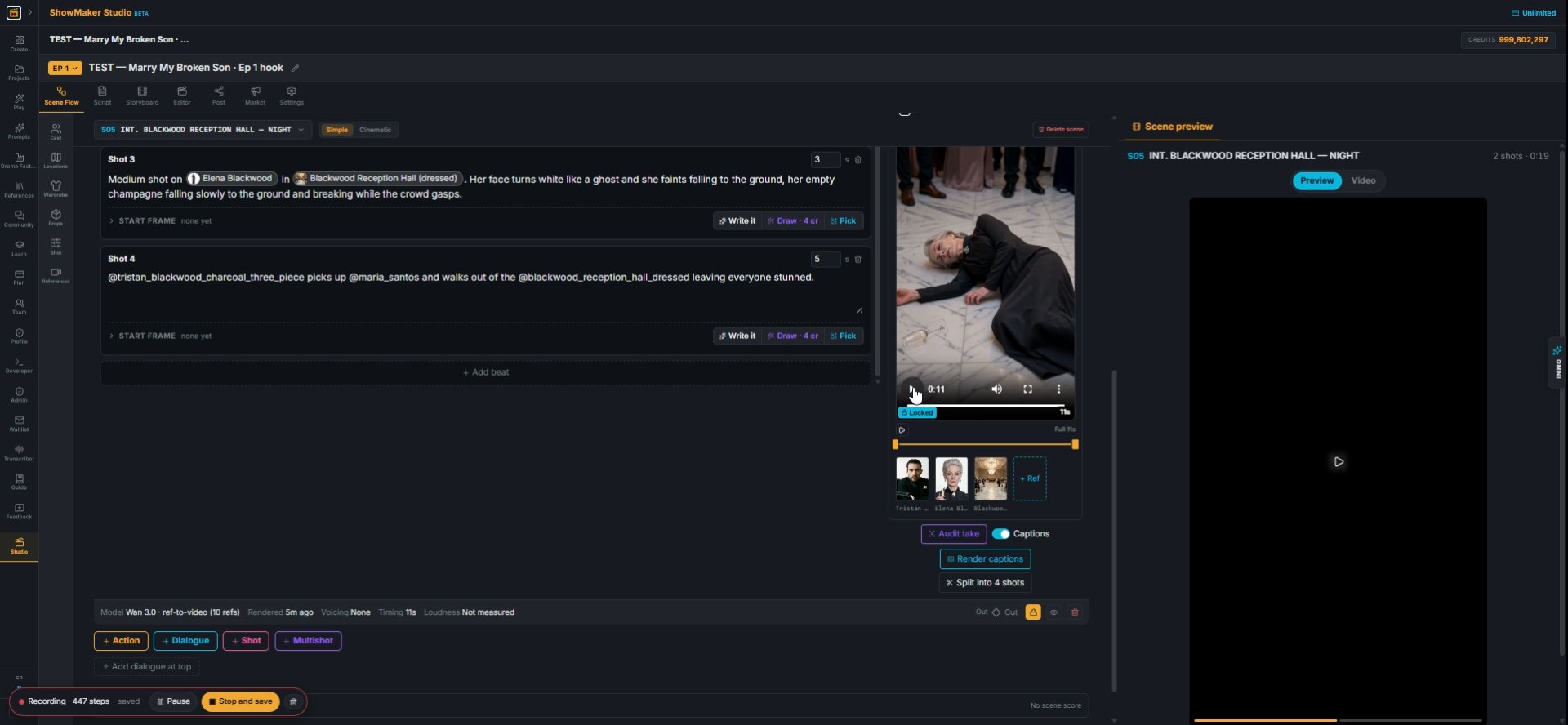
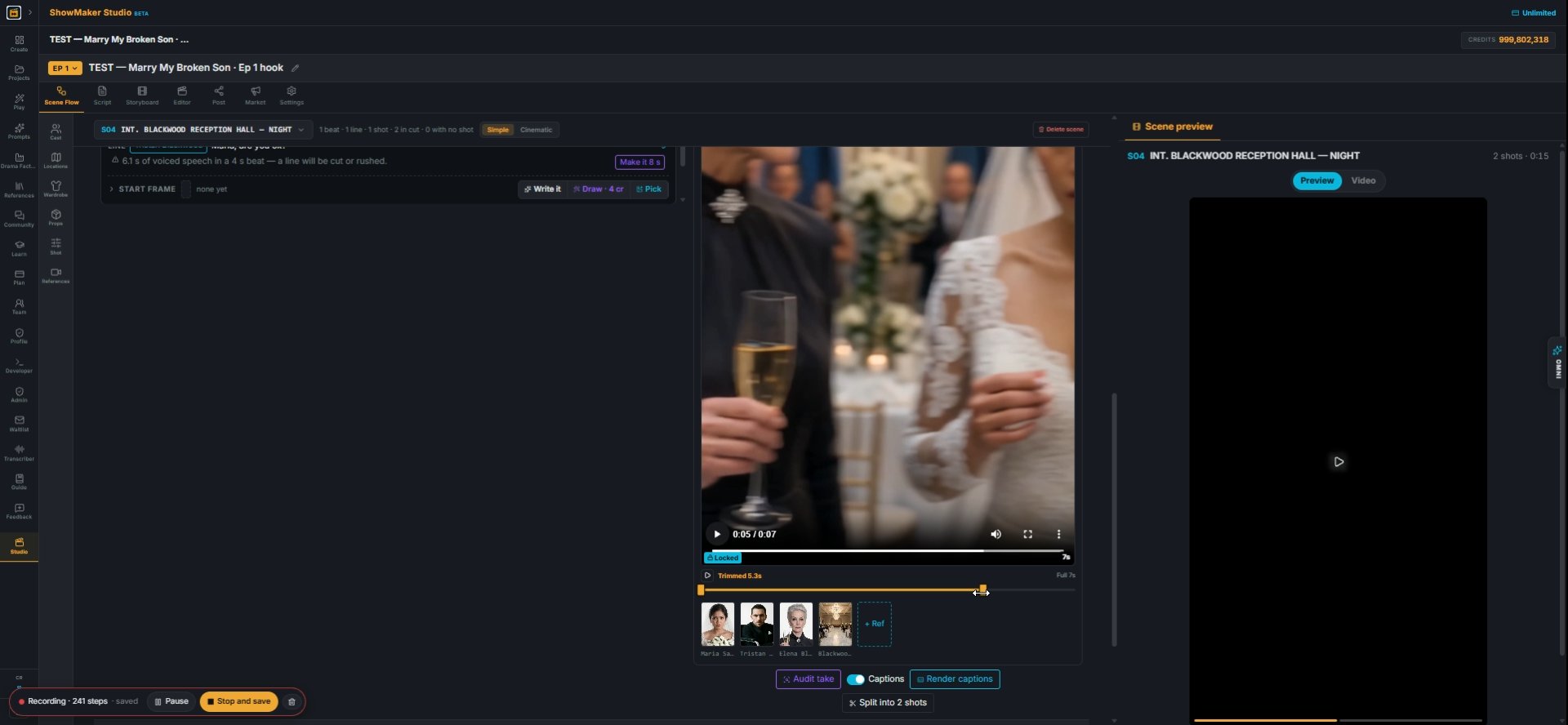
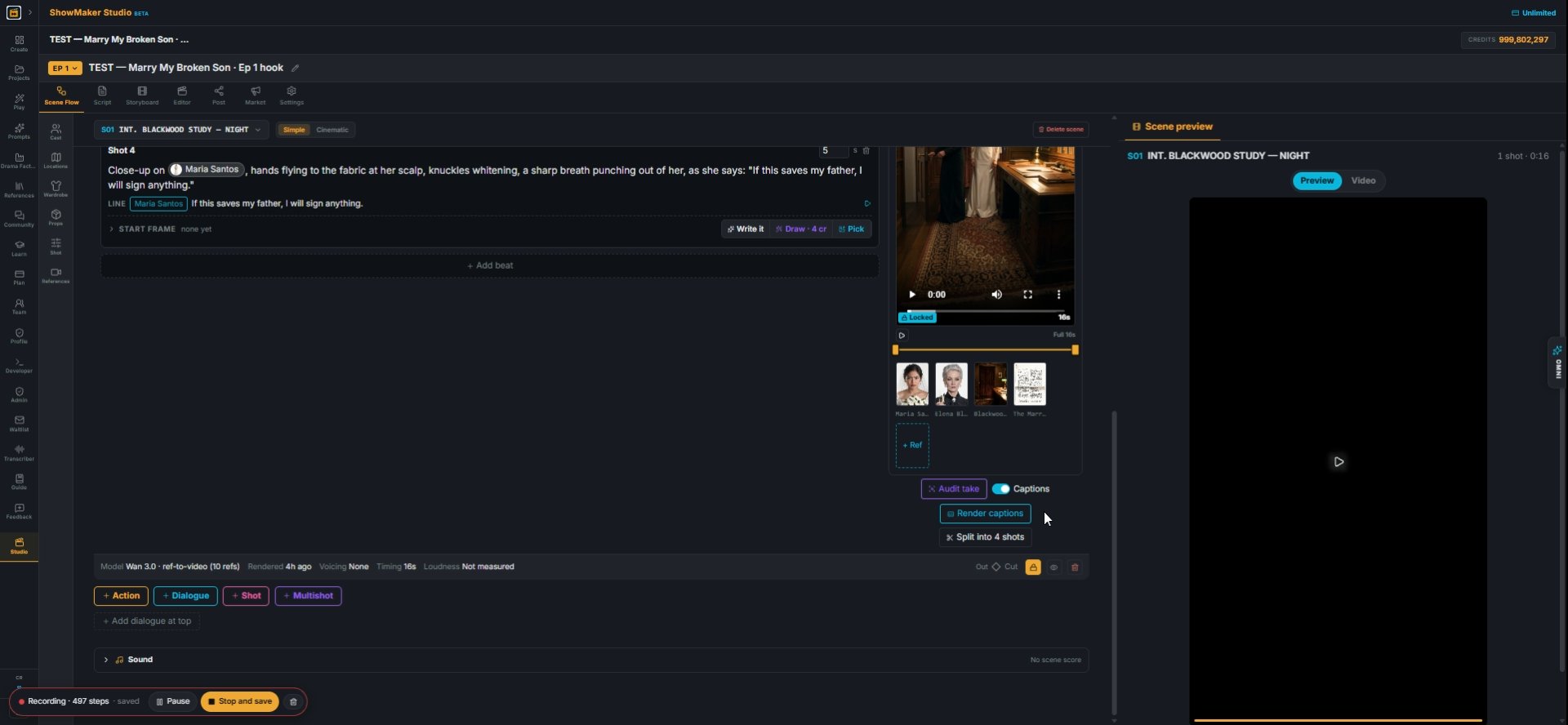
20If one part of a take is wrong, press Split into 2 shots. It breaks the multishot into separate shots, so you can fix one without re-rendering the rest.
Step 21
21Sometimes the model gets ahead of the story. Here Tristan stands up out of his wheelchair too early; his rise belongs to the next scene.
Step 22
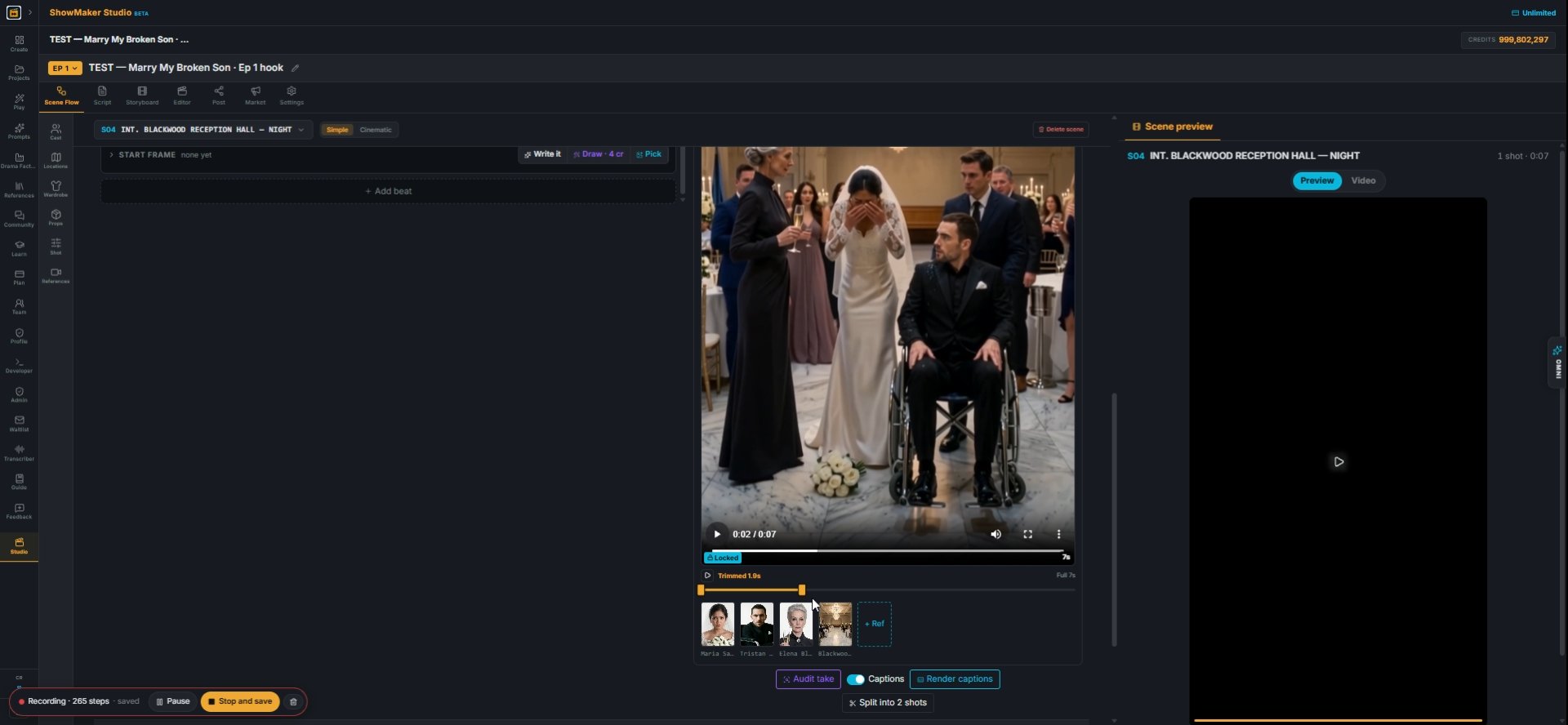
22Don't re-render. Drag the trim handle back so the take ends before he stands. The trim is kept and nothing is spent.
Step 23
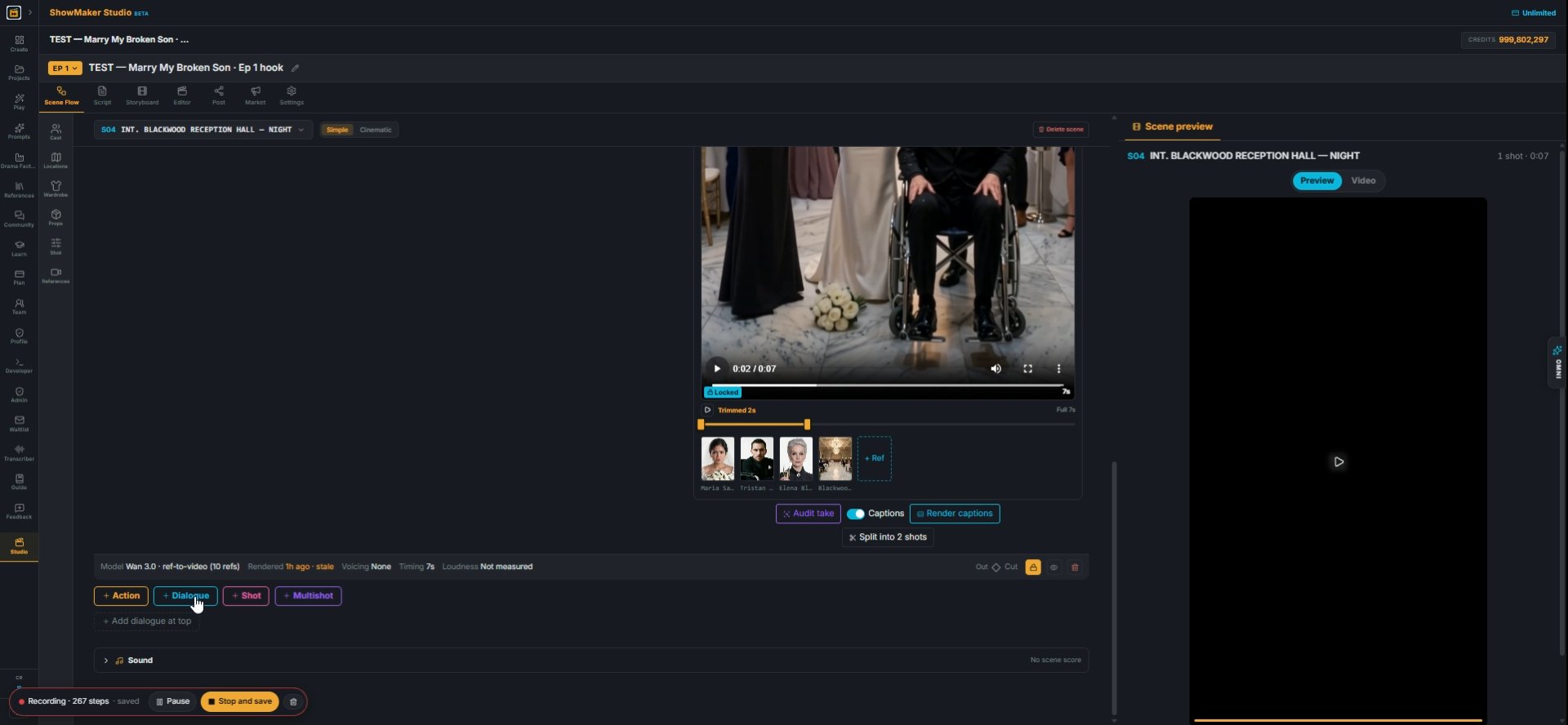
23Trimmed, he stays in the chair. But now the take is shorter than the lines it was meant to cover.
Dialogue
24Bridge the gap with single shots: under the take, press + Dialogue and add the lines it no longer covers.
What to change — “no lights at all, near-black”, “his head turned frame left”…
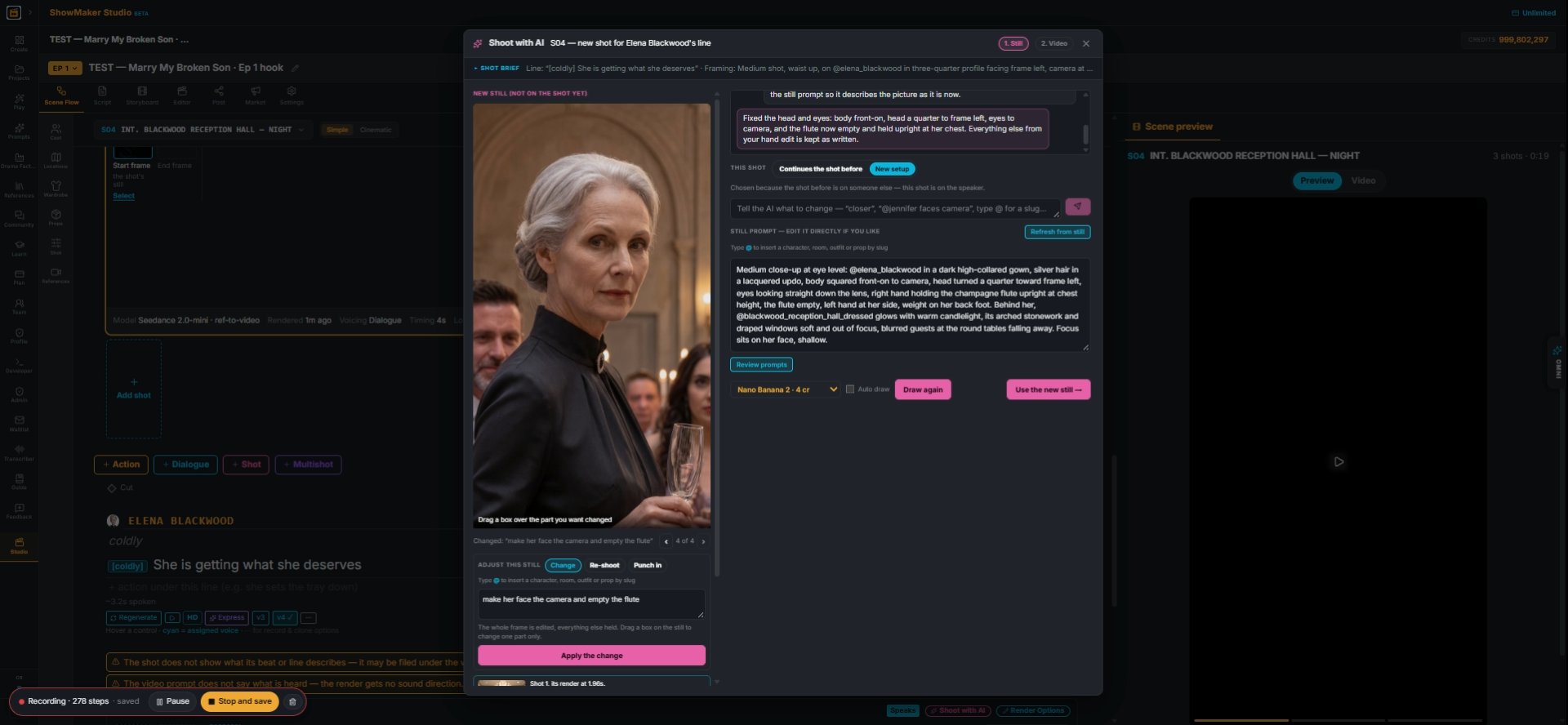
25Open Shoot with AI on the shot and use Change. Say what's wrong ("make her face the camera and empty the flute") and press Apply the change. Everything else in the frame is kept.
Save to the shot
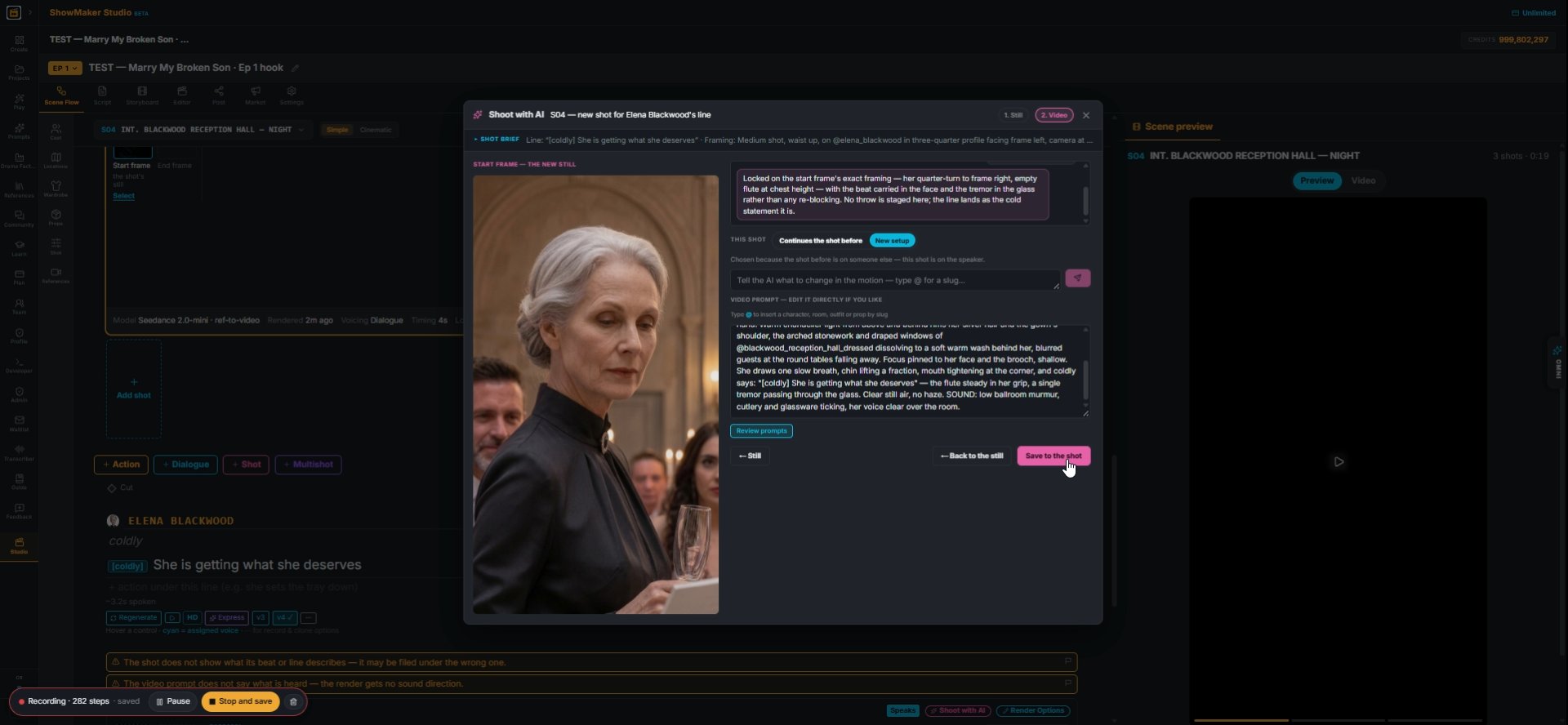
26Go on to Video, read the motion prompt, then Save to the shot.
Wan 3.0 · ref-to-video (10 refs) starts on your still · + optional end frame ·…
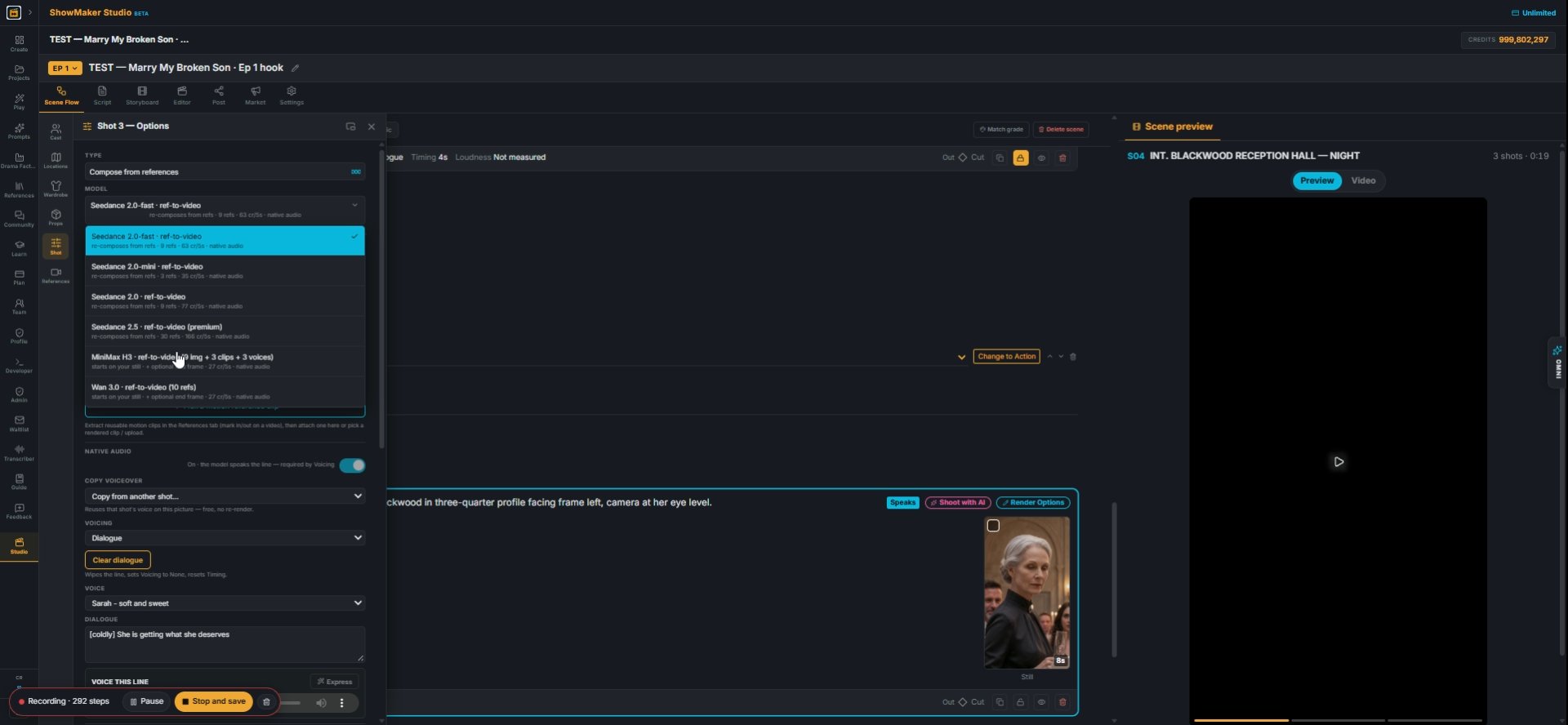
27Render Options picks the model. Wan 3.0 starts on your still with up to 10 references; Seedance 2.0-mini and -fast re-compose the shot from the references.
Generate
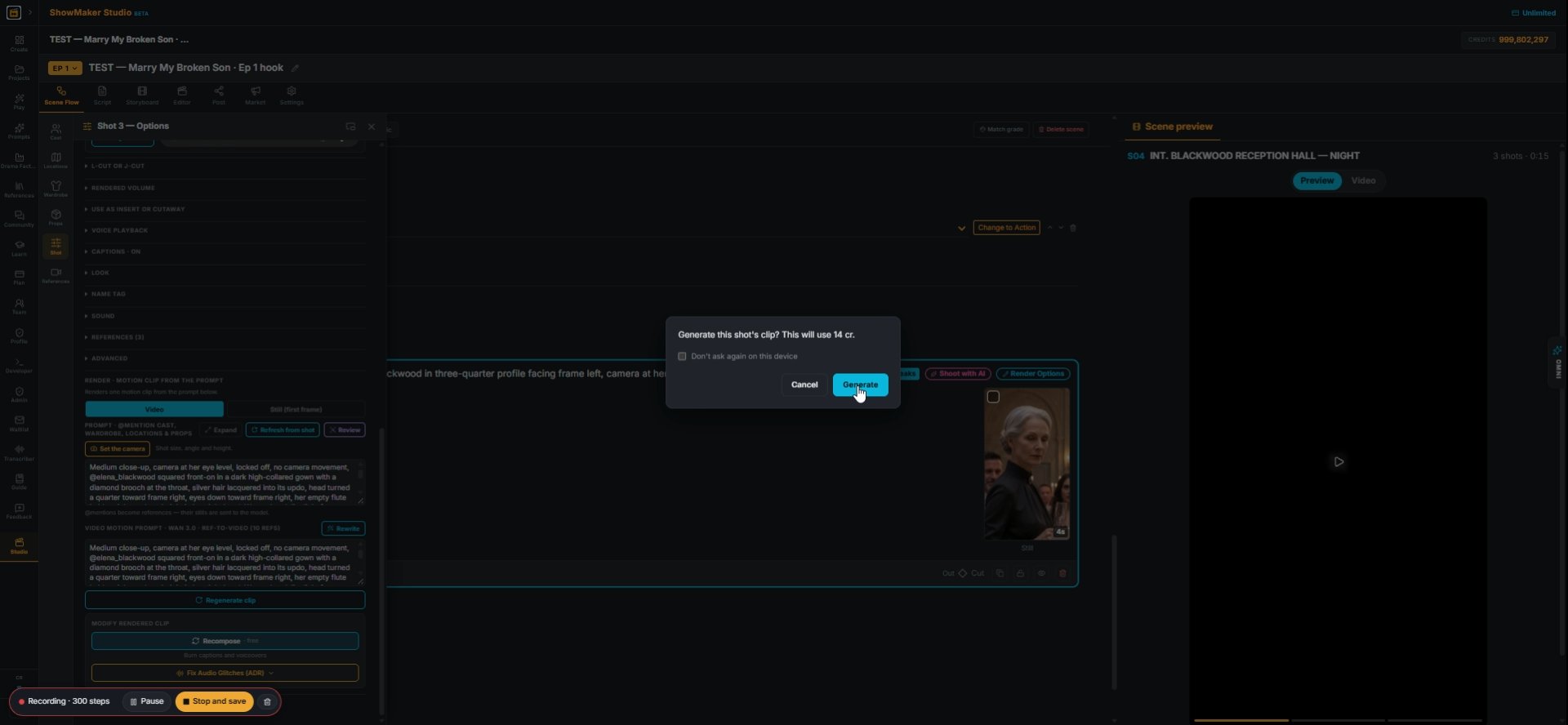
28Regenerate clip shows the cost (14 cr here) before anything is spent.
Shoot with AI
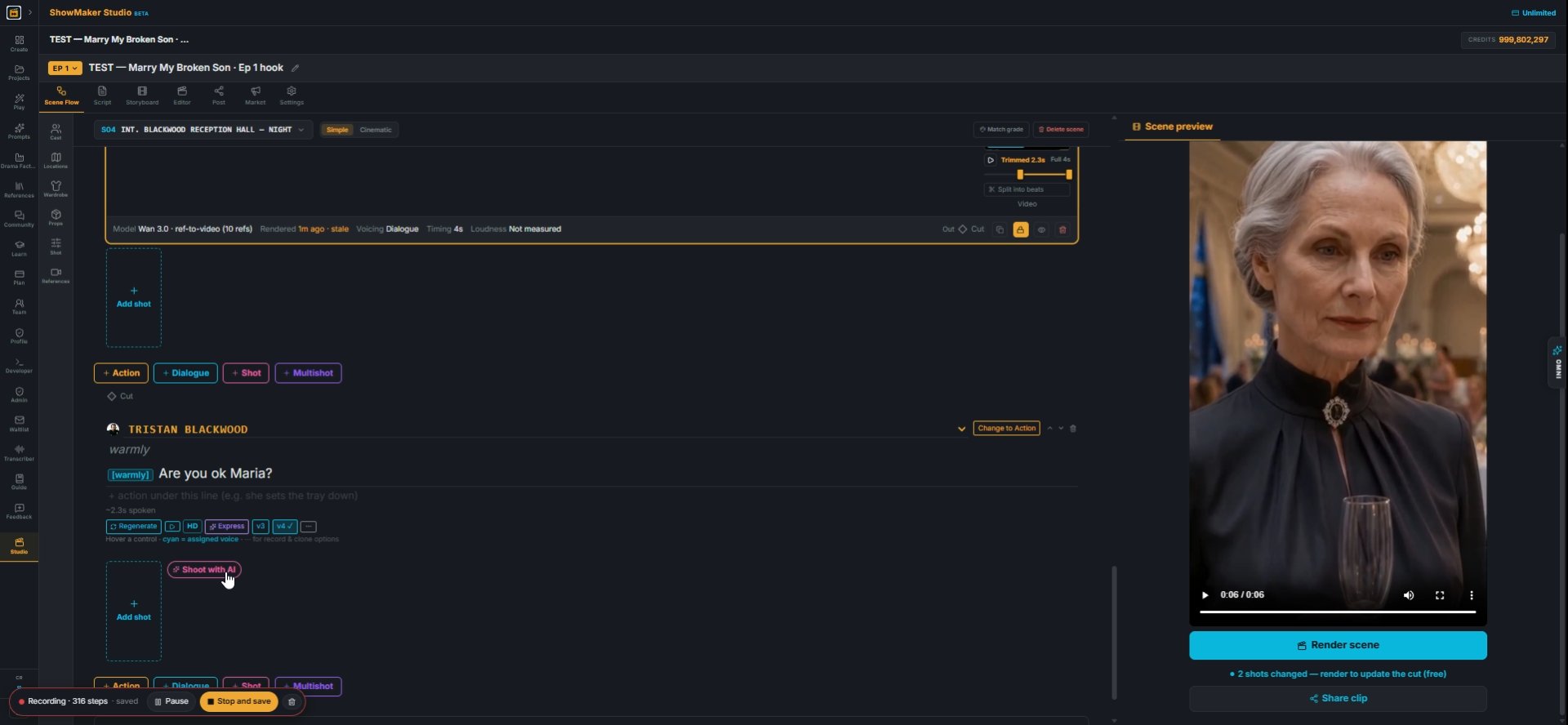
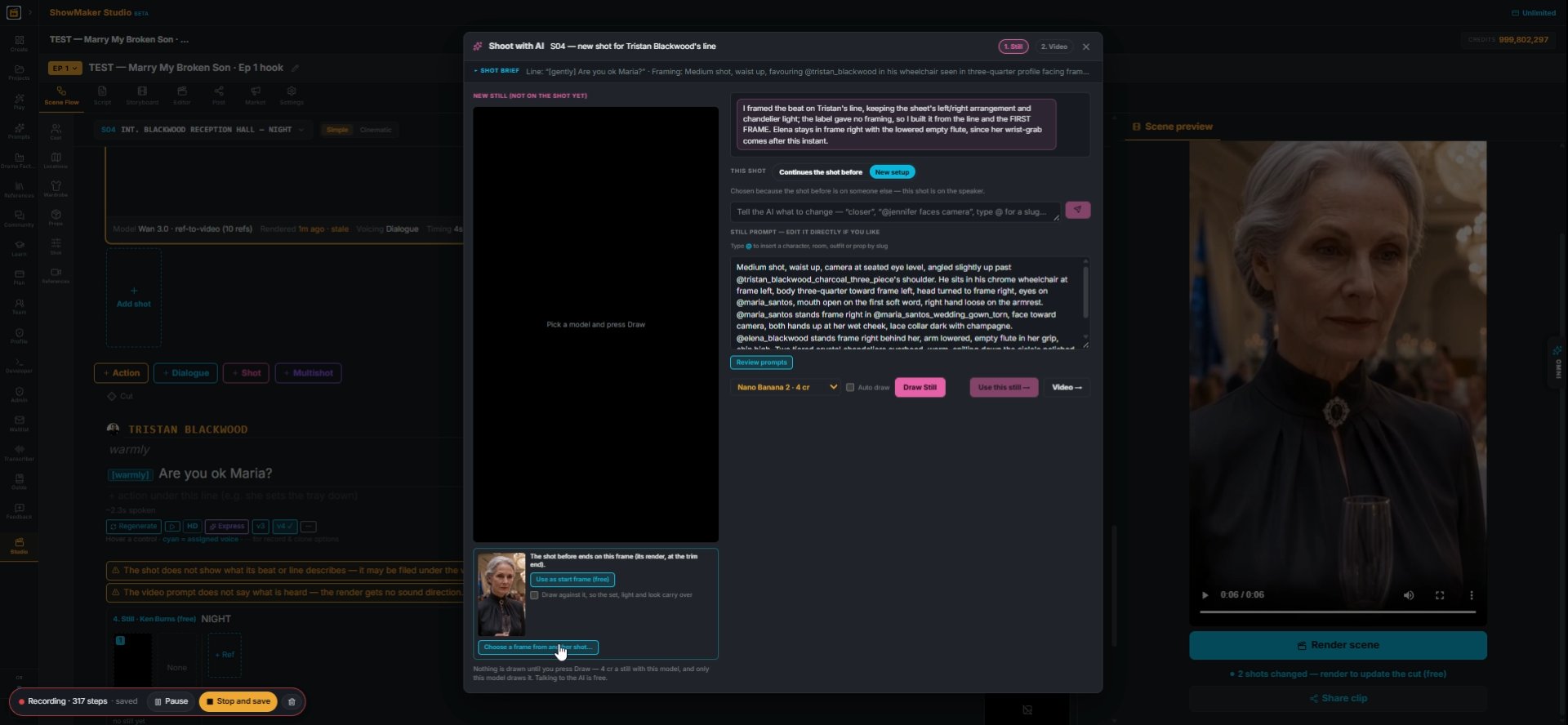
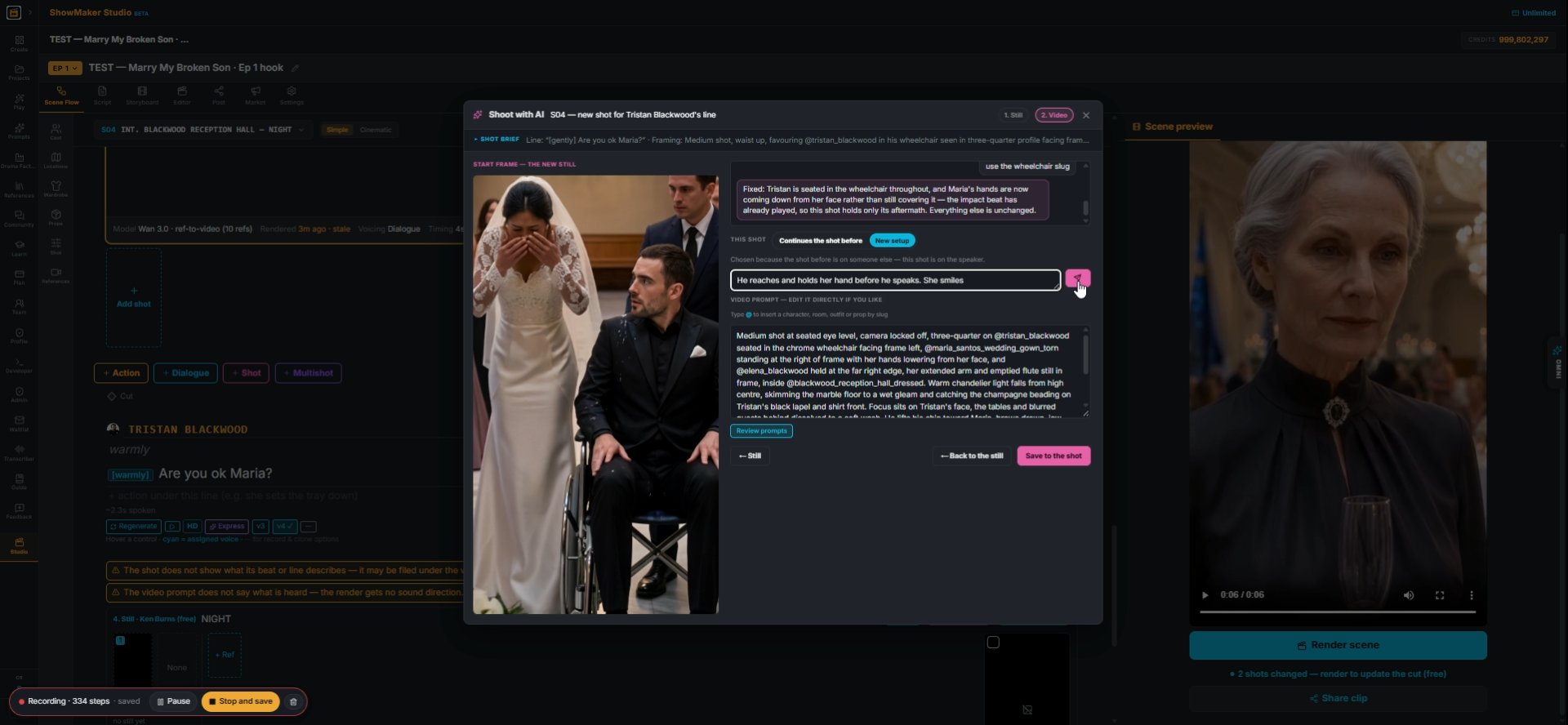
29Press Shoot with AI on each line. It builds one new shot for that line, framed for whoever speaks it.
Choose a frame from another shot…
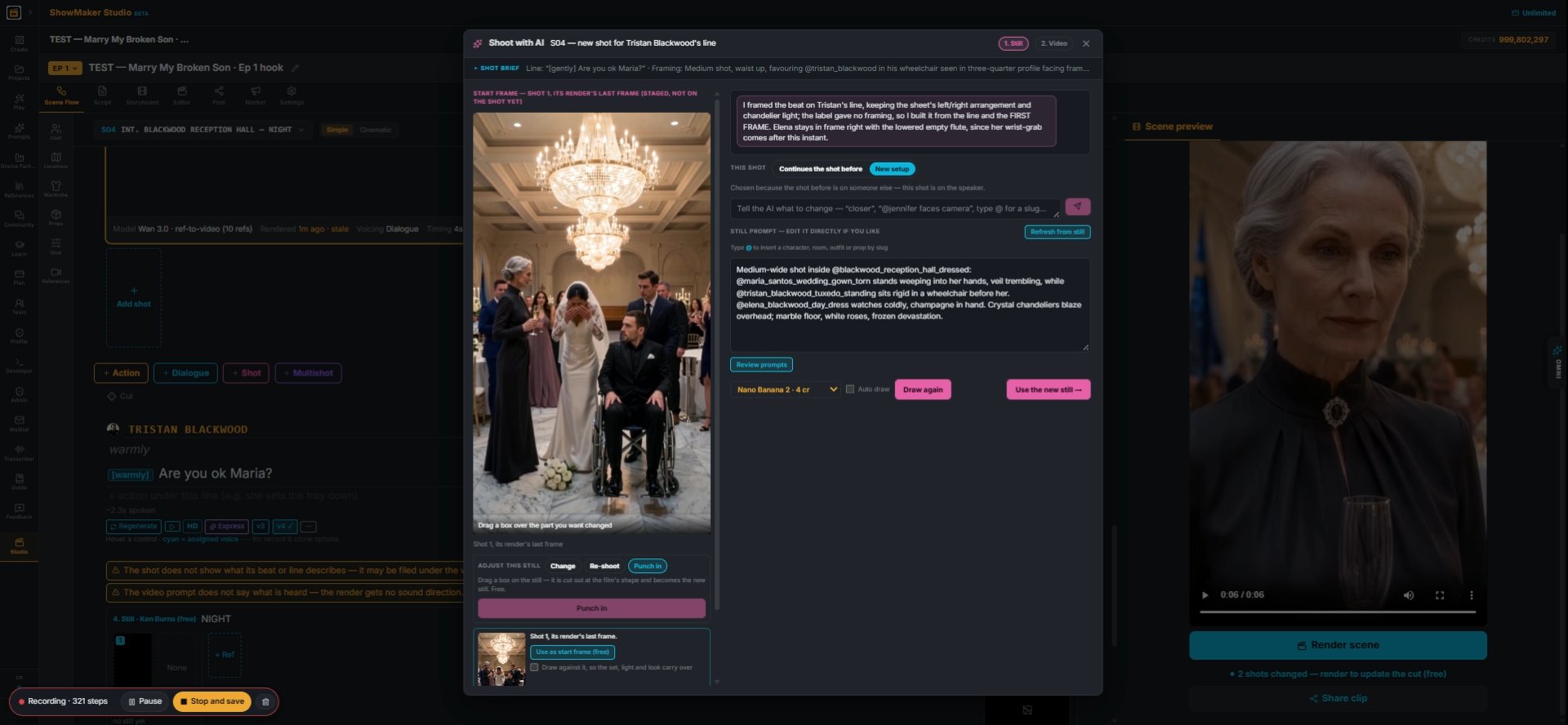
30Start the new shot from the take itself: Choose a frame from another shot…, then take its last frame.
Drag a box over the part you want changed
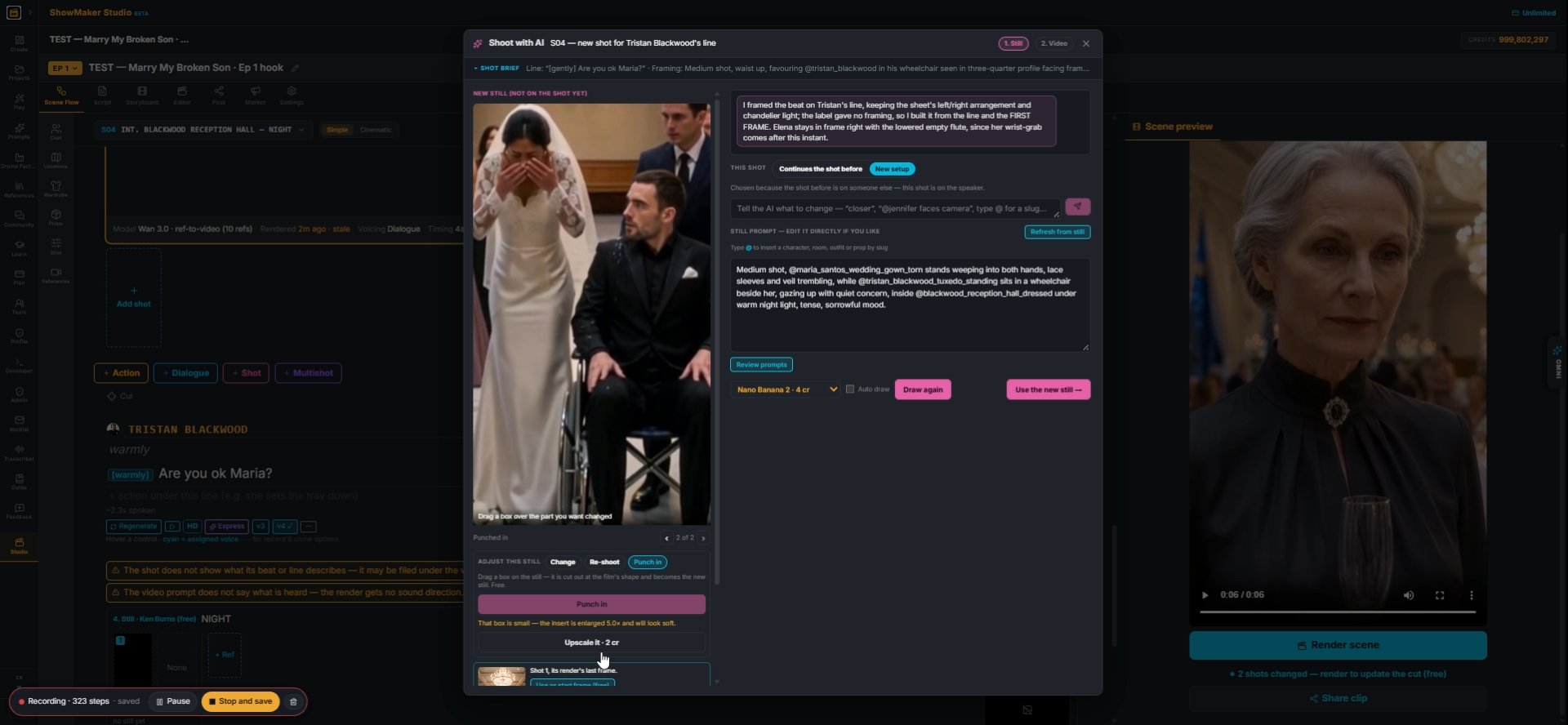
31Punch in: drag a box over the part you want, and the crop becomes the new still.
Upscale it · 2 cr
32A small crop comes out soft. Upscale it · 2 cr sharpens it.
Tell the AI what to change in the motion — type @ for a slug…
33Then tell the AI what changes in the motion ("He reaches and holds her hand before he speaks. She smiles") and send it.
Render scene
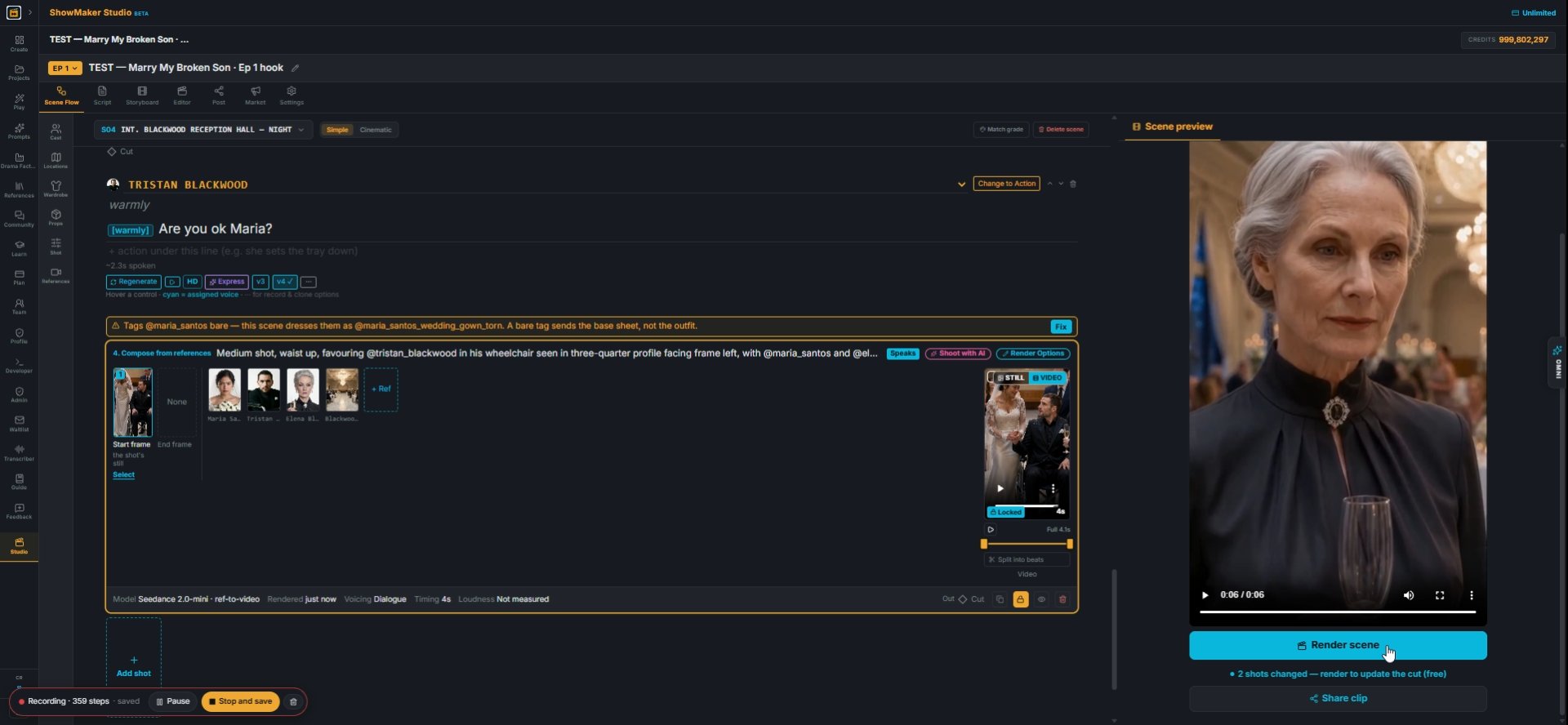
34Press Render scene. The trimmed take and the new shots cut together into one scene, and Tristan stays seated until his moment.

Finish the episode
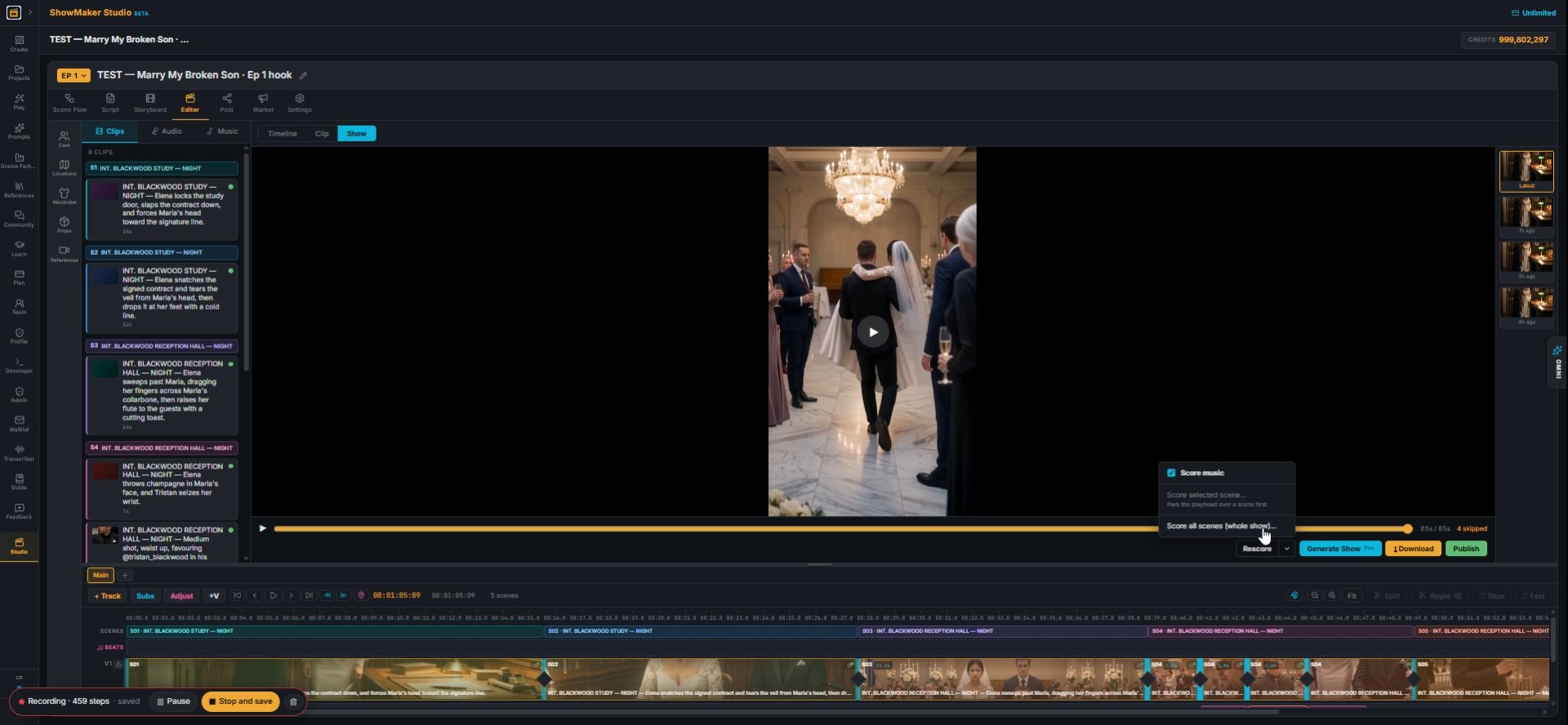
Score all scenes (whole show)…
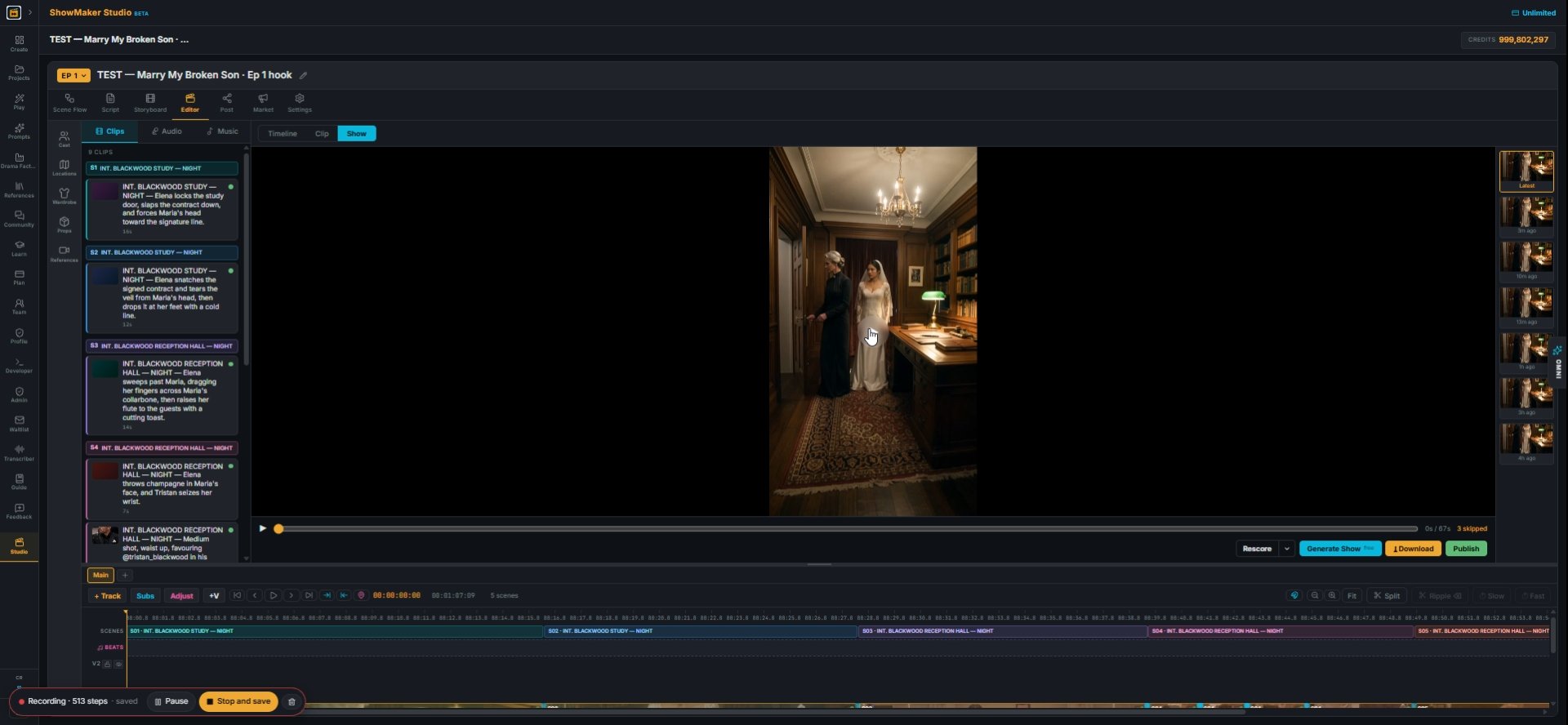
35In Editor, Rescore → Score all scenes (whole show)…, pick a genre and Generate. One score runs under the whole episode.
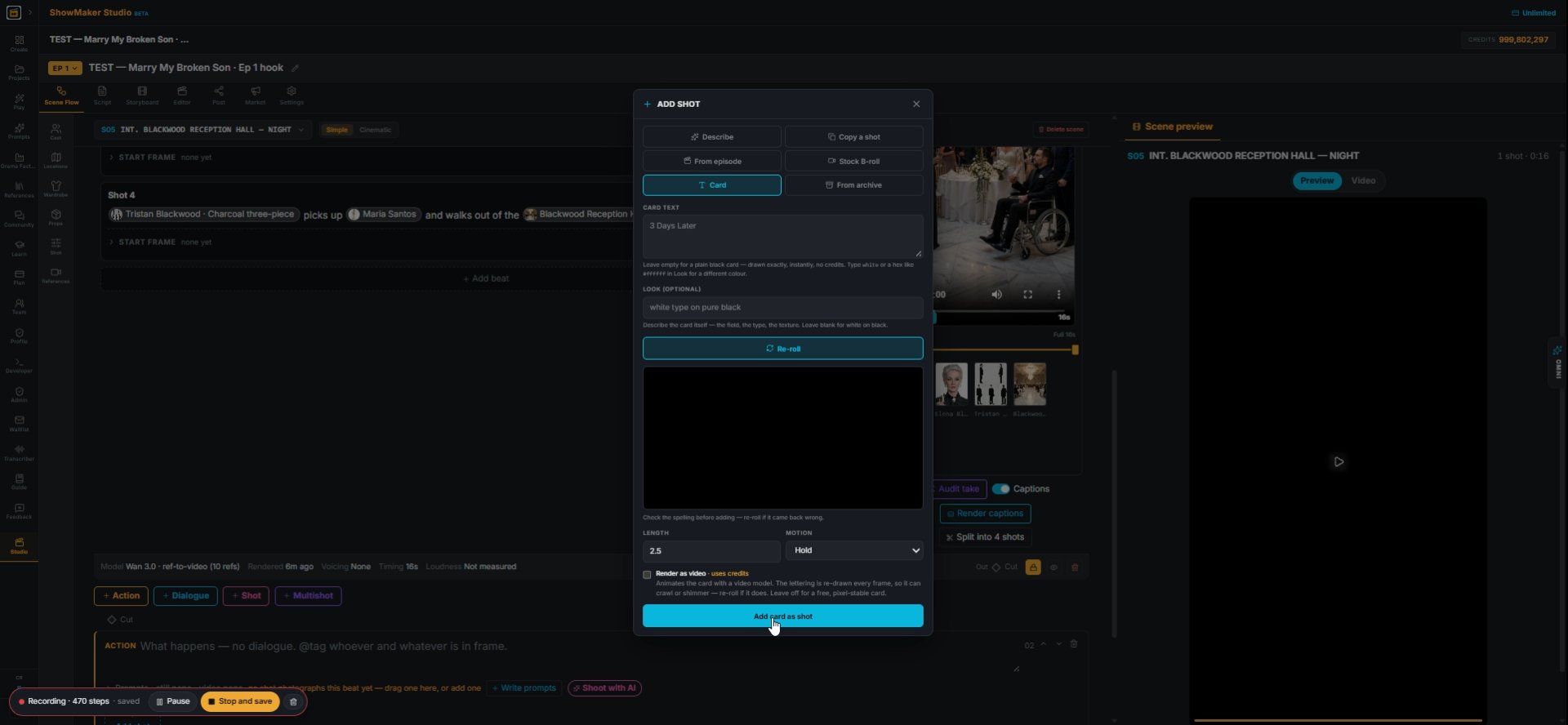
Add card as shot
36For an end card: + Shot → Card, type the text and press Add card as shot. This is free.
Hits 28 on the cut
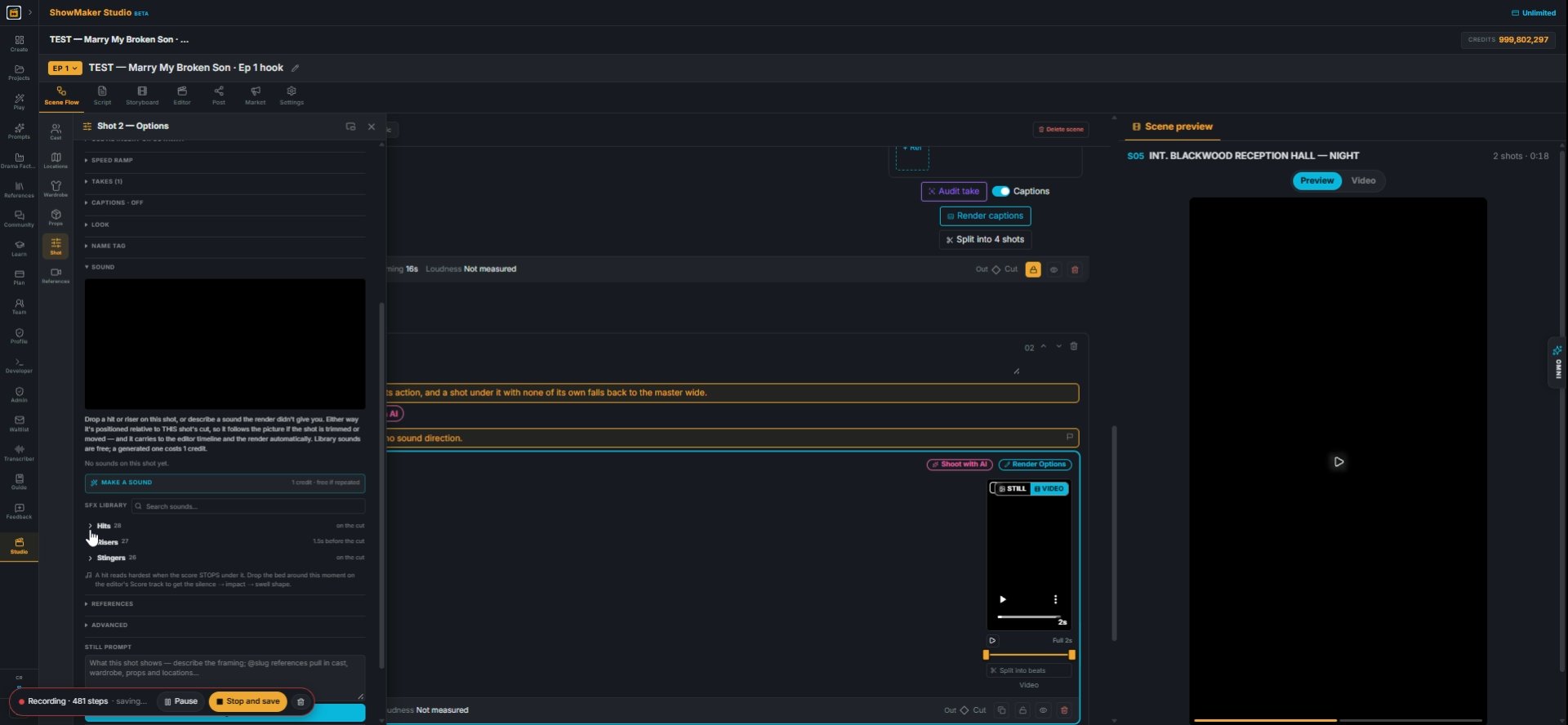
37Add a hit on the cut: open the shot's Options → Sound → SFX library → Hits and place it.
Render captions
38Press Render captions on each take to burn the dialogue in.
Clips Audio Music 9 CLIPS S1 INT. BLACKWOOD STUDY — NIGHT INT. BLACKWOOD STUDY…
39Generate Show (free) assembles every scene into the episode. Watch it through, then Download or Publish.

Make your own episode.

Start free with 200 credits: a narrated film from AI stills, no credit card.

I Made an AI Micro Drama for Under $7: Consistent Characters, Start to Finish | ShowMaker Studio