Step-by-step guide · 12 steps

How to Make a Funny 9-Second AI Short: The Baby Who Rode the Dog

A baby rolls off the changing table, lands on the family dog and rides him out of the room. We made it as one multishot in Scene Flow: three characters, one room, four shots, and two start frames fixed before the render. The render was 27 credits and the whole short about 50.

The idea
Step 1
1This short is 9 seconds long. A baby rolls off the changing table, lands on the family dog and rides him out of the room. It started from a popular clip of a newborn running away from a nurse. People share clips like this because every parent has turned around for one second during a diaper change.

Set up the cast and the room

Cast
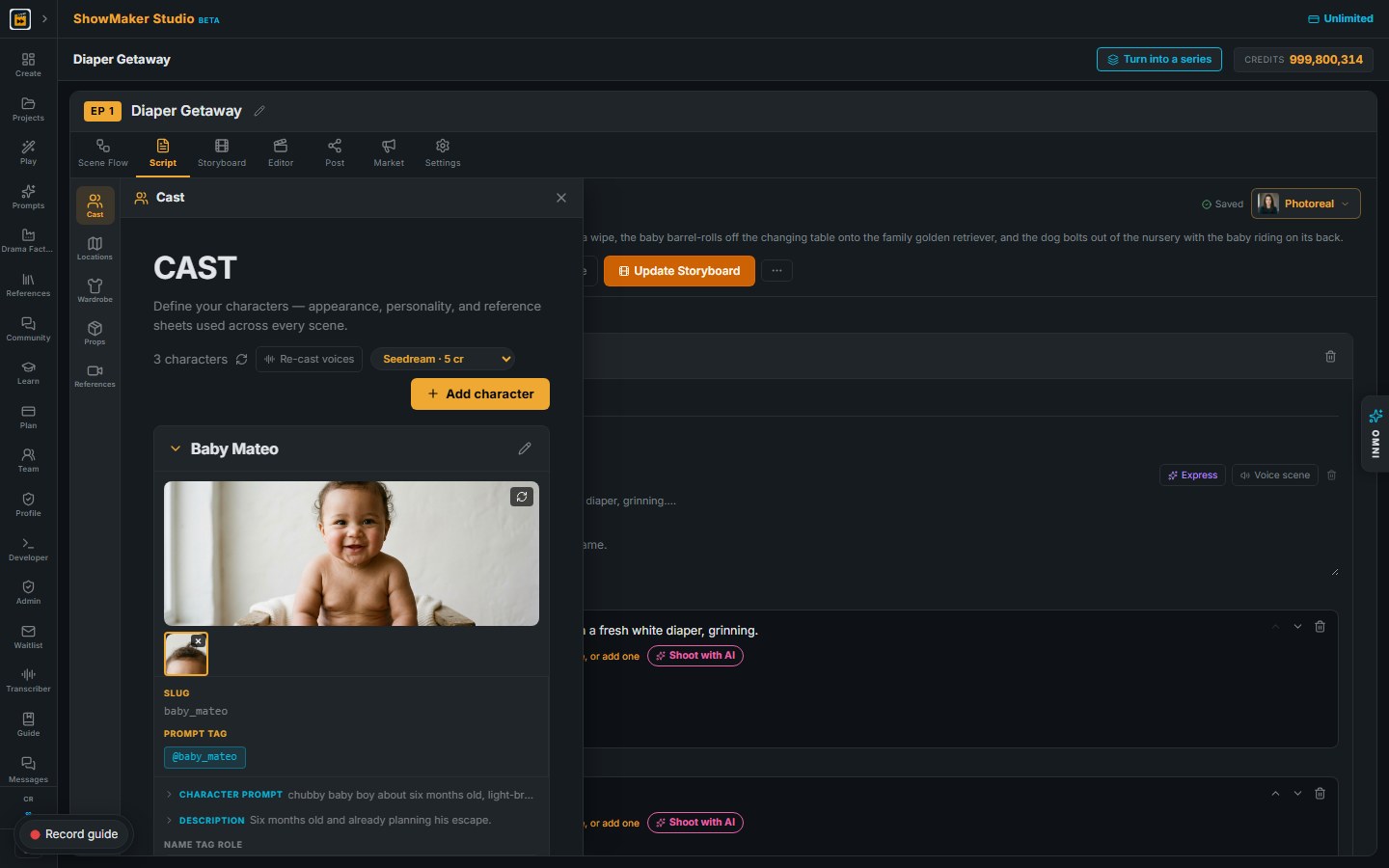
2Open Cast and add three characters: Mom, Baby Mateo and Bruno the golden retriever. Describe each one with their age, skin tone, hair and clothes. The dog is a character too, so he gets his own sheet and looks the same in every shot.
Locations
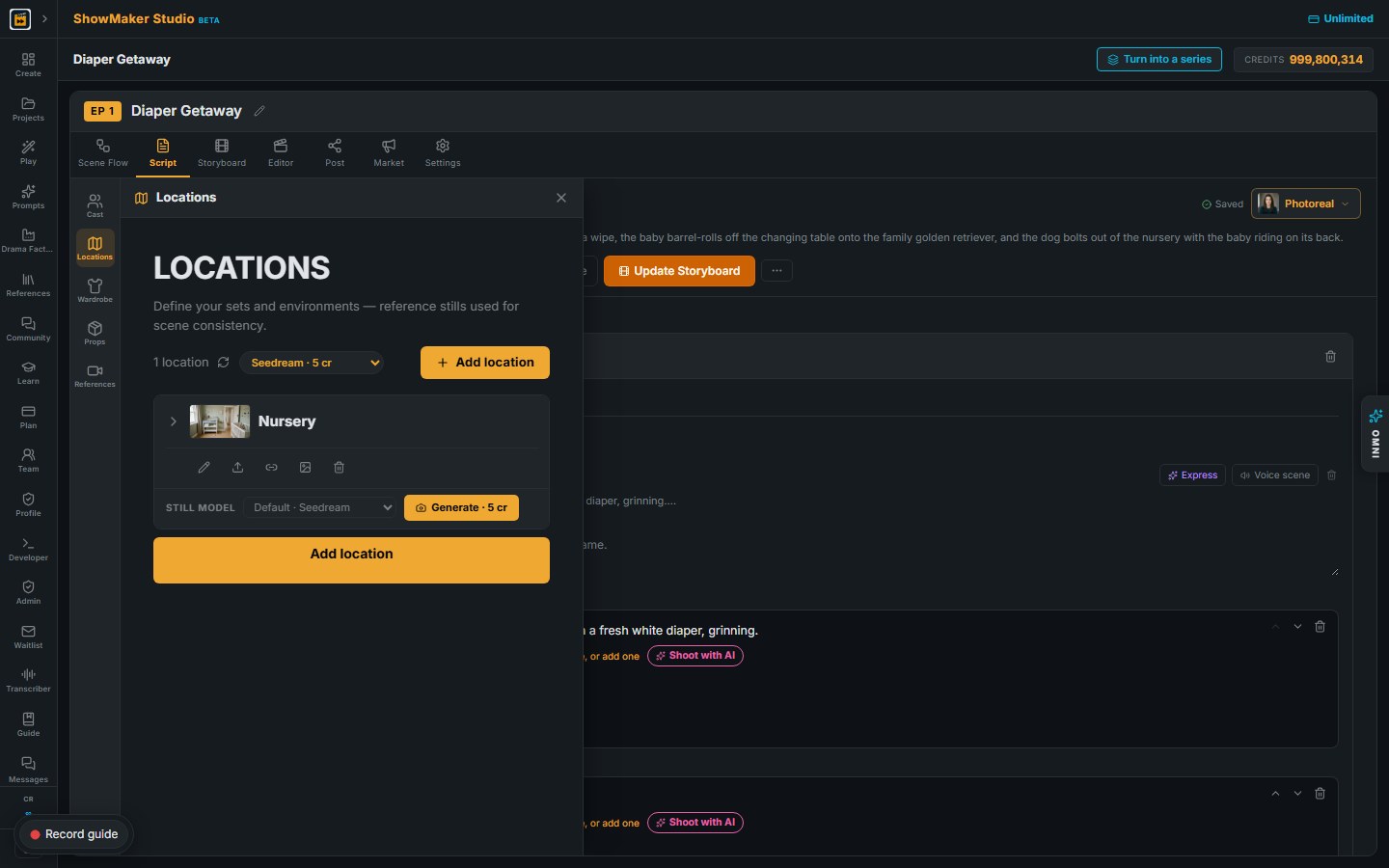
3Open Locations and add the Nursery. Put everything the gag needs into the room description: the changing table, the shelf with the wipes, the rug under the table and the doorway to the hallway. The video can only use what the room shows.

Write the gag as one multishot

Multishot
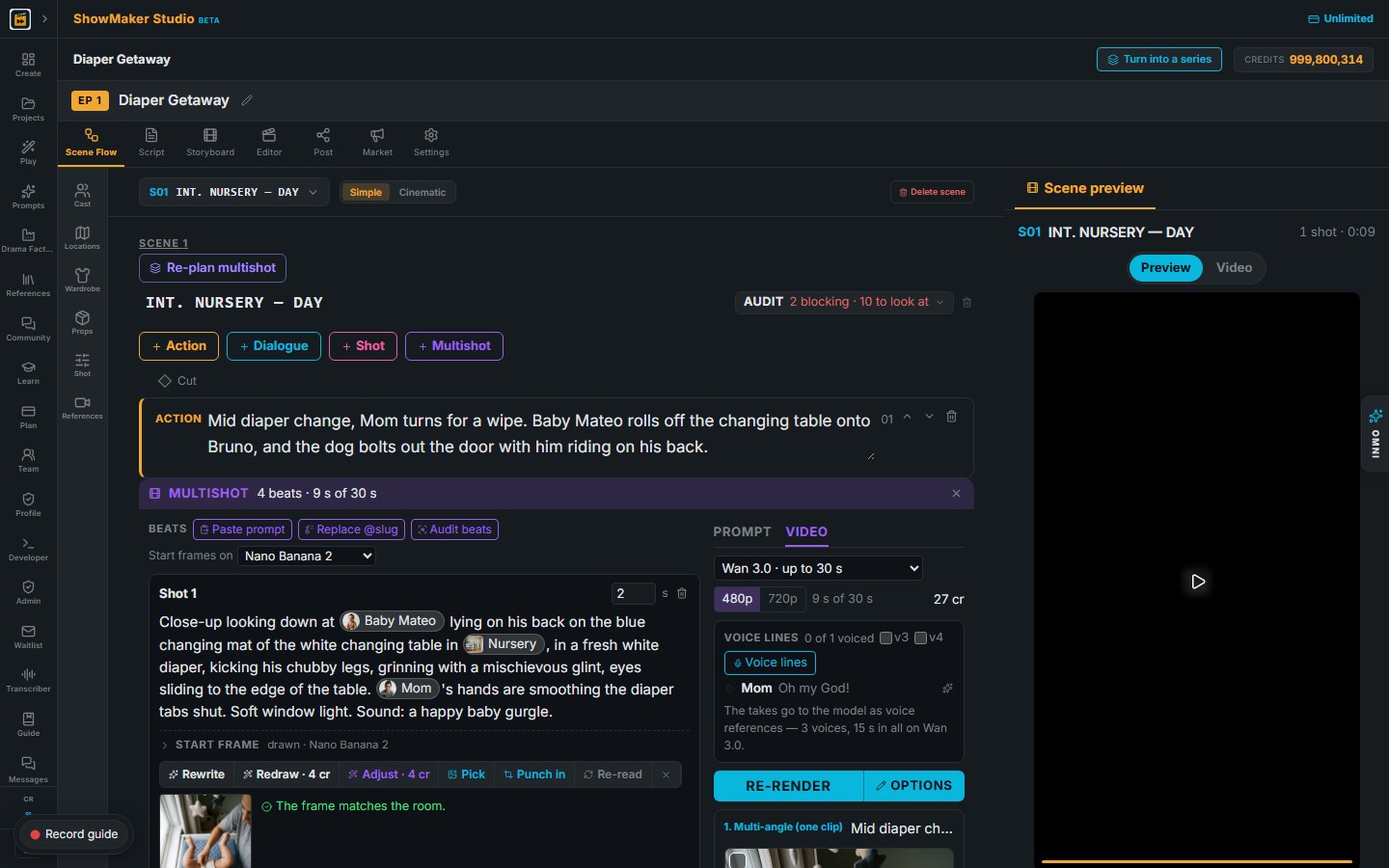
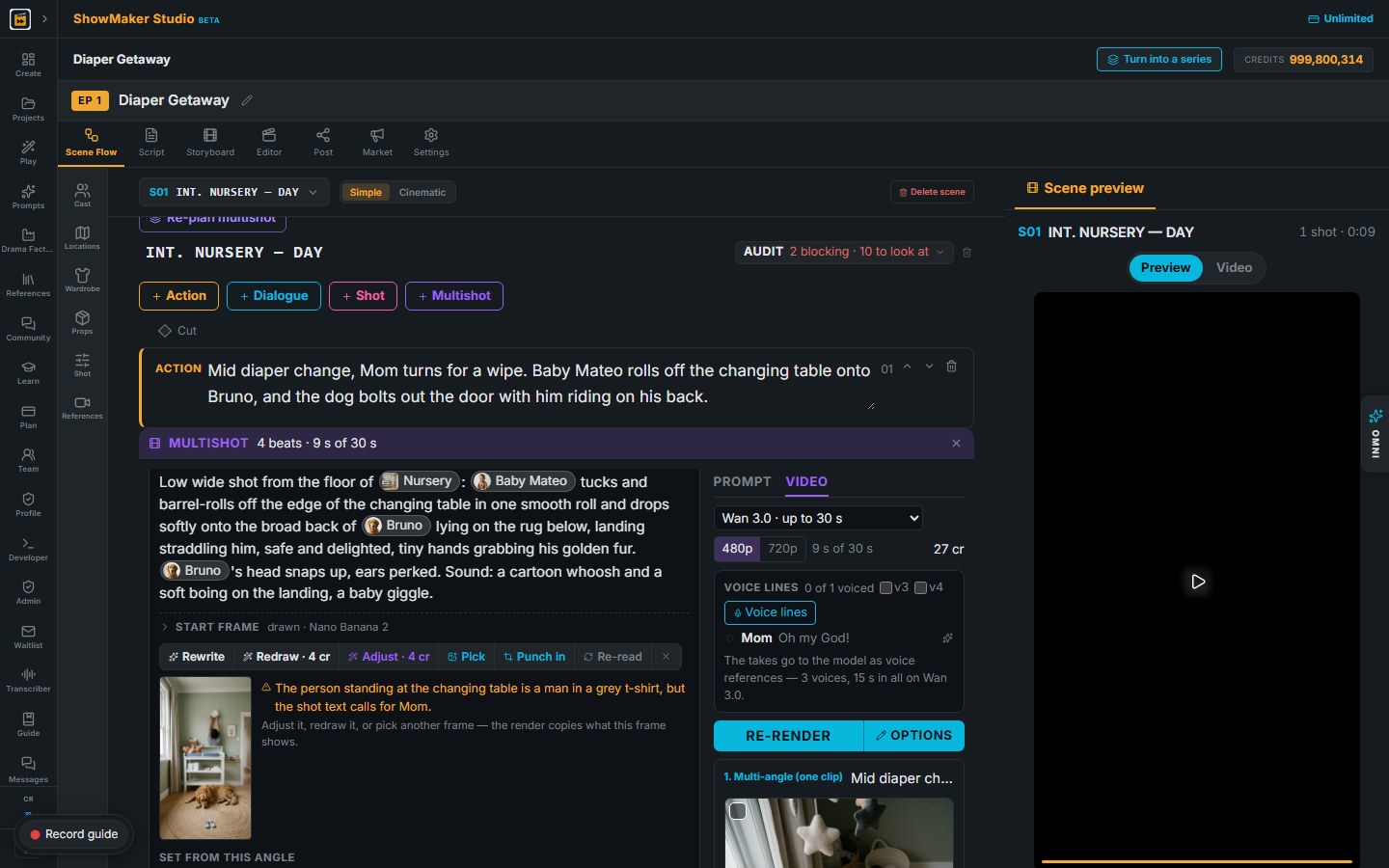
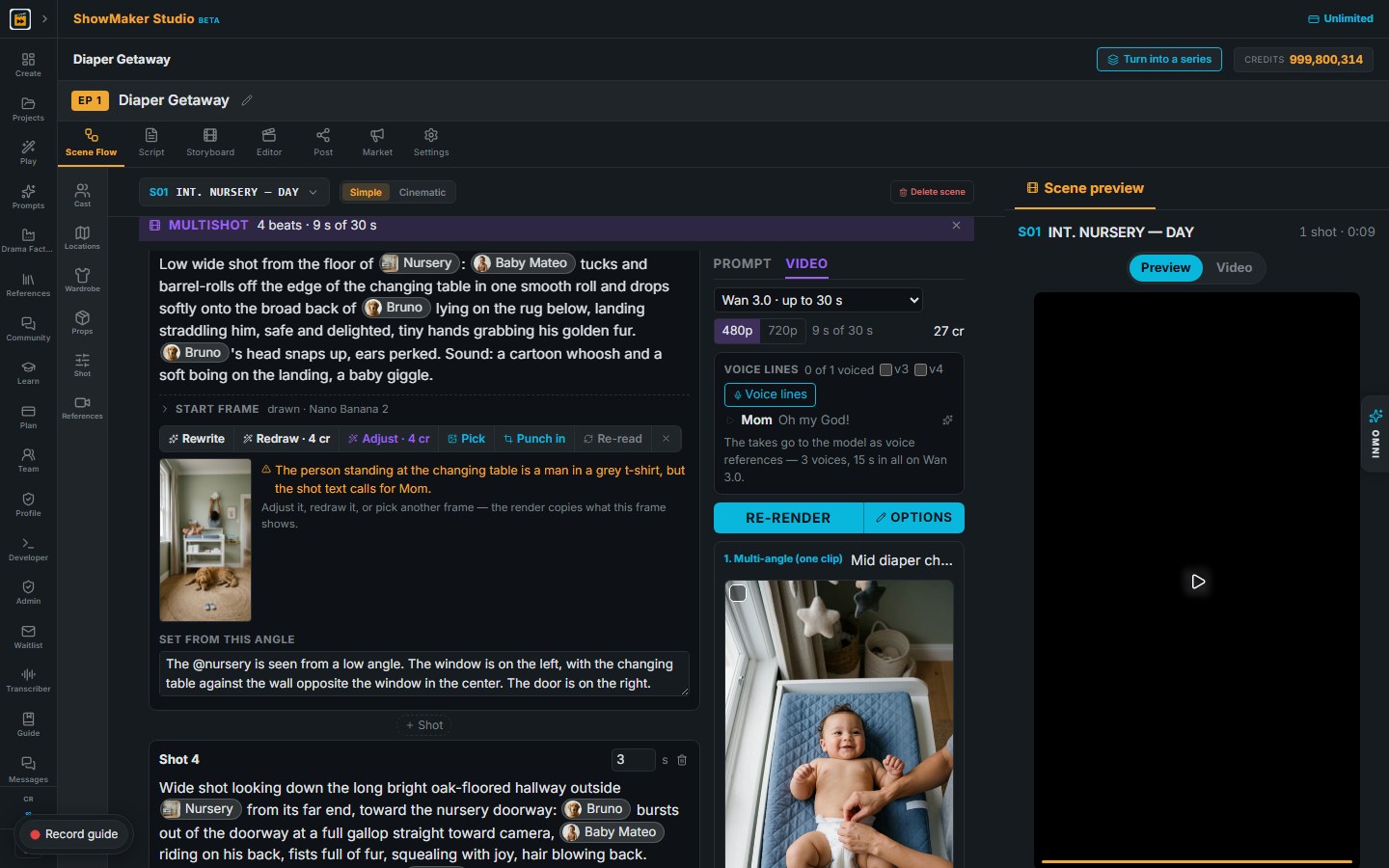
4In Scene Flow, press Multishot. A multishot renders as one clip with hard cuts inside it, so the whole gag comes out in one take and the cast stays the same from shot to shot.
Shot 1
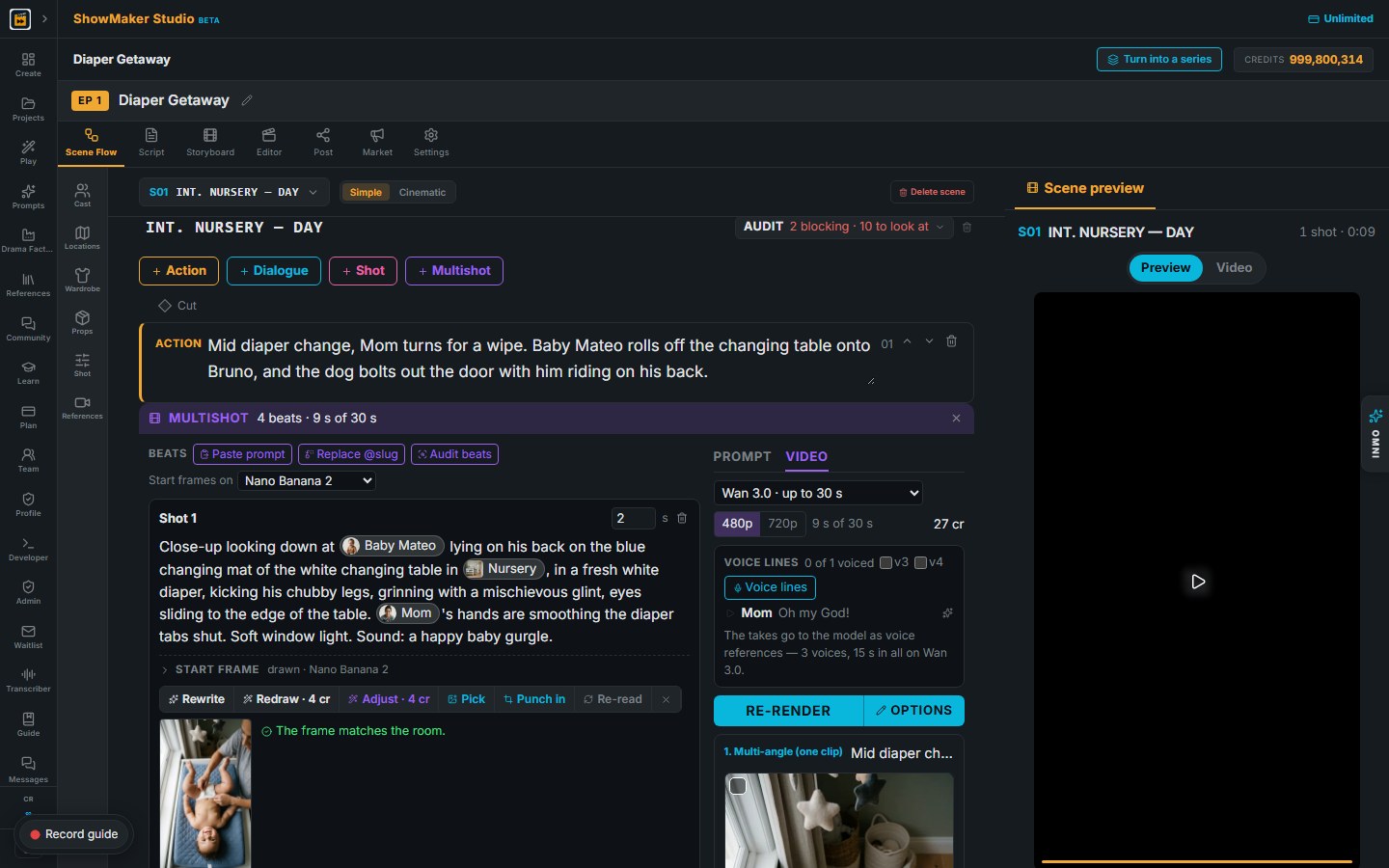
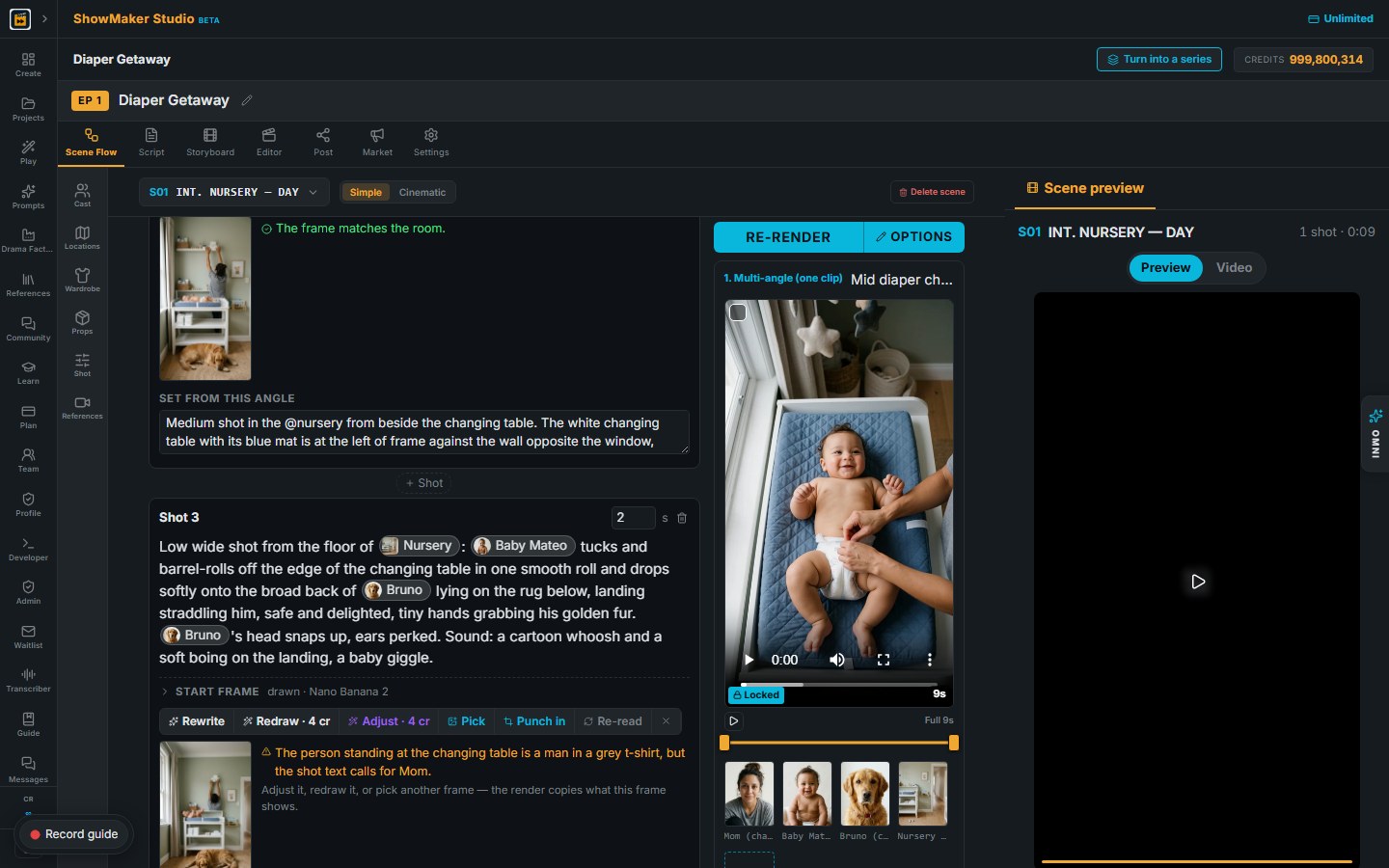
5Write each shot as one camera setup. Shot 1 is a close-up of the baby on the changing mat, grinning, with Mom's hands on the diaper. End each shot with a sound line, like a happy baby gurgle. Keep each shot to 2 or 3 seconds. Shot 2 is Mom turning to reach for the wipes.
Shot 3
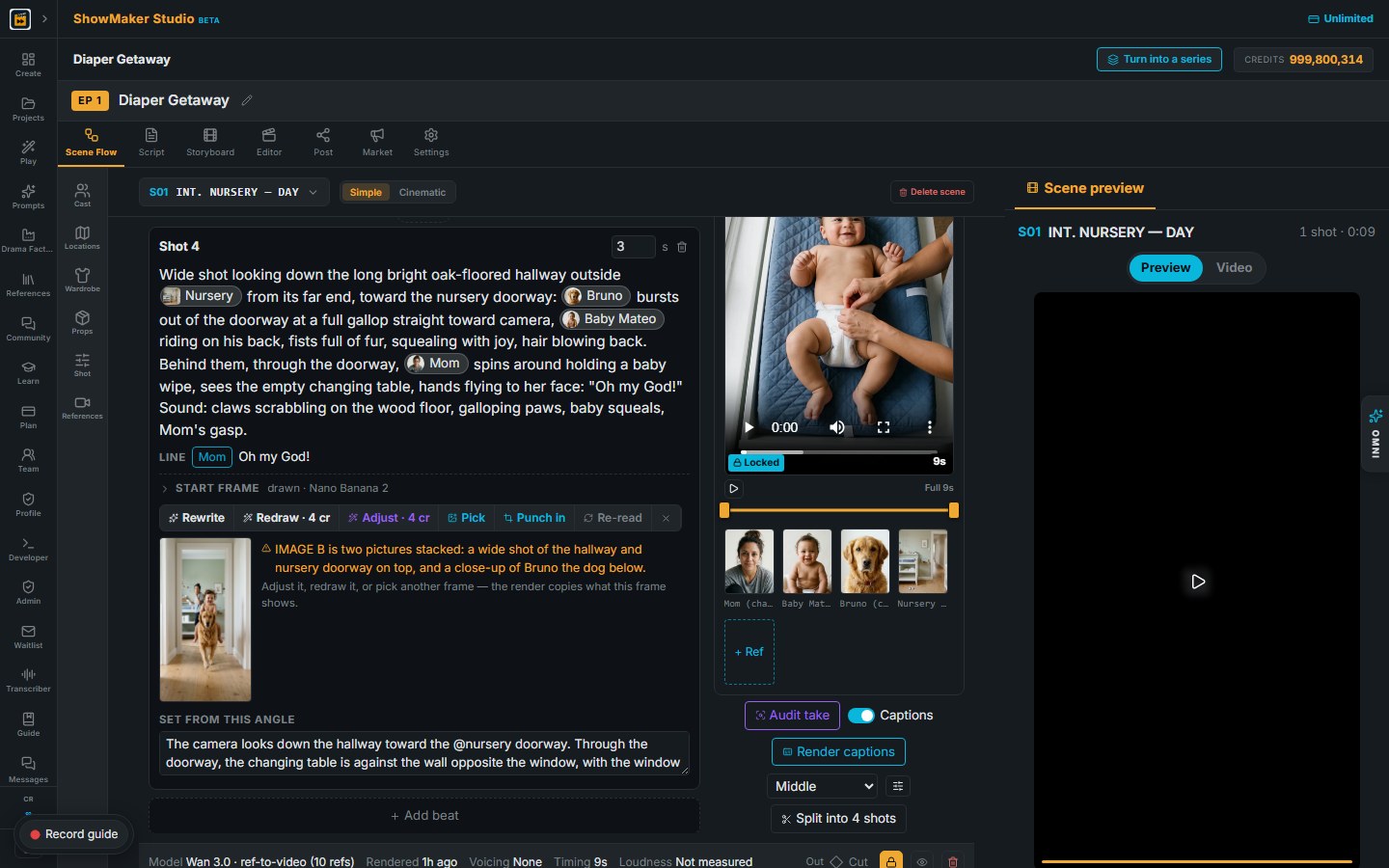
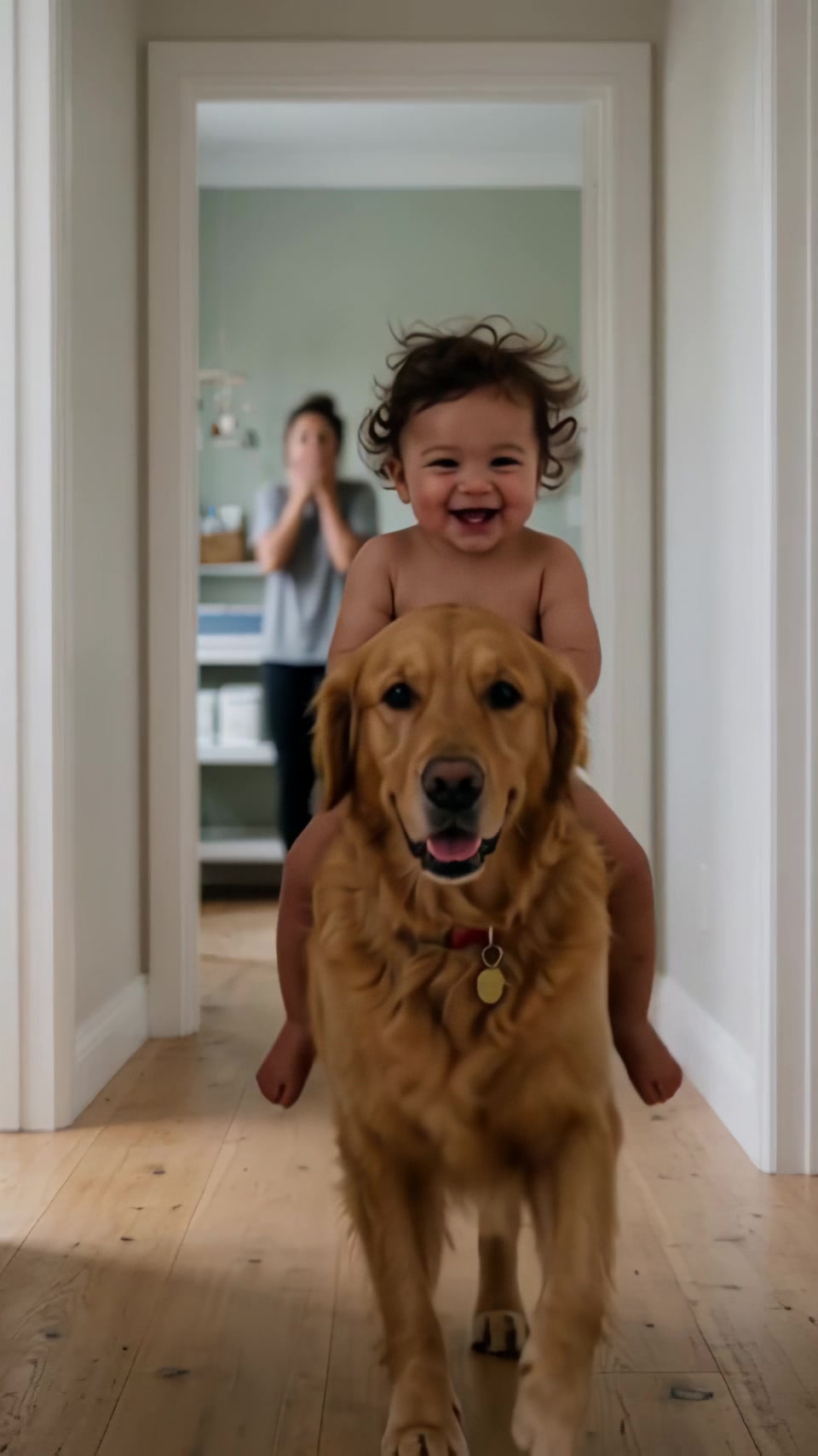
6Shot 3 is the stunt. The baby rolls off the edge and drops softly onto the dog's back. Write that he is safe and delighted. A baby in danger looks scary, not funny. Shot 4 is the dog running down the hall with the baby on his back while Mom yells "Oh my God!"

Check every start frame

Step 7
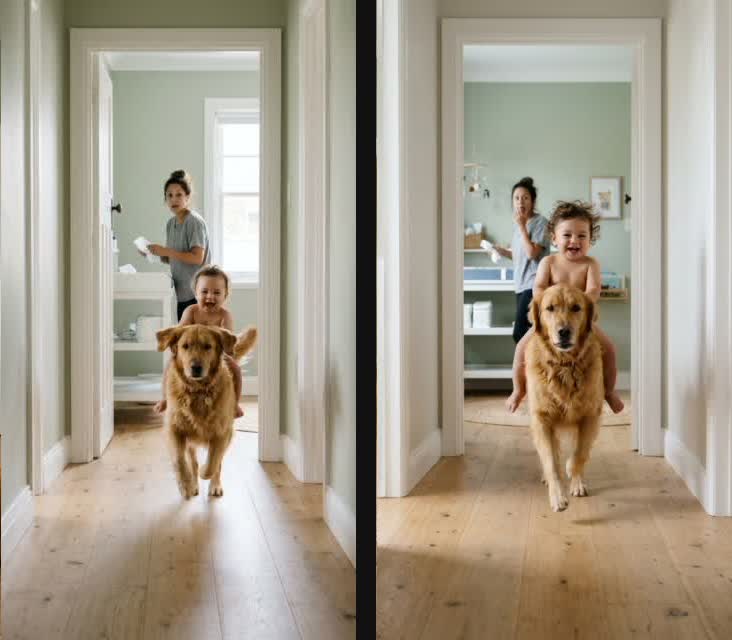
7Draw a start frame for each shot and look at every one before you render. The first frame for shot 4 (left) had the baby standing behind the dog. The joke is that he rides the dog, so the frame had to change (right).
Adjust · 4 cr
8Press Adjust and say what to change, for example: the baby sits on the dog's back and holds his fur. Each adjust costs 4 credits. Shot 3 needed one too, because Mom had left the room in the first frame.

Render it

Wan 3.0 · up to 30 s
9Pick the video model. Wan 3.0 at 480p rendered all four shots, 9 seconds, for 27 credits.
RENDER
10Press RENDER. After the first take it reads RE-RENDER. The clip came back in a few minutes.
Step 11
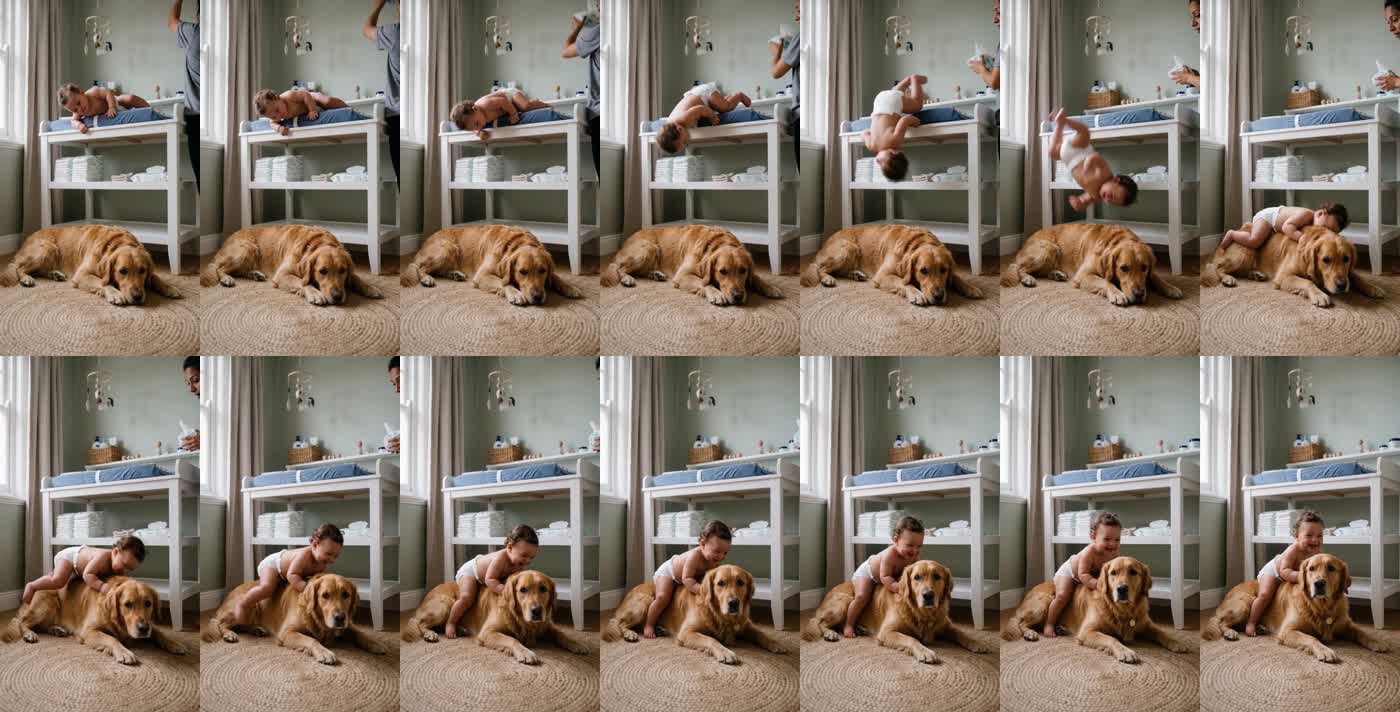
11Watch the take one frame at a time. The model turned the roll into a flip and landed the baby on the dog in the same shot. Nothing melted together, and the baby stays on the dog for the whole run.

Finish and post

Step 12
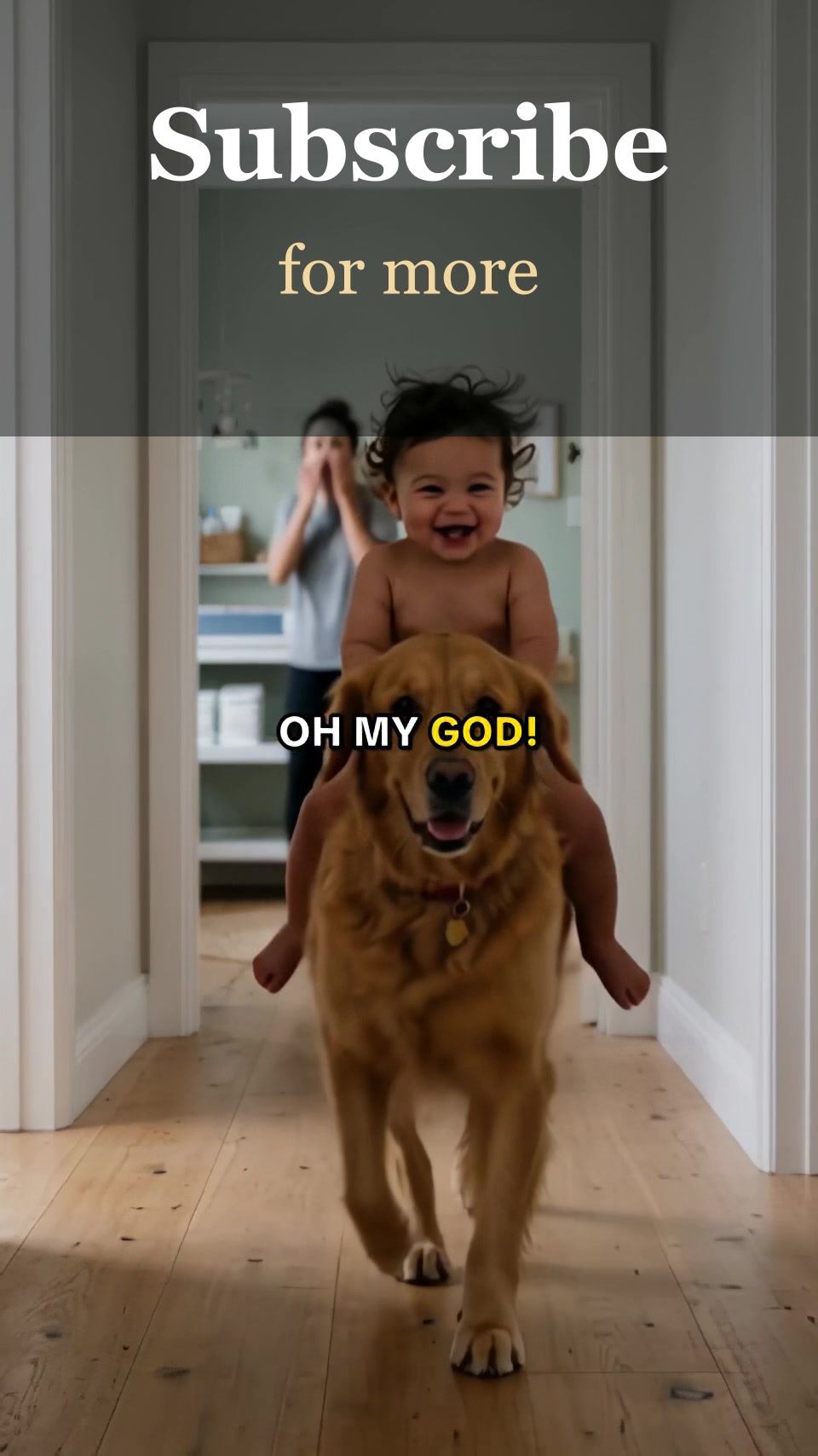
12To post it, we ran the clip through an upscaler to double its size and added a short card at the end that asks people to subscribe. On TikTok the card says Follow. Use the frame of the baby riding the dog as the cover. The whole short cost about 50 credits.

Make your own episode.

Start free with 200 credits: a narrated film from AI stills, no credit card.