Step-by-step guide · 25 steps

Consistent rooms for an AI micro drama: locations, variants and Multishot

Draw a location once, make the other rooms of the same home from it, then write a dialogue scene as a Multishot panel, voice the lines and render. Built on Blood Child, a Nollywood micro drama.

Draw the cast and the main room
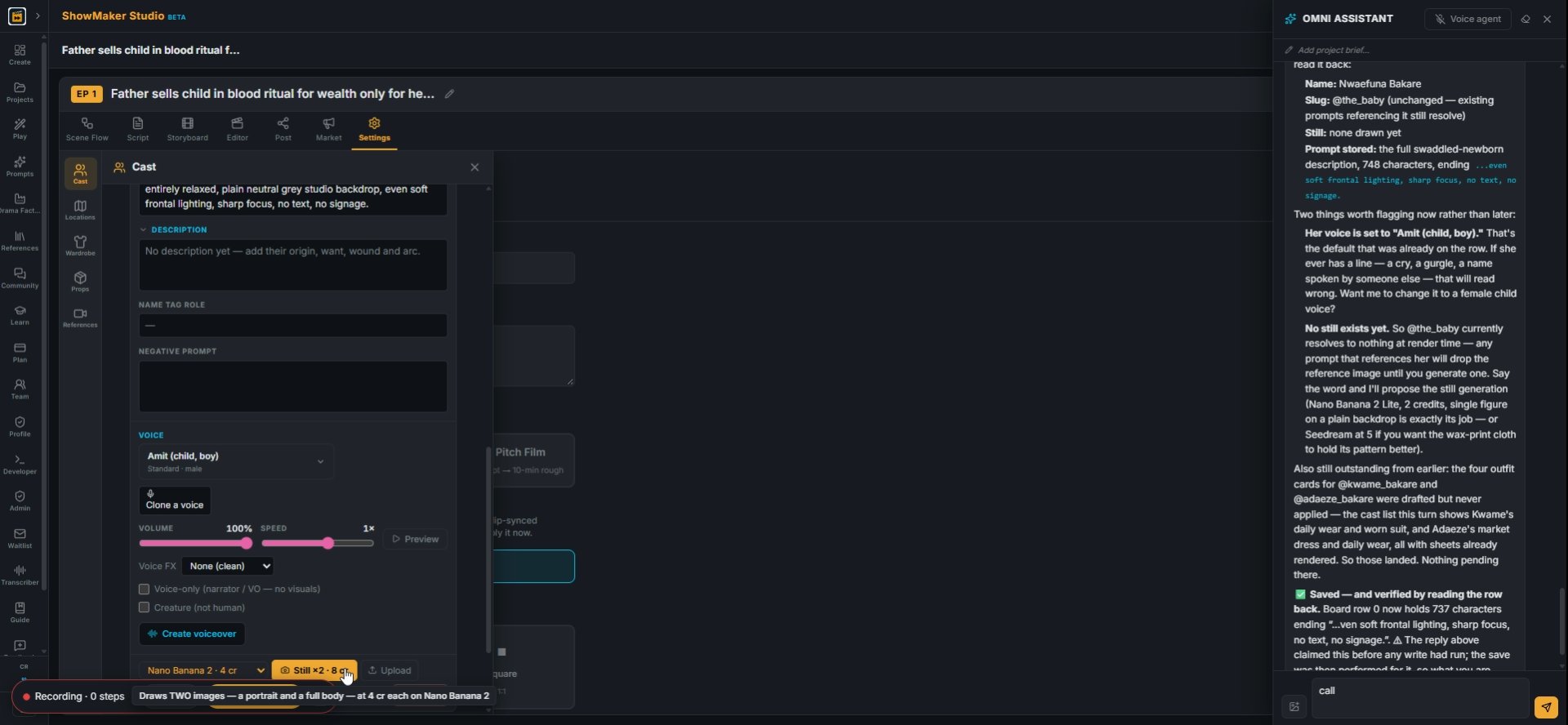
Draws TWO images — a portrait and a full body — at 4 cr each on Nano Banana 2
1Open Cast and, on each character, pick a still model and press Still ×2. It draws a portrait and a full body (4 cr each on Nano Banana 2), so the face stays the same in every shot.
Apply
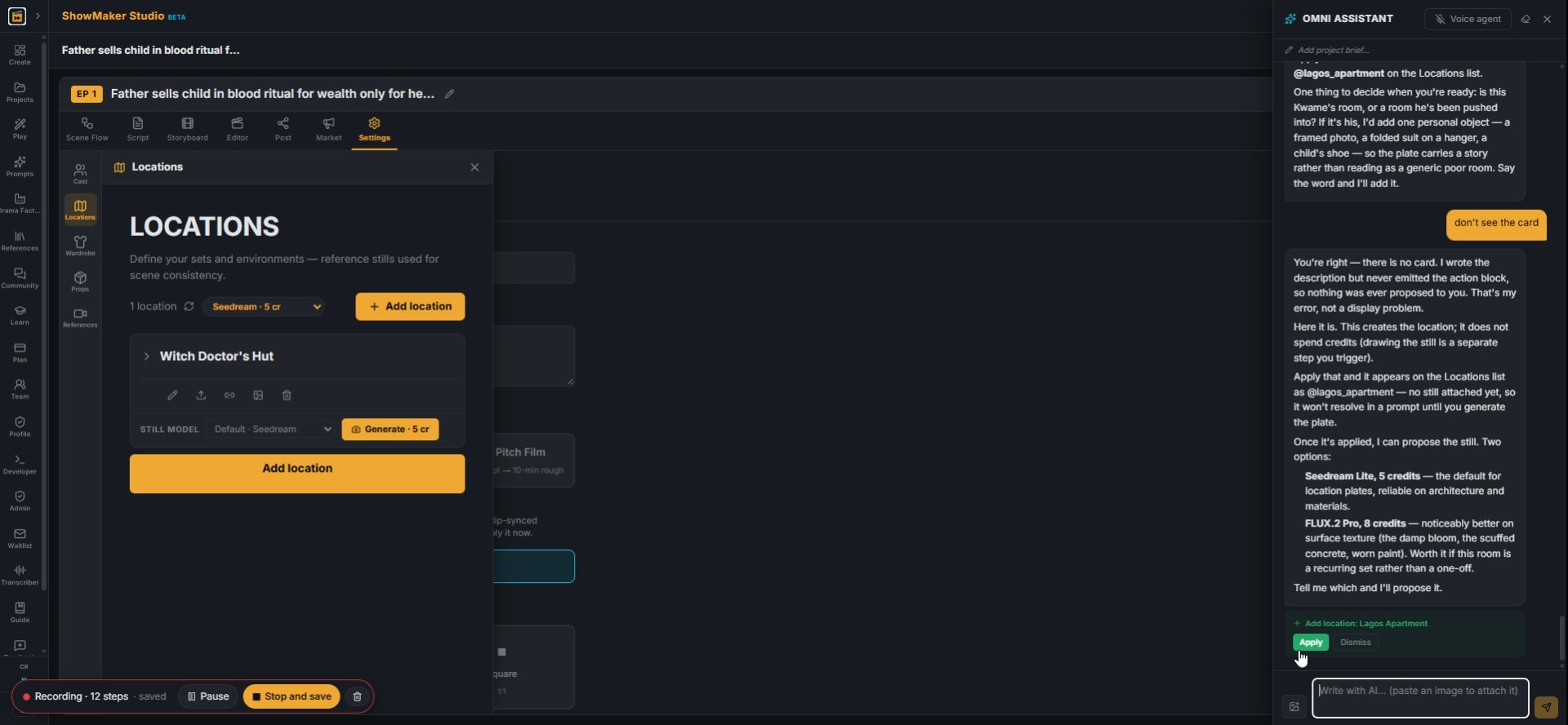
2Ask the OMNI assistant to write the location, e.g. "generate a prompt for the small cramped apartment". It answers with an Add location card. Press Apply.
Lagos Apartment Needs still STILL MODEL Default · Seedream Seedream · 5 cr Nano…
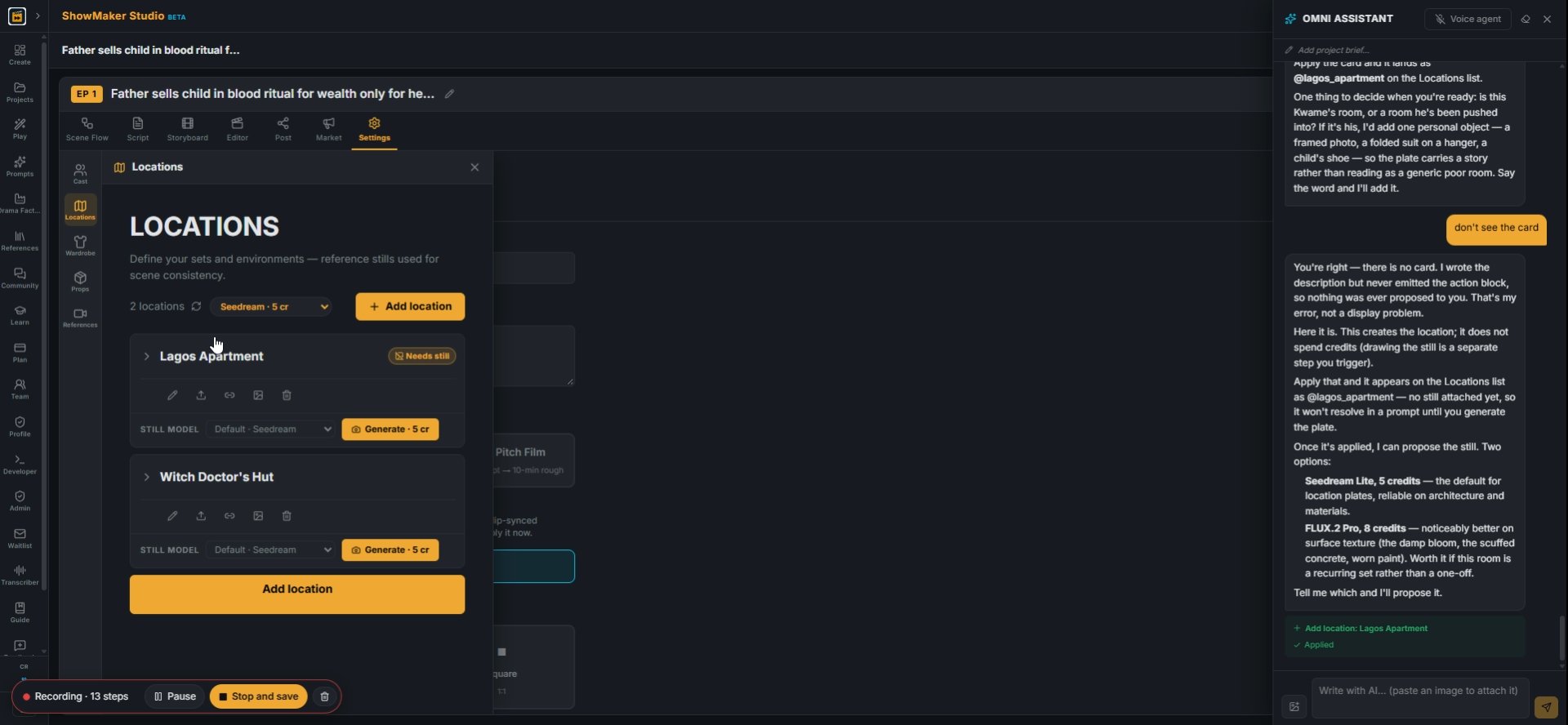
3Open Locations from the left toolbar. The new Lagos Apartment shows "Needs still": it has no picture yet, and every shot set there takes its look from this still.
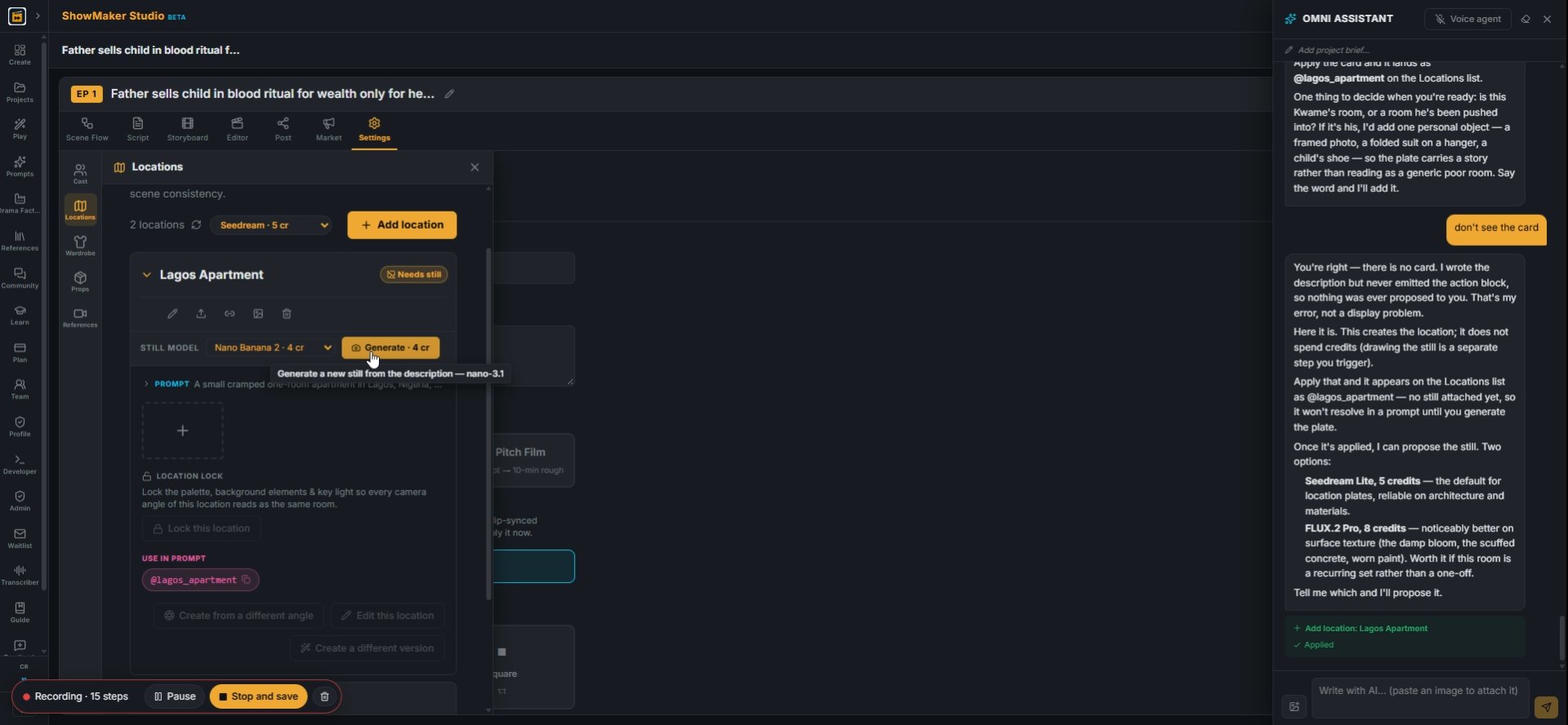
Generate a new still from the description — nano-3.1
4Pick a STILL MODEL on the card and press Generate. Nano Banana 2 (4 cr) is quick and cheap for rooms.
Lagos Apartment STILL MODEL Default · Seedream Seedream · 5 cr Nano Banana 2 ·…
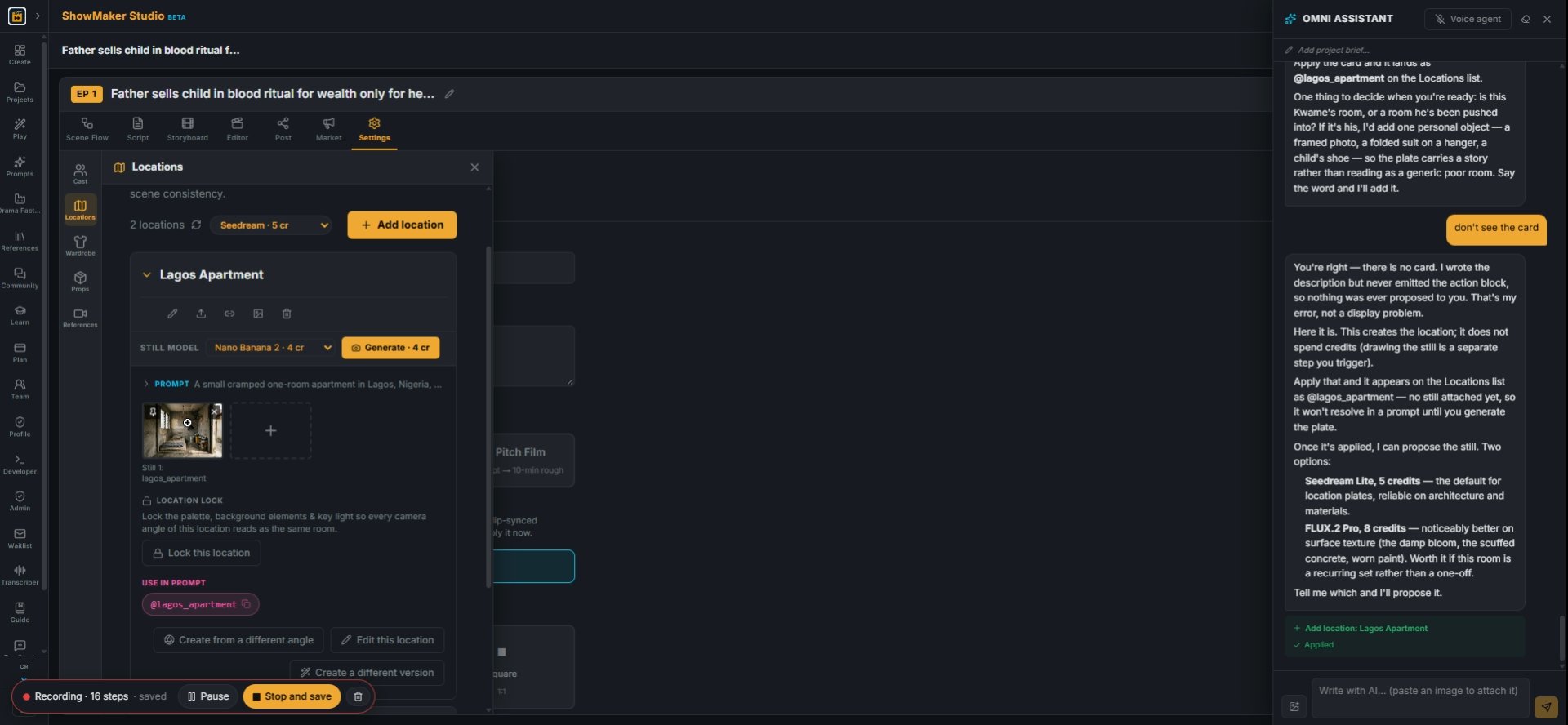
5The still appears on the card with its @slug (@lagos_apartment). Use that slug in a scene and the room is sent to the video model as a reference.

Make the other rooms from the first
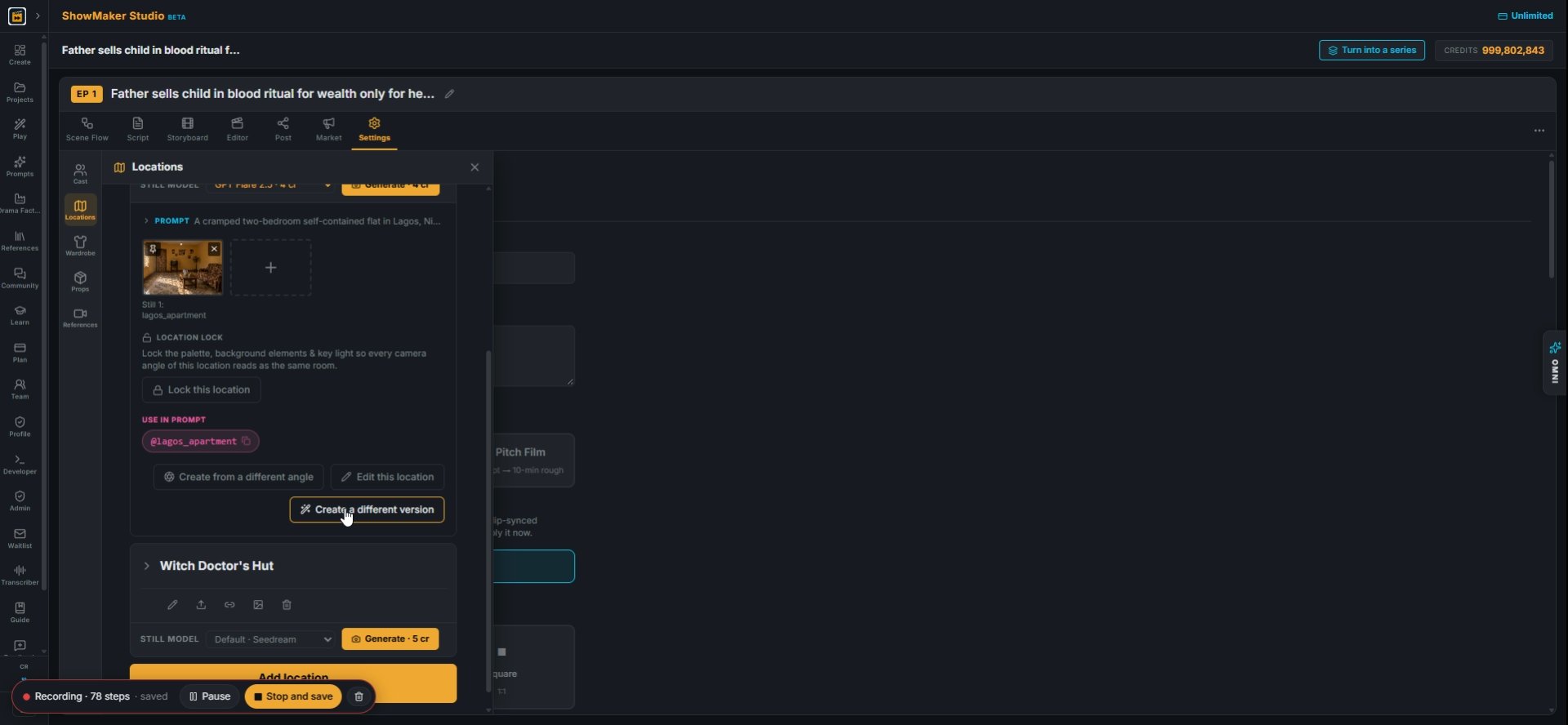
Create a different version
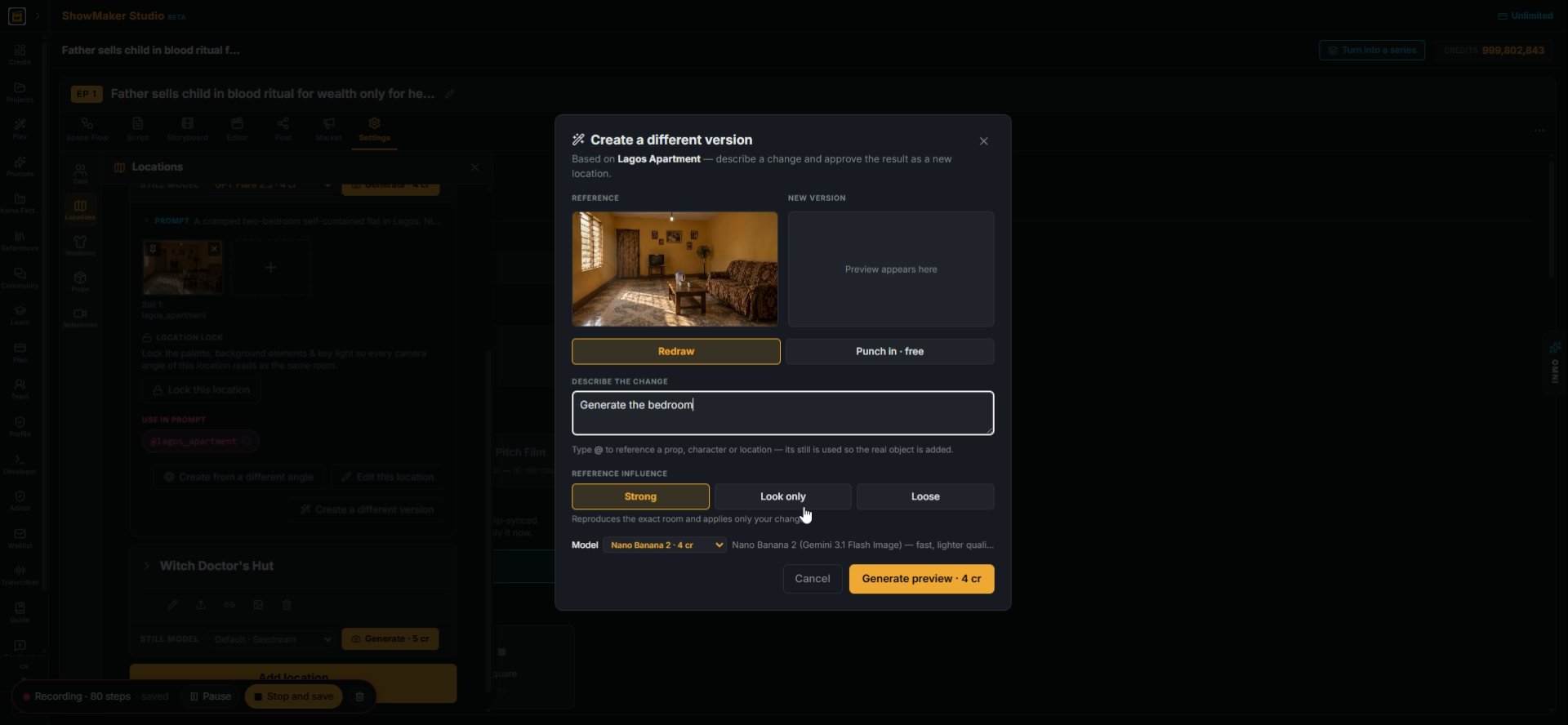
6To add another room of the same home, open the location and press Create a different version.
Look only
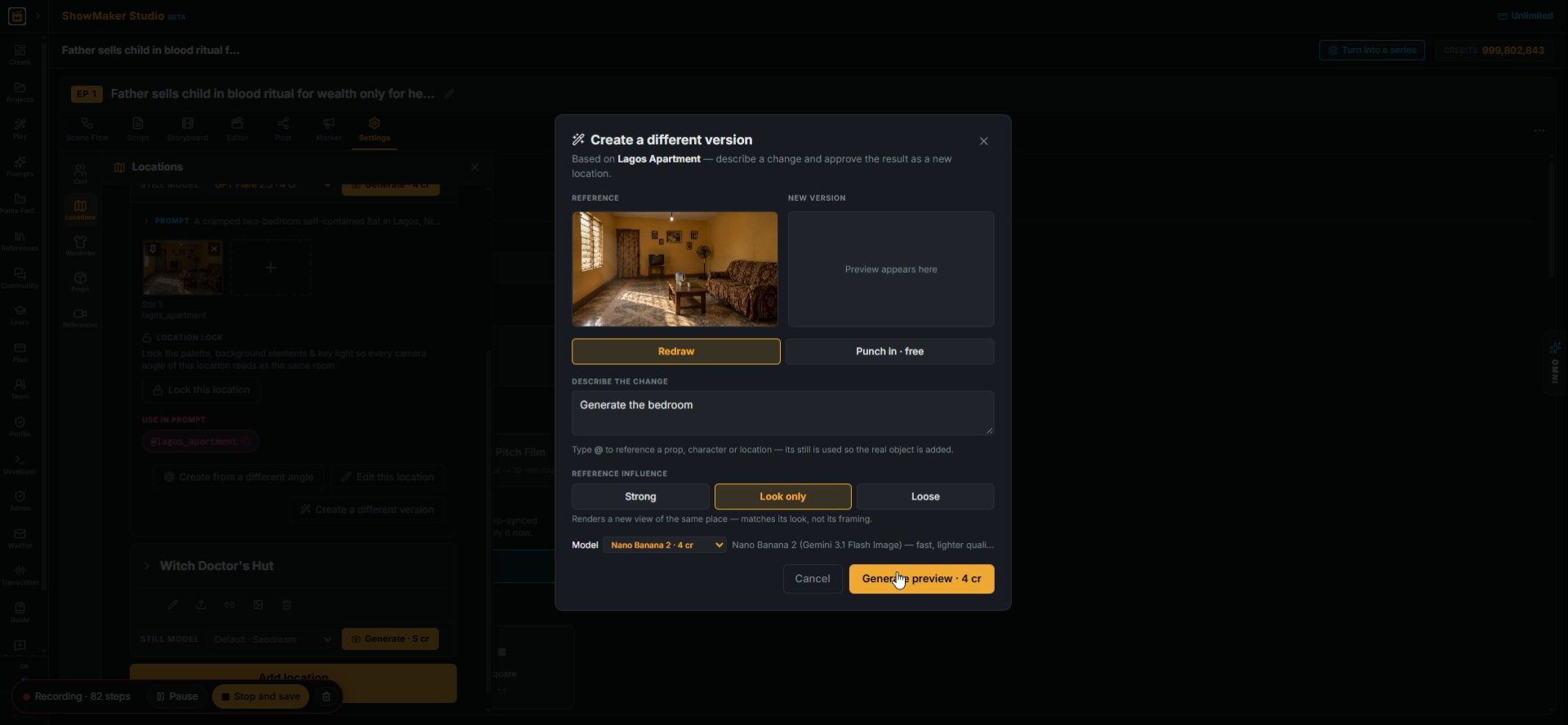
7Describe the change ("Generate the bedroom") and set REFERENCE INFLUENCE to Look only. You get a new view of the same place that matches its look, not its framing.
Generate preview · 4 cr
8Press Generate preview · 4 cr.
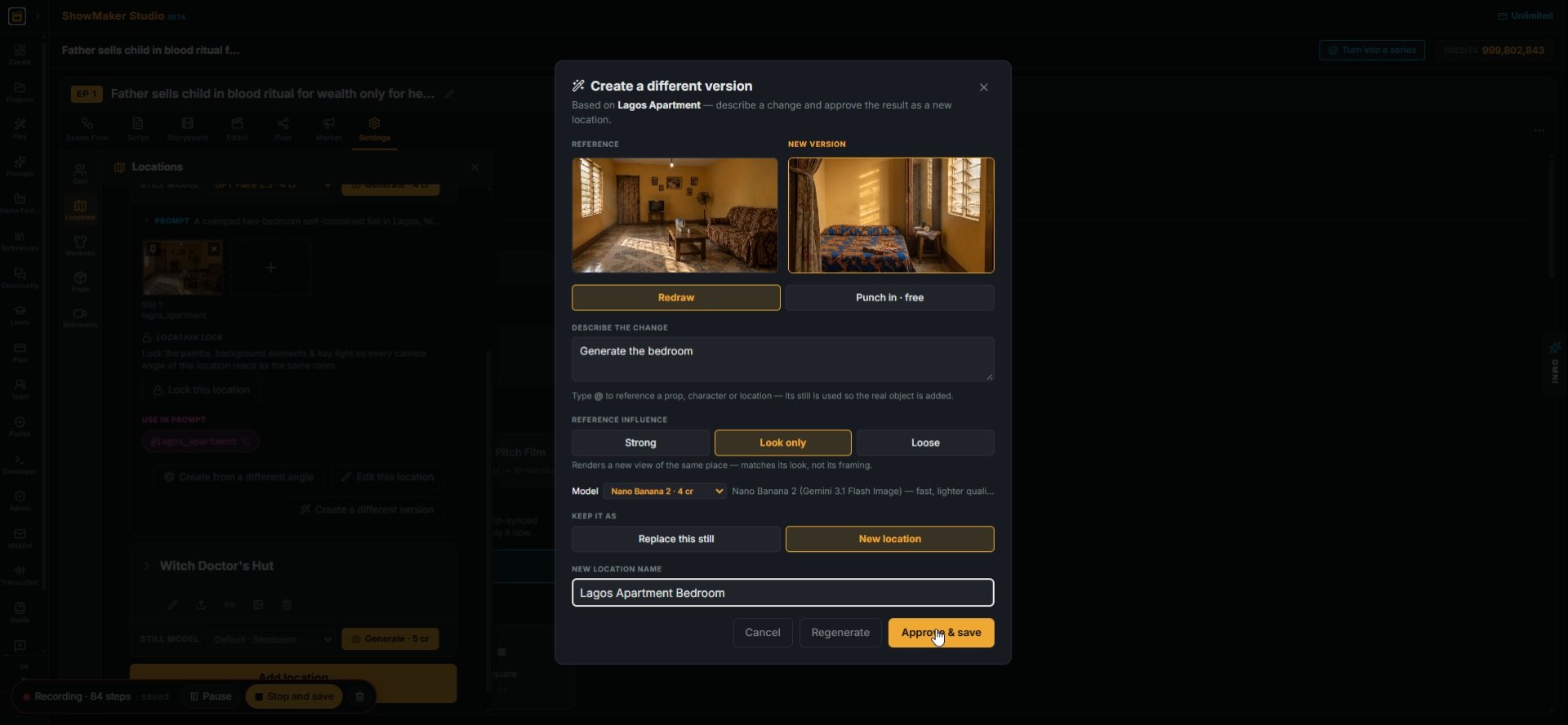
Approve & save
9Check the new picture. Under KEEP IT AS choose New location, name it (Lagos Apartment Bedroom) and press Approve & save.
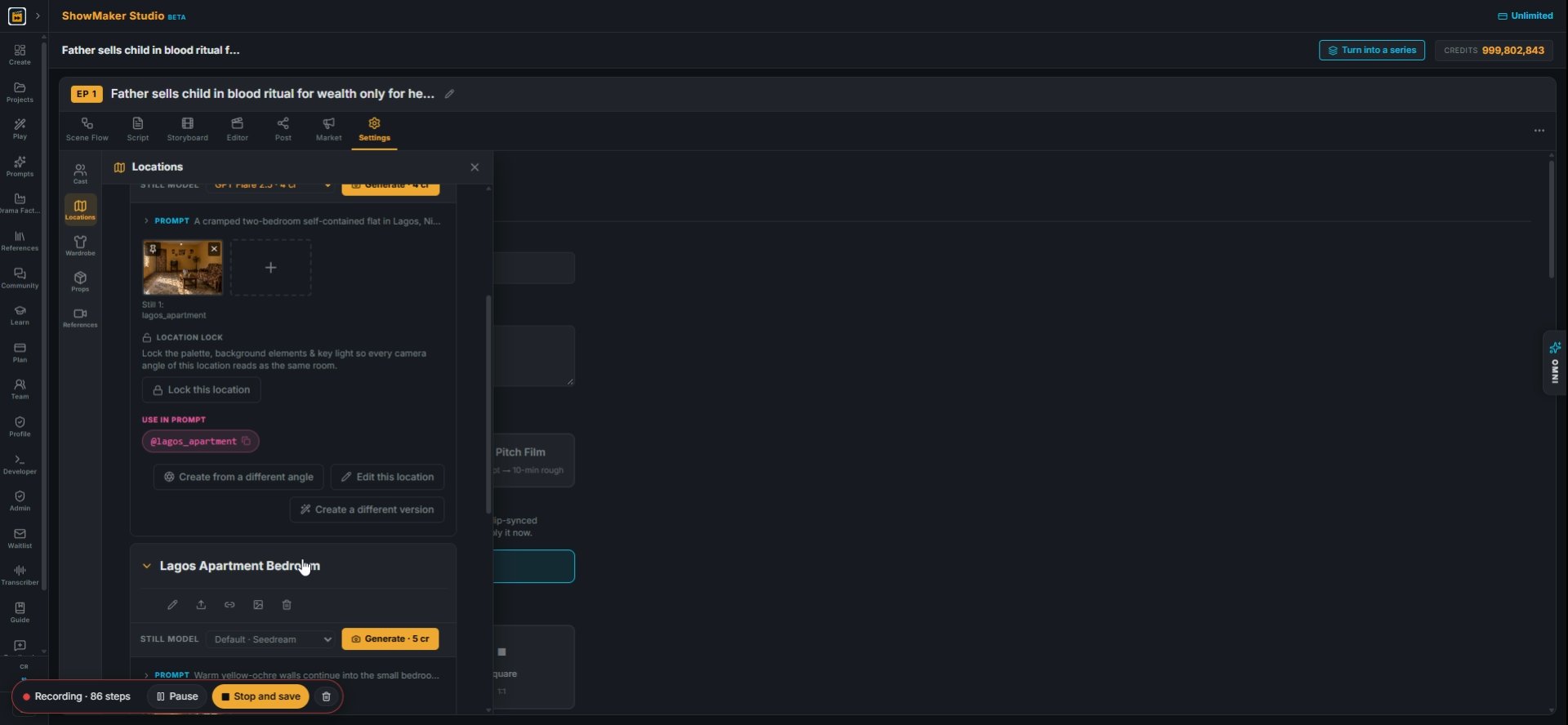
Lagos Apartment Bedroom STILL MODEL Default · Seedream Seedream · 5 cr Nano Ban…
10The bedroom is now its own location with its own @slug, and the living room stays as it was.

Set up the scene and its frame

[+ Add scene]
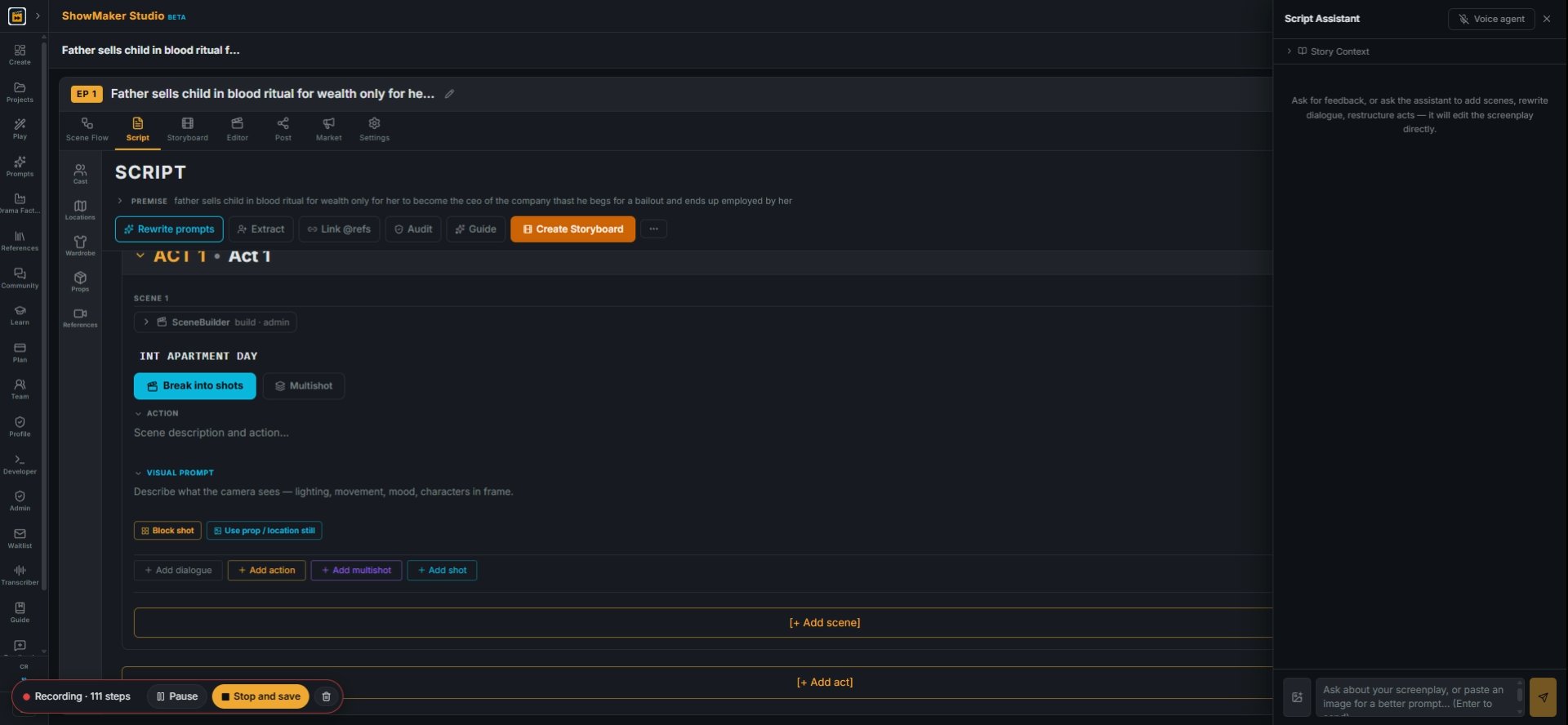
11Go to the Script tab and press + Add scene.
Ask about your screenplay, or paste an image for a better prompt... (Enter to s…
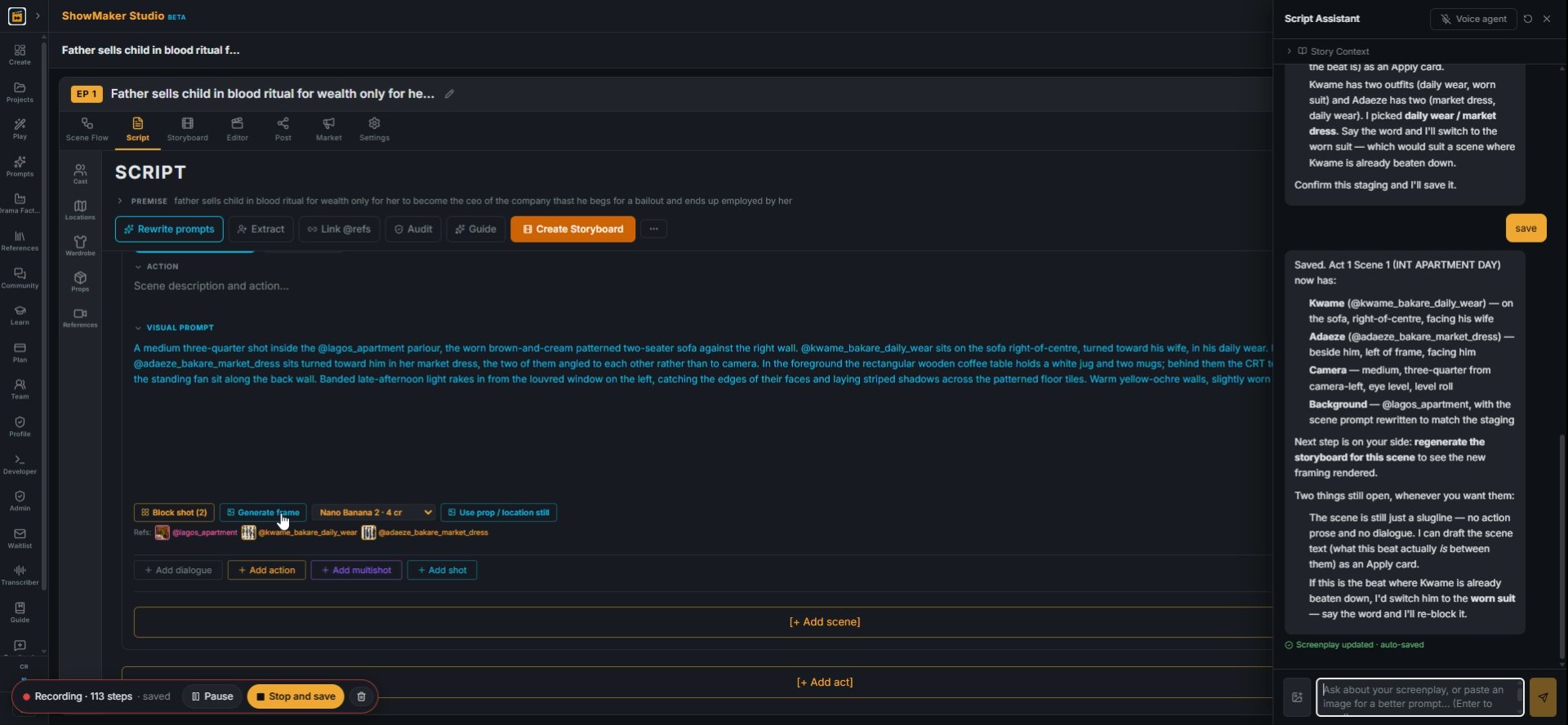
12Ask the Script Assistant to stage the scene: who sits where in @lagos_apartment and how the camera frames them. It writes the visual prompt for you.
Generate frame
13Press Generate frame to draw the scene's opening picture from the visual prompt and its references.
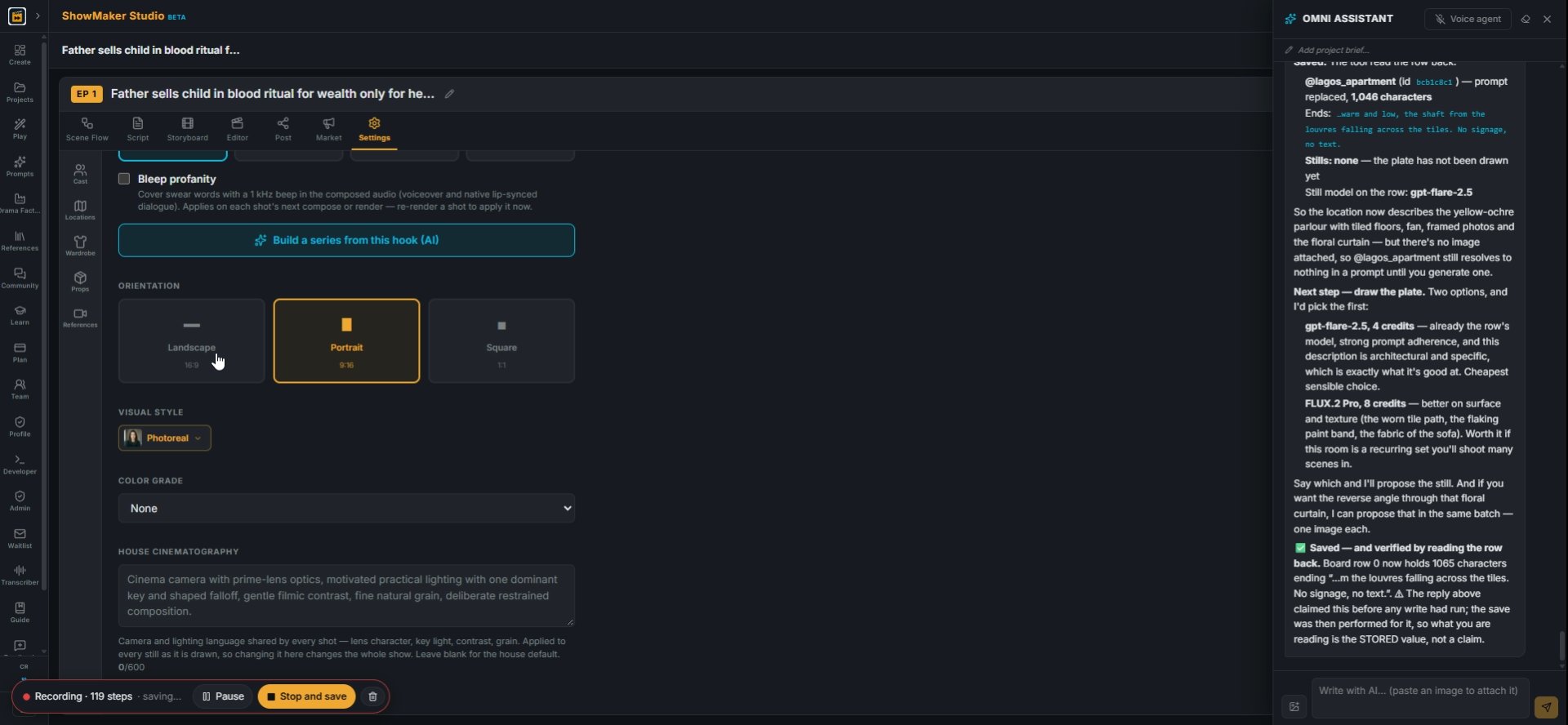
▬ Landscape 16:9
14For a landscape video, go to Settings and set ORIENTATION to Landscape 16:9 before you draw any more frames.
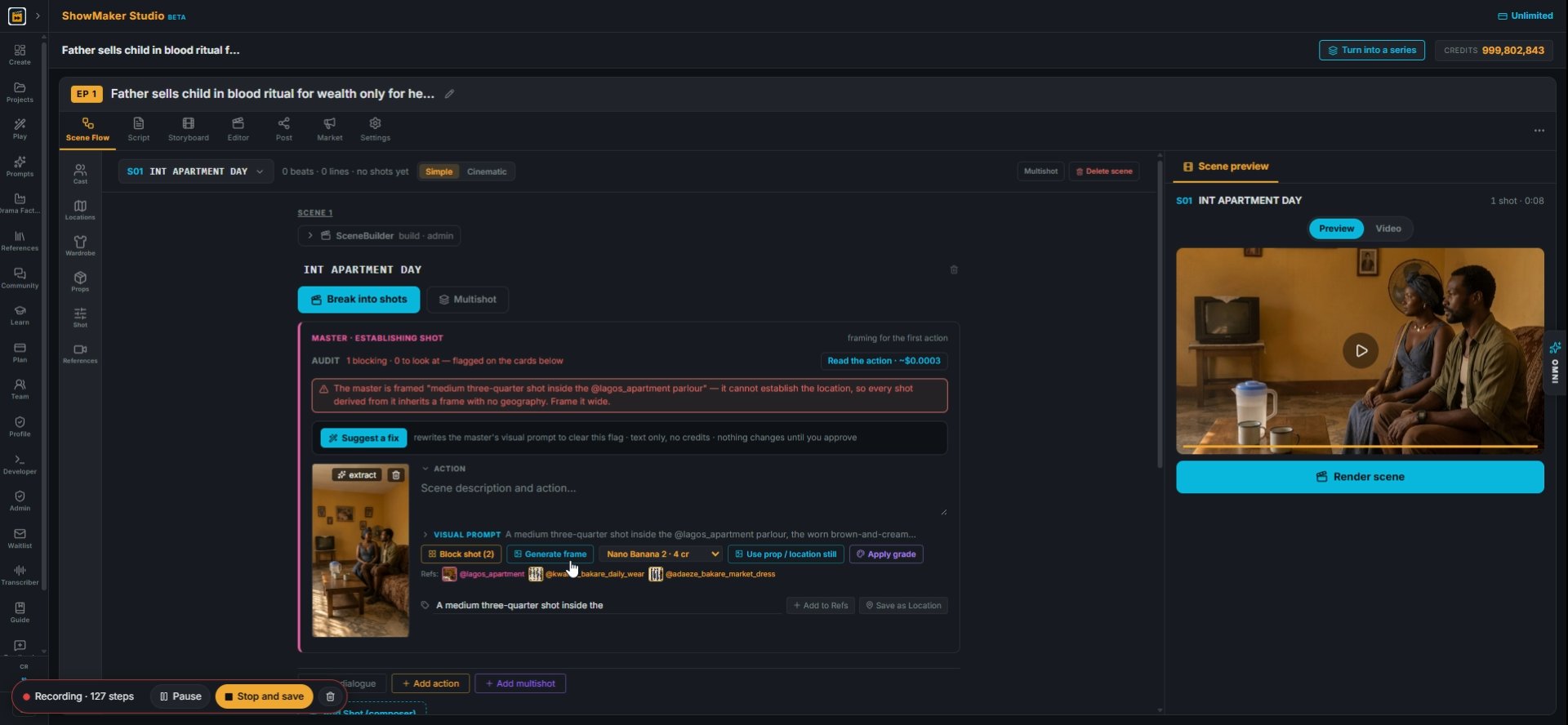
Generate frame
15Back in Scene Flow, press Generate frame again so the master shot is redrawn in the new shape.

Write the scene as a Multishot panel
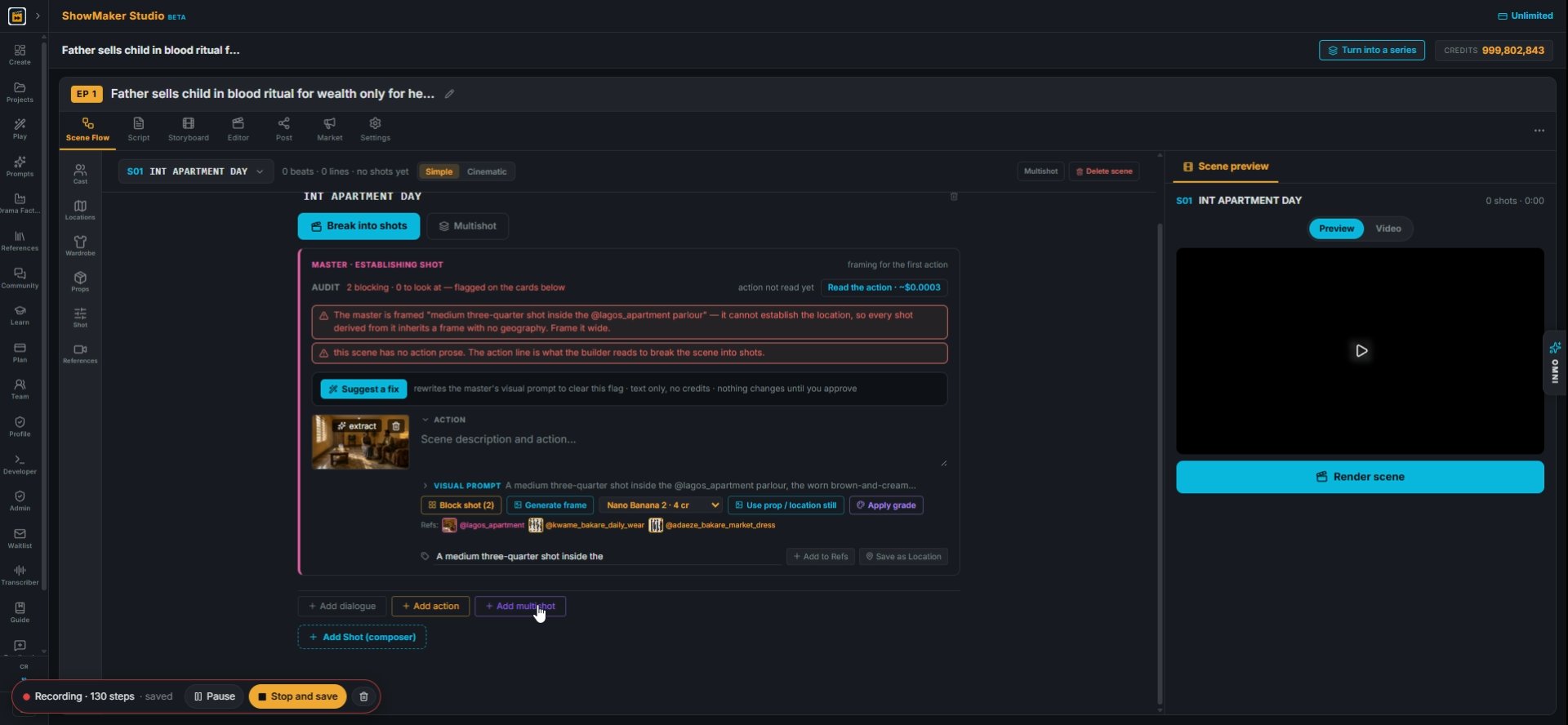
Add multishot
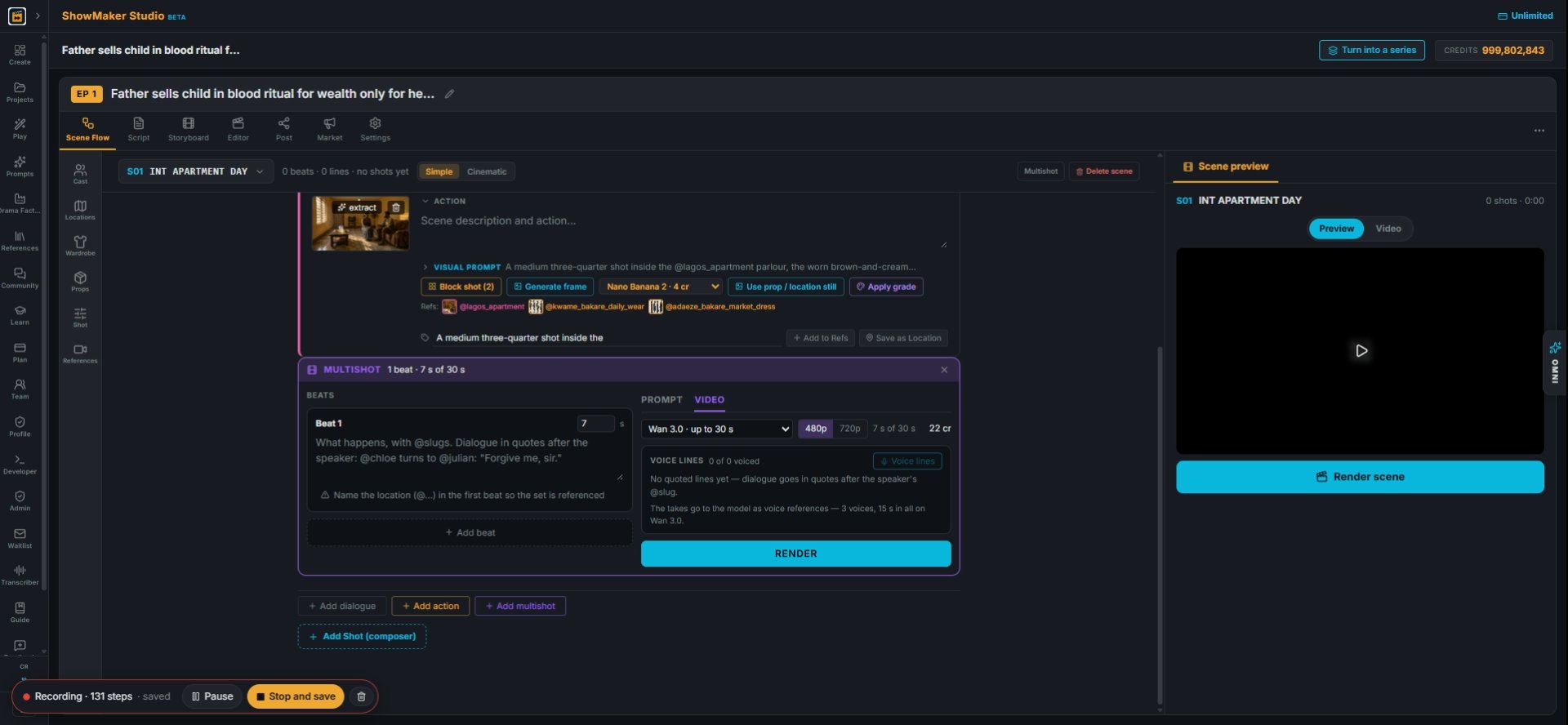
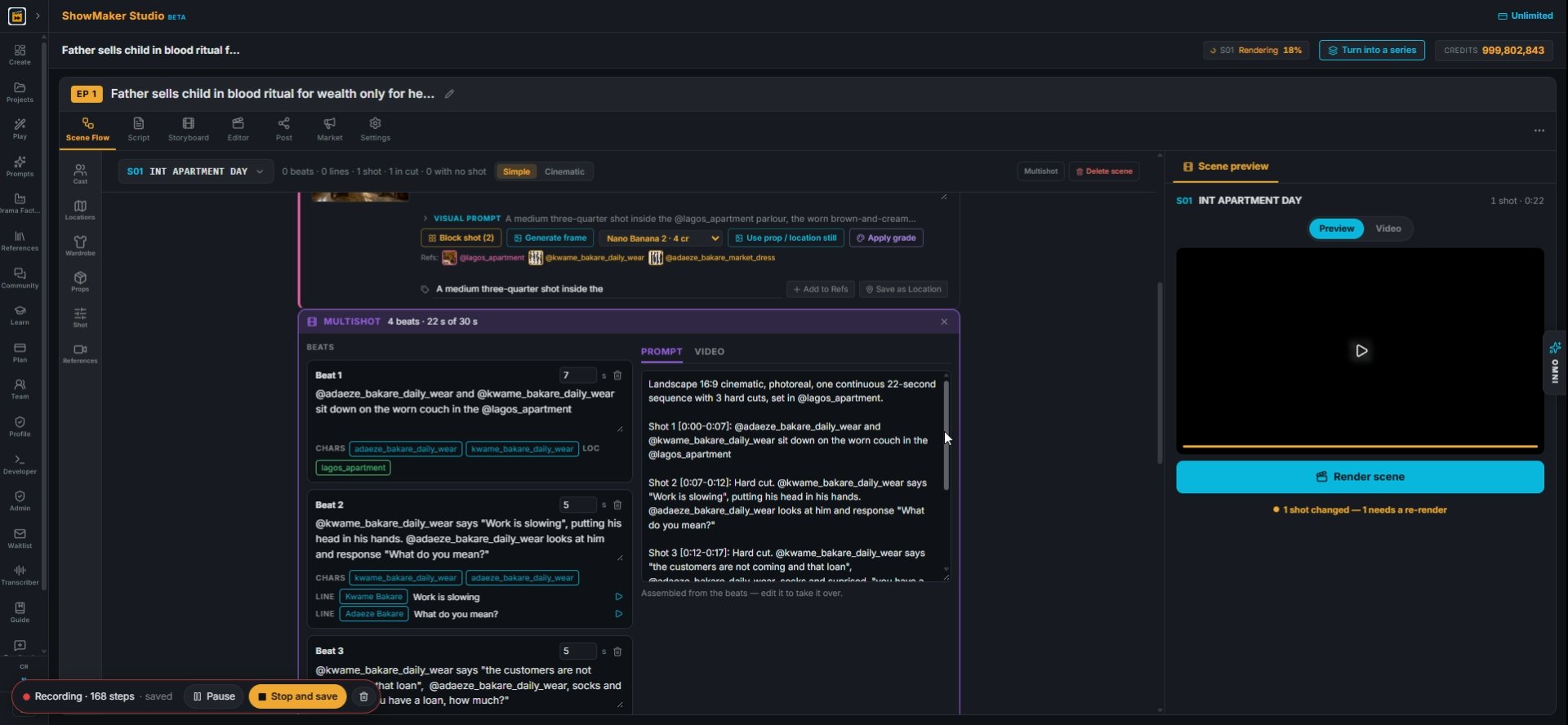
16Press + Add multishot. A multishot is one take with cuts inside it, up to 30 s on Wan 3.0.
What happens, with @slugs. Dialogue in quotes after the speaker: @chloe turns t…
17Each beat is one camera setup. Write what happens using @slugs for people and places; dialogue goes in quotes after the speaker.
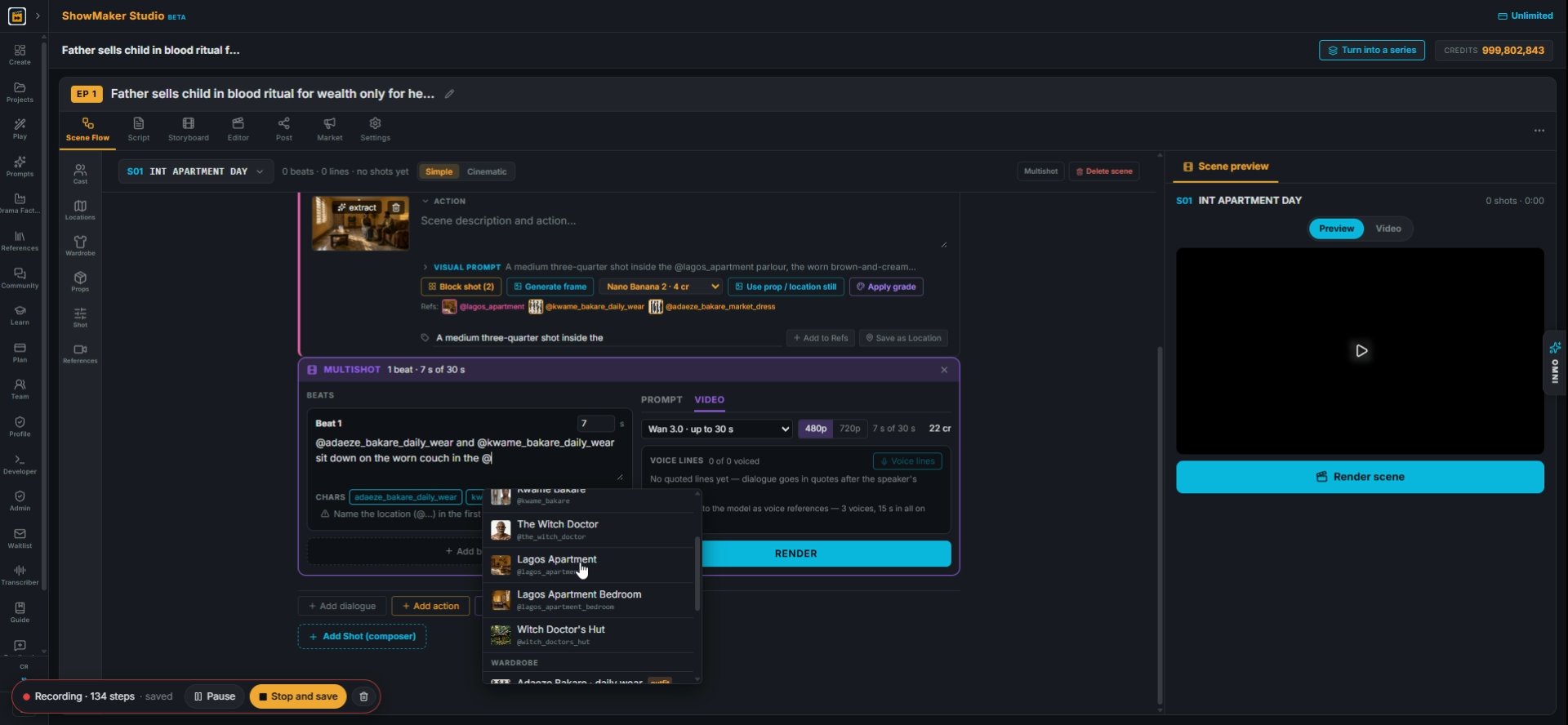
Lagos Apartment @lagos_apartment
18Type @ to pick from your library. Name the location in the first beat, here @lagos_apartment, so the set is sent as a reference.
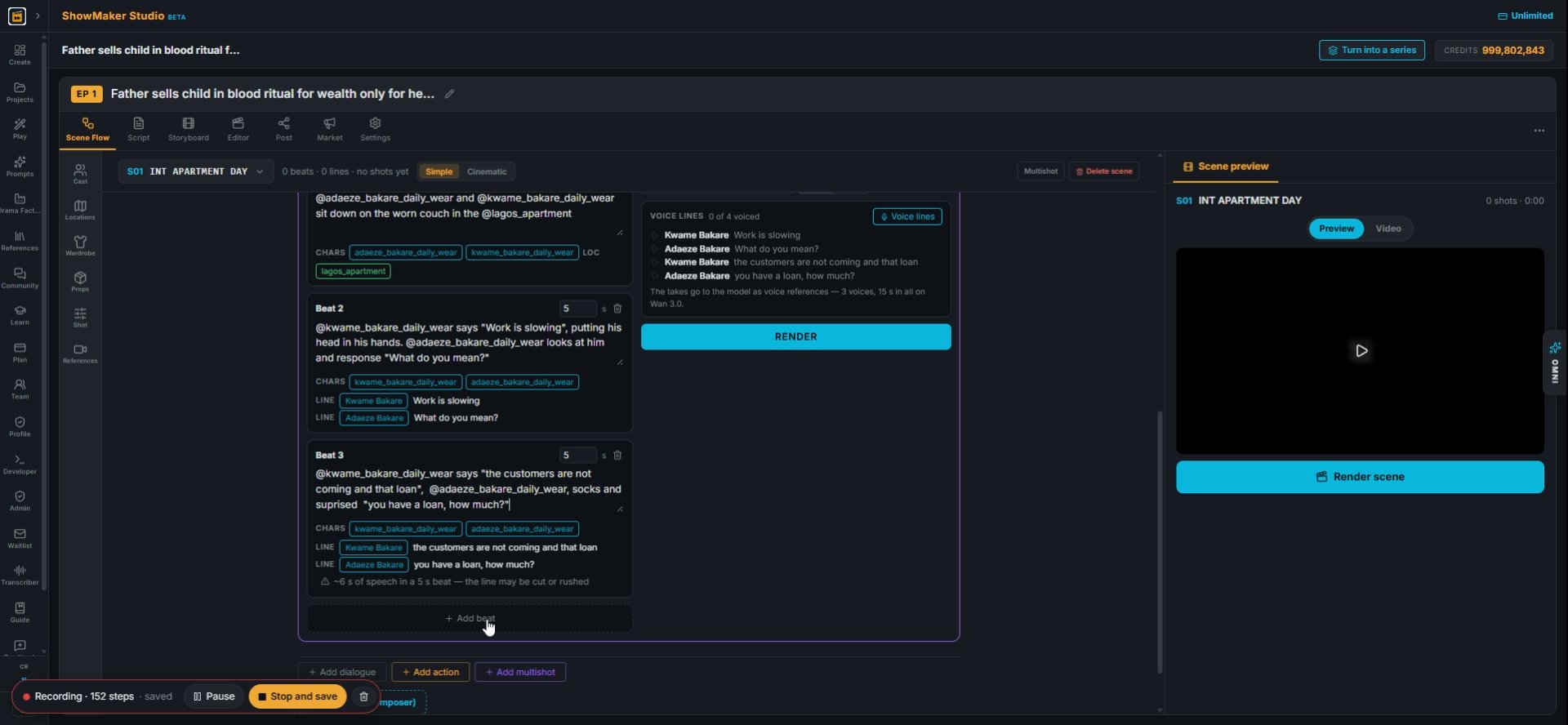
Add beat
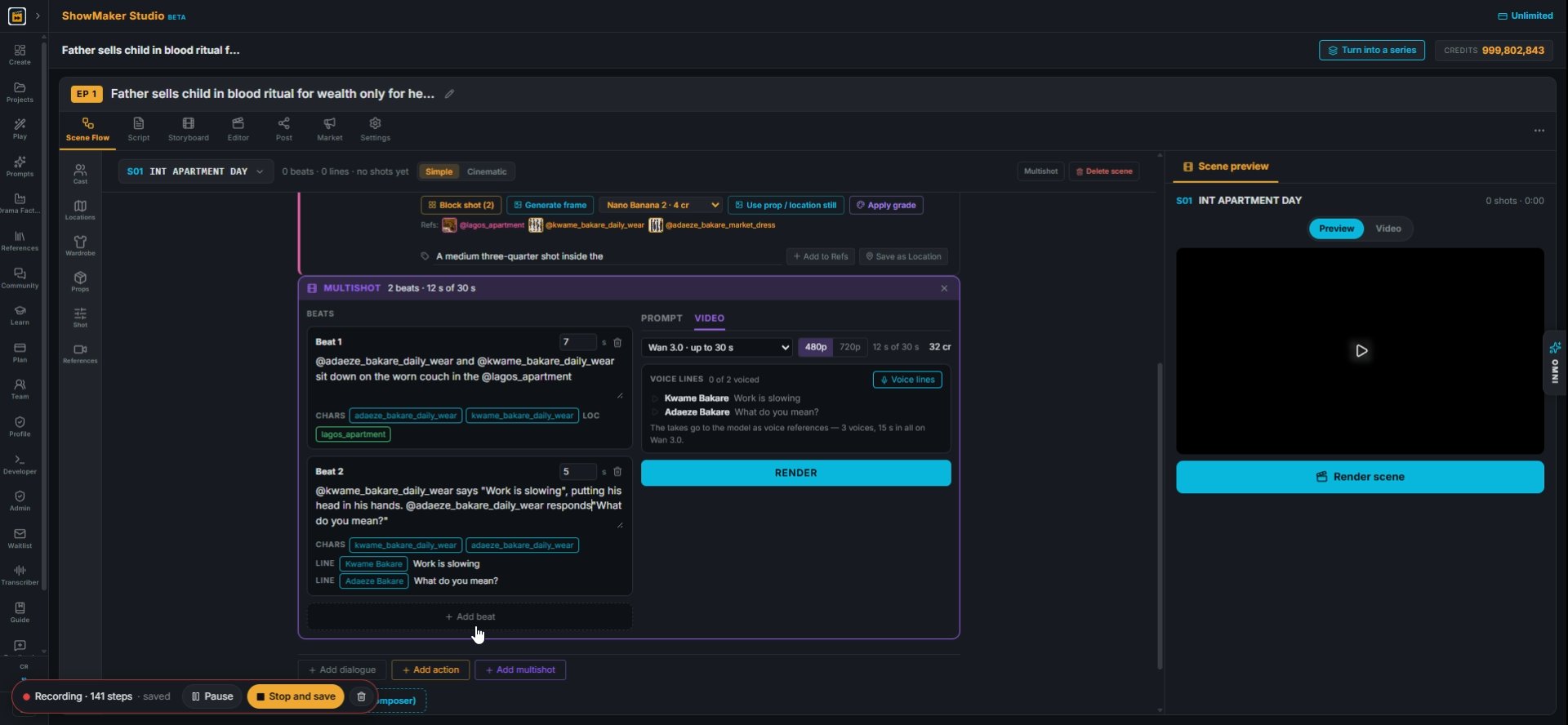
19Press + Add beat for the next camera setup. The tags under each beat show who is in it and which lines they speak.
What happens, with @slugs. Dialogue in quotes after the speaker: @chloe turns t…
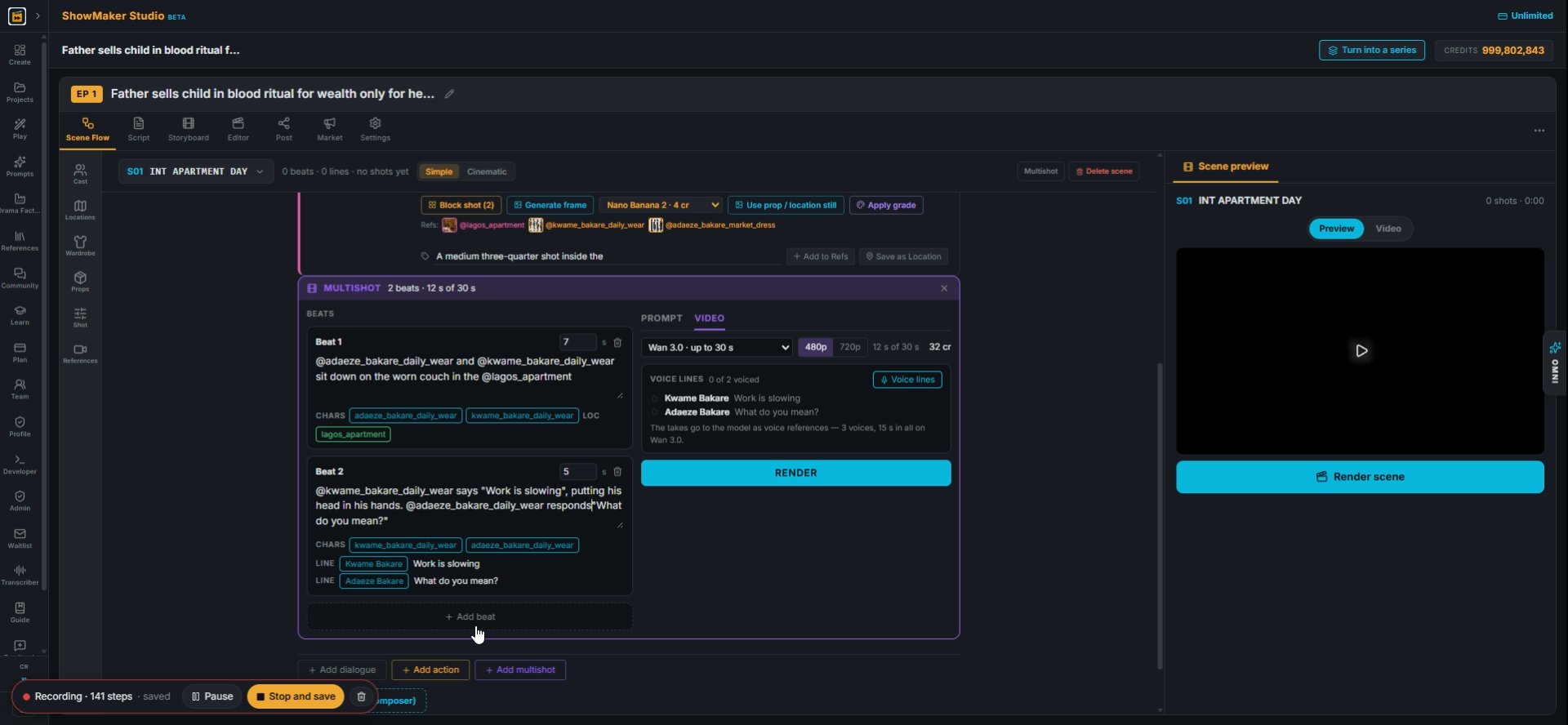
20Put each line in quotes after its speaker: @kwame_bakare_daily_wear says "Work is slowing". Each quoted line becomes a voice line.
What happens, with @slugs. Dialogue in quotes after the speaker: @chloe turns t…
21Watch for warnings like "~6 s of speech in a 5 s beat". The line would be cut off or rushed, so make the beat longer or the line shorter.

Voice the lines and render

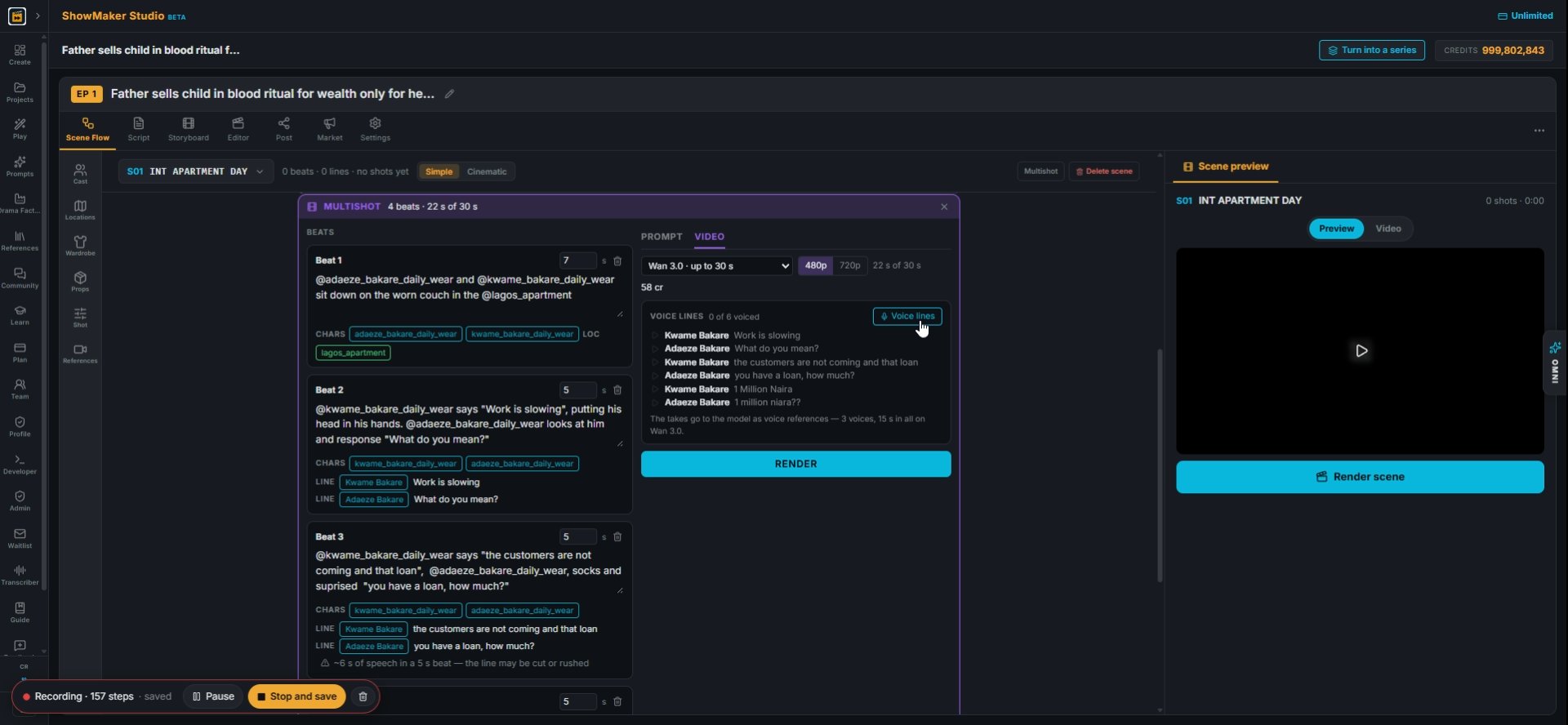
Voice lines
22In the VIDEO tab, VOICE LINES lists every line in the panel. Press Voice lines to record them all in each character's voice.
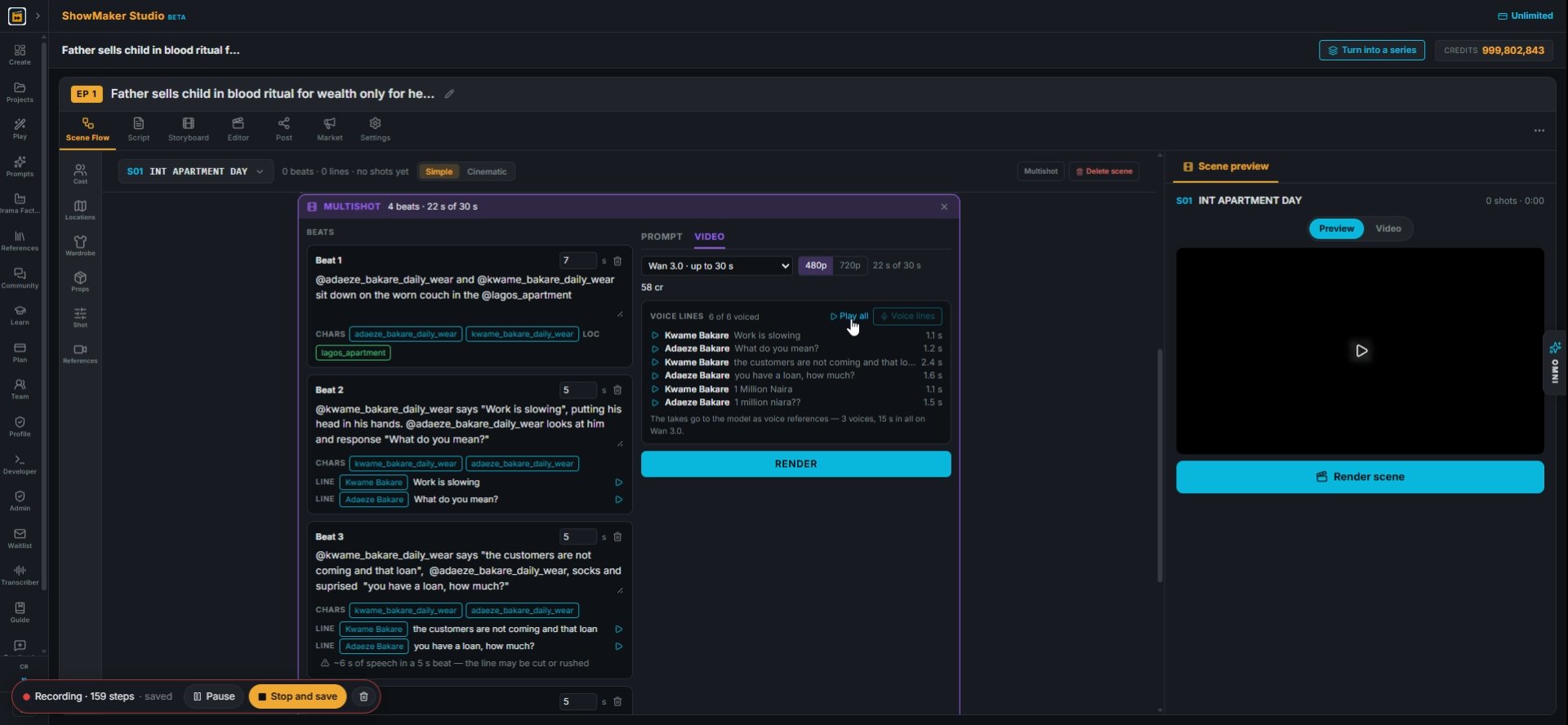
Play all
23Press Play all to hear the takes in order before you spend anything on video.
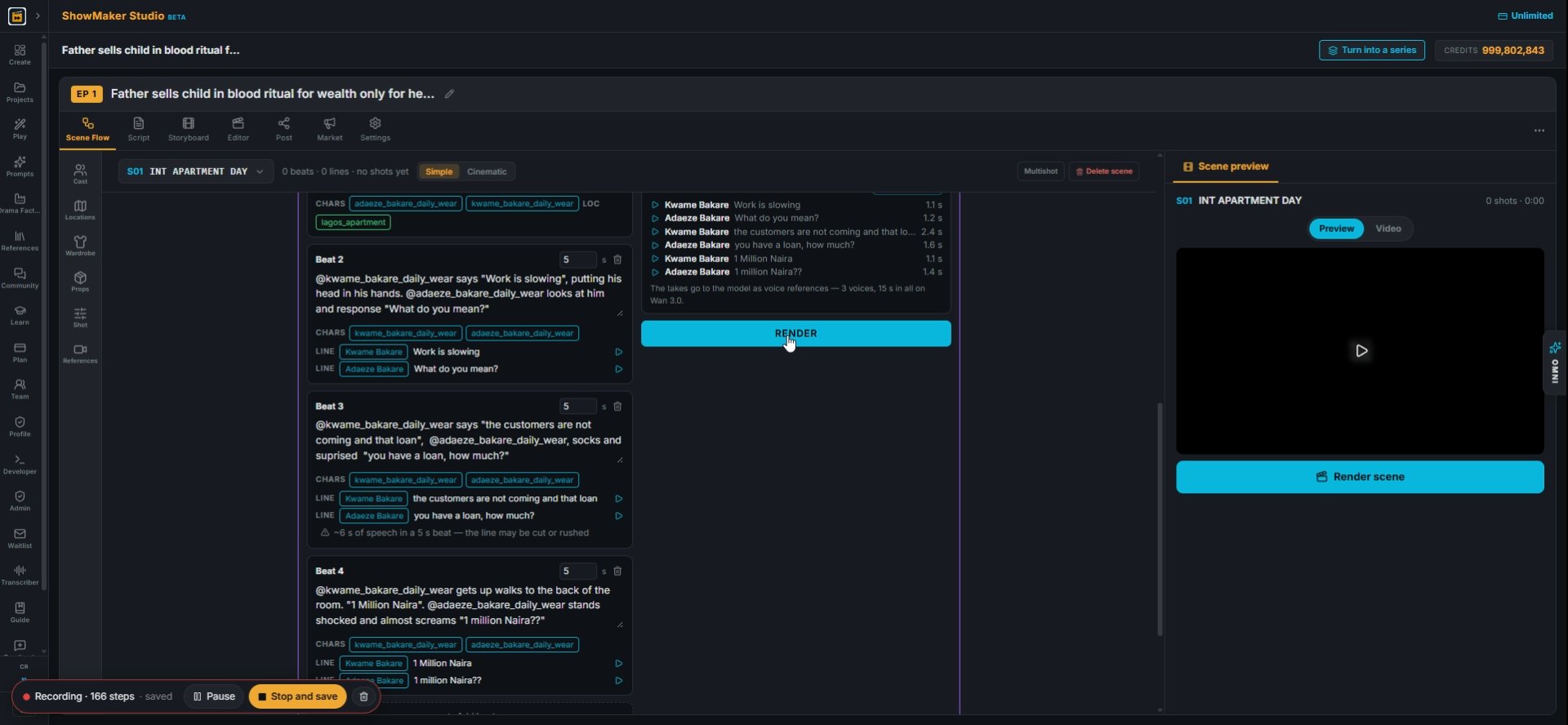
RENDER
24Press RENDER. The voiced lines go to the model with the cast and room references.
Step 25
25While it renders, open PROMPT to read what is sent: the beats are assembled into one timed sequence with hard cuts, set in @lagos_apartment.

Make your own episode.

Start free with 200 credits: a narrated film from AI stills, no credit card.

Consistent rooms for an AI micro drama: locations, variants and Multishot | ShowMaker Studio