Step-by-step guide · 25 steps

Choose an AI voice for each character and direct how lines are read

Find a voice that fits each character by age, gender and accent. Then use Express and delivery tags so a line sounds cold, warm or excited.

Open the character's voice
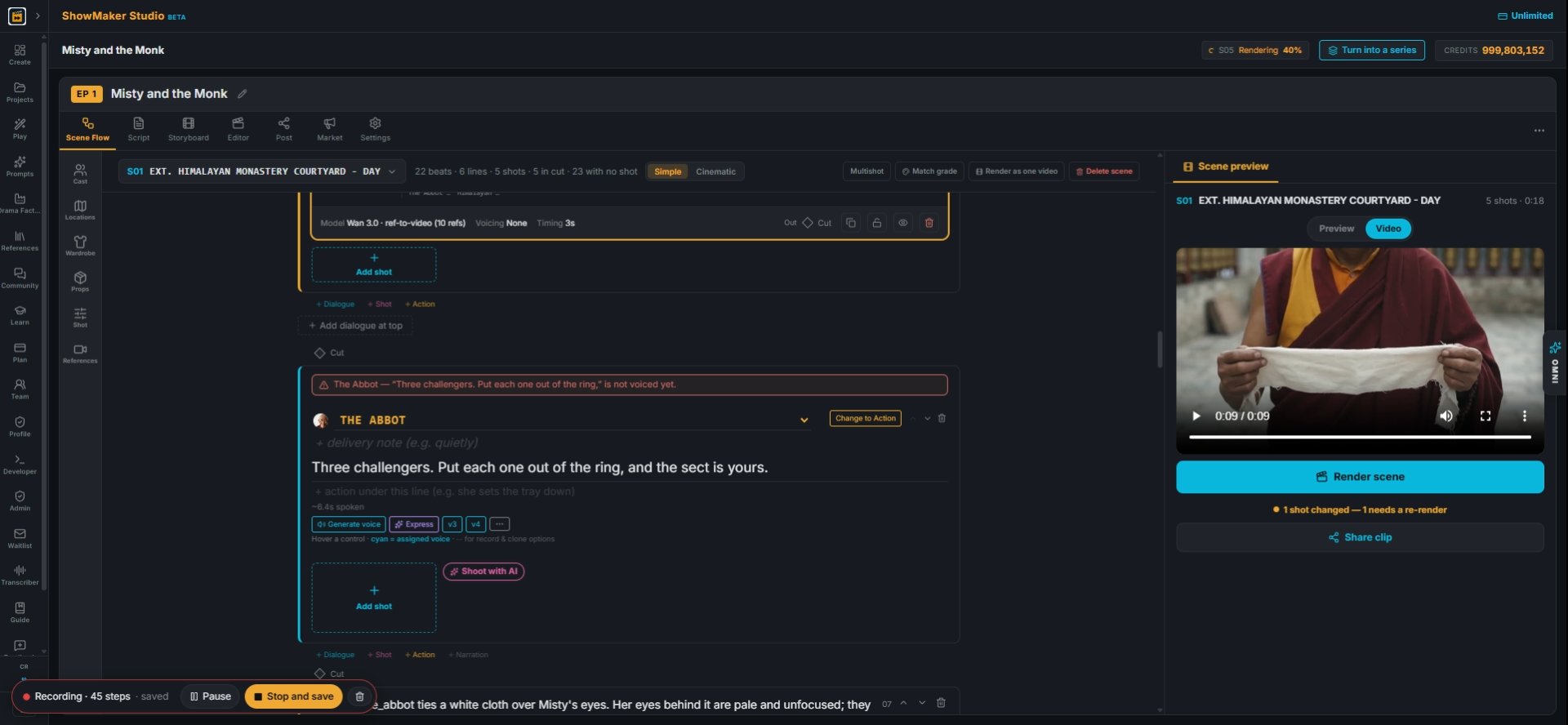
Dialogue...
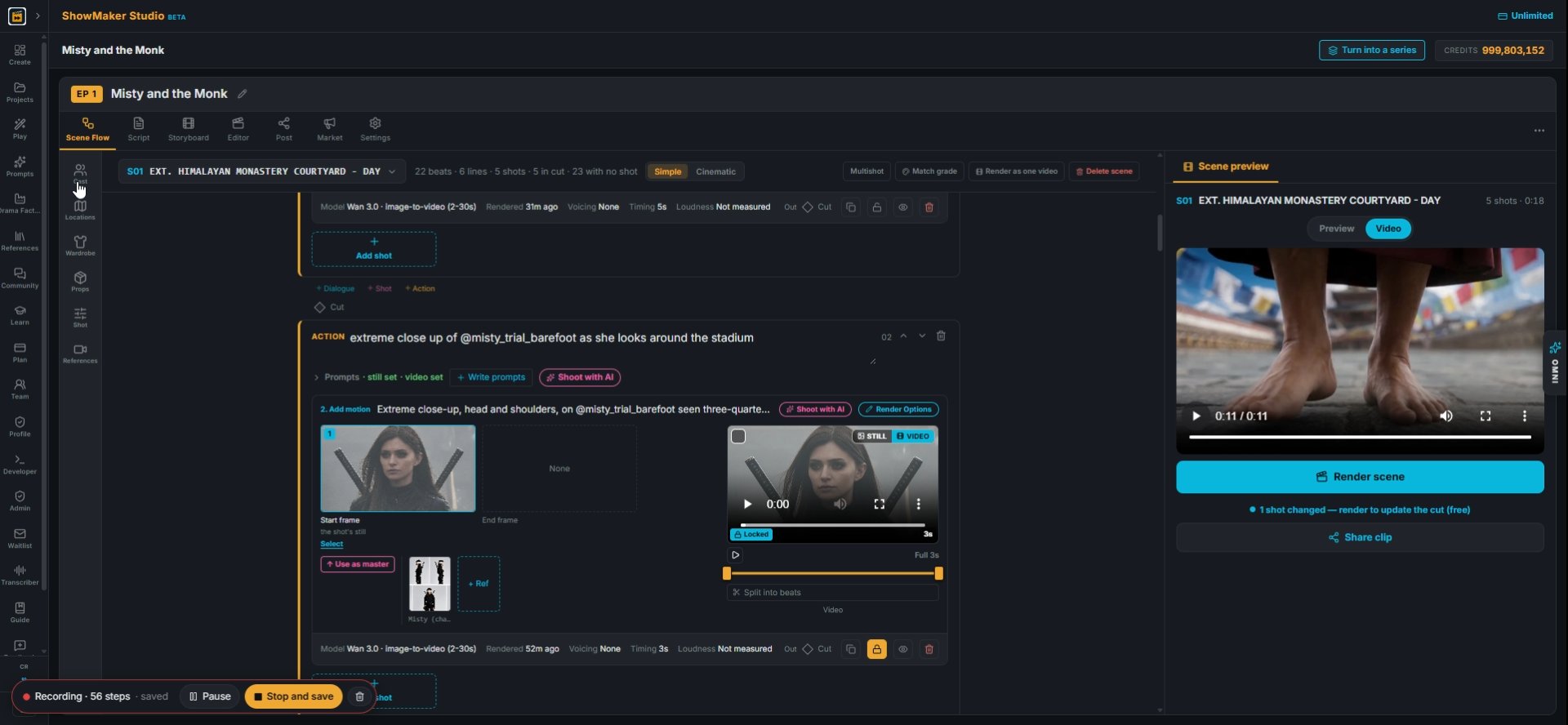
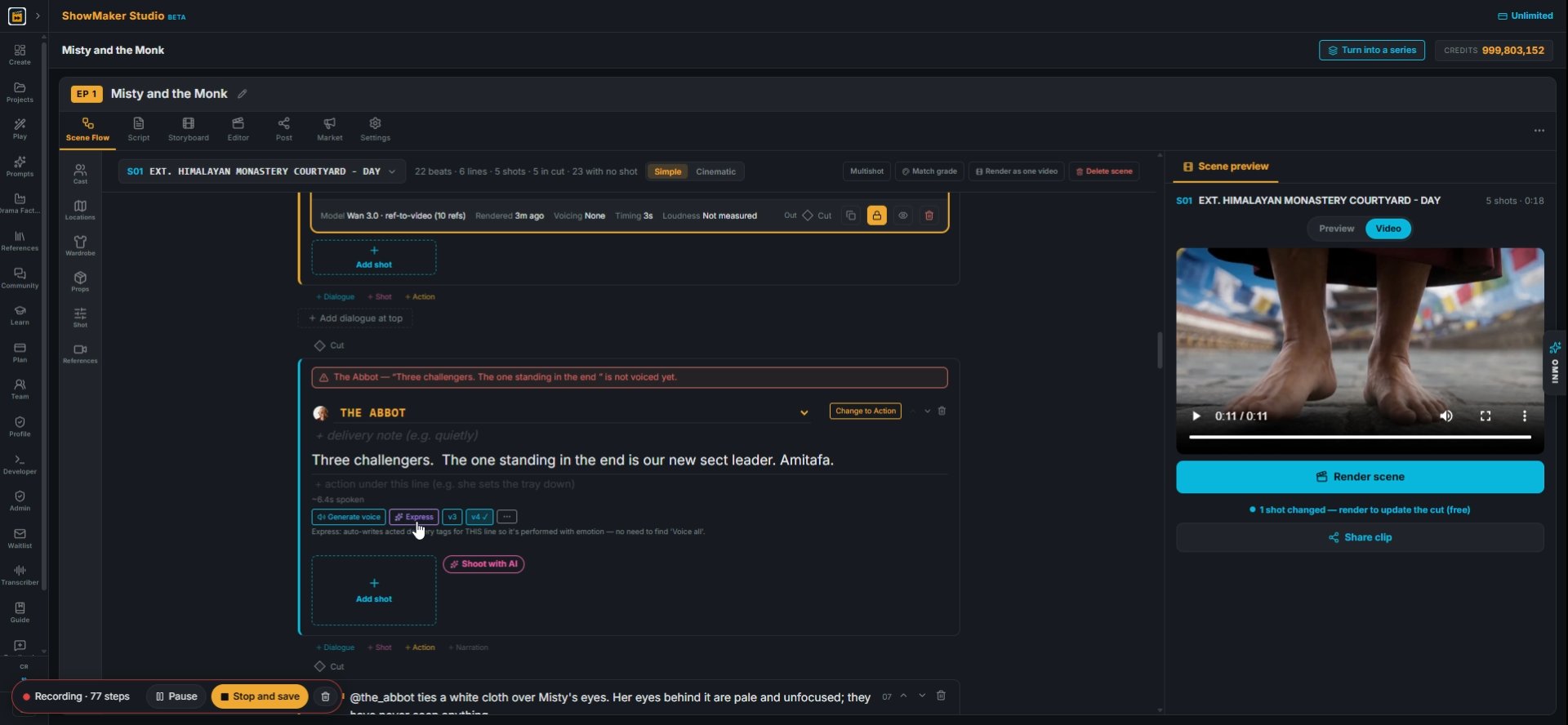
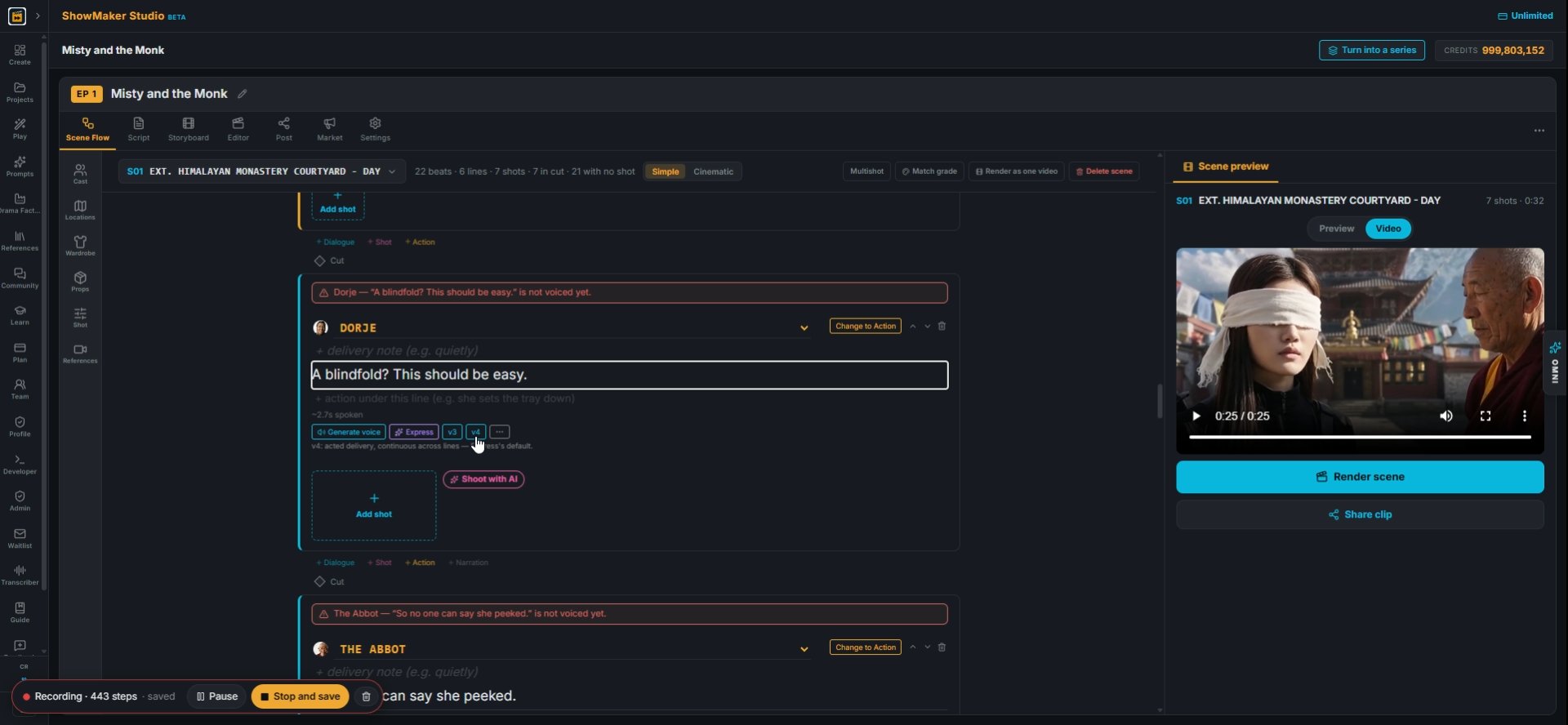
1A dialogue line with a red bar has no voice yet. Click the line to check the words before you voice it.
Cast
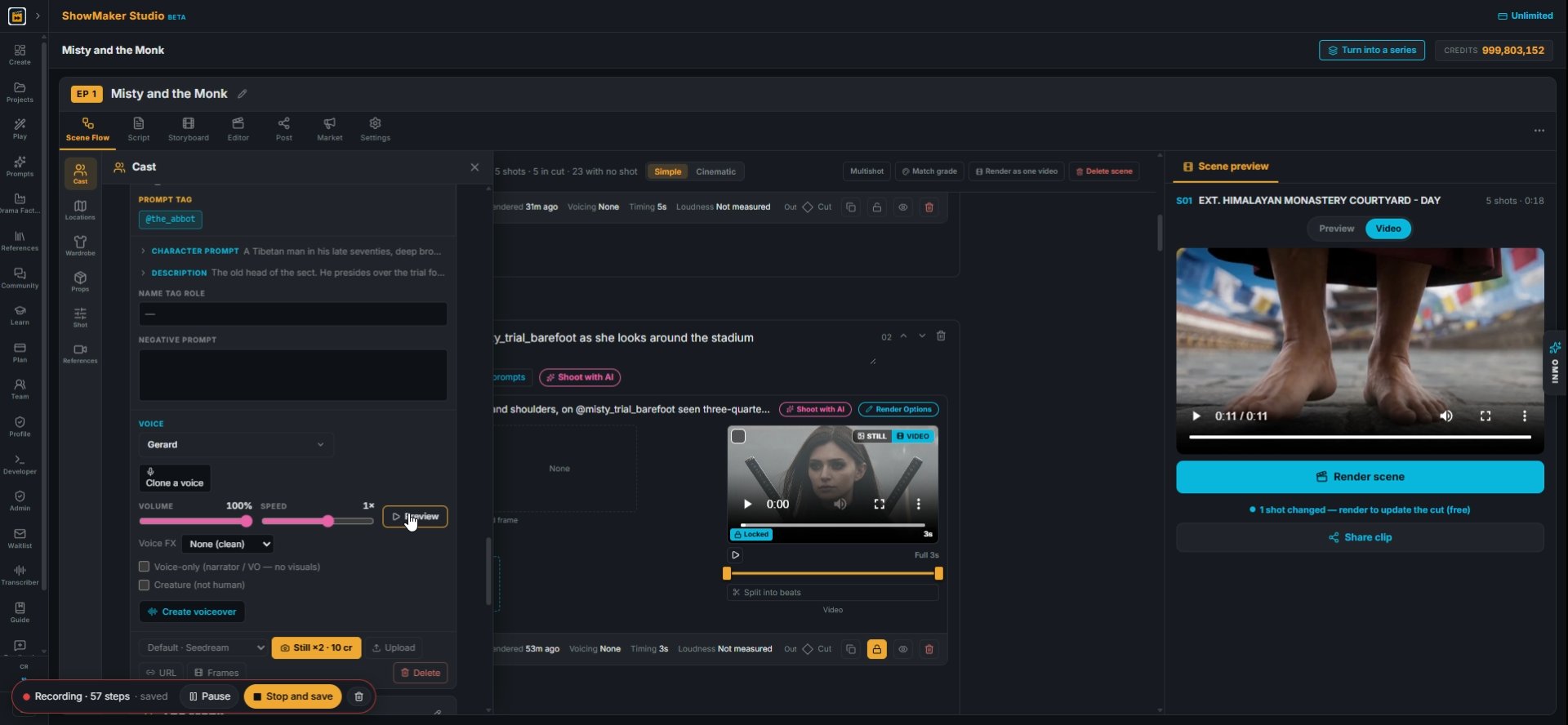
2Open Cast from the left toolbar. Every character in the project is listed here.
Preview
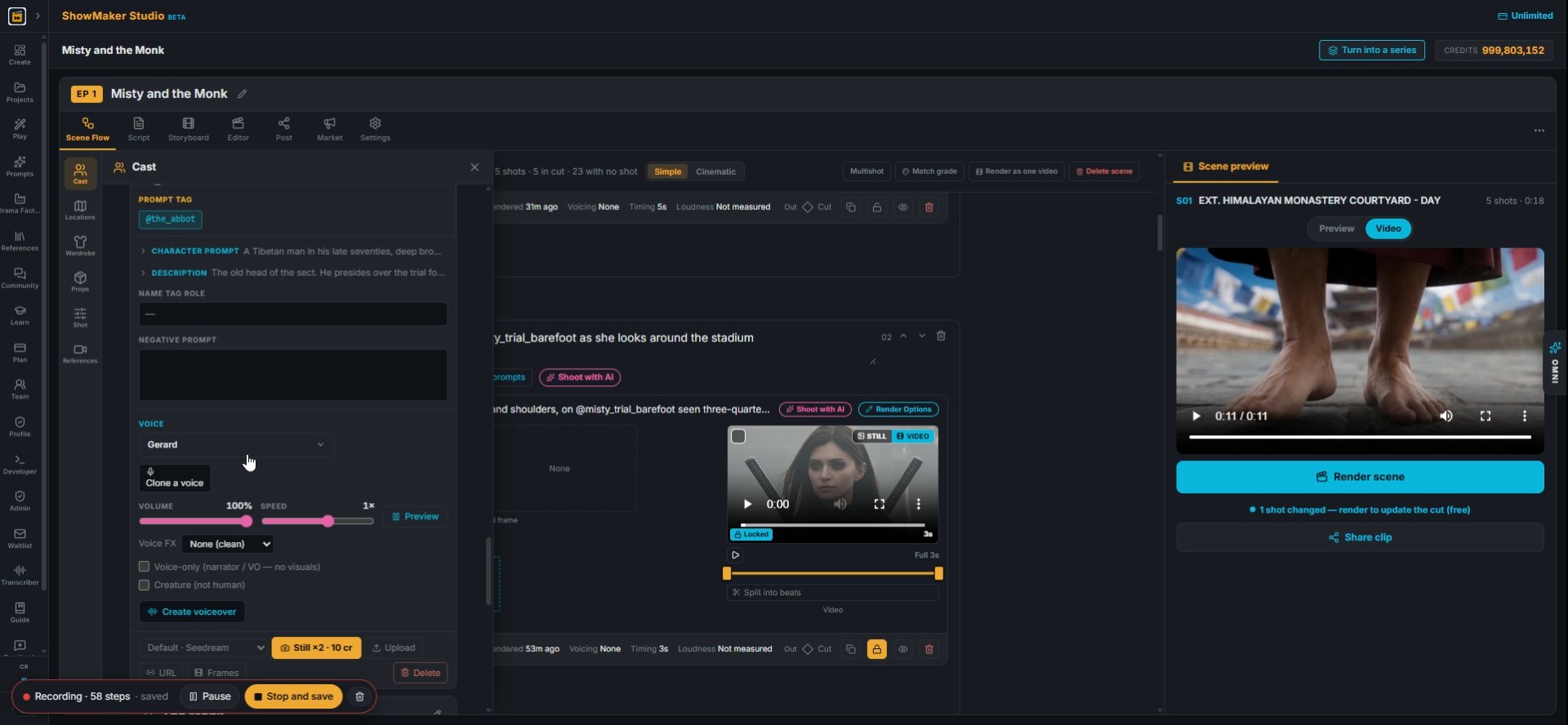
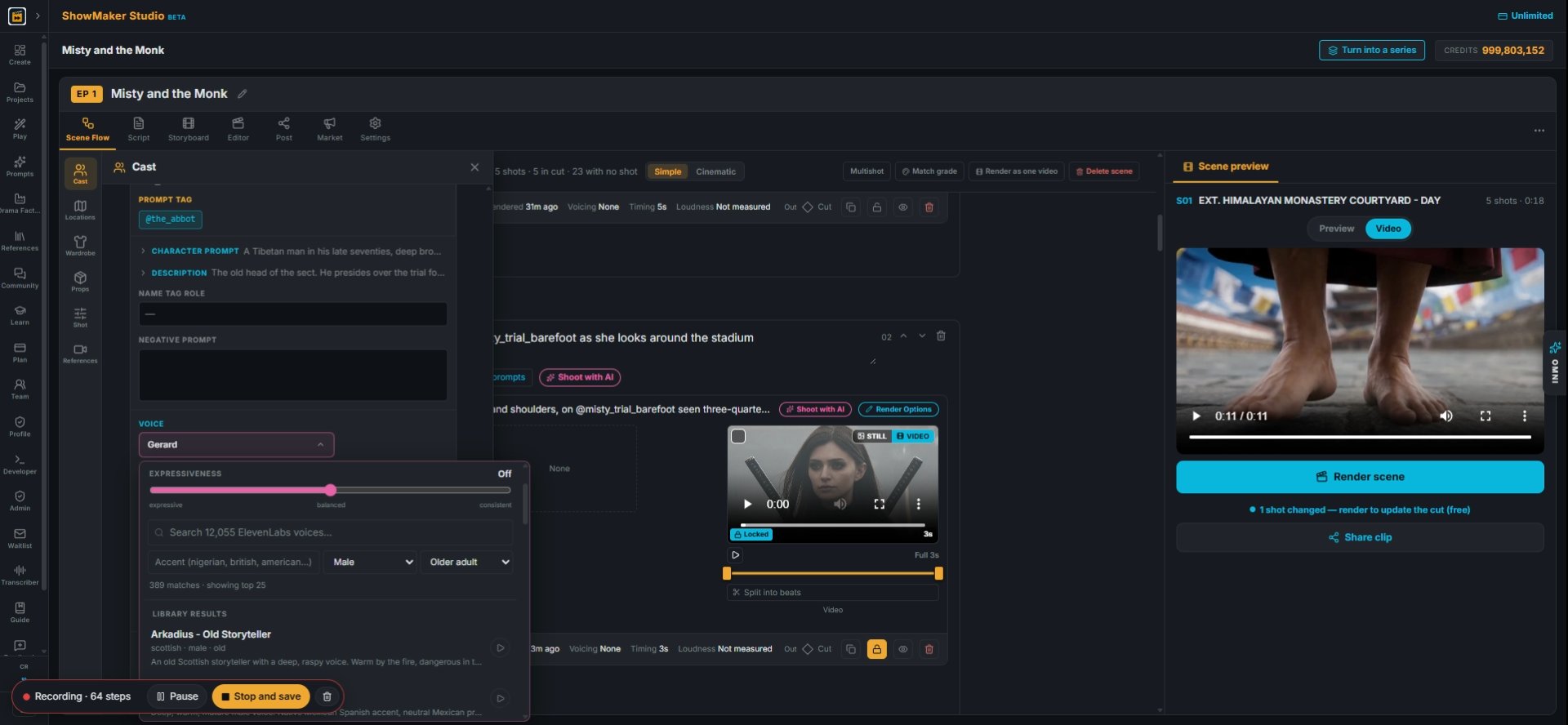
3Scroll to VOICE on the character's card. Press Preview to hear the voice they have now.
Gerard
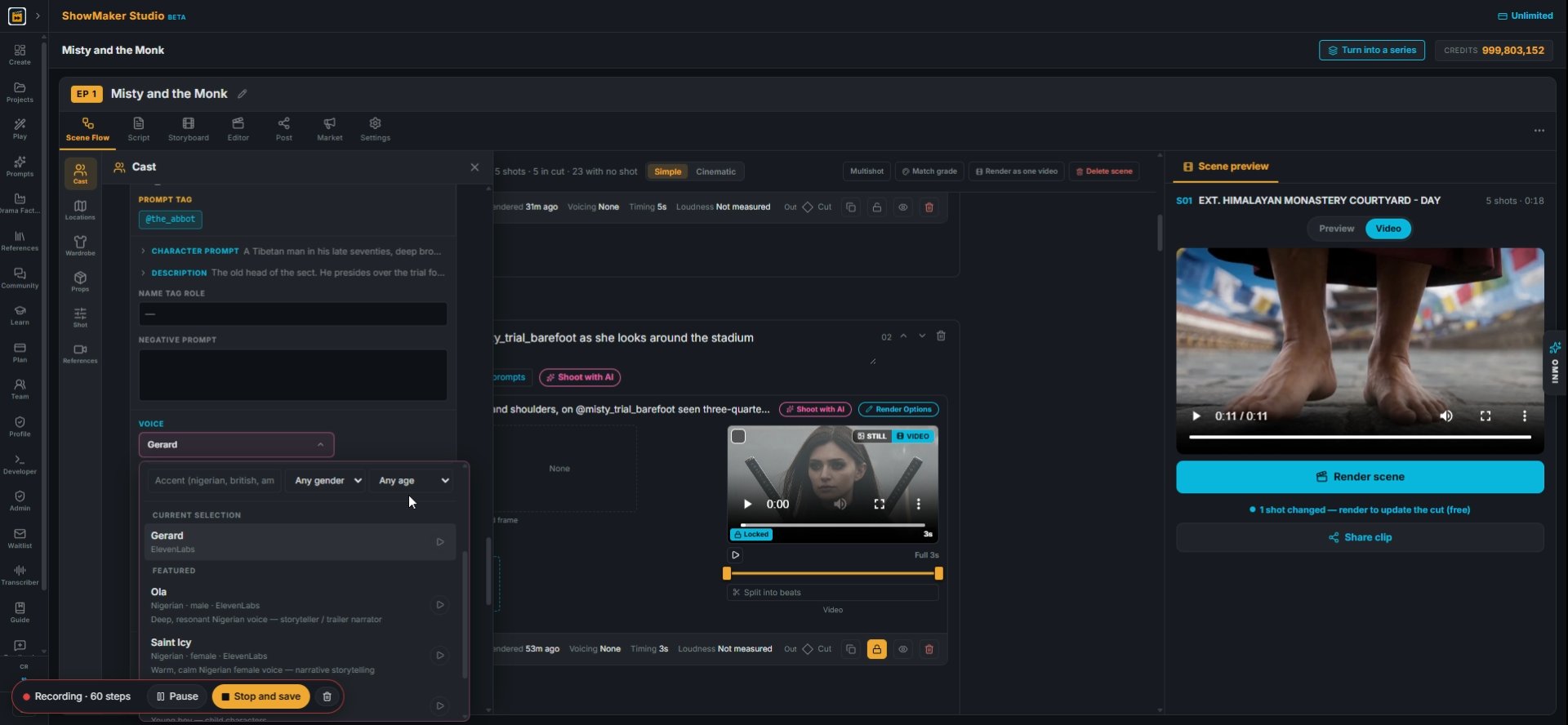
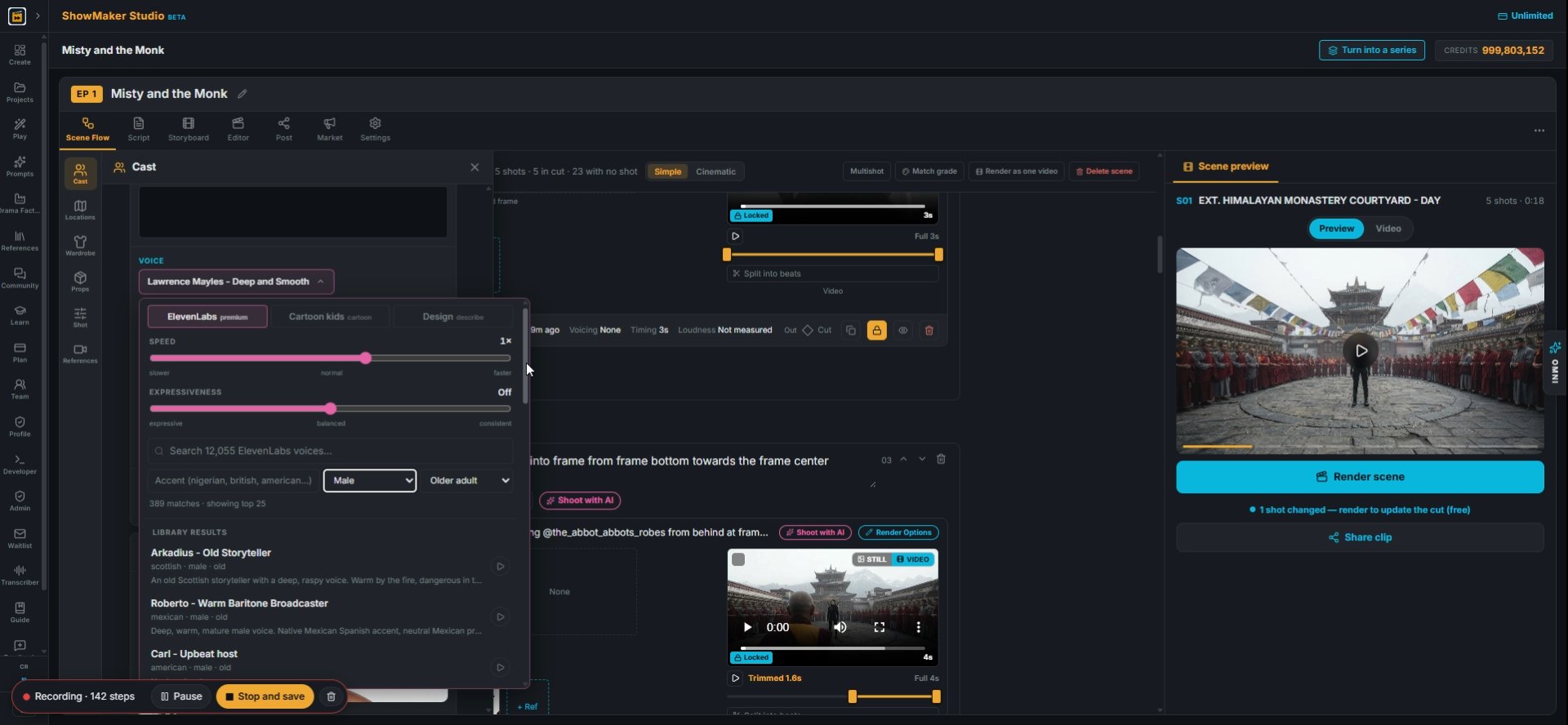
4Click the voice name to open the voice picker.
Any age Child Teen Young adult Middle aged Older adult Elderly
5Narrow the list first. Set Any age and Any gender to match the character, like Older adult and Male for the Abbot.
Accent (nigerian, british, american…)
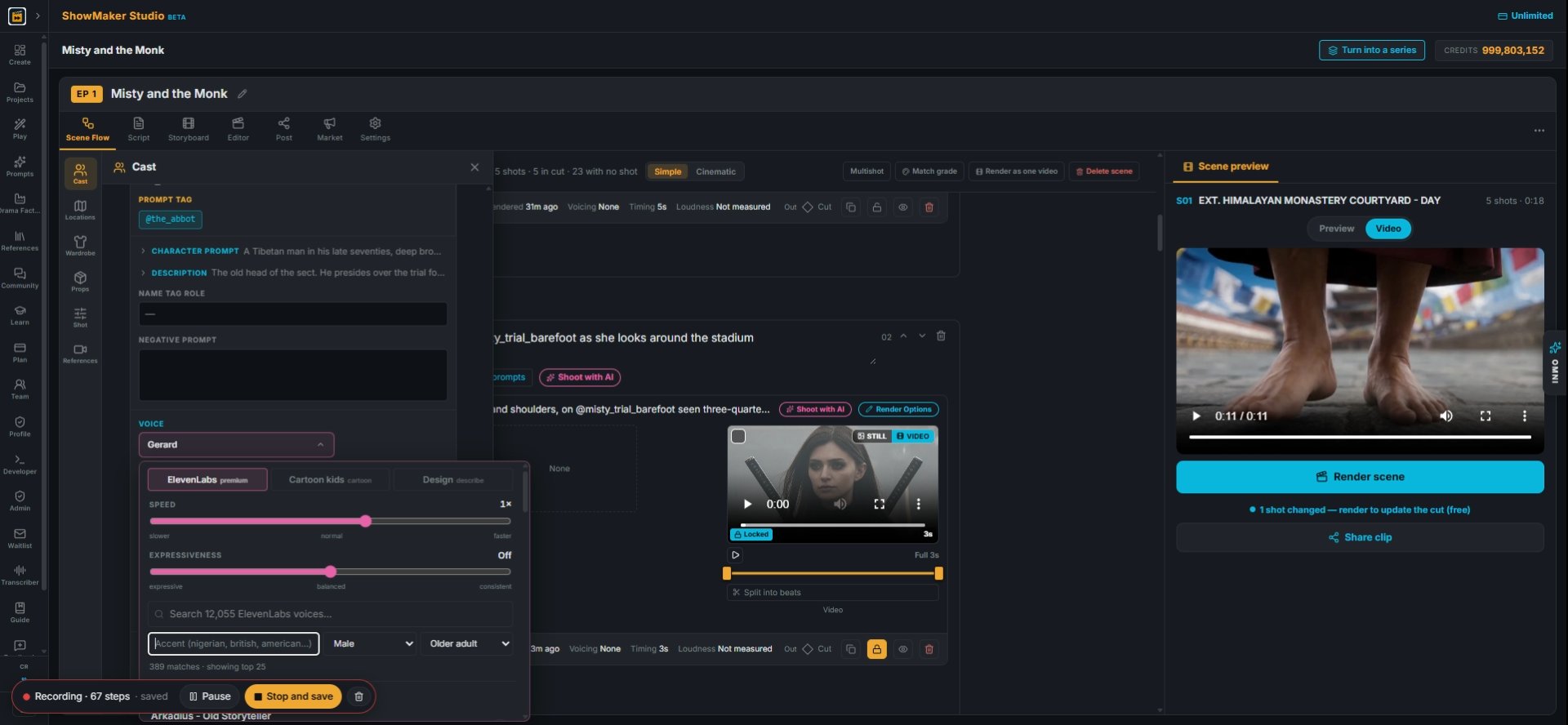
6Type an accent in the Accent box, such as british or nigerian, to cut the list down more.
Search 12,055 ElevenLabs voices…
7You can also search over 12,000 ElevenLabs voices by word. Speed and Expressiveness sliders sit above the search. Cartoon kids and Design are tabs at the top.
Abel - Deep latin american · male · old Calm, deep for guided meditation.
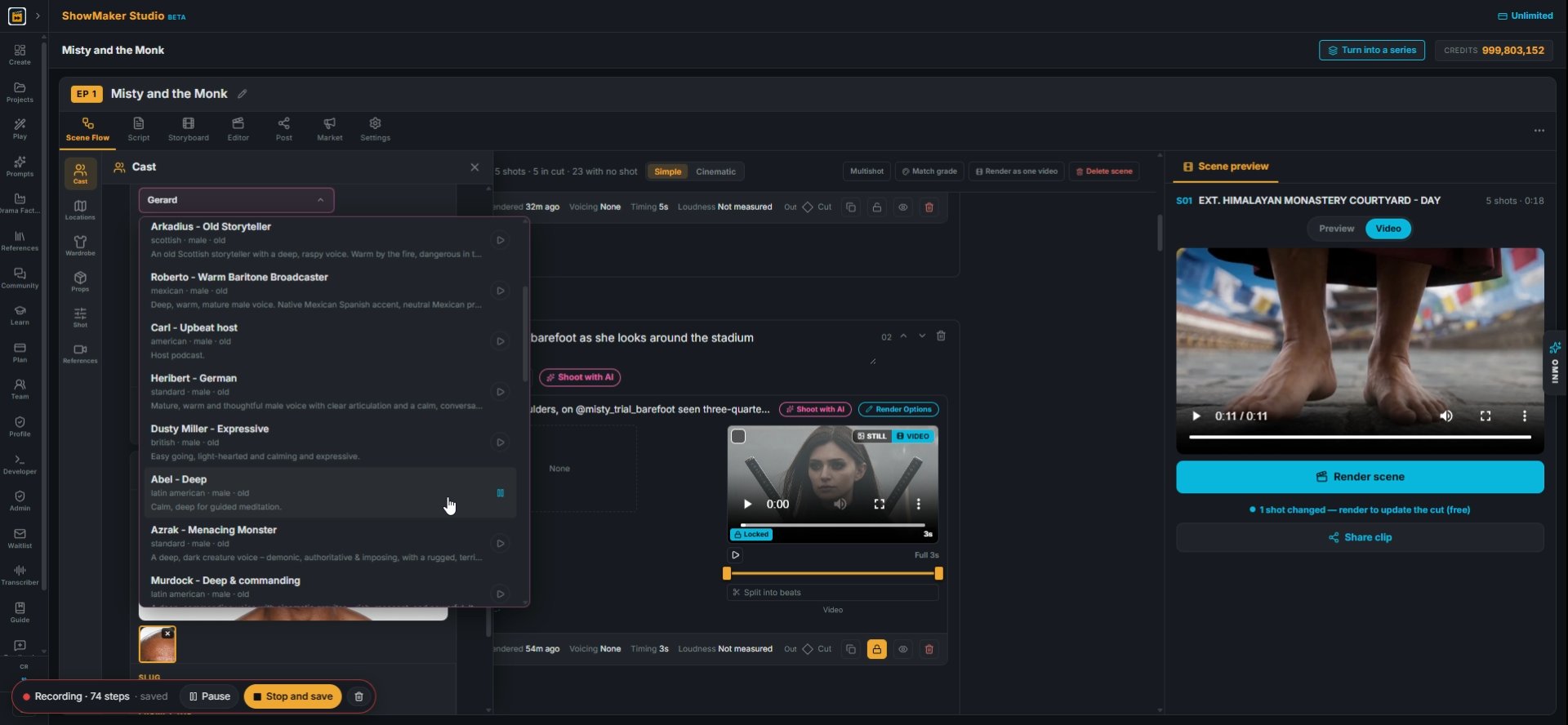
8Press play on a few voices, then click the one that fits. It becomes the character's voice for every line.
Voice FXNone (clean)PhoneRadioMegaphoneMuffled (mask)Inside the head
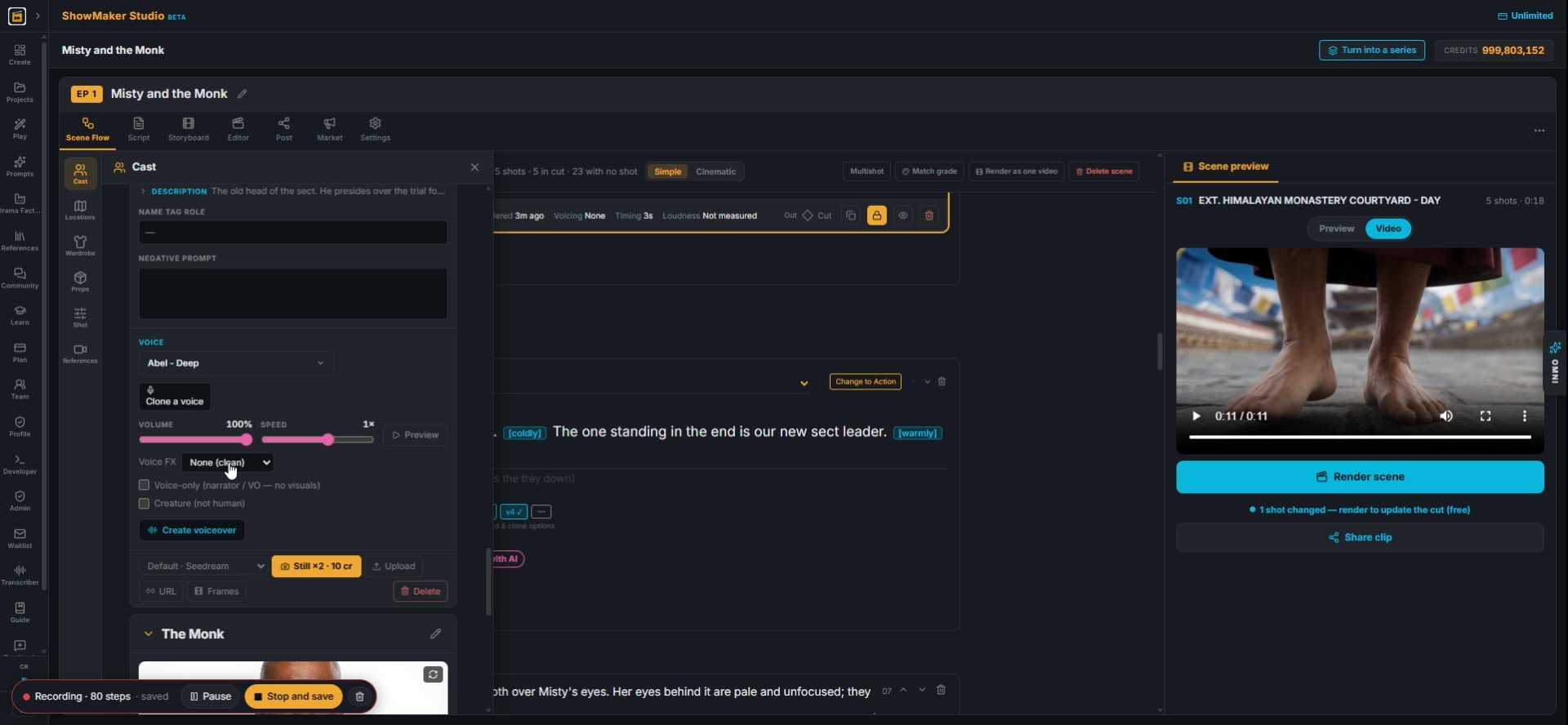
9Voice FX can make the voice sound like a phone, a radio or a voice inside the head. Leave it on None (clean) for normal speech.

Voice the line with expression
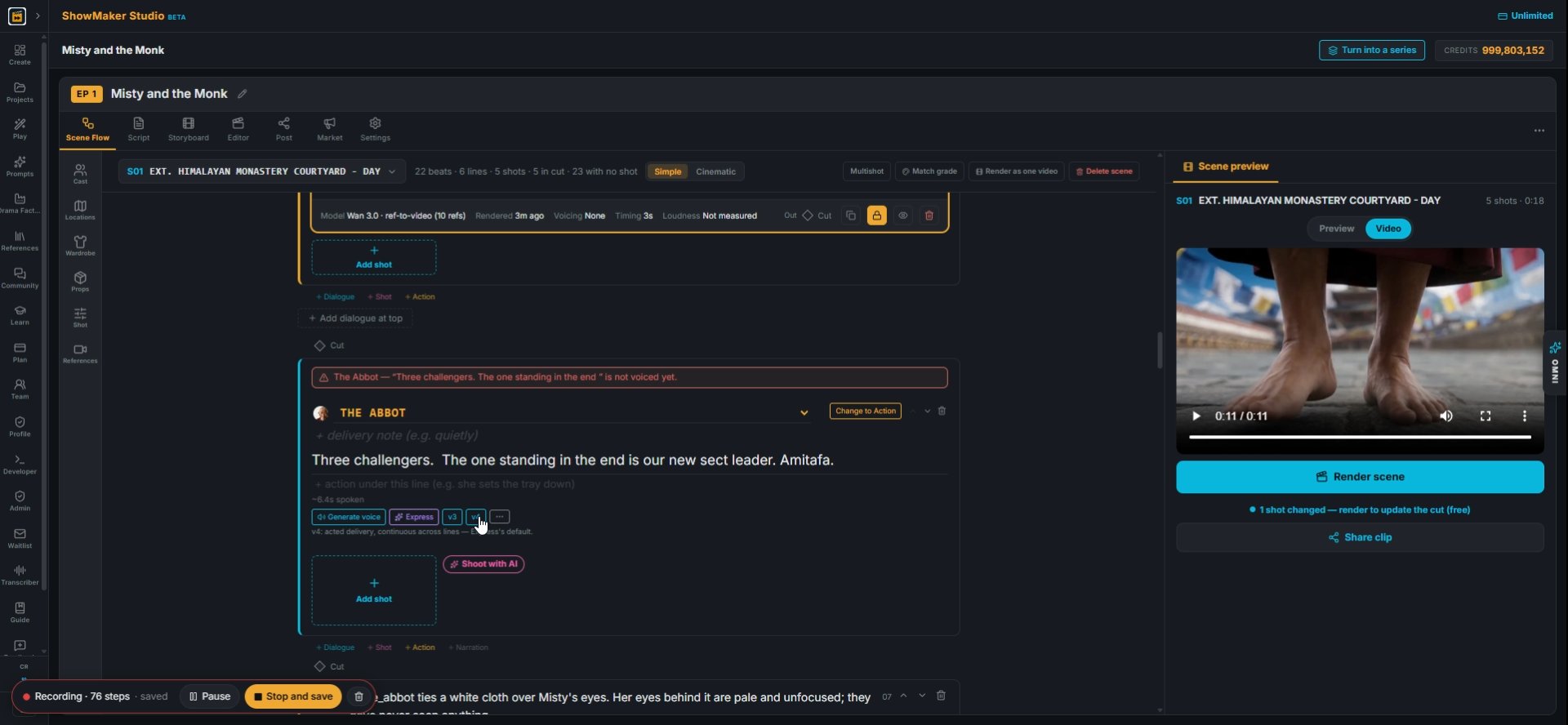
v4
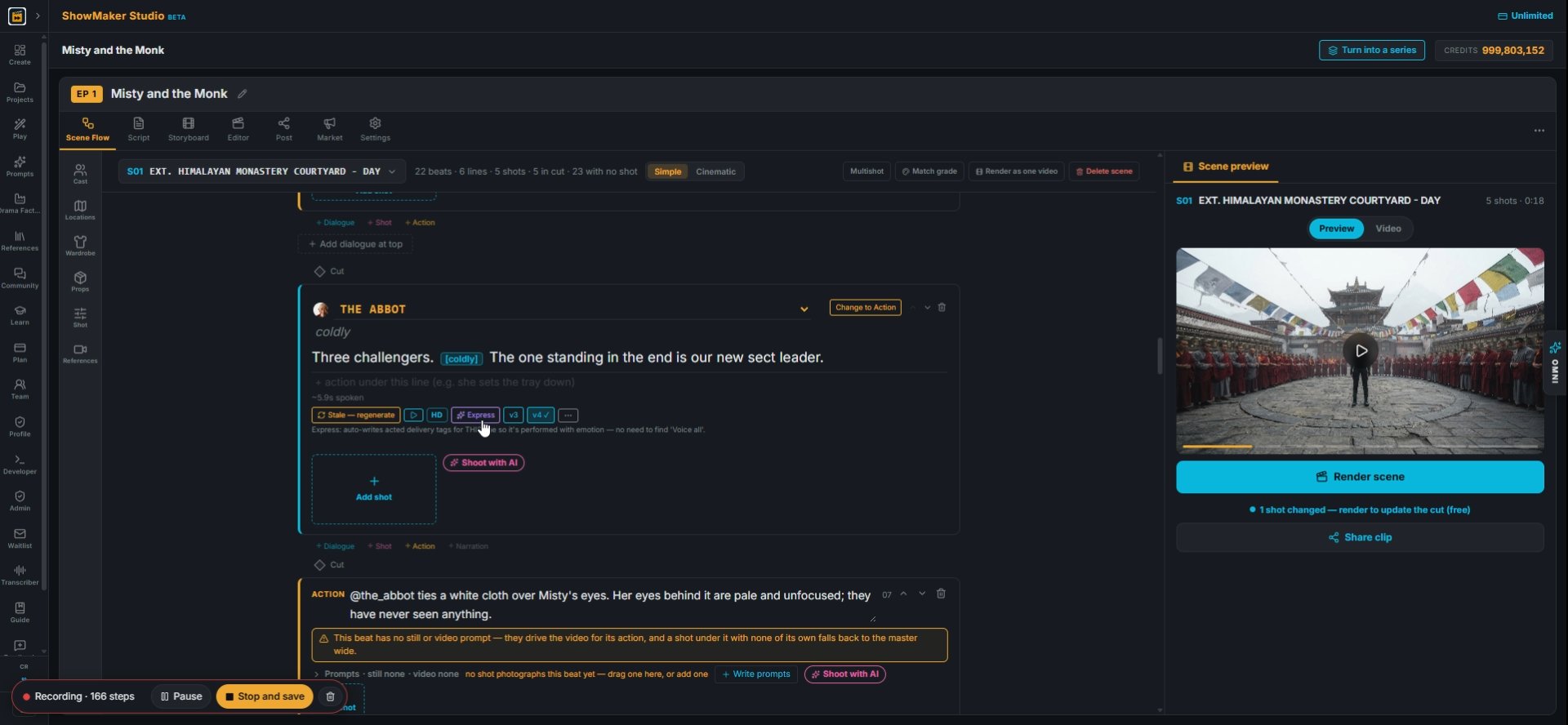
10Back on the line, pick the voice model, v3 or v4. Hover each button for a short note.
Express
11Press Express. It reads the scene and adds delivery tags to the line, so you do not have to write them.
Play TTS
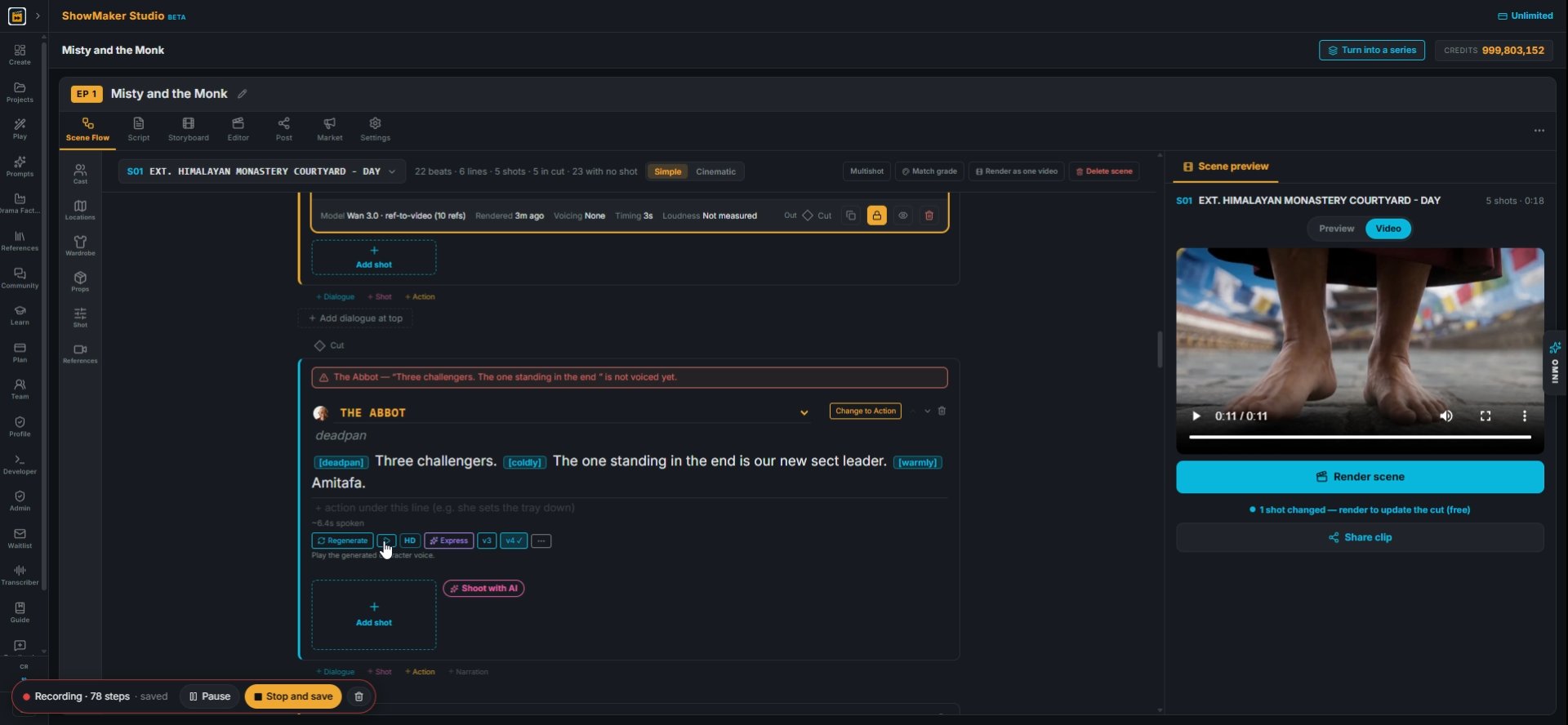
12The tags show up in the line, like [deadpan], [coldly] and [warmly]. Press play to hear the take.
Three challengers. [coldly] The one standing in the end is our new sect leader.…
13You can edit the tags by hand. Click into the line and change or remove any tag that does not fit.
Dialogue...
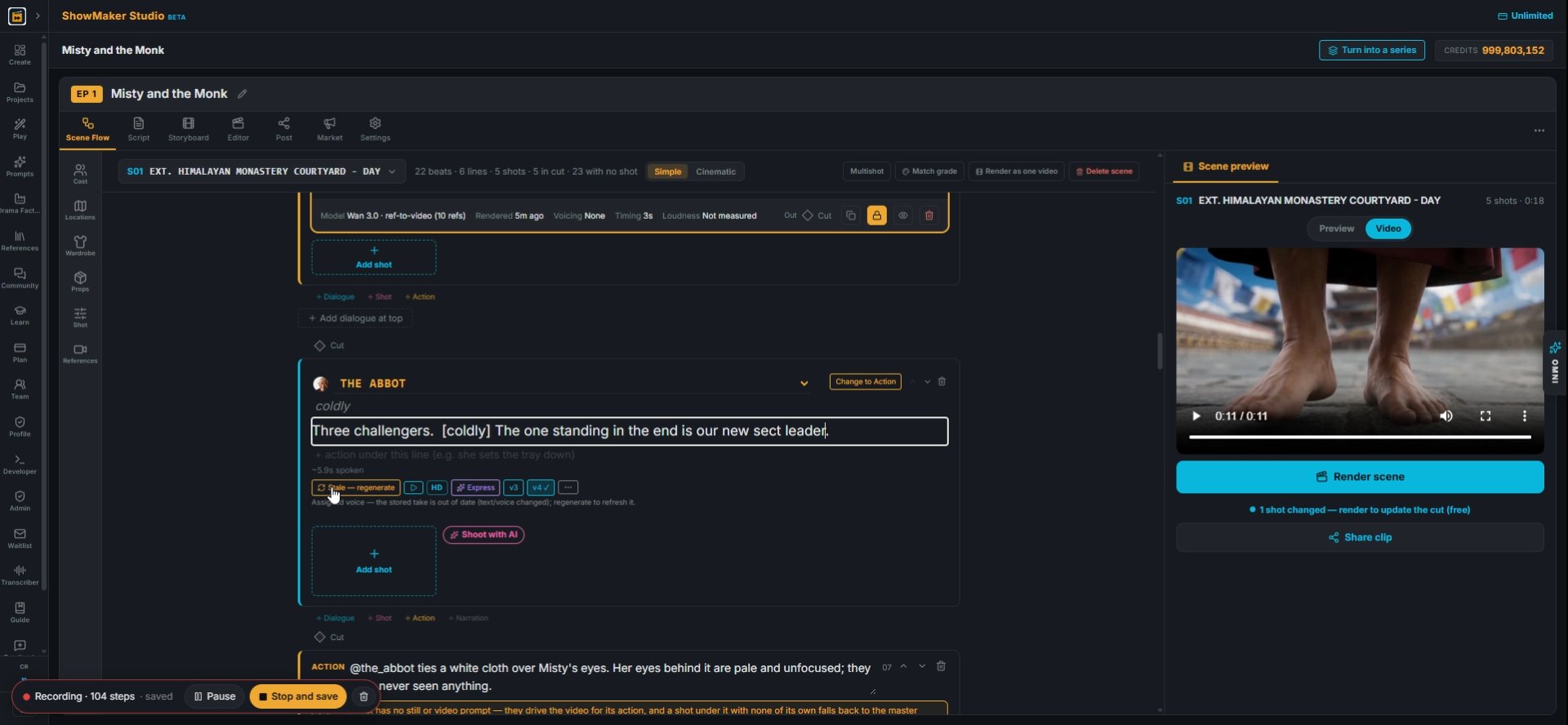
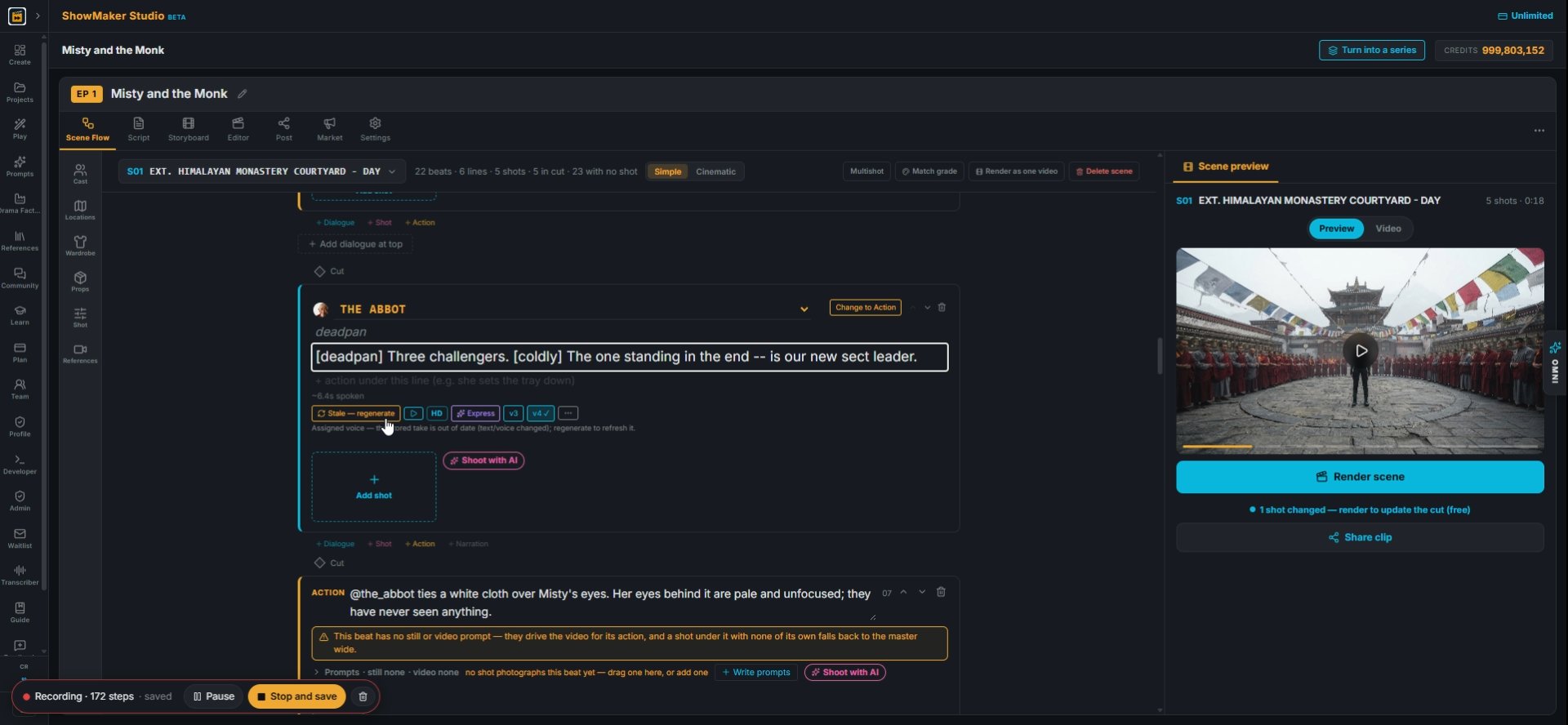
14Here the line is cut short and only [coldly] is kept. After any change the button reads Stale, regenerate.
Stale — regenerate
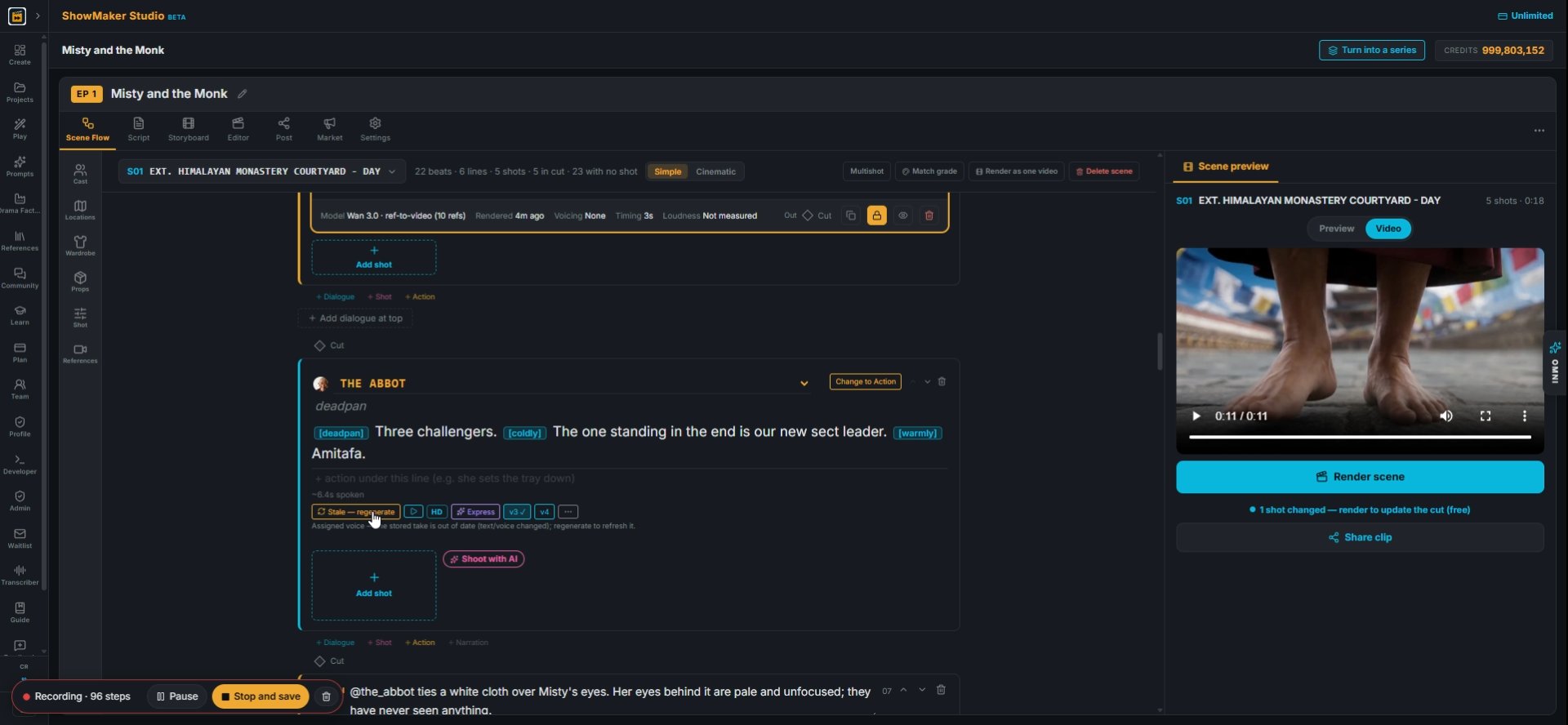
15Press Stale, regenerate to voice the new text. The old take no longer matches the words, so it is not used.

Recast when the voice is wrong

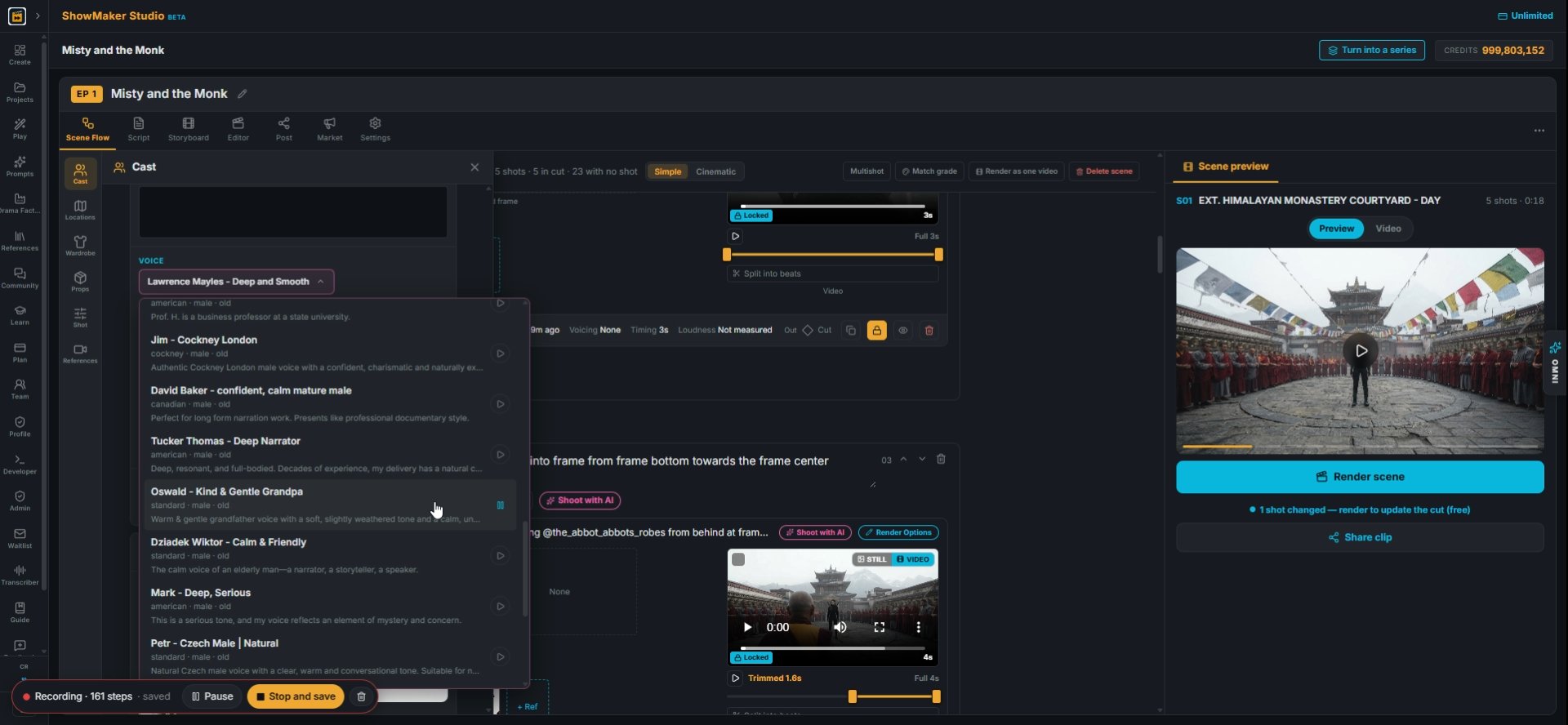
ElevenLabspremium Cartoon kidscartoon Designdescribe SPEED 1× slower normal fas…
16If the voice still sounds wrong, go back to the picker. Try a different age, like Elderly, to hear older voices.
Oswald - Kind & Gentle Grandpa standard · male · old Warm & gentle grandfather…
17Pick a new voice, here Oswald, Kind and Gentle Grandpa. Every line by this character will use it.
Express
18Press Express again so the tags are chosen for the new voice.
[deadpan] Three challengers. [coldly] The one standing in the end is our new se…
19Check the line. The tags now read [deadpan] and [coldly].
Dialogue...
20Add a pause by typing two dashes, like "in the end -- is our new sect leader". Then press Stale, regenerate and play it.

Voice a second character

v4
21Do the same for the next speaker. Dorje's line "A blindfold? This should be easy." has no voice yet.
Play TTS
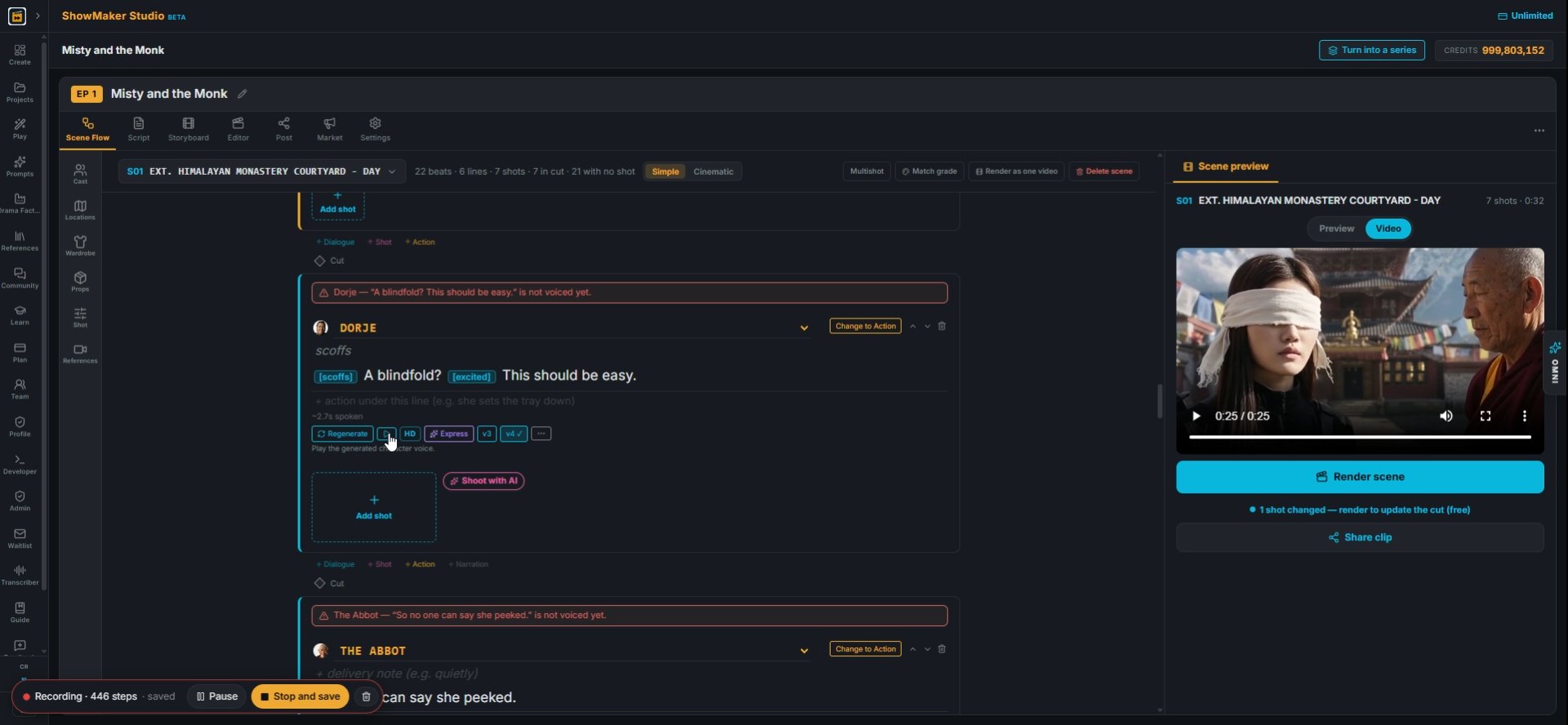
22Press Express. It adds [scoffs] and [excited], which suit a cocky young fighter. Press play to hear it.
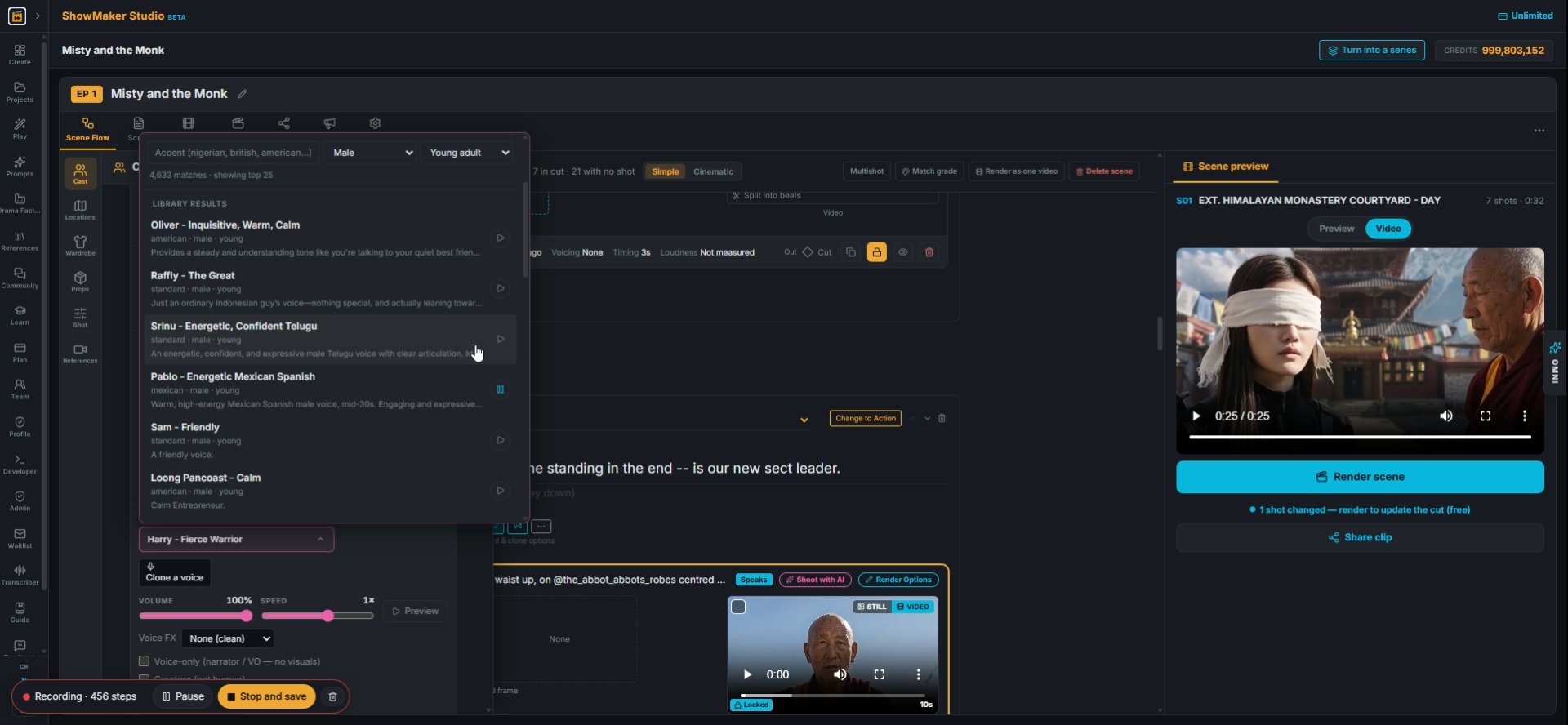
Srinu - Energetic, Confident Telugu standard · male · young An energetic, confi…
23To change his voice, open the picker and set Young adult and Male. Play a few and pick one.
Play TTS
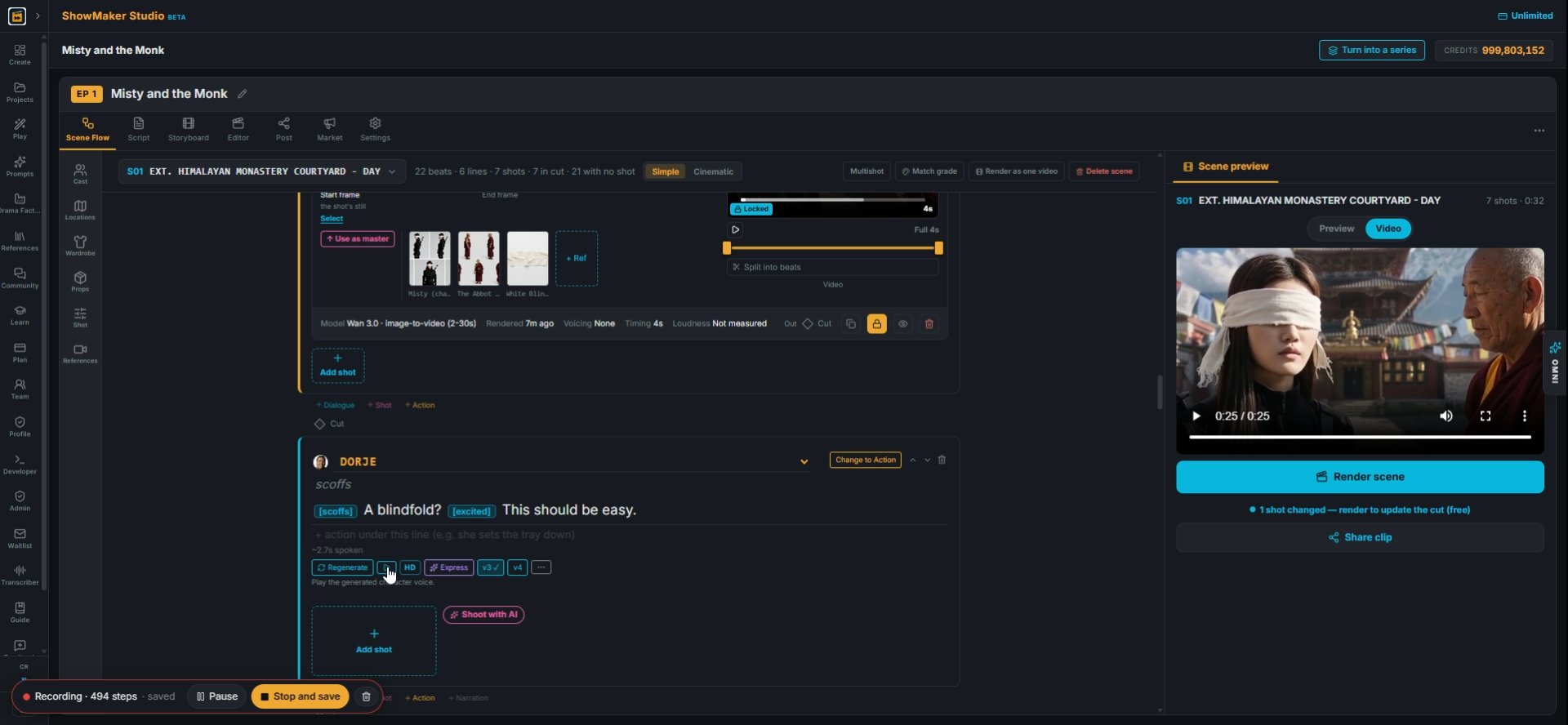
24After you change the voice, press Stale, regenerate and play the line again.
[scoffs] A blindfold? [excited] This should be easy.
25The finished line reads "[scoffs] A blindfold? [excited] This should be easy."

Make your own episode.

Start free with 200 credits: a narrated film from AI stills, no credit card.

Choose an AI voice for each character and direct how lines are read | ShowMaker Studio